Compare commits
1119 Commits
| Author | SHA1 | Date | |
|---|---|---|---|

|
b6dec7af1c | ||
|
|
546b7dc20a | ||
|
|
7cab14353d | ||
|
|
888bbf28e0 | ||
|
|
de5ceb2aca | ||
|
|
95719a978c | ||
|
|
dd16bcffd2 | ||
|
|
02410a0be3 | ||
|
|
14f2fbbce7 | ||
|
|
8eea0d6cf4 | ||
|
|
752a657a4f | ||
|
|
0ca5851a3c | ||
|
|
4bb0bdc4e6 | ||
|
|
6865634a6e | ||
|
|
07eb8dd7d2 | ||
|
|
789537cc8c | ||
|
|
8bbb1a16e3 | ||
|
|
0ff81573b5 | ||
|
|
90284ff626 | ||
|
|
e4fc1ff47c | ||
|
|
73c7ba4fe5 | ||
|
|
72a8b1eebe | ||
|
|
c14122a007 | ||
|
|
6ca12b1cc0 | ||
|
|
e8dc7d462e | ||
|
|
c2ca499516 | ||
|
|
1c8cf24ba6 | ||
|
|
49e4e0c6e7 | ||
|
|
bc2e843a83 | ||
|
|
ad25b096b6 | ||
|
|
1b85f194c5 | ||
|
|
cffc9971c4 | ||
|
|
3a6a97618c | ||
|
|
38e917a3df | ||
|
|
3825041393 | ||
|
|
0fedbabe9e | ||
|
|
c5cb08c5b8 | ||
|
|
833899c893 | ||
|
|
1f480c4cd5 | ||
|
|
b74a59947d | ||
|
|
21b8da7f41 | ||
|
|
fb2fd3e9b7 | ||
|
|
c0ff75c164 | ||
|
|
e1a6e08aa1 | ||
|
|
ac4cc5548a | ||
|
|
e0e1b09b77 | ||
|
|
fe86707c53 | ||
|
|
2ed7e325b8 | ||
|
|
e09ebfffa0 | ||
|
|
a8766d00a8 | ||
|
|
ef9606bf5b | ||
|
|
10dd819863 | ||
|
|
c8594a7e7a | ||
|
|
959567aade | ||
|
|
7a8c7f3429 | ||
|
|
4d578f1bfd | ||
|
|
eabfd91655 | ||
|
|
a4c6c4891e | ||
|
|
11c15720d4 | ||
|
|
24e92cfe69 | ||
|
|
4b243c9007 | ||
|
|
8d65ba1efd | ||
|
|
5f1b0c21eb | ||
|
|
af164159fb | ||
|
|
39e303add6 | ||
|
|
9b5c889187 | ||
|
|
dd9c15c672 | ||
|
|
92e9602329 | ||
|
|
dbf976ee5e | ||
|
|
927b3fb6d3 | ||
|
|
5e84ca3ce7 | ||
|
|
3b2daa1992 | ||
|
|
a19c42f1bd | ||
|
|
fc82661b54 | ||
|
|
4e95a39132 | ||
|
|
5a637a8b09 | ||
|
|
75e776ddb4 | ||
|
|
e1553c2fc8 | ||
|
|
db6d35bc03 | ||
|
|
d5bf957c8e | ||
|
|
566c45b0b4 | ||
|
|
39ee306630 | ||
|
|
748475f785 | ||
|
|
bf9929e9a9 | ||
|
|
9aa1b8ec47 | ||
|
|
ccc92fdb75 | ||
|
|
657aa65e99 | ||
|
|
abebde6b12 | ||
|
|
1df3d149e0 | ||
|
|
8832d08a22 | ||
|
|
51dc66b5d9 | ||
|
|
aae6d716e5 | ||
|
|
32b38439e3 | ||
|
|
fd8ea88488 | ||
|
|
8d1df96637 | ||
|
|
c1f205c2cf | ||
|
|
e9c796e42c | ||
|
|
4e1748fb8a | ||
|
|
959f01739c | ||
|
|
85dee9a7bc | ||
|
|
057522c5bd | ||
|
|
9a8c6deafb | ||
|
|
7daddf864d | ||
|
|
ef826c88ec | ||
|
|
42fbd96040 | ||
|
|
889a55ad99 | ||
|
|
3c205bcaba | ||
|
|
a1ddd2e2e3 | ||
|
|
5a07b788c7 | ||
|
|
5d84a98d7b | ||
|
|
b92ad4a2d6 | ||
|
|
b10e842e89 | ||
|
|
bc7d4d8f0e | ||
|
|
12c0e09c65 | ||
|
|
c447421b05 | ||
|
|
0779f8d73d | ||
|
|
ace032ef89 | ||
|
|
c5f9fa0d97 | ||
|
|
ada9a89cd2 | ||
|
|
27e538c8c6 | ||
|
|
8bfe63d5b2 | ||
|
|
65bbf54b4a | ||
|
|
8d31ed6d39 | ||
|
|
a7f72babe1 | ||
|
|
87a60325cf | ||
|
|
0f38a0dcf6 | ||
|
|
812ab9f868 | ||
|
|
ea893671d5 | ||
|
|
474a3cbf7a | ||
|
|
066f5f6d2c | ||
|
|
c661ac2e8a | ||
|
|
cb005d58eb | ||
|
|
6c82c1e04f | ||
|
|
feebf203b8 | ||
|
|
40033c64fb | ||
|
|
ffdbe3c965 | ||
|
|
6e740dbfc1 | ||
|
|
f6eb0202fe | ||
|
|
38aa4c45c4 | ||
|
|
122aa94bdb | ||
|
|
5aa203d020 | ||
|
|
aac066d609 | ||
|
|
70fe14f7af | ||
|
|
de2ae5ec15 | ||
|
|
45b36ce56d | ||
|
|
f7a2ae7e55 | ||
|
|
0247e2d106 | ||
|
|
237aff9c85 | ||
|
|
51911cdfdf | ||
|
|
f64b2b1321 | ||
|
|
8caedb19dd | ||
|
|
e2c65e3fa5 | ||
|
|
523d9d4952 | ||
|
|
4cd228a367 | ||
|
|
44651e6ecc | ||
|
|
b0b82e1f57 | ||
|
|
619b49f6f1 | ||
|
|
ce3bb96ff7 | ||
|
|
a4de51adaa | ||
|
|
861a0fdff9 | ||
|
|
c1e8b20f1b | ||
|
|
ac54b11f9d | ||
|
|
cf17760735 | ||
|
|
31488ffdd6 | ||
|
|
8c4f890af0 | ||
|
|
5ac436e184 | ||
|
|
387cec9838 | ||
|
|
a3cc3c3429 | ||
|
|
bf620fe16f | ||
|
|
ebd16e8fdf | ||
|
|
ee06515ca9 | ||
|
|
d0abf19037 | ||
|
|
0d6a27cc69 | ||
|
|
164b868dc2 | ||
|
|
c87fd2b649 | ||
|
|
c4cc283bcd | ||
|
|
cbfabeeb9d | ||
|
|
e84c43a4f6 | ||
|
|
83720c8277 | ||
|
|
5888fb9b3f | ||
|
|
985eb59893 | ||
|
|
2a4db3896e | ||
|
|
9ea1512df9 | ||
|
|
15b6bb3d75 | ||
|
|
d9d2b6c383 | ||
|
|
8a8c392095 | ||
|
|
b4a20741b2 | ||
|
|
007d38be04 | ||
|
|
40224ed1bc | ||
|
|
f3f246848a | ||
|
|
a6917d8952 | ||
|
|
a60b5acb65 | ||
|
|
753de21b12 | ||
|
|
3eb85b1554 | ||
|
|
7109bfde52 | ||
|
|
686a616b4c | ||
|
|
7e8869858c | ||
|
|
a16bad0cc0 | ||
|
|
32a0778fc4 | ||
|
|
6a7663beb5 | ||
|
|
06fc8cbf4d | ||
|
|
79d047e64f | ||
|
|
ab27b1bfd1 | ||
|
|
42ebf68932 | ||
|
|
5c5f1f9735 | ||
|
|
3965613154 | ||
|
|
8ac0906ff0 | ||
|
|
62879a5bc4 | ||
|
|
ff4d1f6ac2 | ||
|
|
1930bc260e | ||
|
|
fa32c27716 | ||
|
|
ebdfd8f69a | ||
|
|
2af0c04c8a | ||
|
|
cfb3632cbc | ||
|
|
c076c77db4 | ||
|
|
f9bcf359a1 | ||
|
|
bf2e5c70f8 | ||
|
|
ad3141dc00 | ||
|
|
e0eb93bf83 | ||
|
|
7a99b2544a | ||
|
|
2089136671 | ||
|
|
e36f775273 | ||
|
|
060c3805e5 | ||
|
|
3c3e1f17ef | ||
|
|
8abc9cfbc7 | ||
|
|
7bb0984a12 | ||
|
|
586b25a54c | ||
|
|
c655ceac9e | ||
|
|
d4c1e0deb0 | ||
|
|
e2ed0ccaea | ||
|
|
4999fbaee6 | ||
|
|
f80ad26081 | ||
|
|
b4a7e912b2 | ||
|
|
0a87f106ec | ||
|
|
b0a66ce6d8 | ||
|
|
8c7e37c56a | ||
|
|
9f30553813 | ||
|
|
11532857d2 | ||
|
|
c975a6c8ba | ||
|
|
6096044fe0 | ||
|
|
3ebe7b4a7e | ||
|
|
a1fd1e07f0 | ||
|
|
9029dab015 | ||
|
|
e9e084d933 | ||
|
|
93129f8989 | ||
|
|
7e676b4b8d | ||
|
|
f9cb02026e | ||
|
|
3a2a41d2b6 | ||
|
|
ee658a6e9b | ||
|
|
b7d56b6fce | ||
|
|
d2254c1255 | ||
|
|
4d259a69f2 | ||
|
|
8c50ae6071 | ||
|
|
40ecd206e6 | ||
|
|
9fed4f1c49 | ||
|
|
ecac445fb2 | ||
|
|
c4742e5c30 | ||
|
|
55aec55ef2 | ||
|
|
8e95383afe | ||
|
|
e072dad30c | ||
|
|
30688bbe41 | ||
|
|
d5cd9709f7 | ||
|
|
dddbec2682 | ||
|
|
cfc5533920 | ||
|
|
caa4c07e3e | ||
|
|
e6ac872b0d | ||
|
|
d42b5d4989 | ||
|
|
6d72d66656 | ||
|
|
3a8e730b9c | ||
|
|
ac2e174643 | ||
|
|
777794583c | ||
|
|
cff6608996 | ||
|
|
972dd3e174 | ||
|
|
3bc67e338b | ||
|
|
4cd2c8c1d9 | ||
|
|
224b68dbf2 | ||
|
|
851983af15 | ||
|
|
96a90bbca4 | ||
|
|
922887fe77 | ||
|
|
0bebb4e7ef | ||
|
|
2e4f7ab35c | ||
|
|
a828ec7c3c | ||
|
|
a4514c790b | ||
|
|
b162285f13 | ||
|
|
bdb2f8939a | ||
|
|
66465897a9 | ||
|
|
43e9c32ec6 | ||
|
|
6032605341 | ||
|
|
e40fe65272 | ||
|
|
2ba355c76f | ||
|
|
b321b07ad5 | ||
|
|
a41e295e42 | ||
|
|
4b0d4f4cd5 | ||
|
|
ade4c011d3 | ||
|
|
2b654882fd | ||
|
|
58abeecb11 | ||
|
|
1f0a1c796a | ||
|
|
dd56ceb700 | ||
|
|
090906c559 | ||
|
|
65b8fd27af | ||
|
|
e6ed676117 | ||
|
|
827428d6b5 | ||
|
|
02f9be2c4a | ||
|
|
aefb655769 | ||
|
|
5214b331e0 | ||
|
|
b5880f26af | ||
|
|
59e5a457ef | ||
|
|
0dbc4fa213 | ||
|
|
d51e93b86e | ||
|
|
071462b33b | ||
|
|
f2d11cfcaf | ||
|
|
90c9bf879f | ||
|
|
e813394eb4 | ||
|
|
8c65f6a938 | ||
|
|
e968f4067c | ||
|
|
1fd61fb989 | ||
|
|
eb9d860af3 | ||
|
|
12ed655881 | ||
|
|
c1df7674b2 | ||
|
|
30088ec20b | ||
|
|
7720f452d3 | ||
|
|
678614b62b | ||
|
|
888b3a2672 | ||
|
|
fa86fb7e3f | ||
|
|
2a44cad2d0 | ||
|
|
5f0574e15c | ||
|
|
bd4b834b74 | ||
|
|
1614bcdc0b | ||
|
|
93f684e5b6 | ||
|
|
9f2e51ea8c | ||
|
|
c1caa6318e | ||
|
|
4d5fcfcdad | ||
|
|
39aec8caa3 | ||
|
|
1c8209c54a | ||
|
|
742d21f1c9 | ||
|
|
c70d59c8d2 | ||
|
|
2d74bb00f2 | ||
|
|
6ae6b9268f | ||
|
|
b7aaa53a8a | ||
|
|
3a3def5e76 | ||
|
|
44d55e39f3 | ||
|
|
af4ed27d15 | ||
|
|
eb98810cef | ||
|
|
dfa47a0e0f | ||
|
|
f81fa55289 | ||
|
|
ab7b14d81e | ||
|
|
69309a1f88 | ||
|
|
abdd1634e4 | ||
|
|
e4d2549984 | ||
|
|
2edabef78f | ||
|
|
9c5d7b2f2c | ||
|
|
453a9036be | ||
|
|
b0ef5fb06d | ||
|
|
27352f7230 | ||
|
|
58c454b628 | ||
|
|
3058eb5617 | ||
|
|
76745bf19a | ||
|
|
7c6ff89ab6 | ||
|
|
8d26d6d863 | ||
|
|
52589f7c59 | ||
|
|
46b750b3ec | ||
|
|
caee0c07d7 | ||
|
|
4cb3e32ff1 | ||
|
|
fb41d245e6 | ||
|
|
1ab8ccdc99 | ||
|
|
3d854f7724 | ||
|
|
e7908b7f37 | ||
|
|
6981098329 | ||
|
|
8b778b6407 | ||
|
|
993a8a1f90 | ||
|
|
25c5b784e1 | ||
|
|
9b613ee202 | ||
|
|
84b36fed6f | ||
|
|
f351039d48 | ||
|
|
339cee416a | ||
|
|
e39c5e3ec0 | ||
|
|
517e359399 | ||
|
|
1c2eec405b | ||
|
|
398f40ea68 | ||
|
|
1efc6f53d3 | ||
|
|
5ff01f529f | ||
|
|
2a678b9686 | ||
|
|
922122492e | ||
|
|
7fb0e654cd | ||
|
|
3c435daf65 | ||
|
|
198b077257 | ||
|
|
d72237adf3 | ||
|
|
65ce21a238 | ||
|
|
59dfd9b9bd | ||
|
|
268b5dd54e | ||
|
|
c0ac155a71 | ||
|
|
5d71d4bf6e | ||
|
|
bbc926bccc | ||
|
|
c83ad752ca | ||
|
|
9ae5b47296 | ||
|
|
6dc688cefd | ||
|
|
989409a1ab | ||
|
|
ead6229d55 | ||
|
|
69147a51d6 | ||
|
|
6023559142 | ||
|
|
51bd6d5ce0 | ||
|
|
690ec7ce24 | ||
|
|
ff8dc859cd | ||
|
|
06230398d7 | ||
|
|
c0e21c2406 | ||
|
|
fc23b49998 | ||
|
|
e80ead17a8 | ||
|
|
a88c352e72 | ||
|
|
338c4e2fb1 | ||
|
|
8b08e5a1f9 | ||
|
|
b3f2c79d87 | ||
|
|
bd4da37f23 | ||
|
|
eec4b3ace5 | ||
|
|
9feca3c4cc | ||
|
|
4a49640c3f | ||
|
|
32e2211dbe | ||
|
|
fcc247ffd6 | ||
|
|
d13732b44e | ||
|
|
50f74fbeda | ||
|
|
4855ba07c5 | ||
|
|
1e0c5be5b3 | ||
|
|
21c15ae559 | ||
|
|
9e7a15c1be | ||
|
|
f66dd613e3 | ||
|
|
3c70a15bb6 | ||
|
|
a1f40c73c9 | ||
|
|
98171abed5 | ||
|
|
9b949da47c | ||
|
|
caa5cefe53 | ||
|
|
1befe0ce57 | ||
|
|
63ca5126cf | ||
|
|
a4105266b4 | ||
|
|
148fc817cd | ||
|
|
213849fb32 | ||
|
|
412064d77f | ||
|
|
700e3a159f | ||
|
|
ea069c0c51 | ||
|
|
de2ef90043 | ||
|
|
ed6394300f | ||
|
|
8ae0d045e3 | ||
|
|
70745cea5d | ||
|
|
6f62429382 | ||
|
|
c0a942aa4a | ||
|
|
e3c5a6c294 | ||
|
|
66dac29ee6 | ||
|
|
1f9b4e2296 | ||
|
|
2c6844c327 | ||
|
|
3bb262fd66 | ||
|
|
47bb5d6c61 | ||
|
|
4851b6bae0 | ||
|
|
433b3e8c21 | ||
|
|
35dc687be6 | ||
|
|
dc0f8deb06 | ||
|
|
ed998598df | ||
|
|
a53682acee | ||
|
|
d04db59880 | ||
|
|
34582da561 | ||
|
|
dff840c49b | ||
|
|
8cfa550954 | ||
|
|
fc7709da51 | ||
|
|
0a4766a61e | ||
|
|
671adc7e0e | ||
|
|
cc7257efd5 | ||
|
|
773fb57c71 | ||
|
|
5a93683a26 | ||
|
|
0af29ff4db | ||
|
|
d8cce02e97 | ||
|
|
b06ca700be | ||
|
|
6903d7f52f | ||
|
|
bb565f9450 | ||
|
|
918f736141 | ||
|
|
a5c76d4bd5 | ||
|
|
d6d4906148 | ||
|
|
a054cf098c | ||
|
|
c0710a3b74 | ||
|
|
ae05392625 | ||
|
|
3fb2e5d25e | ||
|
|
af7b42e531 | ||
|
|
679331873c | ||
|
|
4460ad0577 | ||
|
|
1ea6e8b4f3 | ||
|
|
f018fc04b0 | ||
|
|
69026c5779 | ||
|
|
b847d85e60 | ||
|
|
d3d367c635 | ||
|
|
8de92dc6b9 | ||
|
|
dabc0bbe80 | ||
|
|
3f30b2f489 | ||
|
|
84e03893fd | ||
|
|
b4ffeaf034 | ||
|
|
a470706c2e | ||
|
|
5e7d731ddd | ||
|
|
2e833a6efd | ||
|
|
1cde647a2a | ||
|
|
047efe02ff | ||
|
|
441eb2c20c | ||
|
|
0f45014dce | ||
|
|
1acf615fc7 | ||
|
|
f1c342e05e | ||
|
|
96002dbda5 | ||
|
|
93d0a9b3d4 | ||
|
|
571495c3e0 | ||
|
|
9b71aa17b3 | ||
|
|
03dcf743e8 | ||
|
|
dadaf32e4d | ||
|
|
086117d703 | ||
|
|
ea9943e135 | ||
|
|
bda03d7a84 | ||
|
|
665d3da651 | ||
|
|
faab09b76f | ||
|
|
33401f4064 | ||
|
|
9e9dfbcb10 | ||
|
|
73af283e1c | ||
|
|
6c25ad9cc2 | ||
|
|
c247f3130c | ||
|
|
4194632318 | ||
|
|
8f84f9e140 | ||
|
|
21420f16df | ||
|
|
ee682270a4 | ||
|
|
6923128774 | ||
|
|
5cabd8e4c0 | ||
|
|
84bc5ab299 | ||
|
|
9483ccb120 | ||
|
|
d8c700975f | ||
|
|
aee7d36f1d | ||
|
|
febbea5550 | ||
|
|
ee54c1481c | ||
|
|
78af86f9d1 | ||
|
|
82961767e3 | ||
|
|
7583289d24 | ||
|
|
d40e136947 | ||
|
|
ed7cfff45c | ||
|
|
a10376372a | ||
|
|
f6e749734a | ||
|
|
62c9efbc54 | ||
|
|
84e1417b71 | ||
|
|
bf1242aafa | ||
|
|
001a68f45c | ||
|
|
a823e75d2b | ||
|
|
c21c6b8013 | ||
|
|
e42d103af3 | ||
|
|
84e00bf7b3 | ||
|
|
25e5ab7cee | ||
|
|
5a7972fbf8 | ||
|
|
74e10b1788 | ||
|
|
6c3bc6fb34 | ||
|
|
b8ca2c56d9 | ||
|
|
c9e7c1b3bc | ||
|
|
dacf1a85fd | ||
|
|
6567454ae4 | ||
|
|
06fd7e7776 | ||
|
|
cac4b92a02 | ||
|
|
7d27431312 | ||
|
|
206d0c2c2a | ||
|
|
38b8423150 | ||
|
|
ea8b1ba10c | ||
|
|
1bbf099fe0 | ||
|
|
5fae18e940 | ||
|
|
f4d20a9aed | ||
|
|
27dd945544 | ||
|
|
7c74507bca | ||
|
|
c18ea7c856 | ||
|
|
681d75e43e | ||
|
|
c11bcd1416 | ||
|
|
82501319ce | ||
|
|
b379001f00 | ||
|
|
fe1dfa3e23 | ||
|
|
d97c9fd2ee | ||
|
|
fde79a1b3c | ||
|
|
59781b9eef | ||
|
|
27ab978565 | ||
|
|
f7d664fdcf | ||
|
|
4d74d7a994 | ||
|
|
6a3ee4debe | ||
|
|
a0181a0eee | ||
|
|
1c3a257244 | ||
|
|
7727496548 | ||
|
|
ecfb363169 | ||
|
|
4579a2adc1 | ||
|
|
57ba307c3b | ||
|
|
54dadbeae5 | ||
|
|
2a8bc31e4a | ||
|
|
d6fcd19bd1 | ||
|
|
e0d4b3fef2 | ||
|
|
3552d6a340 | ||
|
|
e330d8874b | ||
|
|
d919abbda4 | ||
|
|
8e6b2c4f9d | ||
|
|
420ed6738e | ||
|
|
49fa5cb23a | ||
|
|
ec9196e33c | ||
|
|
883daf7b46 | ||
|
|
7b92211eca | ||
|
|
192c9fe981 | ||
|
|
9f4ce8d756 | ||
|
|
abaa22950c | ||
|
|
e23481a011 | ||
|
|
8a8741a792 | ||
|
|
206b757629 | ||
|
|
238badabb4 | ||
|
|
e86a6efe45 | ||
|
|
37bc8826f7 | ||
|
|
3d4dfbcf7a | ||
|
|
2de435f43a | ||
|
|
ff4a6a1ea1 | ||
|
|
55df622007 | ||
|
|
baf5b10d23 | ||
|
|
794b6e8783 | ||
|
|
df41201134 | ||
|
|
95e9300d10 | ||
|
|
ad2a54bb78 | ||
|
|
d417e50d52 | ||
|
|
16c41d36cf | ||
|
|
4e019e44b0 | ||
|
|
d7e7ee9a52 | ||
|
|
e7a16364c0 | ||
|
|
a46c220489 | ||
|
|
830af2389e | ||
|
|
332b5d1dad | ||
|
|
3cde636d47 | ||
|
|
c0293719d9 | ||
|
|
bd4ed5b99b | ||
|
|
0527e6f3ea | ||
|
|
ff3ab18d16 | ||
|
|
691730974e | ||
|
|
46a29f54fc | ||
|
|
95127c94a6 | ||
|
|
88a0c56f40 | ||
|
|
6bd5907ad7 | ||
|
|
801068c8fe | ||
|
|
4516c3670e | ||
|
|
73b8ba3d4a | ||
|
|
9567328d28 | ||
|
|
35abe811c1 | ||
|
|
6bc1758dc0 | ||
|
|
341c163b36 | ||
|
|
468b0d2a55 | ||
|
|
f873fa8d99 | ||
|
|
59de4f7e82 | ||
|
|
f02bbe6308 | ||
|
|
e5835ae4f6 | ||
|
|
309569c581 | ||
|
|
a88dddab22 | ||
|
|
b5048a3323 | ||
|
|
3ec6b3d846 | ||
|
|
d0dacdbde0 | ||
|
|
8d643fb29d | ||
|
|
e5ffb1e92d | ||
|
|
087eeb01a2 | ||
|
|
542ea8eb81 | ||
|
|
60bb2652f0 | ||
|
|
7b769caf78 | ||
|
|
0796d5394d | ||
|
|
0be4285305 | ||
|
|
e366624440 | ||
|
|
c755143cc0 | ||
|
|
020a2797d5 | ||
|
|
389ee261d4 | ||
|
|
13fd974a2d | ||
|
|
d492870924 | ||
|
|
57f5f5ec43 | ||
|
|
0d06b8c178 | ||
|
|
9af4c1dde7 | ||
|
|
5b70ebd119 | ||
|
|
0dfed3b30a | ||
|
|
915f1e2b3a | ||
|
|
2e765a1e05 | ||
|
|
26717c9ce4 | ||
|
|
fc35d845e7 | ||
|
|
6580fc7f91 | ||
|
|
1b8ab36123 | ||
|
|
b8c0482cda | ||
|
|
100da03647 | ||
|
|
016beb6eec | ||
|
|
f85d366500 | ||
|
|
a5670c3163 | ||
|
|
4202fc2933 | ||
|
|
e913fbe4ea | ||
|
|
0fbfe149df | ||
|
|
07b2ccad61 | ||
|
|
f715146aa3 | ||
|
|
efe4f6d861 | ||
|
|
8eaf05efef | ||
|
|
6c7282ec37 | ||
|
|
d9d05f3644 | ||
|
|
d88daa433e | ||
|
|
4d6eba8d21 | ||
|
|
28d9f9009c | ||
|
|
91e33ad1ee | ||
|
|
4359564e2f | ||
|
|
420eef4d91 | ||
|
|
d2f281d318 | ||
|
|
2f723e0d78 | ||
|
|
a1813ca4b3 | ||
|
|
049d560898 | ||
|
|
91493f9e8f | ||
|
|
64086e8122 | ||
|
|
75d2cbe9e3 | ||
|
|
a0b41eb83b | ||
|
|
44b31a9e58 | ||
|
|
de4c7ae625 | ||
|
|
414ae9e11f | ||
|
|
f13742c1f7 | ||
|
|
eda6f70acb | ||
|
|
8b18da78fe | ||
|
|
36c1008a22 | ||
|
|
c52389ecb6 | ||
|
|
80da898de8 | ||
|
|
b4f39d5fd3 | ||
|
|
f0db5e0170 | ||
|
|
d9c45f62b1 | ||
|
|
3ae5d954b5 | ||
|
|
934b443b5b | ||
|
|
965bd456cd | ||
|
|
9d4dac892e | ||
|
|
940c1e84f5 | ||
|
|
1d7ed8aff9 | ||
|
|
c15da3178e | ||
|
|
c0f8f94cd6 | ||
|
|
92d2c4d805 | ||
|
|
50ea48901e | ||
|
|
c72f074b77 | ||
|
|
72f7927cc6 | ||
|
|
cb0437fbca | ||
|
|
bc6cc8dd14 | ||
|
|
1695b8f263 | ||
|
|
6ea462c0f7 | ||
|
|
45e4504a7b | ||
|
|
ba2f2d6e9b | ||
|
|
7777d11b9e | ||
|
|
eff3f18e7c | ||
|
|
756edb858a | ||
|
|
b6c597ab5c | ||
|
|
a44dba5ccc | ||
|
|
11b1c0efc6 | ||
|
|
3da0cb9c79 | ||
|
|
a36ac209b2 | ||
|
|
e101f925cc | ||
|
|
bff7c9f7aa | ||
|
|
17fac6e6a0 | ||
|
|
00b3b768eb | ||
|
|
9558a22ce6 | ||
|
|
512bc1ebe6 | ||
|
|
39a956cee3 | ||
|
|
6da13f3794 | ||
|
|
471d21410a | ||
|
|
f290cda333 | ||
|
|
759f001681 | ||
|
|
dc806a9650 | ||
|
|
5f0227fa80 | ||
|
|
e2fce30964 | ||
|
|
1c193b0ed2 | ||
|
|
5588b342d7 | ||
|
|
f4b099a3d1 | ||
|
|
49528dd3c3 | ||
|
|
3aee027b0f | ||
|
|
92177e012c | ||
|
|
acff46b4a5 | ||
|
|
445c6fc775 | ||
|
|
de57aa8417 | ||
|
|
ff1b4b098c | ||
|
|
a72123dd47 | ||
|
|
5d0fe9a6da | ||
|
|
04eaf725a0 | ||
|
|
46a96ccb2e | ||
|
|
0b857f7234 | ||
|
|
c8a683100f | ||
|
|
4e0dd3d12d | ||
|
|
d9eb1ea801 | ||
|
|
881c067c40 | ||
|
|
9d4f4c6305 | ||
|
|
3e2d1b5e9d | ||
|
|
b6ec4bd2d4 | ||
|
|
b70dc83d0e | ||
|
|
a2eda6999a | ||
|
|
dd04d7842e | ||
|
|
3c862add3c | ||
|
|
3ddd0ea3ef | ||
|
|
8ad0042f5f | ||
|
|
8874e871d4 | ||
|
|
356ab8d7eb | ||
|
|
2dcada199c | ||
|
|
ca59efe396 | ||
|
|
5592fb148d | ||
|
|
1f53990bb1 | ||
|
|
811ade60b4 | ||
|
|
6fab722a2e | ||
|
|
83eef0bc77 | ||
|
|
308dc3d600 | ||
|
|
396ea0bd53 | ||
|
|
44df7f523b | ||
|
|
8b36ff8d60 | ||
|
|
e01b165693 | ||
|
|
15671f2494 | ||
|
|
dd217750d7 | ||
|
|
7a42e38cca | ||
|
|
475f147f2c | ||
|
|
670e5243a9 | ||
|
|
2118927f42 | ||
|
|
f8cf4c7b6a | ||
|
|
c6013c3904 | ||
|
|
80d8367a2f | ||
|
|
283343c4a4 | ||
|
|
924d903456 | ||
|
|
49efd028fa | ||
|
|
e6bda625b4 | ||
|
|
226c7d5da5 | ||
|
|
891f00d05c | ||
|
|
c8d1b9f88a | ||
|
|
a71801006c | ||
|
|
dc4e0971a6 | ||
|
|
f7ce0c615d | ||
|
|
dce2081663 | ||
|
|
48989d0f6e | ||
|
|
47fd0d9ec4 | ||
|
|
bbe547ec47 | ||
|
|
c211a804bd | ||
|
|
57fbff3655 | ||
|
|
5a158c1b58 | ||
|
|
088cc16f9b | ||
|
|
b3d526b59a | ||
|
|
afe2ed2ebc | ||
|
|
e6f1c6fc7b | ||
|
|
77ab54243a | ||
|
|
5a69ed562e | ||
|
|
7aada3c746 | ||
|
|
425b66a0c2 | ||
|
|
f4ac714286 | ||
|
|
c9bfdbb63c | ||
|
|
c56381b721 | ||
|
|
70675251e5 | ||
|
|
3482dd5f78 | ||
|
|
3eebd6613f | ||
|
|
d03f0aef84 | ||
|
|
b0964b066b | ||
|
|
5bd86571ca | ||
|
|
a90a1a9e19 | ||
|
|
d10a993465 | ||
|
|
03c2ab52a8 | ||
|
|
143362d45c | ||
|
|
eb69b82adf | ||
|
|
1a6c9a3e18 | ||
|
|
6cb9ab6b44 | ||
|
|
04c689c5b0 | ||
|
|
dbfe7ca6e6 | ||
|
|
e9d2163601 | ||
|
|
ec51929b1a | ||
|
|
a0d03667c5 | ||
|
|
246ab414c8 | ||
|
|
cde1f128e9 | ||
|
|
4c37af6f10 | ||
|
|
5e829a94bf | ||
|
|
56144c07f0 | ||
|
|
99c1f41e30 | ||
|
|
be9b5adfa3 | ||
|
|
a9da81f18c | ||
|
|
54ef40a335 | ||
|
|
fbb4944e83 | ||
|
|
56682c7fd4 | ||
|
|
114758b193 | ||
|
|
1602bdc17a | ||
|
|
9ea41fbb58 | ||
|
|
59631c7879 | ||
|
|
9770affad0 | ||
|
|
9f6f2d24f3 | ||
|
|
efb4bd17d4 | ||
|
|
3a9dc9ef68 | ||
|
|
8123585592 | ||
|
|
1d1d2493aa | ||
|
|
7b6a9ede6e | ||
|
|
400cb9b6bc | ||
|
|
078c28bd5f | ||
|
|
23f1ac1e72 | ||
|
|
16d00e87c2 | ||
|
|
6a28a41069 | ||
|
|
59a4355614 | ||
|
|
e4435bb8bd | ||
|
|
3a622fcd63 | ||
|
|
29ed75c329 | ||
|
|
9303e32273 | ||
|
|
3dbf4e2cd7 | ||
|
|
5673b709ec | ||
|
|
b00987b044 | ||
|
|
075b7e9f02 | ||
|
|
40c87784b0 | ||
|
|
bf30713860 | ||
|
|
2e57b76df0 | ||
|
|
ab4aa9eec6 | ||
|
|
699ca14434 | ||
|
|
25822a91b1 | ||
|
|
f700f51f2b | ||
|
|
af6a7aa9e8 | ||
|
|
b3c232dbbe | ||
|
|
fc16ffefdb | ||
|
|
1d6cf04647 | ||
|
|
a2c0481f59 | ||
|
|
bb6ee6a974 | ||
|
|
fa577d0490 | ||
|
|
bab34d82f5 | ||
|
|
7c6d6fd1ca | ||
|
|
ed01a17621 | ||
|
|
c49ee15b6a | ||
|
|
402b1e4615 | ||
|
|
8d827933f3 | ||
|
|
65f0e1caac | ||
|
|
d9df98ff22 | ||
|
|
999c8fc08b | ||
|
|
fe221aea67 | ||
|
|
57a8c352e4 | ||
|
|
c303913e61 | ||
|
|
e458087a55 | ||
|
|
ccb42319ab | ||
|
|
2bf0fffa0d | ||
|
|
b74ea218ca | ||
|
|
49cbb2d0ac | ||
|
|
2878b4b1be | ||
|
|
0f0dc0948e | ||
|
|
50bcf001ea | ||
|
|
7be202486b | ||
|
|
f938dd718f | ||
|
|
94b2ef1613 | ||
|
|
71a6c58b27 | ||
|
|
13ec1e0398 | ||
|
|
35426eef36 | ||
|
|
32833ec571 | ||
|
|
5eb8e4a28f | ||
|
|
0f27b103b4 | ||
|
|
d103f6c94f | ||
|
|
a345ef0d31 | ||
|
|
4d8cc97475 | ||
|
|
7556b54017 | ||
|
|
5e8a8b2df9 | ||
|
|
244fb63c6d | ||
|
|
e4f2be3dec | ||
|
|
f43f433f51 | ||
|
|
84f01e8836 | ||
|
|
30def3511e | ||
|
|
27499981c8 | ||
|
|
d5e725c608 | ||
|
|
ef5cc2ab0f | ||
|
|
5cd87a754b | ||
|
|
b1370b814a | ||
|
|
b1105085c5 | ||
|
|
cdaa8cc29f | ||
|
|
811913cb85 | ||
|
|
7356d8977f | ||
|
|
a3959ca5d8 | ||
|
|
216b9f88d9 | ||
|
|
183cd9a0be | ||
|
|
5f5c7ba7bf | ||
|
|
66210b856b | ||
|
|
2f684040fc | ||
|
|
2364476689 | ||
|
|
7136db4c71 | ||
|
|
562fccce05 | ||
|
|
35f91b038b | ||
|
|
eb0023e961 | ||
|
|
1d76e973bb | ||
|
|
3f28a69959 | ||
|
|
77792327f1 | ||
|
|
86855d68f6 | ||
|
|
cfef68f364 | ||
|
|
32b8f46bf2 | ||
|
|
cc5fa943ad | ||
|
|
9da9d38aed | ||
|
|
d90ca777db | ||
|
|
e4b4931dba | ||
|
|
93acea9d7f | ||
|
|
f883e04ee1 | ||
|
|
bb51a54ebe | ||
|
|
483adf08c4 | ||
|
|
4a78f7d3c3 | ||
|
|
78c2306b73 | ||
|
|
ddfb011904 | ||
|
|
d1c20e4fef | ||
|
|
a5139072c8 | ||
|
|
e004682799 | ||
|
|
c651835061 | ||
|
|
2255ebb64a | ||
|
|
e2ec2f7b97 | ||
|
|
00196a8631 | ||
|
|
2a09f15a15 | ||
|
|
0420b6dc27 | ||
|
|
10c30260dd | ||
|
|
25000261bd | ||
|
|
bb82cdcef4 | ||
|
|
027dff8363 | ||
|
|
31ca1ab379 | ||
|
|
33c1f287f3 | ||
|
|
cd4861afda | ||
|
|
9f56ac182f | ||
|
|
3301f59822 | ||
|
|
f9ca3a9f96 | ||
|
|
3ba7594a65 | ||
|
|
6a1b25ab30 | ||
|
|
17dbbc7775 | ||
|
|
7e25abf87a | ||
|
|
0591dfd05b | ||
|
|
17610adf36 | ||
|
|
91814777b0 | ||
|
|
09d793926d | ||
|
|
a9f2f0ec03 | ||
|
|
66bf8c3cbd | ||
|
|
3967c1233f | ||
|
|
c929725dd5 | ||
|
|
9c6098b191 | ||
|
|
6daab398da | ||
|
|
36ef3789fb | ||
|
|
14cbf2f079 | ||
|
|
87bbf4416b | ||
|
|
785b992c3e | ||
|
|
b4695e10b6 | ||
|
|
0b0d971491 | ||
|
|
02af6b90b2 | ||
|
|
2181bc84a1 | ||
|
|
036cd5f831 | ||
|
|
da9825cd99 | ||
|
|
4a43f95952 | ||
|
|
9af9b73132 | ||
|
|
7f7d3dbeef | ||
|
|
8ef9206001 | ||
|
|
21ba237135 | ||
|
|
3bda163e7b | ||
|
|
e4e4ad1b08 | ||
|
|
f7352a7d08 | ||
|
|
6f6f2f8e7b | ||
|
|
5ca5abab42 | ||
|
|
9a7553099c | ||
|
|
55d0c917e6 | ||
|
|
f52daeccf0 | ||
|
|
6c871c57fc | ||
|
|
5322ada9e6 | ||
|
|
ee83a50ea9 | ||
|
|
f6b19e074c | ||
|
|
6cc1d9e41b | ||
|
|
74863f9462 | ||
|
|
fdcf029da2 | ||
|
|
3e3d151e4c | ||
|
|
5da204b152 | ||
|
|
3d6c3f7339 | ||
|
|
8d49517004 | ||
|
|
d1c0f2b97b | ||
|
|
1bc42ae098 | ||
|
|
c6edb7f53a | ||
|
|
1e048fe037 | ||
|
|
8fabdce584 | ||
|
|
5c1a3fabee | ||
|
|
d45de99956 | ||
|
|
fe6d30210b | ||
|
|
93f71e621c | ||
|
|
39d1a09d5a | ||
|
|
74ae6fd1d5 | ||
|
|
bbbcf8c869 | ||
|
|
b379666dec | ||
|
|
6f40b5c9ab | ||
|
|
b329be7dc1 | ||
|
|
c2ec54a7cb | ||
|
|
3641dfd38a | ||
|
|
5bf1354741 | ||
|
|
b894b809bf | ||
|
|
a4504ca15b | ||
|
|
7926083732 | ||
|
|
534cd5ae53 | ||
|
|
fb329a99ba | ||
|
|
9e726d9b90 | ||
|
|
8d065d619d | ||
|
|
cbff1776e7 | ||
|
|
e517695000 | ||
|
|
4370cfca0c | ||
|
|
4135b618ef | ||
|
|
1cfce87549 | ||
|
|
c48283ac1d | ||
|
|
328be3e4bc | ||
|
|
b4becd1493 | ||
|
|
95fac0bd62 | ||
|
|
a30d9dc1d7 | ||
|
|
7bfcefbfea | ||
|
|
131b2796e7 | ||
|
|
debcb003bb | ||
|
|
6e1dfff1b8 | ||
|
|
a9ebb71a09 | ||
|
|
3e34e5216f | ||
|
|
2400c58219 | ||
|
|
90d504526c | ||
|
|
c97d4f9545 | ||
|
|
09a8144f3c | ||
|
|
00ef1700ae | ||
|
|
3e03b2b5df | ||
|
|
974f79e57e | ||
|
|
34f42083b5 | ||
|
|
c0cae1e834 | ||
|
|
3ce8ee4661 | ||
|
|
f9feff58d6 | ||
|
|
73848b6037 | ||
|
|
7fd8124df6 | ||
|
|
1c77455403 | ||
|
|
051a0fad84 | ||
|
|
8e53ef47a0 | ||
|
|
918130486e | ||
|
|
b454811698 | ||
|
|
f87c68f310 | ||
|
|
25006d44e8 | ||
|
|
d8e51dd200 | ||
|
|
f54210a528 | ||
|
|
96dab15cd1 | ||
|
|
4126843619 | ||
|
|
e0238ad393 | ||
|
|
aa0302c05e | ||
|
|
1040ad2cfe | ||
|
|
c64f15d4d9 | ||
|
|
22ea98ca33 | ||
|
|
75bab716d1 | ||
|
|
52a8e9624c | ||
|
|
52cd3b4a7e | ||
|
|
cc63167307 | ||
|
|
314671b3b7 | ||
|
|
ef83bdb709 | ||
|
|
f9b1b1fe7f | ||
|
|
813c46c86d |
@@ -57,6 +57,7 @@ module.exports = {
|
||||
{
|
||||
ignore: [
|
||||
'payload-config',
|
||||
'payload/generated-types',
|
||||
],
|
||||
},
|
||||
],
|
||||
|
||||
42
.github/ISSUE_TEMPLATE/1.bug_report.yml
vendored
Normal file
42
.github/ISSUE_TEMPLATE/1.bug_report.yml
vendored
Normal file
@@ -0,0 +1,42 @@
|
||||
name: Bug Report
|
||||
description: Create a bug report for the Payload CMS
|
||||
labels: ["possible-bug"]
|
||||
body:
|
||||
- type: markdown
|
||||
attributes:
|
||||
value: |
|
||||
*Note:* Feature requests should be opened as [discussions](https://github.com/payloadcms/payload/discussions/new?category=feature-requests-ideas).
|
||||
- type: input
|
||||
id: reproduction-link
|
||||
attributes:
|
||||
label: Link to reproduction
|
||||
description: Please add a link to a reproduction. See the fork [reproduction-guide](https://github.com/payloadcms/payload/blob/master/.github/reproduction-guide.md) for more information.
|
||||
validations:
|
||||
required: true
|
||||
- type: textarea
|
||||
attributes:
|
||||
label: To Reproduce
|
||||
description: Steps to reproduce the behavior, please provide a clear description of how to reproduce the issue, based on the linked minimal reproduction. Screenshots can be provided in the issue body below. If using code blocks, make sure that [syntax highlighting is correct](https://docs.github.com/en/get-started/writing-on-github/working-with-advanced-formatting/creating-and-highlighting-code-blocks#syntax-highlighting) and double check that the rendered preview is not broken.
|
||||
validations:
|
||||
required: true
|
||||
- type: textarea
|
||||
attributes:
|
||||
label: Describe the Bug
|
||||
validations:
|
||||
required: true
|
||||
- type: input
|
||||
id: version
|
||||
attributes:
|
||||
label: Payload Version
|
||||
description: What version of Payload are you running?
|
||||
validations:
|
||||
required: true
|
||||
- type: markdown
|
||||
attributes:
|
||||
value: Before submitting the issue, go through the steps you've written down to make sure the steps provided are detailed and clear.
|
||||
- type: markdown
|
||||
attributes:
|
||||
value: Contributors should be able to follow the steps provided in order to reproduce the bug.
|
||||
- type: markdown
|
||||
attributes:
|
||||
value: These steps are used to add integration tests to ensure the same issue does not happen again. Thanks in advance!
|
||||
33
.github/ISSUE_TEMPLATE/BUG_REPORT.md
vendored
33
.github/ISSUE_TEMPLATE/BUG_REPORT.md
vendored
@@ -1,33 +0,0 @@
|
||||
---
|
||||
name: Bug Report
|
||||
about: Create a bug report for Payload
|
||||
labels: 'possible-bug'
|
||||
---
|
||||
|
||||
# Bug Report
|
||||
|
||||
<!--- Provide a general summary of the issue in the Title above -->
|
||||
|
||||
## Expected Behavior
|
||||
|
||||
<!--- Tell us what should happen -->
|
||||
|
||||
## Current Behavior
|
||||
|
||||
<!--- Tell us what happens instead of the expected behavior -->
|
||||
|
||||
## Possible Solution
|
||||
|
||||
<!--- Not obligatory, but suggest a fix/reason for the bug, -->
|
||||
|
||||
## Steps to Reproduce
|
||||
<!--- Steps to reproduce this bug. Include any code, if relevant -->
|
||||
1.
|
||||
2.
|
||||
3.
|
||||
4.
|
||||
|
||||
## Detailed Description
|
||||
|
||||
<!--- Provide any other additional details -->
|
||||
<!--- Payload version, browser, etc -->
|
||||
3
.github/ISSUE_TEMPLATE/config.yml
vendored
3
.github/ISSUE_TEMPLATE/config.yml
vendored
@@ -1,8 +1,5 @@
|
||||
blank_issues_enabled: false
|
||||
contact_links:
|
||||
- name: Security Vulnerability
|
||||
url: https://github.com/payloadcms/payload/blob/master/SECURITY.md
|
||||
about: See instructions to privately disclose any security concerns
|
||||
- name: Feature Request
|
||||
url: https://github.com/payloadcms/payload/discussions
|
||||
about: Suggest an idea to improve Payload in our GitHub Discussions
|
||||
|
||||
58
.github/reproduction-guide.md
vendored
Normal file
58
.github/reproduction-guide.md
vendored
Normal file
@@ -0,0 +1,58 @@
|
||||
# Reproduction Guide
|
||||
|
||||
1. [fork](https://github.com/payloadcms/payload/fork) this repo
|
||||
2. run `yarn` to install dependencies
|
||||
3. open up the `test/_community` directory
|
||||
4. add any necessary `collections/globals/fields` in this directory to recreate the issue you are experiencing
|
||||
5. run `yarn dev _community` to start the admin panel
|
||||
|
||||
**NOTE:** The goal is to isolate the problem by reducing the number of `collections/globals/fields` you add to the `test/_community` folder. This folder is _not_ meant for you to copy your project into, but rather recreate the issue you are experiencing with minimal config.
|
||||
|
||||
## Example test directory file tree
|
||||
```text
|
||||
.
|
||||
├── config.ts
|
||||
├── int.spec.ts
|
||||
├── e2e.spec.ts
|
||||
└── payload-types.ts
|
||||
```
|
||||
|
||||
- `config.ts` - This is the _granular_ Payload config for testing. It should be as lightweight as possible. Reference existing configs for an example
|
||||
- `int.spec.ts` [Optional] - This is the test file run by jest. Any test file must have a `*int.spec.ts` suffix.
|
||||
- `e2e.spec.ts` [Optional] - This is the end-to-end test file that will load up the admin UI using the above config and run Playwright tests.
|
||||
- `payload-types.ts` - Generated types from `config.ts`. Generate this file by running `yarn dev:generate-types _community`.
|
||||
|
||||
The directory split up in this way specifically to reduce friction when creating tests and to add the ability to boot up Payload with that specific config. You should modify the files in `test/_community` to get started.
|
||||
|
||||
<br />
|
||||
|
||||
## Testing is optional but encouraged
|
||||
An issue does not need to have failing tests — reproduction steps with your forked repo are enough at this point. Some people like to dive deeper and we want to give you the guidance/tools to do so. Read more below:
|
||||
|
||||
### Running integration tests (Payload API tests)
|
||||
First install [Jest Runner for VSVode](https://marketplace.visualstudio.com/items?itemName=firsttris.vscode-jest-runner).
|
||||
|
||||
There are a couple ways run integration tests:
|
||||
|
||||
- **Granularly** - you can run individual tests in vscode by installing the Jest Runner plugin and using that to run individual tests. Clicking the `debug` button will run the test in debug mode allowing you to set break points.
|
||||
|
||||
<img src="https://raw.githubusercontent.com/payloadcms/payload/master/src/admin/assets/images/github/int-debug.png" />
|
||||
|
||||
- **Manually** - you can run all int tests in the `/test/_community/int.spec.ts` file by running the following command:
|
||||
|
||||
```bash
|
||||
yarn test:int _community
|
||||
```
|
||||
|
||||
### Running E2E tests (Admin Panel UI tests)
|
||||
The easiest way to run E2E tests is to install
|
||||
- [Playwright Test for VSCode](https://marketplace.visualstudio.com/items?itemName=ms-playwright.playwright)
|
||||
- [Playwright Runner](https://marketplace.visualstudio.com/items?itemName=ortoni.ortoni)
|
||||
|
||||
Once they are installed you can open the `testing` tab in vscode sidebar and drill down to the test you want to run, i.e. `/test/_community/e2e.spec.ts`
|
||||
|
||||
<img src="https://raw.githubusercontent.com/payloadcms/payload/master/src/admin/assets/images/github/e2e-debug.png" />
|
||||
|
||||
|
||||
#### Notes
|
||||
- It is recommended to add the test credentials (located in `test/credentials.ts`) to your autofill for `localhost:3000/admin` as this will be required on every nodemon restart. The default credentials are `dev@payloadcms.com` as email and `test` as password.
|
||||
120
.github/workflows/tests.yml
vendored
120
.github/workflows/tests.yml
vendored
@@ -4,7 +4,7 @@ on:
|
||||
pull_request:
|
||||
types: [opened, reopened, edited, synchronize]
|
||||
push:
|
||||
branches: ['master']
|
||||
branches: ["master"]
|
||||
|
||||
jobs:
|
||||
build_yarn:
|
||||
@@ -14,47 +14,51 @@ jobs:
|
||||
node-version: [14.x, 16.x, 18.x]
|
||||
|
||||
steps:
|
||||
- uses: actions/checkout@v2
|
||||
- name: Use Node.js ${{ matrix.node-version }}
|
||||
uses: actions/setup-node@v1
|
||||
with:
|
||||
node-version: ${{ matrix.node-version }}
|
||||
registry-url: https://registry.npmjs.org
|
||||
scope: '@payloadcms'
|
||||
always-auth: true
|
||||
- name: Cache node modules
|
||||
uses: actions/cache@v1
|
||||
with:
|
||||
path: ~/.npm
|
||||
key: ${{ runner.os }}-node-${{ hashFiles('**/package-lock.json') }}
|
||||
restore-keys: |
|
||||
${{ runner.os }}-build-${{ env.cache-name }}-
|
||||
${{ runner.os }}-build-
|
||||
${{ runner.os }}-
|
||||
- run: yarn
|
||||
env:
|
||||
NODE_AUTH_TOKEN: ${{ secrets.NPM_TOKEN }}
|
||||
- run: yarn build
|
||||
- uses: actions/checkout@v2
|
||||
- name: Use Node.js ${{ matrix.node-version }}
|
||||
uses: actions/setup-node@v1
|
||||
with:
|
||||
node-version: ${{ matrix.node-version }}
|
||||
registry-url: https://registry.npmjs.org
|
||||
scope: "@payloadcms"
|
||||
always-auth: true
|
||||
- name: Cache node modules
|
||||
uses: actions/cache@v1
|
||||
with:
|
||||
path: ~/.npm
|
||||
key: ${{ runner.os }}-node-${{ hashFiles('**/package-lock.json') }}
|
||||
restore-keys: |
|
||||
${{ runner.os }}-build-${{ env.cache-name }}-
|
||||
${{ runner.os }}-build-
|
||||
${{ runner.os }}-
|
||||
- run: yarn
|
||||
env:
|
||||
NODE_AUTH_TOKEN: ${{ secrets.NPM_TOKEN }}
|
||||
- run: yarn build
|
||||
|
||||
- name: Component Tests
|
||||
run: yarn test:components
|
||||
- name: Integration Tests
|
||||
run: yarn test:int
|
||||
- name: Component Tests
|
||||
run: yarn test:components
|
||||
- name: Integration Tests
|
||||
run: yarn test:int
|
||||
|
||||
- name: Generate Payload Types
|
||||
run: yarn dev:generate-types fields
|
||||
- name: Generate Payload Types
|
||||
run: yarn dev:generate-types fields
|
||||
|
||||
- name: Install Playwright Browsers
|
||||
run: npx playwright install --with-deps
|
||||
- name: E2E Tests
|
||||
run: yarn test:e2e --bail
|
||||
- name: Generate GraphQL schema file
|
||||
run: yarn dev:generate-graphql-schema
|
||||
|
||||
- name: Install Playwright Browsers
|
||||
run: npx playwright install --with-deps
|
||||
- name: E2E Tests
|
||||
run: yarn test:e2e --bail
|
||||
|
||||
- uses: actions/upload-artifact@v3
|
||||
if: always()
|
||||
with:
|
||||
name: test-results
|
||||
path: test-results/
|
||||
retention-days: 30
|
||||
|
||||
# - uses: actions/upload-artifact@v2
|
||||
# if: always()
|
||||
# with:
|
||||
# name: playwright-report
|
||||
# path: playwright-report/
|
||||
# retention-days: 30
|
||||
install_npm:
|
||||
runs-on: ubuntu-latest
|
||||
strategy:
|
||||
@@ -62,23 +66,23 @@ jobs:
|
||||
node-version: [16.x]
|
||||
|
||||
steps:
|
||||
- uses: actions/checkout@v2
|
||||
- name: Use Node.js ${{ matrix.node-version }}
|
||||
uses: actions/setup-node@v1
|
||||
with:
|
||||
node-version: ${{ matrix.node-version }}
|
||||
registry-url: https://registry.npmjs.org
|
||||
scope: '@payloadcms'
|
||||
always-auth: true
|
||||
- name: Cache node modules
|
||||
uses: actions/cache@v1
|
||||
with:
|
||||
path: ~/.npm
|
||||
key: ${{ runner.os }}-node-npm-${{ hashFiles('**/package-lock.json') }}
|
||||
restore-keys: |
|
||||
${{ runner.os }}-npm-${{ env.cache-name }}-
|
||||
${{ runner.os }}-npm-
|
||||
${{ runner.os }}-
|
||||
- run: npm install --legacy-peer-deps
|
||||
env:
|
||||
NODE_AUTH_TOKEN: ${{ secrets.NPM_TOKEN }}
|
||||
- uses: actions/checkout@v2
|
||||
- name: Use Node.js ${{ matrix.node-version }}
|
||||
uses: actions/setup-node@v1
|
||||
with:
|
||||
node-version: ${{ matrix.node-version }}
|
||||
registry-url: https://registry.npmjs.org
|
||||
scope: "@payloadcms"
|
||||
always-auth: true
|
||||
- name: Cache node modules
|
||||
uses: actions/cache@v1
|
||||
with:
|
||||
path: ~/.npm
|
||||
key: ${{ runner.os }}-node-npm-${{ hashFiles('**/package-lock.json') }}
|
||||
restore-keys: |
|
||||
${{ runner.os }}-npm-${{ env.cache-name }}-
|
||||
${{ runner.os }}-npm-
|
||||
${{ runner.os }}-
|
||||
- run: npm install --legacy-peer-deps
|
||||
env:
|
||||
NODE_AUTH_TOKEN: ${{ secrets.NPM_TOKEN }}
|
||||
|
||||
1
.gitignore
vendored
1
.gitignore
vendored
@@ -2,6 +2,7 @@ coverage
|
||||
package-lock.json
|
||||
dist
|
||||
.idea
|
||||
test-results
|
||||
|
||||
# Created by https://www.gitignore.io/api/node,macos,windows,webstorm,sublimetext,visualstudiocode
|
||||
|
||||
|
||||
1
.node-version
Normal file
1
.node-version
Normal file
@@ -0,0 +1 @@
|
||||
v16.14.2
|
||||
@@ -1,5 +1,4 @@
|
||||
{
|
||||
"preReleaseId": "beta",
|
||||
"git": {
|
||||
"requireCleanWorkingDir": false,
|
||||
"commit": false,
|
||||
@@ -11,7 +10,7 @@
|
||||
},
|
||||
"npm": {
|
||||
"skipChecks": true,
|
||||
"tag": "beta"
|
||||
"tag": "canary"
|
||||
},
|
||||
"hooks": {
|
||||
"before:init": ["yarn", "yarn clean", "yarn test"]
|
||||
31
.vscode/launch.json
vendored
31
.vscode/launch.json
vendored
@@ -4,41 +4,16 @@
|
||||
// For more information, visit: https://go.microsoft.com/fwlink/?linkid=830387
|
||||
"version": "0.2.0",
|
||||
"configurations": [
|
||||
{
|
||||
"name": "Debug Jest Tests",
|
||||
"type": "node",
|
||||
"request": "launch",
|
||||
"runtimeArgs": [
|
||||
"--inspect-brk",
|
||||
"${workspaceRoot}/node_modules/.bin/jest",
|
||||
"--runInBand"
|
||||
],
|
||||
"env": {
|
||||
"PAYLOAD_CONFIG_PATH": "demo/payload.config.ts"
|
||||
},
|
||||
"console": "integratedTerminal",
|
||||
"internalConsoleOptions": "neverOpen",
|
||||
"runtimeExecutable": "${workspaceFolder}/node_modules/.bin/babel-node",
|
||||
"port": 9229,
|
||||
"skipFiles": [
|
||||
"<node_internals>/**"
|
||||
]
|
||||
},
|
||||
{
|
||||
"type": "node",
|
||||
"request": "launch",
|
||||
"name": "Launch Program",
|
||||
"env": {
|
||||
"BABEL_ENV": "development"
|
||||
},
|
||||
"program": "${workspaceFolder}/test/dev.js",
|
||||
"skipFiles": [
|
||||
"<node_internals>/**"
|
||||
],
|
||||
"runtimeArgs": [
|
||||
"--nolazy"
|
||||
"-r",
|
||||
"ts-node/register"
|
||||
],
|
||||
"args": [
|
||||
"${workspaceFolder}/test/dev.ts",
|
||||
"fields"
|
||||
]
|
||||
},
|
||||
|
||||
2523
CHANGELOG.md
2523
CHANGELOG.md
File diff suppressed because it is too large
Load Diff
64
ISSUE_GUIDE.md
Normal file
64
ISSUE_GUIDE.md
Normal file
@@ -0,0 +1,64 @@
|
||||
# Reporting an issue
|
||||
|
||||
To report an issue, please follow the steps below:
|
||||
|
||||
1. Fork this repository
|
||||
2. Add necessary collections/globals/fields to the `test/_community` directory to recreate the issue you are experiencing
|
||||
3. Create an issue and add a link to your forked repo
|
||||
|
||||
**The goal is to isolate the problem by reducing the number of fields/collections you add to the test/_community folder. This folder is not meant for you to copy your project into, but to recreate the issue you are experiencing with minimal config.**
|
||||
|
||||
## Test directory file tree explanation
|
||||
```text
|
||||
.
|
||||
├── config.ts
|
||||
├── int.spec.ts
|
||||
├── e2e.spec.ts
|
||||
└── payload-types.ts
|
||||
```
|
||||
|
||||
- `config.ts` - This is the _granular_ Payload config for testing. It should be as lightweight as possible. Reference existing configs for an example
|
||||
- `int.spec.ts` [Optional] - This is the test file run by jest. Any test file must have a `*int.spec.ts` suffix.
|
||||
- `e2e.spec.ts` [Optional] - This is the end-to-end test file that will load up the admin UI using the above config and run Playwright tests.
|
||||
- `payload-types.ts` - Generated types from `config.ts`. Generate this file by running `yarn dev:generate-types _community`.
|
||||
|
||||
The directory split up in this way specifically to reduce friction when creating tests and to add the ability to boot up Payload with that specific config. You should modify the files in `test/_community` to get started.
|
||||
|
||||
## How to start test collection admin UI
|
||||
To start the admin panel so you can manually recreate your issue, you can run the following command:
|
||||
|
||||
```bash
|
||||
# This command will start up Payload using your config
|
||||
# NOTE: it will wipe the test database on restart
|
||||
yarn dev _community
|
||||
```
|
||||
|
||||
|
||||
## Testing is optional but encouraged
|
||||
An issue does not need to have failing tests — reproduction steps with your forked repo are enough at this point. Some people like to dive deeper and we want to give you the guidance/tools to do so. Read more below.
|
||||
|
||||
### How to run integration tests (Payload API tests)
|
||||
There are a couple ways to do this:
|
||||
|
||||
- **Granularly** - you can run individual tests in vscode by installing the Jest Runner plugin and using that to run individual tests. Clicking the `debug` button will run the test in debug mode allowing you to set break points.
|
||||
|
||||
<img src="https://raw.githubusercontent.com/payloadcms/payload/master/src/admin/assets/images/github/int-debug.png" />
|
||||
|
||||
- **Manually** - you can run all int tests in the `/test/_community/int.spec.ts` file by running the following command:
|
||||
|
||||
```bash
|
||||
yarn test:int _community
|
||||
```
|
||||
|
||||
### How to run E2E tests (Admin Panel UI tests)
|
||||
The easiest way to run E2E tests is to install
|
||||
- [Playwright Test for VSCode](https://marketplace.visualstudio.com/items?itemName=ms-playwright.playwright)
|
||||
- [Playwright Runner](https://marketplace.visualstudio.com/items?itemName=ortoni.ortoni)
|
||||
|
||||
Once they are installed you can open the `testing` tab in vscode sidebar and drill down to the test you want to run, i.e. `/test/_community/e2e.spec.ts`
|
||||
|
||||
<img src="https://raw.githubusercontent.com/payloadcms/payload/master/src/admin/assets/images/github/e2e-debug.png" />
|
||||
|
||||
|
||||
#### Notes
|
||||
- It is recommended to add the test credentials (located in `test/credentials.ts`) to your autofill for `localhost:3000/admin` as this will be required on every nodemon restart. The default credentials are `dev@payloadcms.com` as email and `test` as password.
|
||||
117
README.md
117
README.md
@@ -1,30 +1,70 @@
|
||||
<h1 align="center">Payload</h1>
|
||||
<p align="center">A free and open-source TypeScript headless CMS & application framework built with Express, MongoDB and React.</p>
|
||||
<p align="center">
|
||||
<a href="https://opensource.org/licenses/MIT">
|
||||
<img src="https://img.shields.io/badge/License-MIT-blue.svg" />
|
||||
</a>
|
||||
<a href="https://github.com/payloadcms/payload/actions">
|
||||
<img src="https://github.com/payloadcms/payload/workflows/build/badge.svg" />
|
||||
</a>
|
||||
<a href="https://www.npmjs.com/package/payload">
|
||||
<img alt="npm" src="https://img.shields.io/npm/v/payload" />
|
||||
</a>
|
||||
|
||||
<a href="https://twitter.com/intent/tweet?text=Payload%20-%20A%20self-hosted%2C%20headless%20JavaScript%20CMS%20%26%20application%20framework&url=https%3A%2F%2Fgithub.com%2Fpayloadcms%2Fpayload">
|
||||
<img alt="Tweet Payload" src="https://img.shields.io/twitter/url/http/shields.io.svg?style=social" />
|
||||
</a>
|
||||
|
||||
<a href="https://discord.com/invite/r6sCXqVk3v">
|
||||
<img alt="Discord" src="https://img.shields.io/discord/967097582721572934?label=Discord" />
|
||||
<p style="border: none; margin-bottom:0; padding-bottom: 0;" align="center">
|
||||
<a href="https://payloadcms.com">
|
||||
<picture>
|
||||
<source media="(prefers-color-scheme: dark)" srcset="https://raw.githubusercontent.com/payloadcms/payload/master/src/admin/assets/images/payload-logo-light.svg">
|
||||
<img width="350" alt="payload cms logo" src="https://raw.githubusercontent.com/payloadcms/payload/master/src/admin/assets/images/payload-logo-dark.svg">
|
||||
</picture>
|
||||
</a>
|
||||
</p>
|
||||
|
||||
<h3 align="center">The most powerful TypeScript CMS</h3>
|
||||
<p align="center">Code-first Headless CMS that bridges the gap between CMS and application framework</p>
|
||||
|
||||
<h3 align="center">
|
||||
<a target="_blank" href="https://payloadcms.com/docs/getting-started/what-is-payload" rel="dofollow"><strong>Explore the docs</strong></a>
|
||||
·
|
||||
<a target="_blank" href="https://demo.payloadcms.com/" rel="dofollow"><strong>Try Live Demo</strong></a>
|
||||
<br />
|
||||
</h3>
|
||||
|
||||
<br />
|
||||
|
||||
<p align="center">
|
||||
<a href="https://opensource.org/licenses/MIT">
|
||||
<img src="https://img.shields.io/badge/License-MIT-blue.svg?style=flat-square" />
|
||||
</a>
|
||||
|
||||
<a href="https://github.com/payloadcms/payload/actions">
|
||||
<img alt="GitHub Workflow Status" src="https://img.shields.io/github/actions/workflow/status/payloadcms/payload/tests.yml?style=flat-square">
|
||||
</a>
|
||||
|
||||
<a href="https://github.com/payloadcms/payload/commits">
|
||||
<img src="https://img.shields.io/github/commit-activity/m/payloadcms/payload?style=flat-square" alt="git commit activity"/>
|
||||
</a>
|
||||
|
||||
<a href="https://discord.com/invite/r6sCXqVk3v">
|
||||
<img alt="Discord" src="https://img.shields.io/discord/967097582721572934?label=Discord&color=7289da&style=flat-square" />
|
||||
</a>
|
||||
|
||||
<a href="https://www.npmjs.com/package/payload">
|
||||
<img alt="npm" src="https://img.shields.io/npm/v/payload?style=flat-square" />
|
||||
</a>
|
||||
|
||||
<a href="https://twitter.com/payloadcms">
|
||||
<img src="https://img.shields.io/badge/follow-payloadcms-1DA1F2?logo=twitter&style=flat-square" alt="Payload CMS Twitter" />
|
||||
</a>
|
||||
</p>
|
||||
|
||||
<br />
|
||||
|
||||
<a href="https://payloadcms.com">
|
||||
<img src="https://payloadcms.com/images/og-image.jpg" alt="Payload headless CMS Admin panel built with React" />
|
||||
<img src="https://cms.payloadcms.com/media/payload-github-header.jpg" alt="Payload headless CMS Admin panel built with React" />
|
||||
</a>
|
||||
|
||||
### Features
|
||||
<br />
|
||||
|
||||
## ⭐ Why Payload?
|
||||
|
||||
Payload is a CMS that has been designed for developers from the ground up to deliver them what they need to build great digital products. If you know JavaScript, you know Payload. It's a _code-first_ CMS, which allows us to do a lot of things right:
|
||||
|
||||
- Payload gives you everything you need, but then steps back and lets you build what you want in JavaScript or TypeScript - with no unnecessary complexity brought by GUIs. You'll understand how your CMS works because you will have written it exactly how you want it.
|
||||
- Bring your own Express server and do whatever you need on top of Payload. Payload doesn't impose anything on you or your app.
|
||||
- Completely control the Admin panel by using your own React components. Swap out fields or even entire views with ease.
|
||||
- Use your data however and wherever you need thanks to auto-generated, yet fully extensible REST, GraphQL, and Local Node APIs.
|
||||
|
||||
<a target="_blank" href="https://payloadcms.com/" rel="dofollow"><strong>Read more on our website</strong></a>
|
||||
|
||||
## ✨ Features
|
||||
|
||||
- Completely free and open-source
|
||||
- [GraphQL](https://payloadcms.com/docs/graphql/overview), [REST](https://payloadcms.com/docs/rest-api/overview), and [Local](https://payloadcms.com/docs/local-api/overview) APIs
|
||||
@@ -44,40 +84,39 @@
|
||||
- Intensely fast API
|
||||
- Highly secure thanks to HTTP-only cookies, CSRF protection, and more
|
||||
|
||||
### Code-first
|
||||
|
||||
Payload is a CMS that has been designed for developers from the ground up to deliver them what they need to build great digital products. If you know JavaScript, you know Payload. It's a _code-first_ CMS, which allows us to do a lot of things right:
|
||||
|
||||
- Payload gives you everything you need, but then steps back and lets you build what you want in JavaScript or TypeScript - with no unnecessary complexity brought by GUIs. You'll understand how your CMS works because you will have written it exactly how you want it.
|
||||
- Bring your own Express server and do whatever you need on top of Payload. Payload doesn't impose anything on you or your app.
|
||||
- Completely control the Admin panel by using your own React components. Swap out fields or even entire views with ease.
|
||||
- Use your data however and wherever you need thanks to auto-generated, yet fully extensible REST, GraphQL, and Local Node APIs.
|
||||
|
||||
### Quick Start
|
||||
<a target="_blank" href="https://github.com/payloadcms/payload/discussions"><strong>Request Feature</strong></a>
|
||||
## 🚀 Quick Start
|
||||
|
||||
Before beginning to work with Payload, make sure you have all of the [required software](https://payloadcms.com/docs/getting-started/installation).
|
||||
|
||||
From there, the easiest way to get started with Payload is to use the `create-payload-app` package:
|
||||
|
||||
```
|
||||
```text
|
||||
npx create-payload-app
|
||||
```
|
||||
|
||||
Alternatively, it only takes about five minutes to [create an app from scratch](https://payloadcms.com/docs/getting-started/installation#from-scratch).
|
||||
|
||||
### Documentation
|
||||
## 🗒️ Documentation
|
||||
|
||||
Check out the [Payload website](https://payloadcms.com/docs/getting-started/what-is-payload) to find in-depth documentation for everything that Payload offers.
|
||||
### Contributing
|
||||
|
||||
## 🙋 Contributing
|
||||
|
||||
If you want to add contributions to this repository, please follow the instructions in [contributing.md](./contributing.md).
|
||||
|
||||
### Other Resources
|
||||
## 🚨 Need help?
|
||||
|
||||
##### Discussions
|
||||
There are lots of good conversations and resources in our Github Discussions board & our Discord Server. If you're struggling with something, chances are, someone's already solved what you're up against. :point_down:
|
||||
|
||||
There are lots of good conversations and resources in our [GitHub Discussions board](https://github.com/payloadcms/payload/discussions). If you're struggling with something, chances are, someone's already solved what you're up against. Searching Discussions will often provide very helpful tips and tricks.
|
||||
- [GitHub Discussions](https://github.com/payloadcms/payload/discussions)
|
||||
- [GitHub Issues](https://github.com/payloadcms/payload/issues)
|
||||
- [Discord](https://t.co/30APlsQUPB)
|
||||
|
||||
##### Discord
|
||||
## ⭐ Like what we're doing? Give us a star
|
||||
|
||||
Join [Payload's Discord channel](https://discord.com/invite/r6sCXqVk3v) to interact with Payload developers in realtime.
|
||||
|
||||
|
||||
## 👏 Thanks to all our contributors
|
||||
|
||||
<img align="left" src="https://contributors-img.web.app/image?repo=payloadcms/payload"/>
|
||||
|
||||
@@ -1,3 +0,0 @@
|
||||
const config = require('./src/babel.config');
|
||||
|
||||
module.exports = config;
|
||||
3
babel.js
3
babel.js
@@ -1,3 +0,0 @@
|
||||
const babelConfig = require('./dist/babel.config');
|
||||
|
||||
exports.config = babelConfig;
|
||||
5
components/elements.js
Normal file
5
components/elements.js
Normal file
@@ -0,0 +1,5 @@
|
||||
exports.Button = require('../dist/admin/components/elements/Button').default;
|
||||
exports.Card = require('../dist/admin/components/elements/Card').default;
|
||||
exports.Eyebrow = require('../dist/admin/components/elements/Eyebrow').default;
|
||||
exports.Nav = require('../dist/admin/components/elements/Nav').default;
|
||||
exports.Gutter = require('../dist/admin/components/elements/Gutter').Gutter;
|
||||
@@ -1,2 +1 @@
|
||||
// eslint-disable-next-line import/named
|
||||
export { Props, RenderArrayProps } from '../../dist/admin/components/forms/field-types/Array/types';
|
||||
export type { Props } from '../../dist/admin/components/forms/field-types/Array/types';
|
||||
|
||||
@@ -1,2 +1 @@
|
||||
// eslint-disable-next-line import/named
|
||||
export { Props, RenderBlockProps } from '../../dist/admin/components/forms/field-types/Blocks/types';
|
||||
export type { Props } from '../../dist/admin/components/forms/field-types/Blocks/types';
|
||||
|
||||
@@ -1 +1 @@
|
||||
export { Props } from '../../dist/admin/components/views/collections/List/Cell/types';
|
||||
export type { Props } from '../../dist/admin/components/views/collections/List/Cell/types';
|
||||
|
||||
@@ -1,2 +1 @@
|
||||
// eslint-disable-next-line import/named
|
||||
export { Props } from '../../dist/admin/components/forms/field-types/Checkbox/types';
|
||||
export type { Props } from '../../dist/admin/components/forms/field-types/Checkbox/types';
|
||||
|
||||
@@ -1,2 +1 @@
|
||||
// eslint-disable-next-line import/named
|
||||
export { Props } from '../../dist/admin/components/forms/field-types/Code/types';
|
||||
export type { Props } from '../../dist/admin/components/forms/field-types/Code/types';
|
||||
|
||||
@@ -1,2 +1 @@
|
||||
// eslint-disable-next-line import/named
|
||||
export { Props } from '../../dist/admin/components/forms/field-types/DateTime/types';
|
||||
export type { Props } from '../../dist/admin/components/forms/field-types/DateTime/types';
|
||||
|
||||
@@ -1,2 +1 @@
|
||||
// eslint-disable-next-line import/named
|
||||
export { Props } from '../../dist/admin/components/forms/field-types/Email/types';
|
||||
export type { Props } from '../../dist/admin/components/forms/field-types/Email/types';
|
||||
|
||||
@@ -1,2 +1 @@
|
||||
// eslint-disable-next-line import/named
|
||||
export { Props } from '../../dist/admin/components/forms/field-types/Group/types';
|
||||
export type { Props } from '../../dist/admin/components/forms/field-types/Group/types';
|
||||
|
||||
1
components/fields/Json.ts
Normal file
1
components/fields/Json.ts
Normal file
@@ -0,0 +1 @@
|
||||
export type { Props } from '../../dist/admin/components/forms/field-types/JSON/types';
|
||||
@@ -1,2 +1 @@
|
||||
// eslint-disable-next-line import/named
|
||||
export { Props } from '../../dist/admin/components/forms/field-types/Number/types';
|
||||
export type { Props } from '../../dist/admin/components/forms/field-types/Number/types';
|
||||
|
||||
@@ -1,2 +1 @@
|
||||
// eslint-disable-next-line import/named
|
||||
export { Props } from '../../dist/admin/components/forms/field-types/Password/types';
|
||||
export type { Props } from '../../dist/admin/components/forms/field-types/Password/types';
|
||||
|
||||
@@ -1,2 +1 @@
|
||||
// eslint-disable-next-line import/named
|
||||
export { Props } from '../../../dist/admin/components/forms/field-types/RadioGroup/RadioInput/types';
|
||||
export type { Props } from '../../../dist/admin/components/forms/field-types/RadioGroup/RadioInput/types';
|
||||
|
||||
@@ -1,2 +1 @@
|
||||
// eslint-disable-next-line import/named
|
||||
export { Props } from '../../../dist/admin/components/forms/field-types/RadioGroup/types';
|
||||
export type { Props } from '../../../dist/admin/components/forms/field-types/RadioGroup/types';
|
||||
|
||||
@@ -1,2 +1 @@
|
||||
// eslint-disable-next-line import/named
|
||||
export { Props, Option, ValueWithRelation } from '../../dist/admin/components/forms/field-types/Relationship/types';
|
||||
export type { Props, Option, ValueWithRelation } from '../../dist/admin/components/forms/field-types/Relationship/types';
|
||||
|
||||
@@ -1,2 +1 @@
|
||||
// eslint-disable-next-line import/named
|
||||
export { Props } from '../../dist/admin/components/forms/field-types/RichText/types';
|
||||
export type { Props } from '../../dist/admin/components/forms/field-types/RichText/types';
|
||||
|
||||
@@ -1,2 +1 @@
|
||||
// eslint-disable-next-line import/named
|
||||
export { Props } from '../../dist/admin/components/forms/field-types/Row/types';
|
||||
export type { Props } from '../../dist/admin/components/forms/field-types/Row/types';
|
||||
|
||||
@@ -1,2 +1 @@
|
||||
// eslint-disable-next-line import/named
|
||||
export { Props, Option } from '../../dist/admin/components/forms/field-types/Select/types';
|
||||
export type { Props } from '../../dist/admin/components/forms/field-types/Select/types';
|
||||
|
||||
@@ -1,2 +1 @@
|
||||
// eslint-disable-next-line import/named
|
||||
export { Props } from '../../dist/admin/components/forms/field-types/Text/types';
|
||||
export type { Props } from '../../dist/admin/components/forms/field-types/Text/types';
|
||||
|
||||
@@ -1,2 +1 @@
|
||||
// eslint-disable-next-line import/named
|
||||
export { Props } from '../../dist/admin/components/forms/field-types/Textarea/types';
|
||||
export type { Props } from '../../dist/admin/components/forms/field-types/Textarea/types';
|
||||
|
||||
@@ -1,2 +1 @@
|
||||
// eslint-disable-next-line import/named
|
||||
export { Props } from '../../dist/admin/components/forms/field-types/Upload/types';
|
||||
export type { Props } from '../../dist/admin/components/forms/field-types/Upload/types';
|
||||
|
||||
42
components/forms.js
Normal file
42
components/forms.js
Normal file
@@ -0,0 +1,42 @@
|
||||
exports.useForm = require('../dist/admin/components/forms/Form/context').useForm;
|
||||
|
||||
/**
|
||||
* @deprecated useWatchForm is no longer preferred. If you need all form fields, prefer `useAllFormFields`.
|
||||
*/
|
||||
exports.useWatchForm = require('../dist/admin/components/forms/Form/context').useWatchForm;
|
||||
|
||||
exports.useFormFields = require('../dist/admin/components/forms/Form/context').useFormFields;
|
||||
|
||||
exports.useAllFormFields = require('../dist/admin/components/forms/Form/context').useAllFormFields;
|
||||
|
||||
exports.useFormSubmitted = require('../dist/admin/components/forms/Form/context').useFormSubmitted;
|
||||
|
||||
exports.useFormProcessing = require('../dist/admin/components/forms/Form/context').useFormProcessing;
|
||||
|
||||
exports.useFormModified = require('../dist/admin/components/forms/Form/context').useFormModified;
|
||||
|
||||
exports.useField = require('../dist/admin/components/forms/useField').default;
|
||||
|
||||
/**
|
||||
* @deprecated This method is now called useField. The useFieldType alias will be removed in an upcoming version.
|
||||
*/
|
||||
exports.useFieldType = require('../dist/admin/components/forms/useField').default;
|
||||
|
||||
exports.Form = require('../dist/admin/components/forms/Form').default;
|
||||
|
||||
exports.Text = require('../dist/admin/components/forms/field-types/Text').default;
|
||||
exports.TextInput = require('../dist/admin/components/forms/field-types/Text/Input').default;
|
||||
|
||||
exports.Group = require('../dist/admin/components/forms/field-types/Group').default;
|
||||
|
||||
exports.Select = require('../dist/admin/components/forms/field-types/Select').default;
|
||||
exports.SelectInput = require('../dist/admin/components/forms/field-types/Select/Input').default;
|
||||
|
||||
exports.Checkbox = require('../dist/admin/components/forms/field-types/Checkbox').default;
|
||||
exports.Submit = require('../dist/admin/components/forms/Submit').default;
|
||||
exports.Label = require('../dist/admin/components/forms/Label').default;
|
||||
|
||||
exports.reduceFieldsToValues = require('../dist/admin/components/forms/Form/reduceFieldsToValues').default;
|
||||
exports.getSiblingData = require('../dist/admin/components/forms/Form/getSiblingData').default;
|
||||
|
||||
exports.withCondition = require('../dist/admin/components/forms/withCondition').default;
|
||||
@@ -1,12 +1,21 @@
|
||||
export {
|
||||
useForm,
|
||||
/**
|
||||
* @deprecated useWatchForm is no longer preferred. If you need all form fields, prefer `useAllFormFields`.
|
||||
*/
|
||||
useWatchForm,
|
||||
useFormFields,
|
||||
useAllFormFields,
|
||||
useFormSubmitted,
|
||||
useFormProcessing,
|
||||
useFormModified,
|
||||
} from '../dist/admin/components/forms/Form/context';
|
||||
|
||||
export { default as useField } from '../dist/admin/components/forms/useField';
|
||||
|
||||
/**
|
||||
* @deprecated This method is now called useField. The useFieldType alias will be removed in an upcoming version.
|
||||
*/
|
||||
export { default as useFieldType } from '../dist/admin/components/forms/useField';
|
||||
|
||||
export { default as Form } from '../dist/admin/components/forms/Form';
|
||||
@@ -24,5 +33,6 @@ export { default as Submit } from '../dist/admin/components/forms/Submit';
|
||||
export { default as Label } from '../dist/admin/components/forms/Label';
|
||||
|
||||
export { default as reduceFieldsToValues } from '../dist/admin/components/forms/Form/reduceFieldsToValues';
|
||||
export { default as getSiblingData } from '../dist/admin/components/forms/Form/getSiblingData';
|
||||
|
||||
export { default as withCondition } from '../dist/admin/components/forms/withCondition';
|
||||
|
||||
1
components/hooks.js
Normal file
1
components/hooks.js
Normal file
@@ -0,0 +1 @@
|
||||
exports.useStepNav = require('../dist/admin/components/elements/StepNav').useStepNav;
|
||||
2
components/icons.js
Normal file
2
components/icons.js
Normal file
@@ -0,0 +1,2 @@
|
||||
exports.Chevron = require('../dist/admin/components/icons/Chevron').default;
|
||||
exports.X = require('../dist/admin/components/icons/X').default;
|
||||
@@ -1,2 +1,2 @@
|
||||
export { default as Chevron } from '../src/admin/components/icons/Chevron';
|
||||
export { default as X } from '../src/admin/components/icons/X';
|
||||
export { default as Chevron } from '../dist/admin/components/icons/Chevron';
|
||||
export { default as X } from '../dist/admin/components/icons/X';
|
||||
|
||||
1
components/preferences.js
Normal file
1
components/preferences.js
Normal file
@@ -0,0 +1 @@
|
||||
exports.usePreferences = require('../dist/admin/components/utilities/Preferences').usePreferences;
|
||||
3
components/rich-text.js
Normal file
3
components/rich-text.js
Normal file
@@ -0,0 +1,3 @@
|
||||
exports.LeafButton = require('../dist/admin/components/forms/field-types/RichText/leaves/Button').default;
|
||||
exports.ElementButton = require('../dist/admin/components/forms/field-types/RichText/elements/Button').default;
|
||||
exports.toggleElement = require('../dist/admin/components/forms/field-types/RichText/elements/toggle').default;
|
||||
2
components/templates.js
Normal file
2
components/templates.js
Normal file
@@ -0,0 +1,2 @@
|
||||
exports.DefaultTemplate = require('../dist/admin/components/templates/Default').default;
|
||||
exports.MinimalTemplate = require('../dist/admin/components/templates/Minimal').default;
|
||||
7
components/utilities.js
Normal file
7
components/utilities.js
Normal file
@@ -0,0 +1,7 @@
|
||||
exports.Meta = require('../dist/admin/components/utilities/Meta').default;
|
||||
exports.useLocale = require('../dist/admin/components/utilities/Locale').useLocale;
|
||||
exports.useDocumentInfo = require('../dist/admin/components/utilities/DocumentInfo').useDocumentInfo;
|
||||
exports.useConfig = require('../dist/admin/components/utilities/Config').useConfig;
|
||||
exports.useAuth = require('../dist/admin/components/utilities/Auth').useAuth;
|
||||
exports.useEditDepth = require('../dist/admin/components/utilities/EditDepth').useEditDepth;
|
||||
exports.useTheme = require('../dist/admin/components/utilities/Theme').useTheme;
|
||||
@@ -3,3 +3,4 @@ export { useLocale } from '../dist/admin/components/utilities/Locale';
|
||||
export { useDocumentInfo } from '../dist/admin/components/utilities/DocumentInfo';
|
||||
export { useConfig } from '../dist/admin/components/utilities/Config';
|
||||
export { useAuth } from '../dist/admin/components/utilities/Auth';
|
||||
export { useEditDepth } from '../dist/admin/components/utilities/EditDepth';
|
||||
|
||||
1
components/views/Cell.js
Normal file
1
components/views/Cell.js
Normal file
@@ -0,0 +1 @@
|
||||
exports.Cell = require('../../dist/admin/components/views/collections/List/Cell').default;
|
||||
@@ -1,3 +1,2 @@
|
||||
export { default as Cell } from '../../dist/admin/components/views/collections/List/Cell';
|
||||
// eslint-disable-next-line import/named
|
||||
export { Props } from '../../dist/admin/components/views/collections/List/Cell/types';
|
||||
export type { Props } from '../../dist/admin/components/views/collections/List/Cell/types';
|
||||
|
||||
1
components/views/Dashboard.js
Normal file
1
components/views/Dashboard.js
Normal file
@@ -0,0 +1 @@
|
||||
exports.Dashboard = required('../../dist/admin/components/views/Dashboard/Default').default;
|
||||
1
components/views/Edit.js
Normal file
1
components/views/Edit.js
Normal file
@@ -0,0 +1 @@
|
||||
exports.Edit = require('../../dist/admin/components/views/collections/Edit/Default').default;
|
||||
@@ -1,3 +1,2 @@
|
||||
export { default as Edit } from '../../dist/admin/components/views/collections/Edit/Default';
|
||||
// eslint-disable-next-line import/named
|
||||
export { Props } from '../../dist/admin/components/views/collections/Edit/types';
|
||||
export type { Props } from '../../dist/admin/components/views/collections/Edit/types';
|
||||
|
||||
1
components/views/List.js
Normal file
1
components/views/List.js
Normal file
@@ -0,0 +1 @@
|
||||
exports.List = require('../../dist/admin/components/views/collections/List/Default').default;
|
||||
@@ -1,3 +1,2 @@
|
||||
export { default as List } from '../../dist/admin/components/views/collections/List/Default';
|
||||
// eslint-disable-next-line import/named
|
||||
export { Props } from '../../dist/admin/components/views/collections/Edit/types';
|
||||
export type { Props } from '../../dist/admin/components/views/collections/Edit/types';
|
||||
|
||||
@@ -49,7 +49,7 @@ The directory split up in this way specifically to reduce friction when creating
|
||||
|
||||
The following command will start Payload with your config: `yarn dev my-test-dir`. This command will start up Payload using your config and refresh a test database on every restart.
|
||||
|
||||
NOTE: It is recommended to add the test credentials to your autofill for `localhost:3000/admin` as this will be required on every nodemon restart.
|
||||
NOTE: It is recommended to add the test credentials (located in `test/credentials.ts`) to your autofill for `localhost:3000/admin` as this will be required on every nodemon restart. The default credentials are `dev@payloadcms.com` as E-Mail and `test` as password.
|
||||
|
||||
## Pull Requests
|
||||
|
||||
|
||||
@@ -8,6 +8,11 @@ keywords: overview, access control, permissions, documentation, Content Manageme
|
||||
|
||||
Access control within Payload is extremely powerful while remaining easy and intuitive to manage. Declaring who should have access to what documents is no more complex than writing a simple JavaScript function that either returns a `boolean` or a [`query`](/docs/queries/overview) constraint to restrict which documents users can interact with.
|
||||
|
||||
<YouTube
|
||||
id="DoPLyXG26Dg"
|
||||
title="Overview of Payload Access Control"
|
||||
/>
|
||||
|
||||
**Example use cases:**
|
||||
|
||||
- Allowing anyone `read` access to all `Post`s
|
||||
|
||||
@@ -11,35 +11,39 @@ While designing the Payload Admin panel, we determined it should be as minimal a
|
||||
To swap in your own React component, first, consult the list of available component overrides below. Determine the scope that corresponds to what you are trying to accomplish, and then author your React component accordingly.
|
||||
|
||||
<Banner type="success">
|
||||
<strong>Tip:</strong><br/>
|
||||
Custom components will automatically be provided with all props that the default component would accept.
|
||||
<strong>Tip:</strong>
|
||||
<br />
|
||||
Custom components will automatically be provided with all props that the
|
||||
default component would accept.
|
||||
</Banner>
|
||||
|
||||
### Base Component Overrides
|
||||
|
||||
You can override a set of admin panel-wide components by providing a component to your base Payload config's `admin.components` property. The following options are available:
|
||||
|
||||
| Path | Description |
|
||||
| --------------------- | -------------|
|
||||
| **`Nav`** | Contains the sidebar and mobile Nav in its entirety. |
|
||||
| **`BeforeDashboard`** | Array of components to inject into the built-in Dashboard, _before_ the default dashboard contents. |
|
||||
| **`AfterDashboard`** | Array of components to inject into the built-in Dashboard, _after_ the default dashboard contents. [Demo](https://github.com/payloadcms/payload/tree/master/test/admin/components/AfterDashboard/index.tsx)|
|
||||
| **`BeforeLogin`** | Array of components to inject into the built-in Login, _before_ the default login form. |
|
||||
| **`AfterLogin`** | Array of components to inject into the built-in Login, _after_ the default login form. |
|
||||
| **`BeforeNavLinks`** | Array of components to inject into the built-in Nav, _before_ the links themselves. |
|
||||
| **`AfterNavLinks`** | Array of components to inject into the built-in Nav, _after_ the links. |
|
||||
| **`views.Account`** | The Account view is used to show the currently logged in user's Account page. |
|
||||
| **`views.Dashboard`** | The main landing page of the Admin panel. |
|
||||
| **`graphics.Icon`** | Used as a graphic within the `Nav` component. Often represents a condensed version of a full logo. |
|
||||
| **`graphics.Logo`** | The full logo to be used in contexts like the `Login` view. |
|
||||
| **`routes`** | Define your own routes to add to the Payload Admin UI. [More](#custom-routes) |
|
||||
| **`providers`** | Define your own provider components that will wrap the Payload Admin UI. [More](#custom-providers) |
|
||||
| Path | Description |
|
||||
| ---------------------------- | ----------------------------------------------------------------------------------------------------------------------------------------------------------------------------------------------------------- |
|
||||
| **`Nav`** | Contains the sidebar and mobile Nav in its entirety. |
|
||||
| **`logout.Button`** | A custom React component.
|
||||
| **`BeforeDashboard`** | Array of components to inject into the built-in Dashboard, _before_ the default dashboard contents. |
|
||||
| **`AfterDashboard`** | Array of components to inject into the built-in Dashboard, _after_ the default dashboard contents. [Demo](https://github.com/payloadcms/payload/tree/master/test/admin/components/AfterDashboard/index.tsx) |
|
||||
| **`BeforeLogin`** | Array of components to inject into the built-in Login, _before_ the default login form. |
|
||||
| **`AfterLogin`** | Array of components to inject into the built-in Login, _after_ the default login form. |
|
||||
| **`BeforeNavLinks`** | Array of components to inject into the built-in Nav, _before_ the links themselves. |
|
||||
| **`AfterNavLinks`** | Array of components to inject into the built-in Nav, _after_ the links. |
|
||||
| **`views.Account`** | The Account view is used to show the currently logged in user's Account page. |
|
||||
| **`views.Dashboard`** | The main landing page of the Admin panel. |
|
||||
| **`graphics.Icon`** | Used as a graphic within the `Nav` component. Often represents a condensed version of a full logo. |
|
||||
| **`graphics.Logo`** | The full logo to be used in contexts like the `Login` view. |
|
||||
| **`routes`** | Define your own routes to add to the Payload Admin UI. [More](#custom-routes) |
|
||||
| **`providers`** | Define your own provider components that will wrap the Payload Admin UI. [More](#custom-providers) |
|
||||
|
||||
#### Full example:
|
||||
|
||||
`payload.config.js`
|
||||
|
||||
```ts
|
||||
import { buildConfig } from 'payload/config'
|
||||
import { buildConfig } from "payload/config";
|
||||
import {
|
||||
MyCustomNav,
|
||||
MyCustomLogo,
|
||||
@@ -47,7 +51,7 @@ import {
|
||||
MyCustomAccount,
|
||||
MyCustomDashboard,
|
||||
MyProvider,
|
||||
} from './customComponents';
|
||||
} from "./customComponents";
|
||||
|
||||
export default buildConfig({
|
||||
admin: {
|
||||
@@ -67,134 +71,132 @@ export default buildConfig({
|
||||
});
|
||||
```
|
||||
|
||||
*For more examples regarding how to customize components, look at the following [examples](https://github.com/payloadcms/payload/tree/master/test/admin/components).*
|
||||
_For more examples regarding how to customize components, look at the following [examples](https://github.com/payloadcms/payload/tree/master/test/admin/components)._
|
||||
|
||||
### Collections
|
||||
|
||||
You can override components on a Collection-by-Collection basis via each Collection's `admin` property.
|
||||
|
||||
| Path | Description |
|
||||
| ---------------- | -------------|
|
||||
| **`views.Edit`** | Used while a document within this Collection is being edited. |
|
||||
| **`views.List`** | The `List` view is used to render a paginated, filterable table of Documents in this Collection. |
|
||||
| Path | Description |
|
||||
| ---------------- | ------------------------------------------------------------------------------------------------ |
|
||||
| **`views.Edit`** | Used while a document within this Collection is being edited. |
|
||||
| **`views.List`** | The `List` view is used to render a paginated, filterable table of Documents in this Collection. |
|
||||
|
||||
### Globals
|
||||
|
||||
As with Collections, You can override components on a global-by-global basis via their `admin` property.
|
||||
|
||||
| Path | Description |
|
||||
| ---------------- | -------------|
|
||||
| **`views.Edit`** | Used while this Global is being edited. |
|
||||
| Path | Description |
|
||||
| ---------------- | --------------------------------------- |
|
||||
| **`views.Edit`** | Used while this Global is being edited. |
|
||||
|
||||
### Fields
|
||||
|
||||
All Payload fields support the ability to swap in your own React components. So, for example, instead of rendering a default Text input, you might need to render a color picker that provides the editor with a custom color picker interface to restrict the data entered to colors only.
|
||||
|
||||
<Banner type="success">
|
||||
<strong>Tip:</strong><br/>
|
||||
Don't see a built-in field type that you need? Build it! Using a combination of custom validation and custom components, you can override the entirety of how a component functions within the admin panel and effectively create your own field type.
|
||||
<strong>Tip:</strong>
|
||||
<br />
|
||||
Don't see a built-in field type that you need? Build it! Using a combination
|
||||
of custom validation and custom components, you can override the entirety of
|
||||
how a component functions within the admin panel and effectively create your
|
||||
own field type.
|
||||
</Banner>
|
||||
|
||||
**Fields support the following custom components:**
|
||||
|
||||
| Component | Description |
|
||||
| --------------- | -------------|
|
||||
| **`Filter`** | Override the text input that is presented in the `List` view when a user is filtering documents by the customized field. |
|
||||
| **`Cell`** | Used in the `List` view's table to represent a table-based preview of the data stored in the field. |
|
||||
| **`Field`** | Swap out the field itself within all `Edit` views. |
|
||||
| Component | Description |
|
||||
| ------------ | --------------------------------------------------------------------------------------------------------------------------- |
|
||||
| **`Filter`** | Override the text input that is presented in the `List` view when a user is filtering documents by the customized field. |
|
||||
| **`Cell`** | Used in the `List` view's table to represent a table-based preview of the data stored in the field. [More](#cell-component) |
|
||||
| **`Field`** | Swap out the field itself within all `Edit` views. [More](#field-component) |
|
||||
|
||||
## Cell Component
|
||||
|
||||
These are the props that will be passed to your custom Cell to use in your own components.
|
||||
|
||||
| Property | Description |
|
||||
| ---------------- | ----------------------------------------------------------------- |
|
||||
| **`field`** | An object that includes the field configuration. |
|
||||
| **`colIndex`** | A unique number for the column in the list. |
|
||||
| **`collection`** | An object with the config of the collection that the field is in. |
|
||||
| **`cellData`** | The data for the field that the cell represents. |
|
||||
| **`rowData`** | An object with all the field values for the row. |
|
||||
|
||||
#### Example
|
||||
|
||||
```tsx
|
||||
import React from "react";
|
||||
import "./index.scss";
|
||||
const baseClass = "custom-cell";
|
||||
|
||||
const CustomCell: React.FC<Props> = (props) => {
|
||||
const { field, colIndex, collection, cellData, rowData } = props;
|
||||
|
||||
return <span className={baseClass}>{cellData}</span>;
|
||||
};
|
||||
```
|
||||
|
||||
## Field Component
|
||||
|
||||
When writing your own custom components you can make use of a number of hooks to set data, get reactive changes to other fields, get the id of the document or interact with a context from a custom provider.
|
||||
|
||||
### Sending and receiving values from the form
|
||||
|
||||
When swapping out the `Field` component, you'll be responsible for sending and receiving the field's `value` from the form itself. To do so, import the `useField` hook as follows:
|
||||
|
||||
```tsx
|
||||
import { useField } from 'payload/components/forms'
|
||||
import { useField } from "payload/components/forms";
|
||||
|
||||
type Props = { path: string }
|
||||
type Props = { path: string };
|
||||
|
||||
const CustomTextField: React.FC<Props> = ({ path }) => {
|
||||
// highlight-start
|
||||
const { value, setValue } = useField<Props>({ path })
|
||||
const { value, setValue } = useField<Props>({ path });
|
||||
// highlight-end
|
||||
|
||||
return <input onChange={e => setValue(e.target.value)} value={value.path} />
|
||||
}
|
||||
```
|
||||
|
||||
### Getting other field values from the form
|
||||
|
||||
There are times when a custom field component needs to have access to data from other fields. This can be done using `getDataByPath` from `useWatchForm` as follows:
|
||||
|
||||
```tsx
|
||||
import { useWatchForm } from 'payload/components/forms';
|
||||
|
||||
const DisplayFee: React.FC = () => {
|
||||
const { getDataByPath } = useWatchForm();
|
||||
|
||||
const amount = getDataByPath('amount');
|
||||
const feePercentage = getDataByPath('feePercentage');
|
||||
|
||||
if (amount && feePercentage) {
|
||||
return (
|
||||
<span>The fee is ${(amount * feePercentage) / 100}</span>
|
||||
);
|
||||
}
|
||||
};
|
||||
```
|
||||
|
||||
### Getting the document ID
|
||||
|
||||
The document ID can be very useful for certain custom components. You can get the `id` from the `useDocumentInfo` hook. Here is an example of a `UI` field using `id` to link to related collections:
|
||||
|
||||
```tsx
|
||||
import { useDocumentInfo } from 'payload/components/utilities';
|
||||
|
||||
const LinkFromCategoryToPosts: React.FC = () => {
|
||||
// highlight-start
|
||||
const { id } = useDocumentInfo();
|
||||
// highlight-end
|
||||
|
||||
// id will be undefined on the create form
|
||||
if (!id) {
|
||||
return null;
|
||||
}
|
||||
|
||||
return (
|
||||
<a href={`/admin/collections/posts?where[or][0][and][0][category][in][0]=[${id}]`} >
|
||||
View posts
|
||||
</a>
|
||||
)
|
||||
<input onChange={(e) => setValue(e.target.value)} value={value.path} />
|
||||
);
|
||||
};
|
||||
```
|
||||
|
||||
<Banner type="success">
|
||||
For more information regarding the hooks that are available to you while you
|
||||
build custom components, including the <strong>useField</strong> hook, <a href="/docs/admin/hooks" style={{ color: "black" }}>click here</a>.
|
||||
</Banner>
|
||||
|
||||
## Custom routes
|
||||
|
||||
You can easily add your own custom routes to the Payload Admin panel using the `admin.components.routes` property. Payload currently uses the extremely powerful React Router v5.x and custom routes support all the properties of the React Router `<Route />` component.
|
||||
|
||||
**Custom routes support the following properties:**
|
||||
|
||||
| Property | Description |
|
||||
| ----------------- | -------------|
|
||||
| **`Component`** * | Pass in the component that should be rendered when a user navigates to this route. |
|
||||
| **`path`** * | React Router `path`. [See the React Router docs](https://v5.reactrouter.com/web/api/Route/path-string-string) for more info. |
|
||||
| **`exact`** | React Router `exact` property. [More](https://v5.reactrouter.com/web/api/Route/exact-bool) |
|
||||
| **`strict`** | React Router `strict` property. [More](https://v5.reactrouter.com/web/api/Route/strict-bool) |
|
||||
| **`sensitive`** | React Router `sensitive` property. [More](https://v5.reactrouter.com/web/api/Route/sensitive-bool) |
|
||||
| Property | Description |
|
||||
| ------------------ | ---------------------------------------------------------------------------------------------------------------------------- |
|
||||
| **`Component`** \* | Pass in the component that should be rendered when a user navigates to this route. |
|
||||
| **`path`** \* | React Router `path`. [See the React Router docs](https://v5.reactrouter.com/web/api/Route/path-string-string) for more info. |
|
||||
| **`exact`** | React Router `exact` property. [More](https://v5.reactrouter.com/web/api/Route/exact-bool) |
|
||||
| **`strict`** | React Router `strict` property. [More](https://v5.reactrouter.com/web/api/Route/strict-bool) |
|
||||
| **`sensitive`** | React Router `sensitive` property. [More](https://v5.reactrouter.com/web/api/Route/sensitive-bool) |
|
||||
|
||||
*\* An asterisk denotes that a property is required.*
|
||||
_\* An asterisk denotes that a property is required._
|
||||
|
||||
#### Custom route components
|
||||
|
||||
Your custom route components will be given all the props that a React Router `<Route />` typically would receive, as well as two props from Payload:
|
||||
|
||||
| Prop | Description |
|
||||
| ---------------------- | -------------|
|
||||
| **`user`** | The currently logged in user. Will be `null` if no user is logged in. |
|
||||
| **`canAccessAdmin`** * | If the currently logged in user is allowed to access the admin panel or not. |
|
||||
| Prop | Description |
|
||||
| ----------------------- | ---------------------------------------------------------------------------- |
|
||||
| **`user`** | The currently logged in user. Will be `null` if no user is logged in. |
|
||||
| **`canAccessAdmin`** \* | If the currently logged in user is allowed to access the admin panel or not. |
|
||||
|
||||
<Banner type="warning">
|
||||
<strong>Note:</strong><br/>
|
||||
It's up to you to secure your custom routes. If your route requires a user to be logged in or to have certain access rights, you should handle that within your route component yourself.
|
||||
<strong>Note:</strong>
|
||||
<br />
|
||||
It's up to you to secure your custom routes. If your route requires a user to
|
||||
be logged in or to have certain access rights, you should handle that within
|
||||
your route component yourself.
|
||||
</Banner>
|
||||
|
||||
#### Example
|
||||
@@ -210,7 +212,10 @@ To see how to pass in your custom views to create custom routes of your own, tak
|
||||
|
||||
As your admin customizations gets more complex you may want to share state between fields or other components. You can add custom providers to do add your own context to any Payload app for use in other custom components within the admin panel. Within your config add `admin.components.providers`, these can be used to share context or provide other custom functionality. Read the [React context](https://reactjs.org/docs/context.html) docs to learn more.
|
||||
|
||||
<Banner type="warning"><strong>Reminder:</strong> Don't forget to pass the **children** prop through the provider component for the admin UI to show</Banner>
|
||||
<Banner type="warning">
|
||||
<strong>Reminder:</strong> Don't forget to pass the **children** prop through
|
||||
the provider component for the admin UI to show
|
||||
</Banner>
|
||||
|
||||
### Styling Custom Components
|
||||
|
||||
@@ -222,12 +227,35 @@ To make use of Payload SCSS variables / mixins to use directly in your own compo
|
||||
@import '~payload/scss';
|
||||
```
|
||||
|
||||
### Getting the current language
|
||||
|
||||
When developing custom components you can support multiple languages to be consistent with Payload's i18n support. The best way to do this is to add your translation resources to the [i18n configuration](https://payloadcms.com/docs/configuration/i18n) and import `useTranslation` from `react-i18next` in your components.
|
||||
|
||||
For example:
|
||||
```tsx
|
||||
import { useTranslation } from 'react-i18next';
|
||||
|
||||
const CustomComponent: React.FC = () => {
|
||||
// highlight-start
|
||||
const { t, i18n } = useTranslation('namespace1');
|
||||
// highlight-end
|
||||
|
||||
return (
|
||||
<ul>
|
||||
<li>{ t('key', { variable: 'value' }) }</li>
|
||||
<li>{ t('namespace2:key', { variable: 'value' }) }</li>
|
||||
<li>{ i18n.language }</li>
|
||||
</ul>
|
||||
);
|
||||
};
|
||||
```
|
||||
|
||||
### Getting the current locale
|
||||
|
||||
In any custom component you can get the selected locale with the `useLocale` hook. Here is a simple example:
|
||||
|
||||
```tsx
|
||||
import { useLocale } from 'payload/components/utilities';
|
||||
import { useLocale } from "payload/components/utilities";
|
||||
|
||||
const Greeting: React.FC = () => {
|
||||
// highlight-start
|
||||
@@ -235,12 +263,10 @@ const Greeting: React.FC = () => {
|
||||
// highlight-end
|
||||
|
||||
const trans = {
|
||||
en: 'Hello',
|
||||
es: 'Hola',
|
||||
en: "Hello",
|
||||
es: "Hola",
|
||||
};
|
||||
|
||||
return (
|
||||
<span> { trans[locale] } </span>
|
||||
);
|
||||
return <span> {trans[locale]} </span>;
|
||||
};
|
||||
```
|
||||
|
||||
@@ -1,7 +1,7 @@
|
||||
---
|
||||
title: Customizing CSS & SCSS
|
||||
label: Customizing CSS
|
||||
order: 30
|
||||
order: 40
|
||||
desc: Customize your Payload admin panel further by adding your own CSS or SCSS style sheet to the configuration, powerful theme and design options are waiting for you.
|
||||
keywords: admin, css, scss, documentation, Content Management System, cms, headless, javascript, node, react, express
|
||||
---
|
||||
|
||||
292
docs/admin/hooks.mdx
Normal file
292
docs/admin/hooks.mdx
Normal file
@@ -0,0 +1,292 @@
|
||||
---
|
||||
title: React Hooks
|
||||
label: React Hooks
|
||||
order: 30
|
||||
desc: Make use of all of the powerful React hooks that Payload provides.
|
||||
keywords: admin, components, custom, documentation, Content Management System, cms, headless, javascript, node, react, express
|
||||
---
|
||||
|
||||
Payload provides a variety of powerful hooks that can be used within your own React components. With them, you can interface with Payload itself and build just about any type of complex customization you can think of—directly in familiar React code.
|
||||
|
||||
### useField
|
||||
|
||||
The `useField` hook is used internally within every applicable Payload field component, and it manages sending and receiving a field's state from its parent form.
|
||||
|
||||
Outside of internal use, its most common use-case is in custom `Field` components. When you build a custom React `Field` component, you'll be responsible for sending and receiving the field's `value` from the form itself. To do so, import the `useField` hook as follows:
|
||||
|
||||
```tsx
|
||||
import { useField } from 'payload/components/forms'
|
||||
|
||||
type Props = { path: string }
|
||||
|
||||
const CustomTextField: React.FC<Props> = ({ path }) => {
|
||||
// highlight-start
|
||||
const { value, setValue } = useField<string>({ path })
|
||||
// highlight-end
|
||||
|
||||
return <input onChange={e => setValue(e.target.value)} value={value.path} />
|
||||
}
|
||||
```
|
||||
|
||||
The `useField` hook accepts an `args` object and sends back information and helpers for you to make use of:
|
||||
|
||||
```ts
|
||||
const field = useField<string>({
|
||||
path: 'fieldPathHere', // required
|
||||
validate: myValidateFunc, // optional
|
||||
disableFormData?: false, // if true, the field's data will be ignored
|
||||
condition?: myConditionHere, // optional, used to skip validation if condition fails
|
||||
})
|
||||
|
||||
// Here is what `useField` sends back
|
||||
const {
|
||||
showError, // whether or not the field should show as errored
|
||||
errorMessage, // the error message to show, if showError
|
||||
value, // the current value of the field from the form
|
||||
formSubmitted, // if the form has been submitted
|
||||
formProcessing, // if the form is currently processing
|
||||
setValue, // method to set the field's value in form state
|
||||
initialValue, // the initial value that the field mounted with
|
||||
} = field;
|
||||
|
||||
// The rest of your component goes here
|
||||
```
|
||||
|
||||
### useFormFields
|
||||
|
||||
There are times when a custom field component needs to have access to data from other fields, and you have a few options to do so. The `useFormFields` hook is a powerful and highly performant way to retrieve a form's field state, as well as to retrieve the `dispatchFields` method, which can be helpful for setting other fields' form states from anywhere within a form.
|
||||
|
||||
<Banner type="success">
|
||||
<strong>This hook is great for retrieving only certain fields from form state</strong> because it ensures that it will only cause a rerender when the items that you ask for change.
|
||||
</Banner>
|
||||
|
||||
Thanks to the awesome package [`use-context-selector`](https://github.com/dai-shi/use-context-selector), you can retrieve a specific field's state easily. This is ideal because you can ensure you have an up-to-date field state, and your component will only re-render when _that field's state_ changes.
|
||||
|
||||
You can pass a Redux-like selector into the hook, which will ensure that you retrieve only the field that you want. The selector takes an argument with type of `[fields: Fields, dispatch: React.Dispatch<Action>]]`.
|
||||
|
||||
```tsx
|
||||
import { useFormFields } from 'payload/components/forms';
|
||||
|
||||
const MyComponent: React.FC = () => {
|
||||
// Get only the `amount` field state, and only cause a rerender when that field changes
|
||||
const amount = useFormFields(([fields, dispatch]) => fields.amount);
|
||||
|
||||
// Do the same thing as above, but to the `feePercentage` field
|
||||
const feePercentage = useFormFields(([fields, dispatch]) => fields.feePercentage);
|
||||
|
||||
if (typeof amount?.value !== 'undefined' && typeof feePercentage?.value !== 'undefined') {
|
||||
return (
|
||||
<span>The fee is ${(amount.value * feePercentage.value) / 100}</span>
|
||||
);
|
||||
}
|
||||
};
|
||||
```
|
||||
|
||||
### useAllFormFields
|
||||
|
||||
**To retrieve more than one field**, you can use the `useAllFormFields` hook. Your component will re-render when _any_ field changes, so use this hook only if you absolutely need to. Unlike the `useFormFields` hook, this hook does not accept a "selector", and it always returns an array with type of `[fields: Fields, dispatch: React.Dispatch<Action>]]`.
|
||||
|
||||
You can do lots of powerful stuff by retrieving the full form state, like using built-in helper functions to reduce field state to values only, or to retrieve sibling data by path.
|
||||
|
||||
```tsx
|
||||
import { useAllFormFields, reduceFieldsToValues, getSiblingData } from 'payload/components/forms';
|
||||
|
||||
const ExampleComponent: React.FC = () => {
|
||||
// the `fields` const will be equal to all fields' state,
|
||||
// and the `dispatchFields` method is usable to send field state up to the form
|
||||
const [fields, dispatchFields] = useAllFormFields();
|
||||
|
||||
// Pass in fields, and indicate if you'd like to "unflatten" field data.
|
||||
// The result below will reflect the data stored in the form at the given time
|
||||
const formData = reduceFieldsToValues(fields, true);
|
||||
|
||||
// Pass in field state and a path,
|
||||
// and you will be sent all sibling data of the path that you've specified
|
||||
const siblingData = getSiblingData(fields, 'someFieldName');
|
||||
|
||||
return (
|
||||
// return some JSX here if necessary
|
||||
)
|
||||
};
|
||||
```
|
||||
|
||||
##### Updating other fields' values
|
||||
|
||||
If you are building a custom component, then you should use `setValue` which is returned from the `useField` hook to programmatically set your field's value. But if you're looking to update _another_ field's value, you can use `dispatchFields` returned from `useFormFields`.
|
||||
|
||||
You can send the following actions to the `dispatchFields` function.
|
||||
|
||||
| Action | Description |
|
||||
|------------------------|----------------------------------------------------------------------------|
|
||||
| **`ADD_ROW`** | Adds a row of data (useful in array / block field data) |
|
||||
| **`DUPLICATE_ROW`** | Duplicates a row of data (useful in array / block field data) |
|
||||
| **`MODIFY_CONDITION`** | Updates a field's conditional logic result (true / false) |
|
||||
| **`MOVE_ROW`** | Moves a row of data (useful in array / block field data) |
|
||||
| **`REMOVE`** | Removes a field from form state |
|
||||
| **`REMOVE_ROW`** | Removes a row of data from form state (useful in array / block field data) |
|
||||
| **`REPLACE_STATE`** | Completely replaces form state |
|
||||
| **`UPDATE`** | Update any property of a specific field's state |
|
||||
|
||||
To see types for each action supported within the `dispatchFields` hook, check out the Form types [here](https://github.com/payloadcms/payload/blob/master/src/admin/components/forms/Form/types.ts).
|
||||
|
||||
### useForm
|
||||
|
||||
The `useForm` hook can be used to interact with the form itself, and sends back many methods that can be used to reactively fetch form state without causing rerenders within your components each time a field is changed. This is useful if you have action-based callbacks that your components fire, and need to interact with form state _based on a user action_.
|
||||
|
||||
<Banner type="warning">
|
||||
<strong>Warning:</strong><br/>
|
||||
This hook is optimized to avoid causing rerenders when fields change, and as such, its `fields` property will be out of date. You should only leverage this hook if you need to perform actions against the form in response to your users' actions. Do not rely on its returned "fields" as being up-to-date. They will be removed from this hook's response in an upcoming version.
|
||||
</Banner>
|
||||
|
||||
The `useForm` hook returns an object with the following properties:
|
||||
|
||||
| Action | Description |
|
||||
|----------------------|---------------------------------------------------------------------|
|
||||
| **`fields`** | Deprecated. This property cannot be relied on as up-to-date. |
|
||||
| **`submit`** | Method to trigger the form to submit |
|
||||
| **`dispatchFields`** | Dispatch actions to the form field state |
|
||||
| **`validateForm`** | Trigger a validation of the form state |
|
||||
| **`createFormData`** | Create a `multipart/form-data` object from the current form's state |
|
||||
| **`disabled`** | Boolean denoting whether or not the form is disabled |
|
||||
| **`getFields`** | Gets all fields from state |
|
||||
| **`getField`** | Gets a single field from state by path |
|
||||
| **`getData`** | Returns the data stored in the form |
|
||||
| **`getSiblingData`** | Returns form sibling data for the given field path |
|
||||
| **`setModified`** | Set the form's `modified` state |
|
||||
| **`setProcessing`** | Set the form's `processing` state |
|
||||
| **`setSubmitted`** | Set the form's `submitted` state |
|
||||
| **`formRef`** | The ref from the form HTML element |
|
||||
| **`reset`** | Method to reset the form to its initial state |
|
||||
|
||||
### useDocumentInfo
|
||||
|
||||
The `useDocumentInfo` hook provides lots of information about the document currently being edited, including the following:
|
||||
|
||||
| Property | Description |
|
||||
|---------------------------|--------------------------------------------------------------------------------------------------------------------| |
|
||||
| **`collection`** | If the doc is a collection, its collection config will be returned |
|
||||
| **`global`** | If the doc is a global, its global config will be returned |
|
||||
| **`type`** | The type of document being edited (collection or global) |
|
||||
| **`id`** | If the doc is a collection, its ID will be returned |
|
||||
| **`preferencesKey`** | The `preferences` key to use when interacting with document-level user preferences |
|
||||
| **`versions`** | Versions of the current doc |
|
||||
| **`unpublishedVersions`** | Unpublished versions of the current doc |
|
||||
| **`publishedDoc`** | The currently published version of the doc being edited |
|
||||
| **`getVersions`** | Method to trigger the retrieval of document versions |
|
||||
| **`docPermissions`** | The current documents permissions. Collection document permissions fallback when no id is present (i.e. on create) |
|
||||
| **`getDocPermissions`** | Method to trigger the retrieval of document level permissions |
|
||||
|
||||
**Example:**
|
||||
|
||||
```tsx
|
||||
import { useDocumentInfo } from 'payload/components/utilities';
|
||||
|
||||
const LinkFromCategoryToPosts: React.FC = () => {
|
||||
// highlight-start
|
||||
const { id } = useDocumentInfo();
|
||||
// highlight-end
|
||||
|
||||
// id will be undefined on the create form
|
||||
if (!id) {
|
||||
return null;
|
||||
}
|
||||
|
||||
return (
|
||||
<a href={`/admin/collections/posts?where[or][0][and][0][category][in][0]=[${id}]`} >
|
||||
View posts
|
||||
</a>
|
||||
)
|
||||
};
|
||||
```
|
||||
|
||||
### useLocale
|
||||
|
||||
In any custom component you can get the selected locale with the `useLocale` hook. Here is a simple example:
|
||||
|
||||
```tsx
|
||||
import { useLocale } from 'payload/components/utilities';
|
||||
|
||||
const Greeting: React.FC = () => {
|
||||
// highlight-start
|
||||
const locale = useLocale();
|
||||
// highlight-end
|
||||
|
||||
const trans = {
|
||||
en: 'Hello',
|
||||
es: 'Hola',
|
||||
};
|
||||
|
||||
return (
|
||||
<span> { trans[locale] } </span>
|
||||
);
|
||||
};
|
||||
```
|
||||
|
||||
### useAuth
|
||||
|
||||
Useful to retrieve info about the currently logged in user as well as methods for interacting with it. It sends back an object with the following properties:
|
||||
|
||||
| Property | Description |
|
||||
|--------------------------|-----------------------------------------------------------------------------------------|
|
||||
| **`user`** | The currently logged in user |
|
||||
| **`logOut`** | A method to log out the currently logged in user |
|
||||
| **`refreshCookie`** | A method to trigger the silent refreshing of a user's auth token |
|
||||
| **`setToken`** | Set the token of the user, to be decoded and used to reset the user and token in memory |
|
||||
| **`token`** | The logged in user's token (useful for creating preview links, etc.) |
|
||||
| **`refreshPermissions`** | Load new permissions (useful when content that effects permissions has been changed) |
|
||||
| **`permissions`** | The permissions of the current user |
|
||||
|
||||
```tsx
|
||||
import { useAuth } from 'payload/components/utilities';
|
||||
import { User } from '../payload-types.ts';
|
||||
|
||||
const Greeting: React.FC = () => {
|
||||
// highlight-start
|
||||
const { user } = useConfig<User>();
|
||||
// highlight-end
|
||||
|
||||
return (
|
||||
<span>Hi, {user.email}!</span>
|
||||
);
|
||||
};
|
||||
```
|
||||
|
||||
### useConfig
|
||||
|
||||
Used to easily fetch the full Payload config.
|
||||
|
||||
```tsx
|
||||
import { useConfig } from 'payload/components/utilities';
|
||||
|
||||
const MyComponent: React.FC = () => {
|
||||
// highlight-start
|
||||
const config = useConfig();
|
||||
// highlight-end
|
||||
|
||||
return (
|
||||
<span>{config.serverURL}</span>
|
||||
);
|
||||
};
|
||||
```
|
||||
|
||||
### useEditDepth
|
||||
|
||||
Sends back how many editing levels "deep" the current component is. Edit depth is relevant while adding new documents / editing documents in modal windows and other cases.
|
||||
|
||||
```tsx
|
||||
import { useEditDepth } from 'payload/components/utilities';
|
||||
|
||||
const MyComponent: React.FC = () => {
|
||||
// highlight-start
|
||||
const editDepth = useEditDepth();
|
||||
// highlight-end
|
||||
|
||||
return (
|
||||
<span>My component is {editDepth} levels deep</span>
|
||||
)
|
||||
}
|
||||
```
|
||||
|
||||
### usePreferences
|
||||
|
||||
Returns methods to set and get user preferences. More info can be found [here](https://payloadcms.com/docs/admin/preferences).
|
||||
@@ -11,47 +11,54 @@ Payload dynamically generates a beautiful, fully functional React admin panel to
|
||||
The Payload Admin panel is built with Webpack, code-split, highly performant (even with 100+ fields), and written fully in TypeScript.
|
||||
|
||||
<Banner type="success">
|
||||
The Admin panel is meant to be simple enough to give you a starting point but not bring too much complexity, so that you can easily customize it to suit the needs of your application and your editors.
|
||||
The Admin panel is meant to be simple enough to give you a starting point but
|
||||
not bring too much complexity, so that you can easily customize it to suit the
|
||||
needs of your application and your editors.
|
||||
</Banner>
|
||||
|
||||

|
||||
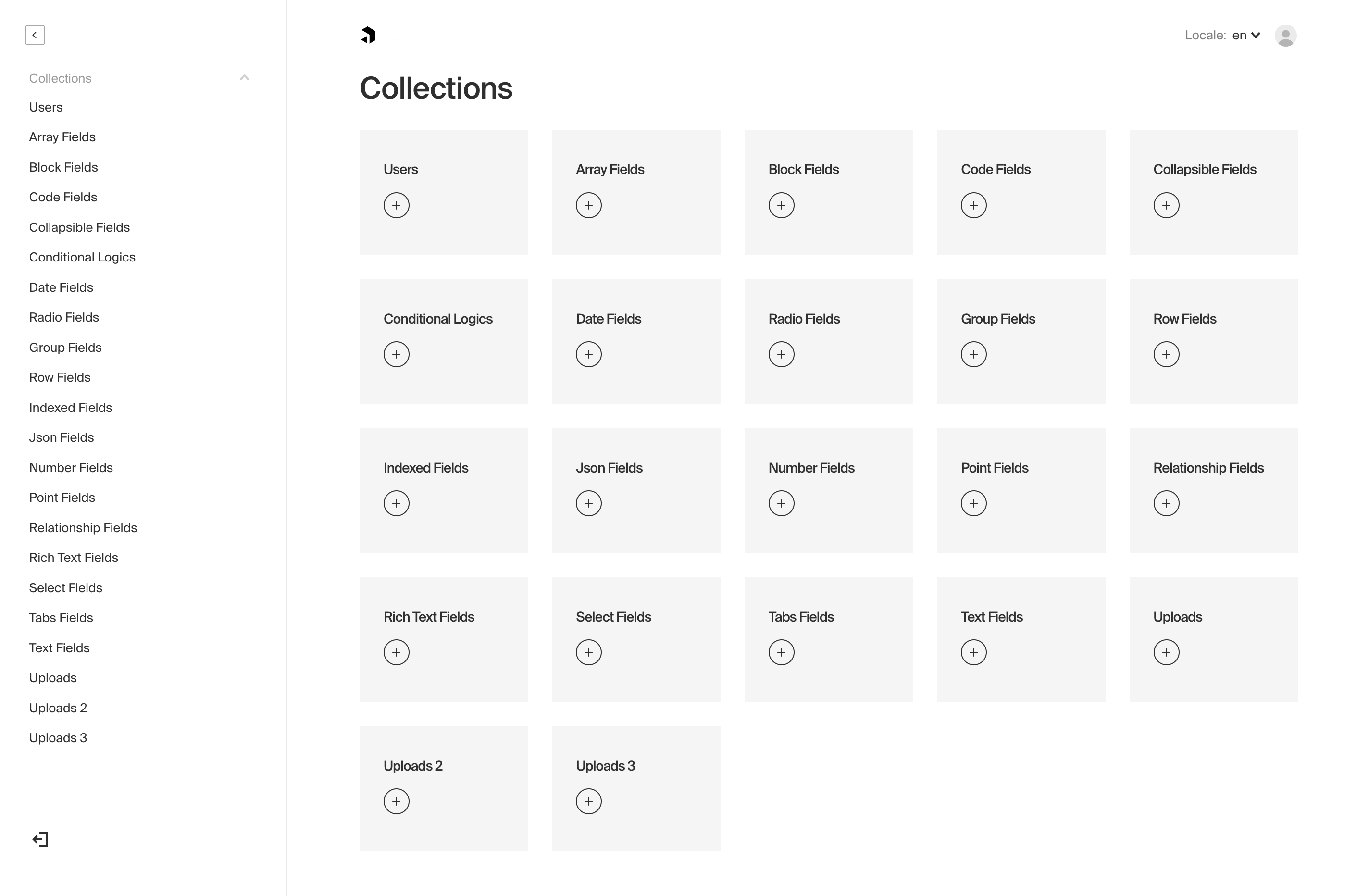
|
||||
|
||||
*Screenshot of the Admin panel while editing a document from an example `AllFields` collection*
|
||||
_Screenshot of the Admin panel while editing a document from an example `AllFields` collection_
|
||||
|
||||
## Admin Options
|
||||
|
||||
All options for the Admin panel are defined in your base Payload config file.
|
||||
|
||||
| Option | Description |
|
||||
| -------------------- | -------------|
|
||||
| `user` | The `slug` of a Collection that you want be used to log in to the Admin dashboard. [More](/docs/admin/overview#the-admin-user-collection) |
|
||||
| `meta` | Base meta data to use for the Admin panel. Included properties are `titleSuffix`, `ogImage`, and `favicon`. |
|
||||
| `disable` | If set to `true`, the entire Admin panel will be disabled. |
|
||||
| `indexHTML` | Optionally replace the entirety of the `index.html` file used by the Admin panel. Reference the [base index.html file](https://github.com/payloadcms/payload/blob/master/src/admin/index.html) to ensure your replacement has the appropriate HTML elements. |
|
||||
| `css` | Absolute path to a stylesheet that you can use to override / customize the Admin panel styling. [More](/docs/admin/customizing-css). |
|
||||
| `scss` | Absolute path to a Sass variables / mixins stylesheet meant to override Payload styles to make for an easy re-skinning of the Admin panel. [More](/docs/admin/customizing-css#overriding-scss-variables). |
|
||||
| `dateFormat` | Global date format that will be used for all dates in the Admin panel. Any valid [date-fns](https://date-fns.org/) format pattern can be used. |
|
||||
| `avatar` | Set account profile picture. Options: `gravatar`, `default` or a custom React component. |
|
||||
| `components` | Component overrides that affect the entirety of the Admin panel. [More](/docs/admin/components) |
|
||||
| `webpack` | Customize the Webpack config that's used to generate the Admin panel. [More](/docs/admin/webpack) |
|
||||
|
||||
| Option | Description |
|
||||
| --------------------- | -------------------------------------------------------------------------------------------------- |
|
||||
| `user` | The `slug` of a Collection that you want be used to log in to the Admin dashboard. [More](/docs/admin/overview#the-admin-user-collection) |
|
||||
| `buildPath` | Specify an absolute path for where to store the built Admin panel bundle used in production. Defaults to `path.resolve(process.cwd(), 'build')`. |
|
||||
| `meta` | Base meta data to use for the Admin panel. Included properties are `titleSuffix`, `ogImage`, and `favicon`. |
|
||||
| `disable` | If set to `true`, the entire Admin panel will be disabled. |
|
||||
| `indexHTML` | Optionally replace the entirety of the `index.html` file used by the Admin panel. Reference the [base index.html file](https://github.com/payloadcms/payload/blob/master/src/admin/index.html) to ensure your replacement has the appropriate HTML elements. |
|
||||
| `css` | Absolute path to a stylesheet that you can use to override / customize the Admin panel styling. [More](/docs/admin/customizing-css). |
|
||||
| `scss` | Absolute path to a Sass variables / mixins stylesheet meant to override Payload styles to make for an easy re-skinning of the Admin panel. [More](/docs/admin/customizing-css#overriding-scss-variables). |
|
||||
| `dateFormat` | Global date format that will be used for all dates in the Admin panel. Any valid [date-fns](https://date-fns.org/) format pattern can be used. |
|
||||
| `avatar` | Set account profile picture. Options: `gravatar`, `default` or a custom React component. |
|
||||
| `components` | Component overrides that affect the entirety of the Admin panel. [More](/docs/admin/components) |
|
||||
| `webpack` | Customize the Webpack config that's used to generate the Admin panel. [More](/docs/admin/webpack) | |
|
||||
| **`logoutRoute`** | The route for the `logout` page. |
|
||||
| **`inactivityRoute`** | The route for the `logout` inactivity page. |
|
||||
|
||||
### The Admin User Collection
|
||||
|
||||
<Banner type="warning">
|
||||
<strong>Important:</strong><br />
|
||||
The Payload Admin panel can only be used by one Collection that supports <a href="/docs/authentication/overview">Authentication</a>.
|
||||
<strong>Important:</strong>
|
||||
<br />
|
||||
The Payload Admin panel can only be used by one Collection that supports{" "}
|
||||
<a href="/docs/authentication/overview">Authentication</a>.
|
||||
</Banner>
|
||||
|
||||
To specify which Collection to use to log in to the Admin panel, pass the `admin` options a `user` key equal to the slug of the Collection that you'd like to use.
|
||||
|
||||
`payload.config.js`:
|
||||
|
||||
```ts
|
||||
import { buildConfig } from 'payload/config';
|
||||
import { buildConfig } from "payload/config";
|
||||
|
||||
const config = buildConfig({
|
||||
admin: {
|
||||
user: 'admins', // highlight-line
|
||||
user: "admins", // highlight-line
|
||||
},
|
||||
});
|
||||
```
|
||||
|
||||
@@ -1,7 +1,7 @@
|
||||
---
|
||||
title: Managing User Preferences
|
||||
label: Preferences
|
||||
order: 40
|
||||
order: 50
|
||||
desc: Store the preferences of your users as they interact with the Admin panel.
|
||||
keywords: admin, preferences, custom, customize, documentation, Content Management System, cms, headless, javascript, node, react, express
|
||||
---
|
||||
|
||||
@@ -1,7 +1,7 @@
|
||||
---
|
||||
title: Webpack
|
||||
label: Webpack
|
||||
order: 50
|
||||
order: 60
|
||||
desc: The Payload admin panel uses Webpack 5 and supports many common functionalities such as SCSS and Typescript out of the box to give you more freedom.
|
||||
keywords: admin, webpack, documentation, Content Management System, cms, headless, javascript, node, react, express
|
||||
---
|
||||
@@ -155,6 +155,11 @@ export default {};
|
||||
|
||||
Now, when Webpack sees that you're attempting to import your `createStripeSubscriptionPath` file, it'll disregard that actual file and load your mock file instead. Not only will your Admin panel now bundle successfully, you will have optimized its filesize by removing unnecessary code! And you might have learned something about Webpack, too.
|
||||
|
||||
<Banner type="success">
|
||||
<strong>Tip:</strong><br/>
|
||||
If changes to your Webpack aliases are not surfacing, they might be [cached](https://webpack.js.org/configuration/cache/) in `node_modules/.cache/webpack`. Try deleting that folder and restarting your server.
|
||||
</Banner>
|
||||
|
||||
## Admin environment vars
|
||||
|
||||
<Banner type="warning">
|
||||
|
||||
@@ -17,7 +17,7 @@ To enable Authentication on a collection, define an `auth` property and set it t
|
||||
| **`useAPIKey`** | Payload Authentication provides for API keys to be set on each user within an Authentication-enabled Collection. [More](/docs/authentication/config#api-keys) |
|
||||
| **`tokenExpiration`** | How long (in seconds) to keep the user logged in. JWTs and HTTP-only cookies will both expire at the same time. |
|
||||
| **`maxLoginAttempts`** | Only allow a user to attempt logging in X amount of times. Automatically locks out a user from authenticating if this limit is passed. Set to `0` to disable. |
|
||||
| **`lockTime`** | Set the time that a user should be locked out if they fail authentication more times than `maxLoginAttempts` allows for. |
|
||||
| **`lockTime`** | Set the time (in milliseconds) that a user should be locked out if they fail authentication more times than `maxLoginAttempts` allows for. |
|
||||
| **`depth`** | How many levels deep a `user` document should be populated when creating the JWT and binding the `user` to the express `req`. Defaults to `0` and should only be modified if absolutely necessary, as this will affect performance. |
|
||||
| **`cookies`** | Set cookie options, including `secure`, `sameSite`, and `domain`. For advanced users. |
|
||||
| **`forgotPassword`** | Customize the way that the `forgotPassword` operation functions. [More](/docs/authentication/config#forgot-password) |
|
||||
@@ -43,16 +43,18 @@ To enable API keys on a collection, set the `useAPIKey` auth option to `true`. F
|
||||
is compromised, your API keys will not be.
|
||||
</Banner>
|
||||
|
||||
##### Authenticating via API Key
|
||||
#### Authenticating via API Key
|
||||
|
||||
To utilize your API key while interacting with the REST or GraphQL API, add the `Authorization` header.
|
||||
To authenticate REST or GraphQL API requests using an API key, set the `Authorization` header. The header is case-sensitive and needs the slug of the `auth.useAPIKey` enabled collection, then " API-Key ", followed by the `apiKey` that has been assigned. Payload's built-in middleware will then assign the user document to `req.user` and handle requests with the proper access control.
|
||||
|
||||
**For example, using Fetch:**
|
||||
|
||||
```ts
|
||||
import User from '../collections/User';
|
||||
|
||||
const response = await fetch("http://localhost:3000/api/pages", {
|
||||
headers: {
|
||||
Authorization: `${collection.labels.singular} API-Key ${YOUR_API_KEY}`,
|
||||
Authorization: `${User.slug} API-Key ${YOUR_API_KEY}`,
|
||||
},
|
||||
});
|
||||
```
|
||||
|
||||
@@ -66,6 +66,8 @@ query {
|
||||
}
|
||||
```
|
||||
|
||||
Document access can also be queried on a collection/global basis. Access on a global can queried like `http://localhost:3000/api/global-slug/access`, Collection document access can be queried like `http://localhost:3000/api/collection-slug/access/:id`.
|
||||
|
||||
### Me
|
||||
|
||||
Returns either a logged in user with token or null when there is no logged in user.
|
||||
@@ -92,7 +94,7 @@ Example response:
|
||||
|
||||
```graphql
|
||||
query {
|
||||
Me[collection-singular-label] {
|
||||
me[collection-singular-label] {
|
||||
user {
|
||||
email
|
||||
}
|
||||
|
||||
@@ -12,7 +12,7 @@ keywords: authentication, config, configuration, overview, documentation, Conten
|
||||
|
||||
Authentication is used within the Payload Admin panel itself as well as throughout your app(s) themselves however you determine necessary.
|
||||
|
||||

|
||||
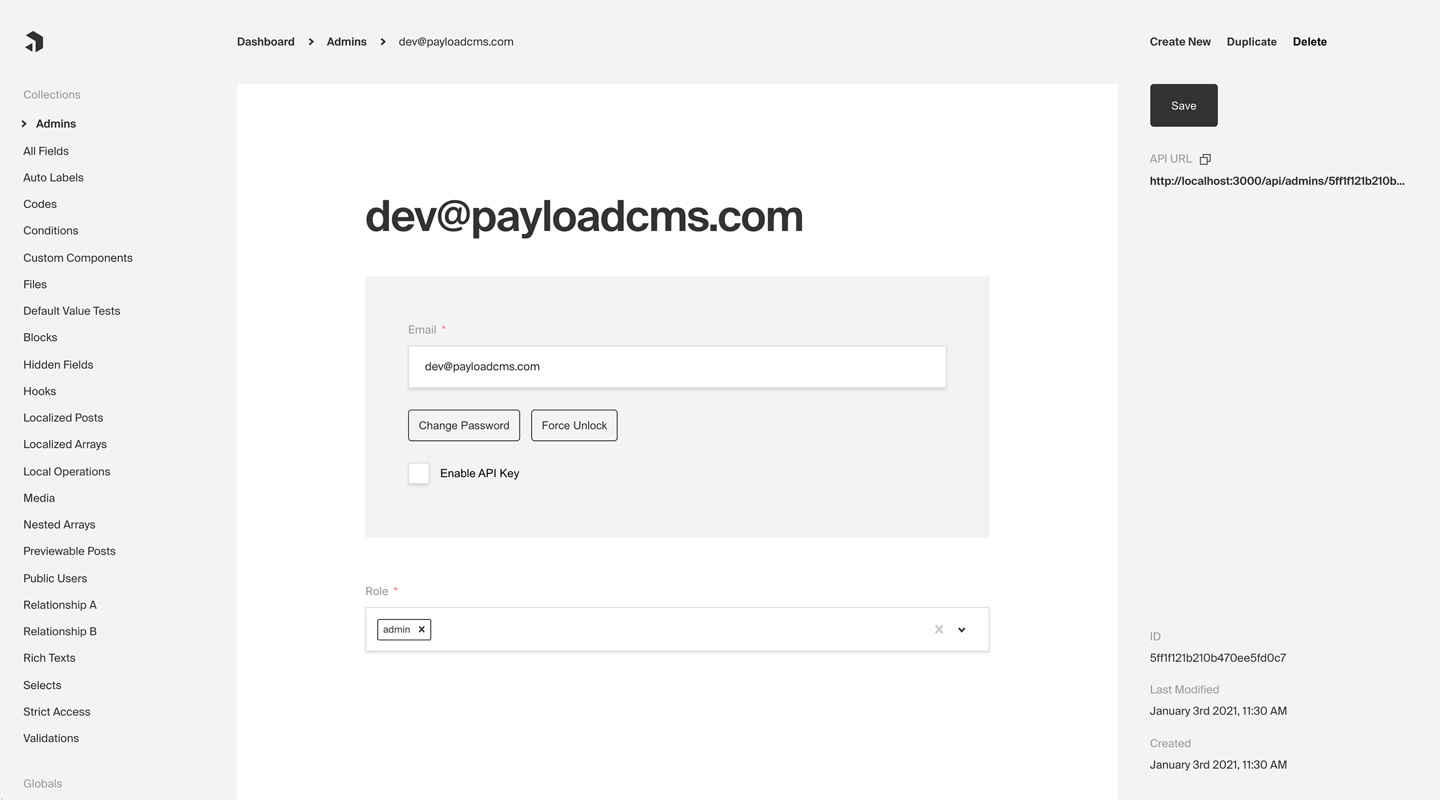
|
||||
*Admin panel screenshot depicting an Admins Collection with Auth enabled*
|
||||
|
||||
**Here are some common use cases of Authentication outside of Payload's dashboard itself:**
|
||||
|
||||
@@ -11,38 +11,46 @@ Because Payload uses your existing Express server, you are free to add whatever
|
||||
This approach has a ton of benefits - it's great for isolation of concerns and limiting scope, but it also means that your additional routes won't have access to Payload's user authentication.
|
||||
|
||||
<Banner type="success">
|
||||
You can make full use of Payload's built-in authentication within your own custom Express endpoints by adding Payload's authentication middleware.
|
||||
You can make full use of Payload's built-in authentication within your own
|
||||
custom Express endpoints by adding Payload's authentication middleware.
|
||||
</Banner>
|
||||
|
||||
<Banner type="warning">
|
||||
Payload must be initialized before the `payload.authenticate` middleware can
|
||||
be used. This is done by calling `payload.init()` prior to adding the
|
||||
middleware.
|
||||
</Banner>
|
||||
|
||||
Example in `server.js`:
|
||||
|
||||
```ts
|
||||
import express from 'express';
|
||||
import payload from 'payload';
|
||||
import express from "express";
|
||||
import payload from "payload";
|
||||
|
||||
const app = express();
|
||||
|
||||
payload.init({
|
||||
secret: 'PAYLOAD_SECRET_KEY',
|
||||
mongoURL: 'mongodb://localhost/payload',
|
||||
secret: "PAYLOAD_SECRET_KEY",
|
||||
mongoURL: "mongodb://localhost/payload",
|
||||
express: app,
|
||||
});
|
||||
|
||||
const router = express.Router();
|
||||
|
||||
// Note: Payload must be initialized before the `payload.authenticate` middleware can be used
|
||||
router.use(payload.authenticate); // highlight-line
|
||||
|
||||
router.get('/', (req, res) => {
|
||||
router.get("/", (req, res) => {
|
||||
if (req.user) {
|
||||
return res.send(`Authenticated successfully as ${req.user.email}.`);
|
||||
}
|
||||
|
||||
return res.send('Not authenticated');
|
||||
return res.send("Not authenticated");
|
||||
});
|
||||
|
||||
app.use('/some-route-here', router);
|
||||
app.use("/some-route-here", router);
|
||||
|
||||
app.listen(3000, async () => {
|
||||
payload.logger.info(`listening on ${3000}...`);
|
||||
});
|
||||
|
||||
```
|
||||
|
||||
@@ -12,19 +12,23 @@ It's often best practice to write your Collections in separate files and then im
|
||||
|
||||
## Options
|
||||
|
||||
| Option | Description |
|
||||
| ---------------- | -------------|
|
||||
| **`slug`** * | Unique, URL-friendly string that will act as an identifier for this Collection. |
|
||||
| **`fields`** * | Array of field types that will determine the structure and functionality of the data stored within this Collection. [Click here](/docs/fields/overview) for a full list of field types as well as how to configure them. |
|
||||
| **`labels`** | Singular and plural labels for use in identifying this Collection throughout Payload. Auto-generated from slug if not defined. |
|
||||
| **`admin`** | Admin-specific configuration. See below for [more detail](#admin-options). |
|
||||
| **`hooks`** | Entry points to "tie in" to Collection actions at specific points. [More](/docs/hooks/overview#collection-hooks) |
|
||||
| **`access`** | Provide access control functions to define exactly who should be able to do what with Documents in this Collection. [More](/docs/access-control/overview/#collections) |
|
||||
| **`auth`** | Specify options if you would like this Collection to feature authentication. For more, consult the [Authentication](/docs/authentication/config) documentation. |
|
||||
| **`upload`** | Specify options if you would like this Collection to support file uploads. For more, consult the [Uploads](/docs/upload/overview) documentation. |
|
||||
| **`timestamps`** | Set to false to disable documents' automatically generated `createdAt` and `updatedAt` timestamps. |
|
||||
| **`versions`** | Set to true to enable default options, or configure with object properties. [More](/docs/versions/overview#collection-config)|
|
||||
| **`endpoints`** | Add custom routes to the REST API. [More](/docs/rest-api/overview#custom-endpoints) |
|
||||
| Option | Description |
|
||||
|--------------------|------------------------------------------------------------------------------------------------------------------------------------------------------------------------------------------------------------------------|
|
||||
| **`slug`** * | Unique, URL-friendly string that will act as an identifier for this Collection. |
|
||||
| **`fields`** * | Array of field types that will determine the structure and functionality of the data stored within this Collection. [Click here](/docs/fields/overview) for a full list of field types as well as how to configure them. |
|
||||
| **`labels`** | Singular and plural labels for use in identifying this Collection throughout Payload. Auto-generated from slug if not defined. |
|
||||
| **`admin`** | Admin-specific configuration. See below for [more detail](#admin-options). |
|
||||
| **`hooks`** | Entry points to "tie in" to Collection actions at specific points. [More](/docs/hooks/overview#collection-hooks) |
|
||||
| **`access`** | Provide access control functions to define exactly who should be able to do what with Documents in this Collection. [More](/docs/access-control/overview/#collections) |
|
||||
| **`auth`** | Specify options if you would like this Collection to feature authentication. For more, consult the [Authentication](/docs/authentication/config) documentation. |
|
||||
| **`upload`** | Specify options if you would like this Collection to support file uploads. For more, consult the [Uploads](/docs/upload/overview) documentation. |
|
||||
| **`timestamps`** | Set to false to disable documents' automatically generated `createdAt` and `updatedAt` timestamps. |
|
||||
| **`versions`** | Set to true to enable default options, or configure with object properties. [More](/docs/versions/overview#collection-config) |
|
||||
| **`endpoints`** | Add custom routes to the REST API. [More](/docs/rest-api/overview#custom-endpoints) |
|
||||
| **`graphQL`** | An object with `singularName` and `pluralName` strings used in schema generation. Auto-generated from slug if not defined. |
|
||||
| **`typescript`** | An object with property `interface` as the text used in schema generation. Auto-generated from slug if not defined. |
|
||||
| **`defaultSort`** | Pass a top-level field to sort by default in the collection List view. Prefix the name of the field with a minus symbol ("-") to sort in descending order. |
|
||||
| **`pagination`** | Set pagination-specific options for this collection. [More](#pagination) |
|
||||
|
||||
*\* An asterisk denotes that a property is required.*
|
||||
|
||||
@@ -59,17 +63,18 @@ You can find an assortment of [example collection configs](https://github.com/pa
|
||||
|
||||
You can customize the way that the Admin panel behaves on a collection-by-collection basis by defining the `admin` property on a collection's config.
|
||||
|
||||
| Option | Description |
|
||||
| ---------------------------- | -------------|
|
||||
| `group` | Text used as a label for grouping collection links together in the navigation. |
|
||||
| `useAsTitle` | Specify a top-level field to use for a document title throughout the Admin panel. If no field is defined, the ID of the document is used as the title. |
|
||||
| `description` | Text or React component to display below the Collection label in the List view to give editors more information. |
|
||||
| `defaultColumns` | Array of field names that correspond to which columns to show by default in this collection's List view. |
|
||||
| `disableDuplicate ` | Disables the "Duplicate" button while editing documents within this collection. |
|
||||
| Option | Description |
|
||||
| --------------------------- | -------------|
|
||||
| `group` | Text used as a label for grouping collection links together in the navigation. |
|
||||
| `hooks` | Admin-specific hooks for this collection. [More](#admin-hooks) |
|
||||
| `useAsTitle` | Specify a top-level field to use for a document title throughout the Admin panel. If no field is defined, the ID of the document is used as the title. |
|
||||
| `description` | Text or React component to display below the Collection label in the List view to give editors more information. |
|
||||
| `defaultColumns` | Array of field names that correspond to which columns to show by default in this collection's List view. |
|
||||
| `disableDuplicate ` | Disables the "Duplicate" button while editing documents within this collection. |
|
||||
| `enableRichTextRelationship` | The [Rich Text](/docs/fields/rich-text) field features a `Relationship` element which allows for users to automatically reference related documents within their rich text. Set to `true` by default. |
|
||||
| `preview` | Function to generate preview URLS within the Admin panel that can point to your app. [More](#preview). |
|
||||
| `components` | Swap in your own React components to be used within this collection. [More](/docs/admin/components#collections) |
|
||||
| `listSearchableFields ` | Specify which fields should be searched in the List search view. [More](/docs/configuration/collections#list-searchable-fields) |
|
||||
| `preview` | Function to generate preview URLS within the Admin panel that can point to your app. [More](#preview). |
|
||||
| `components` | Swap in your own React components to be used within this collection. [More](/docs/admin/components#collections) |
|
||||
| `listSearchableFields` | Specify which fields should be searched in the List search view. [More](#list-searchable-fields) |
|
||||
|
||||
### Preview
|
||||
|
||||
@@ -108,6 +113,15 @@ const Posts: CollectionConfig = {
|
||||
};
|
||||
```
|
||||
|
||||
### Pagination
|
||||
|
||||
Here are a few options that you can specify options for pagination on a collection-by-collection basis:
|
||||
|
||||
| Option | Description |
|
||||
| --------------------------- | -------------|
|
||||
| `defaultLimit` | Integer that specifies the default per-page limit that should be used. Defaults to 10. |
|
||||
| `limits` | Provide an array of integers to use as per-page options for admins to choose from in the List view. |
|
||||
|
||||
### Access control
|
||||
|
||||
You can specify extremely granular access control (what users can do with documents in a collection) on a collection by collection basis. To learn more, go to the [Access Control](/docs/access-control/overview) docs.
|
||||
@@ -120,7 +134,7 @@ Hooks are a powerful way to extend collection functionality and execute your own
|
||||
|
||||
Collections support all field types that Payload has to offer—including simple fields like text and checkboxes all the way to more complicated layout-building field groups like Blocks. [Click here](/docs/fields/overview) to learn more about field types.
|
||||
|
||||
#### List Searchable Fields
|
||||
### List Searchable Fields
|
||||
|
||||
In the List view, there is a "search" box that allows you to quickly find a document with a search. By default, it searches on the ID field. If you have `admin.useAsTitle` defined, the list search will use that field. However, you can define more than one field to search to make it easier on your admin editors to find the data they need.
|
||||
|
||||
@@ -128,9 +142,53 @@ For example, let's say you have a Posts collection with `title`, `metaDescriptio
|
||||
|
||||
<Banner type="warning">
|
||||
<strong>Note:</strong><br/>
|
||||
If you are adding <strong>listSearchableFields</strong>, make sure you index each of these fields so your admin queries can remain performant.
|
||||
If you are adding <strong>listSearchableFields</strong>, make sure you index each of these fields so your admin queries can remain performant.
|
||||
</Banner>
|
||||
|
||||
### Admin Hooks
|
||||
|
||||
In addition to collection hooks themselves, Payload provides for admin UI-specific hooks that you can leverage.
|
||||
|
||||
**`beforeDuplicate`**
|
||||
|
||||
The `beforeDuplicate` hook is an async function that accepts an object containing the data to duplicate, as well as the locale of the doc to duplicate. Within this hook, you can modify the data to be duplicated, which is useful in cases where you have unique fields that need to be incremented or similar, as well as if you want to automatically modify a document's `title`.
|
||||
|
||||
Example:
|
||||
|
||||
```ts
|
||||
import { BeforeDuplicate, CollectionConfig } from 'payload/types';
|
||||
// Your auto-generated Page type
|
||||
import { Page } from '../payload-types.ts';
|
||||
|
||||
const beforeDuplicate: BeforeDuplicate<Page> = ({ data }) => {
|
||||
return {
|
||||
...data,
|
||||
title: `${data.title} Copy`,
|
||||
uniqueField: data.uniqueField ? `${data.uniqueField}-copy` : '',
|
||||
};
|
||||
};
|
||||
|
||||
export const Page: CollectionConfig = {
|
||||
slug: 'pages',
|
||||
admin: {
|
||||
hooks: {
|
||||
beforeDuplicate,
|
||||
}
|
||||
},
|
||||
fields: [
|
||||
{
|
||||
name: 'title',
|
||||
type: 'text',
|
||||
},
|
||||
{
|
||||
name: 'uniqueField',
|
||||
type: 'text',
|
||||
unique: true,
|
||||
}
|
||||
]
|
||||
}
|
||||
```
|
||||
|
||||
### TypeScript
|
||||
|
||||
You can import collection types as follows:
|
||||
|
||||
@@ -6,49 +6,51 @@ desc: Set up your Global config for your needs by defining fields, adding slugs
|
||||
keywords: globals, config, configuration, documentation, Content Management System, cms, headless, javascript, node, react, express
|
||||
---
|
||||
|
||||
Global configs are in many ways similar to [Collections](/docs/configuration/collections). The big difference is that Collections will potentially contain *many* documents, while a Global is a "one-off". Globals are perfect for things like header nav, site-wide banner alerts, app-wide localized strings, and other "global" data that your site or app might rely on.
|
||||
Global configs are in many ways similar to [Collections](/docs/configuration/collections). The big difference is that Collections will potentially contain _many_ documents, while a Global is a "one-off". Globals are perfect for things like header nav, site-wide banner alerts, app-wide localized strings, and other "global" data that your site or app might rely on.
|
||||
|
||||
As with Collection configs, it's often best practice to write your Globals in separate files and then import them into the main Payload config.
|
||||
|
||||
## Options
|
||||
|
||||
| Option | Description |
|
||||
| ---------------- | -------------|
|
||||
| **`slug`** * | Unique, URL-friendly string that will act as an identifier for this Global. |
|
||||
| **`fields`** * | Array of field types that will determine the structure and functionality of the data stored within this Global. [Click here](/docs/fields/overview) for a full list of field types as well as how to configure them. |
|
||||
| **`label`** | Singular label for use in identifying this Global throughout Payload. Auto-generated from slug if not defined. |
|
||||
| **`description`**| Text or React component to display below the Global header to give editors more information. |
|
||||
| **`admin`** | Admin-specific configuration. See below for [more detail](/docs/configuration/globals#admin-options). |
|
||||
| **`hooks`** | Entry points to "tie in" to collection actions at specific points. [More](/docs/hooks/overview#global-hooks) |
|
||||
| **`access`** | Provide access control functions to define exactly who should be able to do what with this Global. [More](/docs/access-control/overview/#globals) |
|
||||
| **`versions`** | Set to true to enable default options, or configure with object properties. [More](/docs/versions/overview#globals-config)|
|
||||
| **`endpoints`** | Add custom routes to the REST API. [More](/docs/rest-api/overview#custom-endpoints)|
|
||||
| Option | Description |
|
||||
| ------------------ | -------------------------------------------------------------------------------------------------------------------------------------------------------------------------------------------------------------------- |
|
||||
| **`slug`** \* | Unique, URL-friendly string that will act as an identifier for this Global. |
|
||||
| **`fields`** \* | Array of field types that will determine the structure and functionality of the data stored within this Global. [Click here](/docs/fields/overview) for a full list of field types as well as how to configure them. |
|
||||
| **`label`** | Text for the name in the Admin panel or an object with keys for each language. Auto-generated from slug if not defined. |
|
||||
| **`description`** | Text or React component to display below the Global header to give editors more information. |
|
||||
| **`admin`** | Admin-specific configuration. See below for [more detail](/docs/configuration/globals#admin-options). |
|
||||
| **`hooks`** | Entry points to "tie in" to collection actions at specific points. [More](/docs/hooks/overview#global-hooks) |
|
||||
| **`access`** | Provide access control functions to define exactly who should be able to do what with this Global. [More](/docs/access-control/overview/#globals) |
|
||||
| **`versions`** | Set to true to enable default options, or configure with object properties. [More](/docs/versions/overview#globals-config) |
|
||||
| **`endpoints`** | Add custom routes to the REST API. [More](/docs/rest-api/overview#custom-endpoints) |
|
||||
| **`graphQL.name`** | Text used in schema generation. Auto-generated from slug if not defined. |
|
||||
| **`typescript`** | An object with property `interface` as the text used in schema generation. Auto-generated from slug if not defined. |
|
||||
|
||||
*\* An asterisk denotes that a property is required.*
|
||||
_\* An asterisk denotes that a property is required._
|
||||
|
||||
#### Simple Global example
|
||||
|
||||
```ts
|
||||
import { GlobalConfig } from 'payload/types';
|
||||
import { GlobalConfig } from "payload/types";
|
||||
|
||||
const Nav: GlobalConfig = {
|
||||
slug: 'nav',
|
||||
fields: [
|
||||
{
|
||||
name: 'items',
|
||||
type: 'array',
|
||||
required: true,
|
||||
maxRows: 8,
|
||||
fields: [
|
||||
{
|
||||
name: 'page',
|
||||
type: 'relationship',
|
||||
relationTo: 'pages', // "pages" is the slug of an existing collection
|
||||
required: true,
|
||||
}
|
||||
]
|
||||
},
|
||||
]
|
||||
slug: "nav",
|
||||
fields: [
|
||||
{
|
||||
name: "items",
|
||||
type: "array",
|
||||
required: true,
|
||||
maxRows: 8,
|
||||
fields: [
|
||||
{
|
||||
name: "page",
|
||||
type: "relationship",
|
||||
relationTo: "pages", // "pages" is the slug of an existing collection
|
||||
required: true,
|
||||
},
|
||||
],
|
||||
},
|
||||
],
|
||||
};
|
||||
|
||||
export default Nav;
|
||||
@@ -62,9 +64,47 @@ You can find an [example Global config](https://github.com/payloadcms/public-dem
|
||||
|
||||
You can customize the way that the Admin panel behaves on a Global-by-Global basis by defining the `admin` property on a Global's config.
|
||||
|
||||
| Option | Description |
|
||||
| ---------------------------- | -------------|
|
||||
| `components` | Swap in your own React components to be used within this Global. [More](/docs/admin/components#globals) |
|
||||
| Option | Description |
|
||||
| ------------ | ----------------------------------------------------------------------------------------------------------------------- |
|
||||
| `components` | Swap in your own React components to be used within this Global. [More](/docs/admin/components#globals) |
|
||||
| `preview` | Function to generate a preview URL within the Admin panel for this global that can point to your app. [More](#preview). |
|
||||
|
||||
### Preview
|
||||
|
||||
Global `admin` options can accept a `preview` function that will be used to generate a link pointing to the frontend of your app to preview data.
|
||||
|
||||
If the function is specified, a Preview button will automatically appear in the corresponding global's Edit view. Clicking the Preview button will link to the URL that is generated by the function.
|
||||
|
||||
**The preview function accepts two arguments:**
|
||||
|
||||
1. The document being edited
|
||||
1. An `options` object, containing `locale` and `token` properties. The `token` is the currently logged-in user's JWT.
|
||||
|
||||
**Example global with preview function:**
|
||||
|
||||
```ts
|
||||
import { GlobalConfig } from "payload/types";
|
||||
|
||||
const MyGlobal: GlobalConfig = {
|
||||
slug: "my-global",
|
||||
fields: [
|
||||
{
|
||||
name: "slug",
|
||||
type: "text",
|
||||
required: true,
|
||||
},
|
||||
],
|
||||
admin: {
|
||||
preview: (doc, { locale }) => {
|
||||
if (doc?.slug) {
|
||||
return `https://bigbird.com/preview/${doc.slug}?locale=${locale}`;
|
||||
}
|
||||
|
||||
return null;
|
||||
},
|
||||
},
|
||||
};
|
||||
```
|
||||
|
||||
### Access control
|
||||
|
||||
@@ -83,14 +123,14 @@ Globals support all field types that Payload has to offer—including simple fie
|
||||
You can import global types as follows:
|
||||
|
||||
```ts
|
||||
import { GlobalConfig } from 'payload/types';
|
||||
import { GlobalConfig } from "payload/types";
|
||||
|
||||
// This is the type used for incoming global configs.
|
||||
// Only the bare minimum properties are marked as required.
|
||||
```
|
||||
|
||||
```ts
|
||||
import { SanitizedGlobalConfig } from 'payload/types';
|
||||
import { SanitizedGlobalConfig } from "payload/types";
|
||||
|
||||
// This is the type used after an incoming global config is fully sanitized.
|
||||
// Generally, this is only used internally by Payload.
|
||||
|
||||
100
docs/configuration/i18n.mdx
Normal file
100
docs/configuration/i18n.mdx
Normal file
@@ -0,0 +1,100 @@
|
||||
---
|
||||
title: I18n
|
||||
label: I18n
|
||||
order: 40
|
||||
desc: Manage and customize internationalization support in your CMS editor experience
|
||||
keywords: internationalization, i18n, config, configuration, documentation, Content Management System, cms, headless, javascript, node, react, express
|
||||
---
|
||||
|
||||
Not only does Payload support managing localized content, it also has internationalization support so that admin users can work in their preferred language. Payload's i18n support is built on top of [i18next](https://www.i18next.com). It comes included by default and can be extended in your config.
|
||||
|
||||
While Payload's built-in features come translated, you may want to also translate parts of your project's configuration too. This is possible in places like collections and globals labels and groups, field labels, descriptions and input placeholder text. The admin UI will display all the correct translations you provide based on the user's language.
|
||||
|
||||
Here is an example of a simple collection supporting both English and Spanish editors:
|
||||
```ts
|
||||
const Articles: CollectionConfig = {
|
||||
slug: 'articles',
|
||||
labels: {
|
||||
singular: {
|
||||
en: 'Article', es: 'Artículo',
|
||||
},
|
||||
plural: {
|
||||
en: 'Articles', es: 'Artículos',
|
||||
},
|
||||
},
|
||||
admin: {
|
||||
group: { en: 'Content', es: 'Contenido' },
|
||||
},
|
||||
fields: [
|
||||
{
|
||||
name: 'title',
|
||||
type: 'text',
|
||||
label: {
|
||||
en: 'Title', es: 'Título',
|
||||
},
|
||||
admin: {
|
||||
placeholder: { en: 'Enter title', es: 'Introduce el título' }
|
||||
}
|
||||
},
|
||||
{
|
||||
name: 'type',
|
||||
type: 'radio',
|
||||
options: [{
|
||||
value: 'news',
|
||||
label: { en: 'News', es: 'Noticias' },
|
||||
}, // etc...
|
||||
],
|
||||
},
|
||||
],
|
||||
}
|
||||
```
|
||||
|
||||
### Admin UI
|
||||
|
||||
The Payload admin panel reads the language settings of a user's browser and display all text in that language, or will fall back to English if the user's language is not yet supported.
|
||||
After a user logs in, they can change their language selection in the `/account` view.
|
||||
|
||||
<Banner>
|
||||
<strong>Note:</strong><br/>
|
||||
If there is a language that Payload does not yet support, we accept code <a href="https://github.com/payloadcms/payload/blob/master/contributing.md">contributions</a>.
|
||||
</Banner>
|
||||
|
||||
### Node Express
|
||||
|
||||
Payload's backend uses express middleware to set the language on incoming requests before they are handled. This allows backend validation to return error messages in the user's own language or system generated emails to be sent using the correct translation. You can make HTTP requests with the `accept-language` header and Payload will use that language.
|
||||
|
||||
Anywhere in your Payload app that you have access to the `req` object, you can access i18next's extensive internationalization features assigned to `req.i18n`. To access text translations you can use `req.t('namespace:key')`.
|
||||
|
||||
Read the i18next [API documentation](https://www.i18next.com/overview/api) to learn more.
|
||||
|
||||
### Configuration Options
|
||||
|
||||
In your Payload config, you can add translations and customize the settings in `i18n`. Payload will use your custom options and merge it with the default, allowing you to override the settings Payload provides.
|
||||
|
||||
**Example Payload config extending i18n:**
|
||||
|
||||
```ts
|
||||
import { buildConfig } from 'payload/config'
|
||||
|
||||
export default buildConfig({
|
||||
//...
|
||||
i18n: {
|
||||
fallbackLng: 'en', // default
|
||||
debug: false, // default
|
||||
resources: {
|
||||
en: {
|
||||
custom: { // namespace can be anything you want
|
||||
key1: 'Translation with {{variable}}', // translation
|
||||
},
|
||||
// override existing translation keys
|
||||
general: {
|
||||
dashboard: 'Home',
|
||||
},
|
||||
},
|
||||
},
|
||||
},
|
||||
//...
|
||||
});
|
||||
```
|
||||
|
||||
See the i18next [configuration options](https://www.i18next.com/overview/configuration-options) to learn more.
|
||||
@@ -6,82 +6,85 @@ desc: The Payload config is central to everything that Payload does, from adding
|
||||
keywords: overview, config, configuration, documentation, Content Management System, cms, headless, javascript, node, react, express
|
||||
---
|
||||
|
||||
Payload is a *config-based*, code-first CMS and application framework. The Payload config is central to everything that Payload does. It scaffolds the data that Payload stores as well as maintains custom React components, hook logic, custom validations, and much more. The config itself and all of its dependencies are run through Babel, so you can take full advantage of newer JavaScript features and even directly import React components containing JSX.
|
||||
Payload is a _config-based_, code-first CMS and application framework. The Payload config is central to everything that Payload does. It scaffolds the data that Payload stores as well as maintains custom React components, hook logic, custom validations, and much more.
|
||||
|
||||
<strong>Also, because the Payload source code is fully written in TypeScript, its configs are strongly typed—meaning that even if you aren't using TypeScript to build your project, your IDE (such as VSCode) may still provide helpful information like type-ahead suggestions while you write your config.</strong>
|
||||
**Also, because the Payload source code is fully written in TypeScript, its configs are strongly typed—meaning that even if you aren't using TypeScript, your IDE (such as VSCode) may still provide helpful information like type-ahead suggestions while you write your config.**
|
||||
|
||||
<Banner type="warning">
|
||||
<strong>Important:</strong><br />This file is included in the Payload admin bundle, so make sure you do not embed any sensitive information.
|
||||
<strong>Important:</strong>
|
||||
<br />
|
||||
This file is included in the Payload admin bundle, so make sure you do not
|
||||
embed any sensitive information.
|
||||
</Banner>
|
||||
|
||||
## Options
|
||||
|
||||
| Option | Description |
|
||||
| -------------------- | -------------|
|
||||
| `serverURL` | A string used to define the absolute URL of your app including the protocol, for example `https://example.com`. No paths allowed, only protocol, domain and (optionally) port |
|
||||
| `collections` | An array of all Collections that Payload will manage. To read more about how to define your collection configs, [click here](/docs/configuration/collections). |
|
||||
| `cors` | Either a whitelist array of URLS to allow CORS requests from, or a wildcard string (`'*'`) to accept incoming requests from any domain. |
|
||||
| `globals` | An array of all Globals that Payload will manage. For more on Globals and their configs, [click here](/docs/configuration/globals). |
|
||||
| `admin` | Base Payload admin configuration. Specify custom components, control metadata, set the Admin user collection, and [more](/docs/admin/overview#admin-options). |
|
||||
| `localization` | Opt-in and control how Payload handles the translation of your content into multiple locales. [More](/docs/configuration/localization) |
|
||||
| `graphQL` | Manage GraphQL-specific functionality here. Define your own queries and mutations, manage query complexity limits, and [more](/docs/graphql/overview#graphql-options). |
|
||||
| `cookiePrefix` | A string that will be prefixed to all cookies that Payload sets. |
|
||||
| `csrf` | A whitelist array of URLs to allow Payload cookies to be accepted from as a form of CSRF protection. [More](/docs/authentication/overview#csrf-protection) |
|
||||
| `defaultDepth` | If a user does not specify `depth` while requesting a resource, this depth will be used. [More](/docs/getting-started/concepts#depth) |
|
||||
| `maxDepth` | The maximum allowed depth to be permitted application-wide. This setting helps prevent against malicious queries. Defaults to `10`. |
|
||||
| `indexSortableFields`| Automatically index all sortable top-level fields in the database to improve sort performance and add database compatibility for Azure Cosmos and similar. |
|
||||
| `upload` | Base Payload upload configuration. [More](/docs/upload/overview#payload-wide-upload-options). |
|
||||
| `routes` | Control the routing structure that Payload binds itself to. Specify `admin`, `api`, `graphQL`, and `graphQLPlayground`. |
|
||||
| `email` | Base email settings to allow Payload to generate email such as Forgot Password requests and other requirements. [More](/docs/email/overview#configuration) |
|
||||
| `express` | Express-specific middleware options such as compression and JSON parsing. [More](/docs/configuration/express) |
|
||||
| `debug` | Enable to expose more detailed error information. |
|
||||
| `telemetry` | Disable Payload telemetry by passing `false`. [More](/docs/configuration/overview#telemetry) |
|
||||
| `rateLimit` | Control IP-based rate limiting for all Payload resources. Used to prevent DDoS attacks and [more](/docs/production/preventing-abuse#rate-limiting-requests). |
|
||||
| `hooks` | Tap into Payload-wide hooks. [More](/docs/hooks/overview) |
|
||||
| `plugins` | An array of Payload plugins. [More](/docs/plugins/overview) |
|
||||
| `endpoints` | An array of custom API endpoints added to the Payload router. [More](/docs/rest-api/overview#custom-endpoints) |
|
||||
| Option | Description |
|
||||
| --------------------- | ----------------------------------------------------------------------------------------------------------------------------------------------------------------------------- |
|
||||
| `serverURL` | A string used to define the absolute URL of your app including the protocol, for example `https://example.com`. No paths allowed, only protocol, domain and (optionally) port |
|
||||
| `collections` | An array of all Collections that Payload will manage. To read more about how to define your collection configs, [click here](/docs/configuration/collections). |
|
||||
| `cors` | Either a whitelist array of URLS to allow CORS requests from, or a wildcard string (`'*'`) to accept incoming requests from any domain. |
|
||||
| `globals` | An array of all Globals that Payload will manage. For more on Globals and their configs, [click here](/docs/configuration/globals). |
|
||||
| `admin` | Base Payload admin configuration. Specify custom components, control metadata, set the Admin user collection, and [more](/docs/admin/overview#admin-options). |
|
||||
| `localization` | Opt-in and control how Payload handles the translation of your content into multiple locales. [More](/docs/configuration/localization) |
|
||||
| `graphQL` | Manage GraphQL-specific functionality here. Define your own queries and mutations, manage query complexity limits, and [more](/docs/graphql/overview#graphql-options). |
|
||||
| `cookiePrefix` | A string that will be prefixed to all cookies that Payload sets. |
|
||||
| `csrf` | A whitelist array of URLs to allow Payload cookies to be accepted from as a form of CSRF protection. [More](/docs/authentication/overview#csrf-protection) |
|
||||
| `defaultDepth` | If a user does not specify `depth` while requesting a resource, this depth will be used. [More](/docs/getting-started/concepts#depth) |
|
||||
| `maxDepth` | The maximum allowed depth to be permitted application-wide. This setting helps prevent against malicious queries. Defaults to `10`. |
|
||||
| `indexSortableFields` | Automatically index all sortable top-level fields in the database to improve sort performance and add database compatibility for Azure Cosmos and similar. |
|
||||
| `upload` | Base Payload upload configuration. [More](/docs/upload/overview#payload-wide-upload-options). |
|
||||
| `routes` | Control the routing structure that Payload binds itself to. Specify `admin`, `api`, `graphQL`, and `graphQLPlayground`. |
|
||||
| `email` | Base email settings to allow Payload to generate email such as Forgot Password requests and other requirements. [More](/docs/email/overview#configuration) |
|
||||
| `express` | Express-specific middleware options such as compression and JSON parsing. [More](/docs/configuration/express) |
|
||||
| `debug` | Enable to expose more detailed error information. |
|
||||
| `telemetry` | Disable Payload telemetry by passing `false`. [More](/docs/configuration/overview#telemetry) |
|
||||
| `rateLimit` | Control IP-based rate limiting for all Payload resources. Used to prevent DDoS attacks and [more](/docs/production/preventing-abuse#rate-limiting-requests). |
|
||||
| `hooks` | Tap into Payload-wide hooks. [More](/docs/hooks/overview) |
|
||||
| `plugins` | An array of Payload plugins. [More](/docs/plugins/overview) |
|
||||
| `endpoints` | An array of custom API endpoints added to the Payload router. [More](/docs/rest-api/overview#custom-endpoints) |
|
||||
|
||||
#### Simple example
|
||||
|
||||
```ts
|
||||
import { buildConfig } from 'payload/config';
|
||||
import { buildConfig } from "payload/config";
|
||||
|
||||
export default buildConfig({
|
||||
collections: [
|
||||
{
|
||||
slug: 'pages',
|
||||
fields: [
|
||||
{
|
||||
name: 'title',
|
||||
type: 'text',
|
||||
required: true,
|
||||
},
|
||||
{
|
||||
name: 'content',
|
||||
type: 'richText',
|
||||
required: true,
|
||||
}
|
||||
]
|
||||
}
|
||||
],
|
||||
globals: [
|
||||
{
|
||||
slug: 'header',
|
||||
fields: [
|
||||
{
|
||||
name: 'nav',
|
||||
type: 'array',
|
||||
fields: [
|
||||
{
|
||||
name: 'page',
|
||||
type: 'relationship',
|
||||
relationTo: 'pages',
|
||||
},
|
||||
]
|
||||
}
|
||||
]
|
||||
}
|
||||
]
|
||||
collections: [
|
||||
{
|
||||
slug: "pages",
|
||||
fields: [
|
||||
{
|
||||
name: "title",
|
||||
type: "text",
|
||||
required: true,
|
||||
},
|
||||
{
|
||||
name: "content",
|
||||
type: "richText",
|
||||
required: true,
|
||||
},
|
||||
],
|
||||
},
|
||||
],
|
||||
globals: [
|
||||
{
|
||||
slug: "header",
|
||||
fields: [
|
||||
{
|
||||
name: "nav",
|
||||
type: "array",
|
||||
fields: [
|
||||
{
|
||||
name: "page",
|
||||
type: "relationship",
|
||||
relationTo: "pages",
|
||||
},
|
||||
],
|
||||
},
|
||||
],
|
||||
},
|
||||
],
|
||||
});
|
||||
```
|
||||
|
||||
@@ -94,12 +97,15 @@ You can see a full [example config](https://github.com/payloadcms/public-demo/bl
|
||||
We suggest using the `dotenv` package to handle environment variables alongside of Payload. All that's necessary to do is to require the package as high up in your application as possible (for example, at the top of your `server.js` file), and ensure that it can find an `.env` file that you create.
|
||||
|
||||
**Add this line to the top of your server:**
|
||||
|
||||
```
|
||||
require('dotenv').config()
|
||||
// ...
|
||||
// the rest of your `server.js` file goes here
|
||||
```
|
||||
|
||||
Note that if you rely on any environment variables in your config itself, you should also call `dotenv()` at the top of your config itself as well. There's no harm in calling it in both your server and your config itself!
|
||||
|
||||
**Here is an example project structure w/ `dotenv` and an `.env` file:**
|
||||
|
||||
```
|
||||
@@ -111,8 +117,13 @@ project-name
|
||||
```
|
||||
|
||||
<Banner type="warning">
|
||||
<strong>Important:</strong><br />
|
||||
If you use an environment variable to configure any properties that are required for the Admin panel to function (ex. serverURL or any routes), you need to make sure that your Admin panel code can access it. <a href="/docs/admin/webpack#admin-environment-vars">Click here</a> for more info.
|
||||
<strong>Important:</strong>
|
||||
<br />
|
||||
If you use an environment variable to configure any properties that are
|
||||
required for the Admin panel to function (ex. serverURL or any routes), you
|
||||
need to make sure that your Admin panel code can access it.{" "}
|
||||
<a href="/docs/admin/webpack#admin-environment-vars">Click here</a> for more
|
||||
info.
|
||||
</Banner>
|
||||
|
||||
### Customizing & overriding the config location
|
||||
@@ -133,53 +144,21 @@ But, you can specify where your Payload config is located as well as what it's n
|
||||
|
||||
### Developing within the Config
|
||||
|
||||
The Payload config itself, as well as all files that it requires or imports, are run through Babel. TypeScript and all common ES6 features are fully supported. To see the Babel config that is used to parse Payload configs, check out the Payload source code [here](https://github.com/payloadcms/payload/blob/master/src/babel.config.js).
|
||||
|
||||
Payload comes with `isomorphic-fetch` installed which means that even in Node, you can use the `fetch` API just as you would within the browser. No need to import `axios` or similar, unless you want to!
|
||||
|
||||
#### Payload Config and Babel
|
||||
|
||||
The entire Payload config is transpiled automatically by Payload via `babel`.
|
||||
|
||||
If for any reason you need to re-use the built-in Payload `babel.config.js`, you can do so by importing it as follows:
|
||||
|
||||
```
|
||||
import { config } from 'payload/babel';
|
||||
```
|
||||
|
||||
<Banner type="warning">
|
||||
<strong>Note:</strong><br/>
|
||||
Because the Payload config is transpiled internally, if you want to import it to share or reuse any of its properties within your own Node server's code, you need to make sure that <em>you manually transpile it</em> using <strong>babel-register</strong> or similar. For example, if you try to import your config directly into your server, your Node process will likely crash because the Payload config supports React components, TypeScript, and new ES6+ features.
|
||||
</Banner>
|
||||
|
||||
However, you can share code, like for example your config's `serverURL` property by "hoisting" your shared properties above your config and writing any "shared" code in a module that is compatible with your Node environment.
|
||||
|
||||
For example, to share your `serverURL`, you could create a file like the following:
|
||||
|
||||
`serverURL.js`:
|
||||
|
||||
```js
|
||||
const serverURL = 'http://localhost:3000';
|
||||
|
||||
module.exports = serverURL;
|
||||
```
|
||||
|
||||
Then, you could import this file into both your Payload config and your server, in an effort to avoid importing your full Payload config directly into your server.
|
||||
|
||||
|
||||
### TypeScript
|
||||
|
||||
You can import config types as follows:
|
||||
|
||||
```ts
|
||||
import { Config } from 'payload/config';
|
||||
import { Config } from "payload/config";
|
||||
|
||||
// This is the type used for an incoming Payload config.
|
||||
// Only the bare minimum properties are marked as required.
|
||||
```
|
||||
|
||||
```ts
|
||||
import { SanitizedConfig } from 'payload/config';
|
||||
import { SanitizedConfig } from "payload/config";
|
||||
|
||||
// This is the type used after an incoming Payload config is fully sanitized.
|
||||
// Generally, this is only used internally by Payload.
|
||||
|
||||
@@ -16,26 +16,26 @@ keywords: array, fields, config, configuration, documentation, Content Managemen
|
||||
- Navigational structures where editors can specify nav items containing pages ([relationship field](/docs/fields/relationship)), an "open in new tab" [checkbox field](/docs/fields/checkbox)
|
||||
- Event agenda "timeslots" where you need to specify start & end time ([date field](/docs/fields/date)), label ([text field](/docs/fields/text)), and Learn More page [relationship](/docs/fields/relationship)
|
||||
|
||||

|
||||
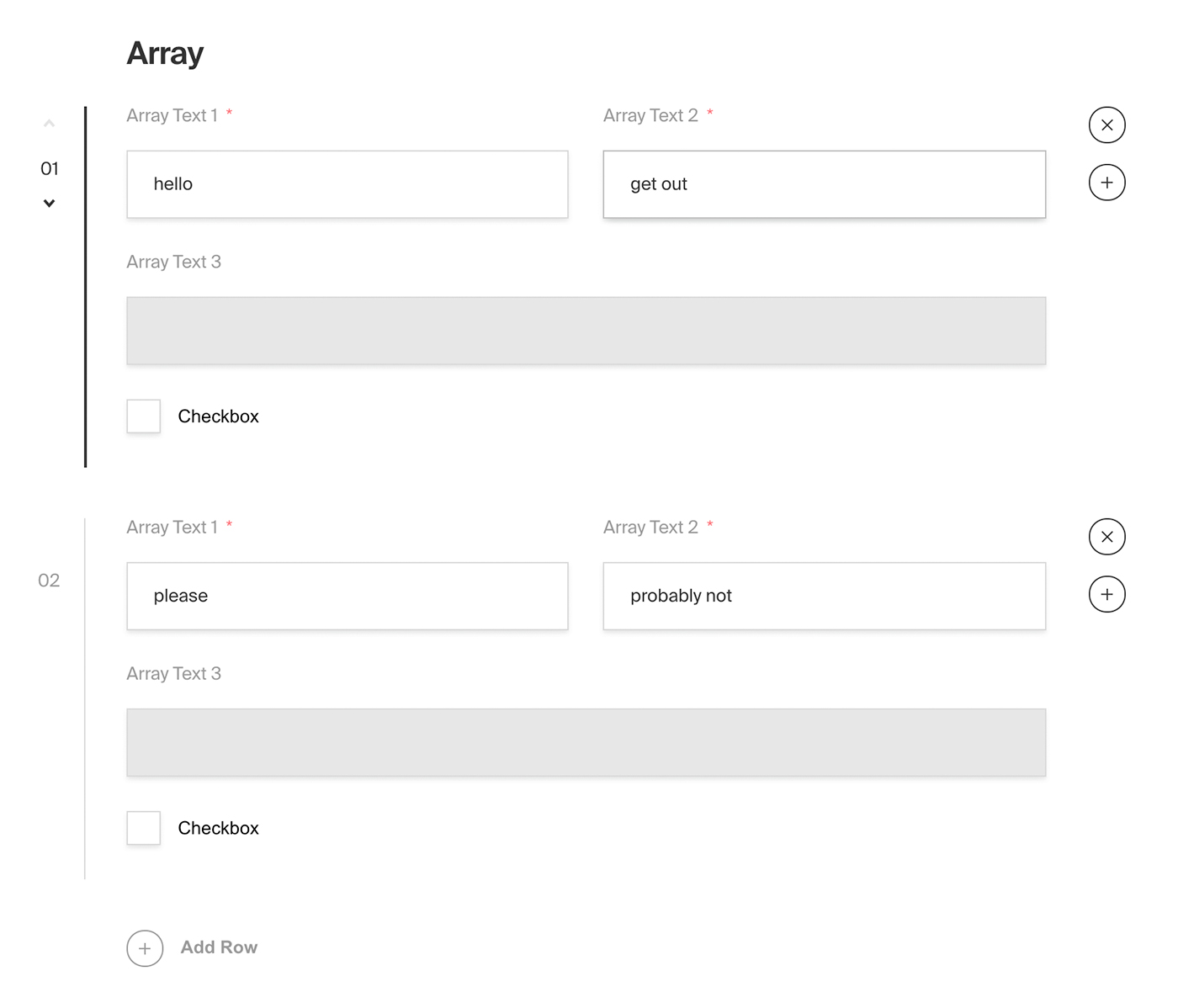
|
||||
*Admin panel screenshot of an Array field with a Row containing two text fields, a read-only text field and a checkbox*
|
||||
|
||||
### Config
|
||||
|
||||
| Option | Description |
|
||||
| ---------------- | ----------- |
|
||||
| **`name`** * | To be used as the property name when stored and retrieved from the database. |
|
||||
| **`label`** | Used as a heading in the Admin panel and to name the generated GraphQL type. Auto-generated from name if not defined. |
|
||||
| **`fields`** * | Array of field types to correspond to each row of the Array. |
|
||||
| **`validate`** | Provide a custom validation function that will be executed on both the Admin panel and the backend. [More](/docs/fields/overview#validation) |
|
||||
| **`saveToJWT`** | If this field is top-level and nested in a config supporting [Authentication](/docs/authentication/config), include its data in the user JWT. |
|
||||
| **`hooks`** | Provide field-based hooks to control logic for this field. [More](/docs/fields/overview#field-level-hooks) |
|
||||
| **`access`** | Provide field-based access control to denote what users can see and do with this field's data. [More](/docs/fields/overview#field-level-access-control) |
|
||||
| **`hidden`** | Restrict this field's visibility from all APIs entirely. Will still be saved to the database, but will not appear in any API or the Admin panel. |
|
||||
| **`defaultValue`** | Provide an array of row data to be used for this field's default value. [More](/docs/fields/overview#default-values) |
|
||||
| Option | Description |
|
||||
| ---------------- |-----------------------------------------------------------------------------------------------------------------------------------------------------------------------------------------------------------------------------------------------------------------------------------|
|
||||
| **`name`** * | To be used as the property name when stored and retrieved from the database. [More](/docs/fields/overview#field-names) |
|
||||
| **`label`** | Text used as the heading in the Admin panel or an object with keys for each language. Auto-generated from name if not defined. |
|
||||
| **`fields`** * | Array of field types to correspond to each row of the Array. |
|
||||
| **`validate`** | Provide a custom validation function that will be executed on both the Admin panel and the backend. [More](/docs/fields/overview#validation) |
|
||||
| **`saveToJWT`** | If this field is top-level and nested in a config supporting [Authentication](/docs/authentication/config), include its data in the user JWT. |
|
||||
| **`hooks`** | Provide field-based hooks to control logic for this field. [More](/docs/fields/overview#field-level-hooks) |
|
||||
| **`access`** | Provide field-based access control to denote what users can see and do with this field's data. [More](/docs/fields/overview#field-level-access-control) |
|
||||
| **`hidden`** | Restrict this field's visibility from all APIs entirely. Will still be saved to the database, but will not appear in any API or the Admin panel. |
|
||||
| **`defaultValue`** | Provide an array of row data to be used for this field's default value. [More](/docs/fields/overview#default-values) |
|
||||
| **`localized`** | Enable localization for this field. Requires [localization to be enabled](/docs/configuration/localization) in the Base config. If enabled, a separate, localized set of all data within this Array will be kept, so there is no need to specify each nested field as `localized`. |
|
||||
| **`required`** | Require this field to have a value. |
|
||||
| **`labels`** | Customize the row labels appearing in the Admin dashboard. |
|
||||
| **`admin`** | Admin-specific configuration. See below for [more detail](#admin-config). |
|
||||
| **`required`** | Require this field to have a value. |
|
||||
| **`labels`** | Customize the row labels appearing in the Admin dashboard. |
|
||||
| **`admin`** | Admin-specific configuration. See below for [more detail](#admin-config). |
|
||||
|
||||
*\* An asterisk denotes that a property is required.*
|
||||
|
||||
@@ -46,6 +46,7 @@ In addition to the default [field admin config](/docs/fields/overview#admin-conf
|
||||
| Option | Description |
|
||||
| ---------------------- | ------------------------------- |
|
||||
| **`initCollapsed`** | Set the initial collapsed state |
|
||||
| **`components.RowLabel`** | Function or React component to be rendered as the label on the array row. Receives `({ data, index, path })` as args |
|
||||
|
||||
|
||||
### Example
|
||||
@@ -68,6 +69,10 @@ const ExampleCollection: CollectionConfig = {
|
||||
plural: 'Slides',
|
||||
},
|
||||
fields: [ // required
|
||||
{
|
||||
name: 'title',
|
||||
type: 'text',
|
||||
},
|
||||
{
|
||||
name: 'image',
|
||||
type: 'upload',
|
||||
@@ -78,7 +83,14 @@ const ExampleCollection: CollectionConfig = {
|
||||
name: 'caption',
|
||||
type: 'text',
|
||||
}
|
||||
]
|
||||
],
|
||||
admin: {
|
||||
components: {
|
||||
RowLabel: ({ data, index }) => {
|
||||
return data?.title || `Slide ${String(index).padStart(2, '0')}`;
|
||||
},
|
||||
},
|
||||
},
|
||||
}
|
||||
]
|
||||
};
|
||||
|
||||
@@ -16,27 +16,27 @@ keywords: blocks, fields, config, configuration, documentation, Content Manageme
|
||||
- A form builder tool where available block configs might be `Text`, `Select`, or `Checkbox`.
|
||||
- Virtual event agenda "timeslots" where a timeslot could either be a `Break`, a `Presentation`, or a `BreakoutSession`.
|
||||
|
||||

|
||||
|
||||
*Admin panel screenshot of a Blocks field type with Call to Action and Number block examples*
|
||||
|
||||
|
||||
### Field config
|
||||
|
||||
| Option | Description |
|
||||
| ---------------- | ----------- |
|
||||
| **`name`** * | To be used as the property name when stored and retrieved from the database. |
|
||||
| **`label`** | Used as a heading in the Admin panel and to name the generated GraphQL type. |
|
||||
| **`blocks`** * | Array of [block configs](/docs/fields/blocks#block-configs) to be made available to this field. |
|
||||
| **`validate`** | Provide a custom validation function that will be executed on both the Admin panel and the backend. [More](/docs/fields/overview#validation) |
|
||||
| **`saveToJWT`** | If this field is top-level and nested in a config supporting [Authentication](/docs/authentication/config), include its data in the user JWT. |
|
||||
| **`hooks`** | Provide field-level hooks to control logic for this field. [More](/docs/fields/overview#field-level-hooks) |
|
||||
| **`access`** | Provide field-level access control to denote what users can see and do with this field's data. [More](/docs/fields/overview#field-level-access-control) |
|
||||
| **`hidden`** | Restrict this field's visibility from all APIs entirely. Will still be saved to the database, but will not appear in any API response or the Admin panel. |
|
||||
| **`defaultValue`** | Provide an array of block data to be used for this field's default value. [More](/docs/fields/overview#default-values) |
|
||||
| **`localized`** | Enable localization for this field. Requires [localization to be enabled](/docs/configuration/localization) in the Base config. If enabled, a separate, localized set of all data within this field will be kept, so there is no need to specify each nested field as `localized`. || **`required`** | Require this field to have a value. |
|
||||
| **`unique`** | Enforce that each entry in the Collection has a unique value for this field. |
|
||||
| **`labels`** | Customize the block row labels appearing in the Admin dashboard. |
|
||||
| **`admin`** | Admin-specific configuration. See below for [more detail](#admin-config). |
|
||||
| Option | Description |
|
||||
|-------------------------|------------------------------------------------------------------------------------------------------------------------------------------------------------------------------------------------------------------------------------------------------------------------------------|
|
||||
| **`name`** * | To be used as the property name when stored and retrieved from the database. [More](/docs/fields/overview#field-names) |
|
||||
| **`label`** | Text used as the heading in the Admin panel or an object with keys for each language. Auto-generated from name if not defined. |
|
||||
| **`blocks`** * | Array of [block configs](/docs/fields/blocks#block-configs) to be made available to this field. |
|
||||
| **`validate`** | Provide a custom validation function that will be executed on both the Admin panel and the backend. [More](/docs/fields/overview#validation) |
|
||||
| **`saveToJWT`** | If this field is top-level and nested in a config supporting [Authentication](/docs/authentication/config), include its data in the user JWT. |
|
||||
| **`hooks`** | Provide field-level hooks to control logic for this field. [More](/docs/fields/overview#field-level-hooks) |
|
||||
| **`access`** | Provide field-level access control to denote what users can see and do with this field's data. [More](/docs/fields/overview#field-level-access-control) |
|
||||
| **`hidden`** | Restrict this field's visibility from all APIs entirely. Will still be saved to the database, but will not appear in any API response or the Admin panel. |
|
||||
| **`defaultValue`** | Provide an array of block data to be used for this field's default value. [More](/docs/fields/overview#default-values) |
|
||||
| **`localized`** | Enable localization for this field. Requires [localization to be enabled](/docs/configuration/localization) in the Base config. If enabled, a separate, localized set of all data within this field will be kept, so there is no need to specify each nested field as `localized`. || **`required`** | Require this field to have a value. |
|
||||
| **`unique`** | Enforce that each entry in the Collection has a unique value for this field. |
|
||||
| **`labels`** | Customize the block row labels appearing in the Admin dashboard. |
|
||||
| **`admin`** | Admin-specific configuration. See below for [more detail](#admin-config). |
|
||||
|
||||
*\* An asterisk denotes that a property is required.*
|
||||
|
||||
@@ -57,13 +57,14 @@ Blocks are defined as separate configs of their own.
|
||||
Best practice is to define each block config in its own file, and then import them into your Blocks field as necessary. This way each block config can be easily shared between fields. For instance, using the "layout builder" example, you might want to feature a few of the same blocks in a Post collection as well as a Page collection. Abstracting into their own files trivializes their reusability.
|
||||
</Banner>
|
||||
|
||||
| Option | Description |
|
||||
| ---------------- | ----------- |
|
||||
| **`slug`** * | Identifier for this block type. Will be saved on each block as the `blockType` property. |
|
||||
| **`fields`** * | Array of fields to be stored in this block. |
|
||||
| **`labels`** | Customize the block labels that appear in the Admin dashboard. Also used to name corresponding GraphQL schema types. Auto-generated from slug if not defined. |
|
||||
| **`imageURL`** | Provide a custom image thumbnail to help editors identify this block in the Admin UI. |
|
||||
| **`imageAltText`** | Customize this block's image thumbnail alt text. |
|
||||
| Option | Description |
|
||||
|----------------------------|---------------------------------------------------------------------------------------------------------|
|
||||
| **`slug`** * | Identifier for this block type. Will be saved on each block as the `blockType` property. |
|
||||
| **`fields`** * | Array of fields to be stored in this block. |
|
||||
| **`labels`** | Customize the block labels that appear in the Admin dashboard. Auto-generated from slug if not defined. |
|
||||
| **`imageURL`** | Provide a custom image thumbnail to help editors identify this block in the Admin UI. |
|
||||
| **`imageAltText`** | Customize this block's image thumbnail alt text. |
|
||||
| **`graphQL.singularName`** | Text to use for the GraphQL schema name. Auto-generated from slug if not defined |
|
||||
|
||||
#### Auto-generated data per block
|
||||
|
||||
|
||||
@@ -14,8 +14,8 @@ keywords: checkbox, fields, config, configuration, documentation, Content Manage
|
||||
|
||||
| Option | Description |
|
||||
| ---------------- | ----------- |
|
||||
| **`name`** * | To be used as the property name when stored and retrieved from the database. |
|
||||
| **`label`** | Used as a field label in the Admin panel and to name the generated GraphQL type. |
|
||||
| **`name`** * | To be used as the property name when stored and retrieved from the database. [More](/docs/fields/overview#field-names) |
|
||||
| **`label`** | Text used as a field label in the Admin panel or an object with keys for each language. |
|
||||
| **`validate`** | Provide a custom validation function that will be executed on both the Admin panel and the backend. [More](/docs/fields/overview#validation) |
|
||||
| **`index`** | Build a [MongoDB index](https://docs.mongodb.com/manual/indexes/) for this field to produce faster queries. Set this field to `true` if your users will perform queries on this field's data often. |
|
||||
| **`saveToJWT`** | If this field is top-level and nested in a config supporting [Authentication](/docs/authentication/config), include its data in the user JWT. |
|
||||
|
||||
@@ -11,14 +11,14 @@ keywords: code, fields, config, configuration, documentation, Content Management
|
||||
The Code field type saves a string in the database, but provides the Admin panel with a code editor styled interface.
|
||||
</Banner>
|
||||
|
||||
This field uses `prismjs` for syntax highlighting and `react-simple-code-editor` for the editor itself.
|
||||
This field uses the `monaco-react` editor syntax highlighting.
|
||||
|
||||
### Config
|
||||
|
||||
| Option | Description |
|
||||
| ---------------- | ----------- |
|
||||
| **`name`** * | To be used as the property name when stored and retrieved from the database. |
|
||||
| **`label`** | Used as a field label in the Admin panel and to name the generated GraphQL type. |
|
||||
| **`name`** * | To be used as the property name when stored and retrieved from the database. [More](/docs/fields/overview#field-names) |
|
||||
| **`label`** | Text used as a field label in the Admin panel or an object with keys for each language. |
|
||||
| **`unique`** | Enforce that each entry in the Collection has a unique value for this field. |
|
||||
| **`index`** | Build a [MongoDB index](https://docs.mongodb.com/manual/indexes/) for this field to produce faster queries. Set this field to `true` if your users will perform queries on this field's data often. |
|
||||
| **`minLength`** | Used by the default validation function to ensure values are of a minimum character length. |
|
||||
@@ -33,25 +33,16 @@ This field uses `prismjs` for syntax highlighting and `react-simple-code-editor`
|
||||
| **`required`** | Require this field to have a value. |
|
||||
| **`admin`** | Admin-specific configuration. See below for [more detail](#admin-config). |
|
||||
|
||||
*\* An asterisk denotes that a property is required.*
|
||||
_\* An asterisk denotes that a property is required._
|
||||
|
||||
### Admin config
|
||||
### Admin Config
|
||||
|
||||
In addition to the default [field admin config](/docs/fields/overview#admin-config), the Code field type also allows for the customization of a `language` property.
|
||||
In addition to the default [field admin config](/docs/fields/overview#admin-config), you can adjust the following properties:
|
||||
|
||||
The following `prismjs` plugins are imported, enabling the `language` property to accept the following values:
|
||||
|
||||
| Plugin | Language |
|
||||
| ---------------------------- | ----------- |
|
||||
| **`prism-css`** | `css` |
|
||||
| **`prism-clike`** | `clike` |
|
||||
| **`prism-markup`** | `markup`, `html`, `xml`, `svg`, `mathml`, `ssml`, `atom`, `rss` |
|
||||
| **`prism-javascript`** | `javascript`, `js` |
|
||||
| **`prism-json`** | `json` |
|
||||
| **`prism-jsx`** | `jsx` |
|
||||
| **`prism-typescript`** | `typescript`, `ts` |
|
||||
| **`prism-tsx`** | `tsx` |
|
||||
| **`prism-yaml`** | `yaml`, `yml` |
|
||||
| Option | Description |
|
||||
| ---------------------- | ----------------------------------------------------------------------------------------------------------------------------------------------------------------------------------- |
|
||||
| **`language`** | This property can be set to any language listed [here](https://github.com/microsoft/monaco-editor/tree/main/src/basic-languages). |
|
||||
| **`editorOptions`** | Options that can be passed to the monaco editor, [view the full list](https://microsoft.github.io/monaco-editor/typedoc/interfaces/editor.IDiffEditorConstructionOptions.html). |
|
||||
|
||||
### Example
|
||||
|
||||
@@ -67,7 +58,7 @@ const ExampleCollection: CollectionConfig = {
|
||||
type: 'code', // required
|
||||
required: true,
|
||||
admin: {
|
||||
language: 'js'
|
||||
language: 'javascript'
|
||||
}
|
||||
}
|
||||
]
|
||||
|
||||
@@ -14,7 +14,7 @@ keywords: row, fields, config, configuration, documentation, Content Management
|
||||
|
||||
| Option | Description |
|
||||
| -------------- | ------------------------------------------------------------------------- |
|
||||
| **`label`** * | A label to render within the header of the collapsible component. |
|
||||
| **`label`** * | A label to render within the header of the collapsible component. This can be a string, function or react component. Function/components receive `({ data, path })` as args. |
|
||||
| **`fields`** * | Array of field types to nest within this Collapsible. |
|
||||
| **`admin`** | Admin-specific configuration. See below for [more detail](#admin-config). |
|
||||
|
||||
@@ -38,9 +38,14 @@ const ExampleCollection: CollectionConfig = {
|
||||
slug: 'example-collection',
|
||||
fields: [
|
||||
{
|
||||
label: 'Header of collapsible goes here',
|
||||
label: ({ data }) => data?.title || 'Untitled',
|
||||
type: 'collapsible', // required
|
||||
fields: [ // required
|
||||
{
|
||||
name: 'title',
|
||||
type: 'text',
|
||||
required: true,
|
||||
},
|
||||
{
|
||||
name: 'someTextField',
|
||||
type: 'text',
|
||||
|
||||
@@ -17,8 +17,8 @@ This field uses [`react-datepicker`](https://www.npmjs.com/package/react-datepic
|
||||
|
||||
| Option | Description |
|
||||
| ------------------ | --------------------------------------------------------------------------------------------------------------------------------------------------------------------------------------------------- |
|
||||
| **`name`** \* | To be used as the property name when stored and retrieved from the database. |
|
||||
| **`label`** | Used as a field label in the Admin panel and to name the generated GraphQL type. |
|
||||
| **`name`** \* | To be used as the property name when stored and retrieved from the database. [More](/docs/fields/overview#field-names) |
|
||||
| **`label`** | Text used as a field label in the Admin panel or an object with keys for each language. |
|
||||
| **`index`** | Build a [MongoDB index](https://docs.mongodb.com/manual/indexes/) for this field to produce faster queries. Set this field to `true` if your users will perform queries on this field's data often. |
|
||||
| **`validate`** | Provide a custom validation function that will be executed on both the Admin panel and the backend. [More](/docs/fields/overview#validation) |
|
||||
| **`saveToJWT`** | If this field is top-level and nested in a config supporting [Authentication](/docs/authentication/config), include its data in the user JWT. |
|
||||
@@ -36,22 +36,31 @@ _\* An asterisk denotes that a property is required._
|
||||
|
||||
In addition to the default [field admin config](/docs/fields/overview#admin-config), you can customize the following fields that will adjust how the component displays in the admin panel via the `date` property.
|
||||
|
||||
| Option | Description |
|
||||
| ---------------------- | --------------------------------------------------------------------------------------------------------------------------------------------------- |
|
||||
| **`pickerAppearance`** | Determines the appearance of the datepicker: `dayAndTime` `timeOnly` `dayOnly` `monthOnly`. Defaults to `dayAndTime`. |
|
||||
| **`displayFormat`** | Determines how the date is presented. dayAndTime default to `MMM d, yyy h:mm a` timeOnly defaults to `h:mm a` dayOnly defaults to `MMM d, yyy` and monthOnly defaults to `MM/yyyy`. |
|
||||
| **`placeholder`** | Placeholder text for the field. |
|
||||
| **`monthsToShow`** | Number of months to display max is 2. Defaults to 1. |
|
||||
| **`minDate`** | Passed directly to [react-datepicker](https://github.com/Hacker0x01/react-datepicker/blob/master/docs/datepicker.md). |
|
||||
| **`maxDate`** | Passed directly to [react-datepicker](https://github.com/Hacker0x01/react-datepicker/blob/master/docs/datepicker.md). |
|
||||
| **`minTime`** | Passed directly to [react-datepicker](https://github.com/Hacker0x01/react-datepicker/blob/master/docs/datepicker.md). |
|
||||
| **`maxTime`** | Passed directly to [react-datepicker](https://github.com/Hacker0x01/react-datepicker/blob/master/docs/datepicker.md). |
|
||||
| **`timeIntervals`** | Passed directly to [react-datepicker](https://github.com/Hacker0x01/react-datepicker/blob/master/docs/datepicker.md). Defaults to 30 minutes. |
|
||||
| **`timeFormat`** | Passed directly to [react-datepicker](https://github.com/Hacker0x01/react-datepicker/blob/master/docs/datepicker.md). Defaults to `'h:mm aa'`. |
|
||||
| Property | Option | Description |
|
||||
| ---------------------- | -------------------------- | --------------------------------------------------------------------------------------------------------------------------------------- |
|
||||
| **`placeholder`** | | Placeholder text for the field. |
|
||||
| **`date`** | | Pass options to customize date field appearance. |
|
||||
| | **`displayFormat`** | Format date to be shown in field **cell**. |
|
||||
| | **`pickerAppearance`** \* | Determines the appearance of the datepicker: `dayAndTime` `timeOnly` `dayOnly` `monthOnly`. |
|
||||
| | **`monthsToShow`** \* | Number of months to display max is 2. Defaults to 1. |
|
||||
| | **`minDate`** \* | Min date value to allow. |
|
||||
| | **`maxDate`** \* | Max date value to allow. |
|
||||
| | **`minTime`** \* | Min time value to allow. |
|
||||
| | **`maxTime`** \* | Max date value to allow. |
|
||||
| | **`timeIntervals`** \* | Time intervals to display. Defaults to 30 minutes. |
|
||||
| | **`timeFormat`** \* | Determines time format. Defaults to `'h:mm aa'`. |
|
||||
|
||||
_\* An asterisk denotes that a property is required._
|
||||
_\* This property is passed directly to [react-datepicker](https://github.com/Hacker0x01/react-datepicker/blob/master/docs/datepicker.md). ._
|
||||
|
||||
Common use cases for customizing the `date` property are to restrict your field to only show time or day input—but lots more can be done.
|
||||
#### Display Format and Picker Appearance
|
||||
|
||||
These properties only affect how the date is displayed in the UI. The full date is always stored in the format `YYYY-MM-DDTHH:mm:ss.SSSZ` (e.g. `1999-01-01T8:00:00.000+05:00`).
|
||||
|
||||
`displayFormat` determines how the date is presented in the field **cell**, you can pass any valid (unicode date format)[https://date-fns.org/v2.29.3/docs/format].
|
||||
|
||||
`pickerAppearance` sets the appearance of the **react datepicker**, the options available are `dayAndTime`, `dayOnly`, `timeOnly`, and `monthOnly`. By default, the datepicker will display `dayOnly`.
|
||||
|
||||
When only `pickerAppearance`, an equivalent format will be rendered in the date field cell. To overwrite this format, set `displayFormat`.
|
||||
|
||||
### Example
|
||||
|
||||
@@ -63,18 +72,36 @@ import { CollectionConfig } from 'payload/types';
|
||||
const ExampleCollection: CollectionConfig = {
|
||||
slug: 'example-collection',
|
||||
fields: [
|
||||
{
|
||||
name: 'time', // required
|
||||
type: 'date', // required
|
||||
label: 'Event Start Time',
|
||||
defaultValue: '1988-11-05T8:00:00.000+05:00',
|
||||
{
|
||||
name: 'dateOnly',
|
||||
type: 'date',
|
||||
admin: {
|
||||
date: {
|
||||
pickerAppearance: 'dayOnly',
|
||||
displayFormat: 'd MMM yyy',
|
||||
},
|
||||
},
|
||||
},
|
||||
{
|
||||
name: 'timeOnly',
|
||||
type: 'date',
|
||||
admin: {
|
||||
date: {
|
||||
// All config options above should be placed here
|
||||
pickerAppearance: 'timeOnly',
|
||||
}
|
||||
}
|
||||
}
|
||||
displayFormat: 'h:mm:ss a',
|
||||
},
|
||||
},
|
||||
},
|
||||
{
|
||||
name: 'monthOnly',
|
||||
type: 'date',
|
||||
admin: {
|
||||
date: {
|
||||
pickerAppearance: 'monthOnly',
|
||||
displayFormat: 'MMMM yyyy',
|
||||
},
|
||||
},
|
||||
},
|
||||
]
|
||||
};
|
||||
```
|
||||
|
||||
@@ -14,8 +14,8 @@ keywords: email, fields, config, configuration, documentation, Content Managemen
|
||||
|
||||
| Option | Description |
|
||||
| ---------------- | ----------- |
|
||||
| **`name`** * | To be used as the property name when stored and retrieved from the database. |
|
||||
| **`label`** | Used as a field label in the Admin panel and to name the generated GraphQL type. |
|
||||
| **`name`** * | To be used as the property name when stored and retrieved from the database. [More](/docs/fields/overview#field-names) |
|
||||
| **`label`** | Text used as a field label in the Admin panel or an object with keys for each language. |
|
||||
| **`unique`** | Enforce that each entry in the Collection has a unique value for this field. |
|
||||
| **`index`** | Build a [MongoDB index](https://docs.mongodb.com/manual/indexes/) for this field to produce faster queries. Set this field to `true` if your users will perform queries on this field's data often. |
|
||||
| **`validate`** | Provide a custom validation function that will be executed on both the Admin panel and the backend. [More](/docs/fields/overview#validation) |
|
||||
|
||||
@@ -14,7 +14,7 @@ keywords: group, fields, config, configuration, documentation, Content Managemen
|
||||
|
||||
| Option | Description |
|
||||
| ---------------- | ----------- |
|
||||
| **`name`** * | To be used as the property name when stored and retrieved from the database. |
|
||||
| **`name`** * | To be used as the property name when stored and retrieved from the database. [More](/docs/fields/overview#field-names) |
|
||||
| **`fields`** * | Array of field types to nest within this Group. |
|
||||
| **`label`** | Used as a heading in the Admin panel and to name the generated GraphQL type. |
|
||||
| **`validate`** | Provide a custom validation function that will be executed on both the Admin panel and the backend. [More](/docs/fields/overview#validation) |
|
||||
@@ -24,7 +24,6 @@ keywords: group, fields, config, configuration, documentation, Content Managemen
|
||||
| **`hidden`** | Restrict this field's visibility from all APIs entirely. Will still be saved to the database, but will not appear in any API or the Admin panel. |
|
||||
| **`defaultValue`** | Provide an object of data to be used for this field's default value. [More](/docs/fields/overview#default-values) |
|
||||
| **`localized`** | Enable localization for this field. Requires [localization to be enabled](/docs/configuration/localization) in the Base config. If enabled, a separate, localized set of all data within this Group will be kept, so there is no need to specify each nested field as `localized`. |
|
||||
| **`required`** | Require this field to have a value. |
|
||||
| **`admin`** | Admin-specific configuration. See below for [more detail](#admin-config). |
|
||||
|
||||
*\* An asterisk denotes that a property is required.*
|
||||
|
||||
60
docs/fields/json.mdx
Normal file
60
docs/fields/json.mdx
Normal file
@@ -0,0 +1,60 @@
|
||||
---
|
||||
title: JSON Field
|
||||
label: JSON
|
||||
order: 50
|
||||
desc: The JSON field type will store any string in the Database. Learn how to use JSON fields, see examples and options.
|
||||
|
||||
keywords: json, fields, config, configuration, documentation, Content Management System, cms, headless, javascript, node, react, express
|
||||
---
|
||||
|
||||
<Banner >
|
||||
The JSON field type saves actual JSON in the database, which differs from the Code field that saves the value as a string in the database.
|
||||
</Banner>
|
||||
|
||||
This field uses the `monaco-react` editor syntax highlighting.
|
||||
|
||||
### Config
|
||||
|
||||
| Option | Description |
|
||||
| ---------------- | ----------- |
|
||||
| **`name`** * | To be used as the property name when stored and retrieved from the database. [More](/docs/fields/overview#field-names) |
|
||||
| **`label`** | Text used as a field label in the Admin panel or an object with keys for each language. |
|
||||
| **`unique`** | Enforce that each entry in the Collection has a unique value for this field. |
|
||||
| **`index`** | Build a [MongoDB index](https://docs.mongodb.com/manual/indexes/) for this field to produce faster queries. Set this field to `true` if your users will perform queries on this field's data often. |
|
||||
| **`validate`** | Provide a custom validation function that will be executed on both the Admin panel and the backend. [More](/docs/fields/overview#validation) |
|
||||
| **`saveToJWT`** | If this field is top-level and nested in a config supporting [Authentication](/docs/authentication/config), include its data in the user JWT. |
|
||||
| **`hooks`** | Provide field-based hooks to control logic for this field. [More](/docs/fields/overview#field-level-hooks) |
|
||||
| **`access`** | Provide field-based access control to denote what users can see and do with this field's data. [More](/docs/fields/overview#field-level-access-control) |
|
||||
| **`hidden`** | Restrict this field's visibility from all APIs entirely. Will still be saved to the database, but will not appear in any API or the Admin panel. |
|
||||
| **`defaultValue`** | Provide data to be used for this field's default value. [More](/docs/fields/overview#default-values) |
|
||||
| **`localized`** | Enable localization for this field. Requires [localization to be enabled](/docs/configuration/localization) in the Base config. |
|
||||
| **`required`** | Require this field to have a value. |
|
||||
| **`admin`** | Admin-specific configuration. See below for [more detail](#admin-config). |
|
||||
|
||||
_\* An asterisk denotes that a property is required._
|
||||
|
||||
### Admin Config
|
||||
|
||||
In addition to the default [field admin config](/docs/fields/overview#admin-config), you can adjust the following properties:
|
||||
|
||||
| Option | Description |
|
||||
| ---------------------- | ----------------------------------------------------------------------------------------------------------------------------------------------------------------------------------- |
|
||||
| **`editorOptions`** | Options that can be passed to the monaco editor, [view the full list](https://microsoft.github.io/monaco-editor/api/interfaces/monaco.editor.IDiffEditorConstructionOptions.html). |
|
||||
|
||||
### Example
|
||||
|
||||
`collections/ExampleCollection.ts
|
||||
```ts
|
||||
import { CollectionConfig } from 'payload/types';
|
||||
|
||||
const ExampleCollection: CollectionConfig = {
|
||||
slug: 'example-collection',
|
||||
fields: [
|
||||
{
|
||||
name: 'customerJSON', // required
|
||||
type: 'json', // required
|
||||
required: true,
|
||||
}
|
||||
]
|
||||
};
|
||||
```
|
||||
@@ -14,8 +14,8 @@ keywords: number, fields, config, configuration, documentation, Content Manageme
|
||||
|
||||
| Option | Description |
|
||||
| ---------------- | ----------- |
|
||||
| **`name`** * | To be used as the property name when stored and retrieved from the database. |
|
||||
| **`label`** | Used as a field label in the Admin panel and to name the generated GraphQL type. |
|
||||
| **`name`** * | To be used as the property name when stored and retrieved from the database. [More](/docs/fields/overview#field-names) |
|
||||
| **`label`** | Text used as a field label in the Admin panel or an object with keys for each language. |
|
||||
| **`min`** | Minimum value accepted. Used in the default `validation` function. |
|
||||
| **`max`** | Maximum value accepted. Used in the default `validation` function. |
|
||||
| **`unique`** | Enforce that each entry in the Collection has a unique value for this field. |
|
||||
|
||||
@@ -64,6 +64,10 @@ One of the most powerful parts about Payload is its ability for you to define fi
|
||||
|
||||
In addition to being able to define access control on a document-level, you can define extremely granular permissions on a field by field level. For more information about field-level access control, [click here](/docs/access-control/overview#fields).
|
||||
|
||||
### Field names
|
||||
|
||||
Some fields use their `name` property as a unique identifier to store and retrieve from the database. `__v`, `salt`, and `hash` are all reserved field names which are sanitized from Payload's config and cannot be used.
|
||||
|
||||
### Validation
|
||||
|
||||
Field validation is enforced automatically based on the field type and other properties such as `required` or `min` and `max` value constraints on certain field types. This default behavior can be replaced by providing your own validate function for any field. It will be used on both the frontend and the backend, so it should not rely on any Node-specific packages. The validation function can be either synchronous or asynchronous and expects to return either `true` or a string error message to display in both API responses and within the Admin panel.
|
||||
@@ -72,14 +76,15 @@ There are two arguments available to custom validation functions.
|
||||
1. The value which is currently assigned to the field
|
||||
2. An optional object with dynamic properties for more complex validation having the following:
|
||||
|
||||
| Property | Description |
|
||||
| ------------- | -------------|
|
||||
| `data` | An object of the full collection or global document |
|
||||
| `siblingData` | An object of the document data limited to fields within the same parent to the field |
|
||||
| `operation` | Will be "create" or "update" depending on the UI action or API call |
|
||||
| `id` | The value of the collection `id`, will be `undefined` on create request |
|
||||
| `user` | The currently authenticated user object |
|
||||
| `payload` | If the `validate` function is being executed on the server, Payload will be exposed for easily running local operations. |
|
||||
| Property | Description |
|
||||
|---------------|--------------------------------------------------------------------------------------------------------------------------|
|
||||
| `data` | An object of the full collection or global document. |
|
||||
| `siblingData` | An object of the document data limited to fields within the same parent to the field. |
|
||||
| `operation` | Will be "create" or "update" depending on the UI action or API call. |
|
||||
| `id` | The value of the collection `id`, will be `undefined` on create request. |
|
||||
| `t` | The function for translating text, [more](/docs/configuration/i18n). |
|
||||
| `user` | The currently authenticated user object. |
|
||||
| `payload` | If the `validate` function is being executed on the server, Payload will be exposed for easily running local operations. |
|
||||
|
||||
Example:
|
||||
```ts
|
||||
@@ -150,18 +155,19 @@ Example:
|
||||
|
||||
In addition to each field's base configuration, you can define specific traits and properties for fields that only have effect on how they are rendered in the Admin panel. The following properties are available for all fields within the `admin` property:
|
||||
|
||||
| Option | Description |
|
||||
| ------------- | -------------|
|
||||
| `condition` | You can programmatically show / hide fields based on what other fields are doing. [Click here](#conditional-logic) for more info. |
|
||||
| `components` | All field components can be completely and easily swapped out for custom components that you define. [Click here](#custom-components) for more info. |
|
||||
| `description` | Helper text to display with the field to provide more information for the editor user. [Click here](#description) for more info. |
|
||||
| `position` | Specify if the field should be rendered in the sidebar by defining `position: 'sidebar'`. |
|
||||
| `width` | Restrict the width of a field. you can pass any string-based value here, be it pixels, percentages, etc. This property is especially useful when fields are nested within a `Row` type where they can be organized horizontally. |
|
||||
| `style` | Attach raw CSS style properties to the root DOM element of a field. |
|
||||
| `className` | Attach a CSS class name to the root DOM element of a field. |
|
||||
| `readOnly` | Setting a field to `readOnly` has no effect on the API whatsoever but disables the admin component's editability to prevent editors from modifying the field's value. |
|
||||
| `disabled` | If a field is `disabled`, it is completely omitted from the Admin panel. |
|
||||
| `hidden` | Setting a field's `hidden` property on its `admin` config will transform it into a `hidden` input type. Its value will still submit with the Admin panel's requests, but the field itself will not be visible to editors. |
|
||||
| Option | Description |
|
||||
|-------------------|---------------------------------------------------------------------------------------------------------------------------------------------------------------------------------------------------------------------------------|
|
||||
| `condition` | You can programmatically show / hide fields based on what other fields are doing. [Click here](#conditional-logic) for more info. |
|
||||
| `components` | All field components can be completely and easily swapped out for custom components that you define. [Click here](#custom-components) for more info. |
|
||||
| `description` | Helper text to display with the field to provide more information for the editor user. [Click here](#description) for more info. |
|
||||
| `position` | Specify if the field should be rendered in the sidebar by defining `position: 'sidebar'`. |
|
||||
| `width` | Restrict the width of a field. you can pass any string-based value here, be it pixels, percentages, etc. This property is especially useful when fields are nested within a `Row` type where they can be organized horizontally. |
|
||||
| `style` | Attach raw CSS style properties to the root DOM element of a field. |
|
||||
| `className` | Attach a CSS class name to the root DOM element of a field. |
|
||||
| `readOnly` | Setting a field to `readOnly` has no effect on the API whatsoever but disables the admin component's editability to prevent editors from modifying the field's value. |
|
||||
| `disabled` | If a field is `disabled`, it is completely omitted from the Admin panel. |
|
||||
| `disableBulkEdit` | Set `disableBulkEdit` to `true` to prevent fields from appearing in the select options when making edits for multiple documents. |
|
||||
| `hidden` | Setting a field's `hidden` property on its `admin` config will transform it into a `hidden` input type. Its value will still submit with the Admin panel's requests, but the field itself will not be visible to editors. |
|
||||
|
||||
### Custom components
|
||||
|
||||
|
||||
@@ -17,7 +17,7 @@ The data structure in the database matches the GeoJSON structure to represent po
|
||||
|
||||
| Option | Description |
|
||||
| ---------------- | ----------- |
|
||||
| **`name`** * | To be used as the property name when stored and retrieved from the database. |
|
||||
| **`name`** * | To be used as the property name when stored and retrieved from the database. [More](/docs/fields/overview#field-names) |
|
||||
| **`label`** | Used as a field label in the Admin panel and to name the generated GraphQL type. |
|
||||
| **`unique`** | Enforce that each entry in the Collection has a unique value for this field. |
|
||||
| **`index`** | Build a [MongoDB index](https://docs.mongodb.com/manual/indexes/) for this field to produce faster queries. To support location queries, point index defaults to `2dsphere`, to disable the index set to `false`. |
|
||||
|
||||
@@ -1,5 +1,5 @@
|
||||
---
|
||||
title: Radio Field
|
||||
title: Radio Group Field
|
||||
label: Radio Group
|
||||
order: 120
|
||||
desc: The Radio field type allows for the selection of one value from a predefined set of possible values. Learn how to use Radio fields, see examples and options.
|
||||
@@ -7,23 +7,23 @@ keywords: radio, fields, config, configuration, documentation, Content Managemen
|
||||
---
|
||||
|
||||
<Banner >
|
||||
The Radio field type allows for the selection of one value from a predefined set of possible values and presents a radio group-style set of inputs to the Admin panel.
|
||||
The Radio Group field type allows for the selection of one value from a predefined set of possible values and presents a radio group-style set of inputs to the Admin panel.
|
||||
</Banner>
|
||||
|
||||
### Config
|
||||
|
||||
| Option | Description |
|
||||
| ---------------- | ----------- |
|
||||
| **`name`** * | To be used as the property name when stored and retrieved from the database. |
|
||||
| **`name`** * | To be used as the property name when stored and retrieved from the database. [More](/docs/fields/overview#field-names) |
|
||||
| **`options`** * | Array of options to allow the field to store. Can either be an array of strings, or an array of objects containing an `label` string and a `value` string. |
|
||||
| **`label`** | Used as a field label in the Admin panel and to name the generated GraphQL type. |
|
||||
| **`label`** | Text used as a field label in the Admin panel or an object with keys for each language. |
|
||||
| **`validate`** | Provide a custom validation function that will be executed on both the Admin panel and the backend. [More](/docs/fields/overview#validation) |
|
||||
| **`index`** | Build a [MongoDB index](https://docs.mongodb.com/manual/indexes/) for this field to produce faster queries. Set this field to `true` if your users will perform queries on this field's data often. |
|
||||
| **`saveToJWT`** | If this field is top-level and nested in a config supporting [Authentication](/docs/authentication/config), include its data in the user JWT. |
|
||||
| **`hooks`** | Provide field-based hooks to control logic for this field. [More](/docs/fields/overview#field-level-hooks) |
|
||||
| **`access`** | Provide field-based access control to denote what users can see and do with this field's data. [More](/docs/fields/overview#field-level-access-control) |
|
||||
| **`hidden`** | Restrict this field's visibility from all APIs entirely. Will still be saved to the database, but will not appear in any API or the Admin panel. |
|
||||
| **`defaultValue`** | Provide data to be used for this field's default value. [More](/docs/fields/overview#default-values) |
|
||||
| **`defaultValue`** | Provide data to be used for this field's default value. The default value must exist within provided values in `options`. [More](/docs/fields/overview#default-values) |
|
||||
| **`localized`** | Enable localization for this field. Requires [localization to be enabled](/docs/configuration/localization) in the Base config. |
|
||||
| **`required`** | Require this field to have a value. |
|
||||
| **`admin`** | Admin-specific configuration. See below for [more detail](#admin-config). |
|
||||
@@ -37,11 +37,11 @@ keywords: radio, fields, config, configuration, documentation, Content Managemen
|
||||
|
||||
### Admin config
|
||||
|
||||
In addition to the default [field admin config](/docs/fields/overview#admin-config), the Radio field type allows for the specification of the following `admin` properties:
|
||||
In addition to the default [field admin config](/docs/fields/overview#admin-config), the Radio Group field type allows for the specification of the following `admin` properties:
|
||||
|
||||
**`layout`**
|
||||
|
||||
The `layout` property allows for the radio group to be styled as a horizonally or vertically distributed list.
|
||||
The `layout` property allows for the radio group to be styled as a horizonally or vertically distributed list. The default value is `horizontal`.
|
||||
|
||||
### Example
|
||||
|
||||
@@ -65,7 +65,7 @@ const ExampleCollection: CollectionConfig = {
|
||||
value: 'dark_gray',
|
||||
},
|
||||
],
|
||||
defaultValue: 'option_1',
|
||||
defaultValue: 'mint', // The first value in options.
|
||||
admin: {
|
||||
layout: 'horizontal',
|
||||
}
|
||||
|
||||
@@ -6,8 +6,9 @@ desc: The Relationship field provides the ability to relate documents together.
|
||||
keywords: relationship, fields, config, configuration, documentation, Content Management System, cms, headless, javascript, node, react, express
|
||||
---
|
||||
|
||||
<Banner >
|
||||
The Relationship field is one of the most powerful fields Payload features. It provides for the ability to easily relate documents together.
|
||||
<Banner>
|
||||
The Relationship field is one of the most powerful fields Payload features. It
|
||||
provides for the ability to easily relate documents together.
|
||||
</Banner>
|
||||
|
||||
**Example uses:**
|
||||
@@ -18,31 +19,35 @@ keywords: relationship, fields, config, configuration, documentation, Content Ma
|
||||
|
||||
### Config
|
||||
|
||||
| Option | Description |
|
||||
| ---------------- | ----------- |
|
||||
| **`name`** * | To be used as the property name when stored and retrieved from the database. |
|
||||
| **`relationTo`** * | Provide one or many collection `slug`s to be able to assign relationships to. |
|
||||
| **`filterOptions`** | A query to filter which options appear in the UI and validate against. [More](#filtering-relationship-options). |
|
||||
| **`hasMany`** | Boolean when, if set to `true`, allows this field to have many relations instead of only one. |
|
||||
| **`maxDepth`** | Sets a number limit on iterations of related documents to populate when queried. [Depth](/docs/getting-started/concepts#depth) |
|
||||
| **`label`** | Used as a field label in the Admin panel and to name the generated GraphQL type. |
|
||||
| **`unique`** | Enforce that each entry in the Collection has a unique value for this field. |
|
||||
| **`validate`** | Provide a custom validation function that will be executed on both the Admin panel and the backend. [More](/docs/fields/overview#validation) |
|
||||
| **`index`** | Build a [MongoDB index](https://docs.mongodb.com/manual/indexes/) for this field to produce faster queries. Set this field to `true` if your users will perform queries on this field's data often. |
|
||||
| **`saveToJWT`** | If this field is top-level and nested in a config supporting [Authentication](/docs/authentication/config), include its data in the user JWT. |
|
||||
| **`hooks`** | Provide field-based hooks to control logic for this field. [More](/docs/fields/overview#field-level-hooks) |
|
||||
| **`access`** | Provide field-based access control to denote what users can see and do with this field's data. [More](/docs/fields/overview#field-level-access-control) |
|
||||
| **`hidden`** | Restrict this field's visibility from all APIs entirely. Will still be saved to the database, but will not appear in any API or the Admin panel. |
|
||||
| **`defaultValue`** | Provide data to be used for this field's default value. [More](/docs/fields/overview#default-values) |
|
||||
| **`localized`** | Enable localization for this field. Requires [localization to be enabled](/docs/configuration/localization) in the Base config. |
|
||||
| **`required`** | Require this field to have a value. |
|
||||
| **`admin`** | Admin-specific configuration. See the [default field admin config](/docs/fields/overview#admin-config) for more details. |
|
||||
| Option | Description |
|
||||
|---------------------|-----------------------------------------------------------------------------------------------------------------------------------------------------------------------------------------------------|
|
||||
| **`name`** \* | To be used as the property name when stored and retrieved from the database. [More](/docs/fields/overview#field-names) |
|
||||
| **`relationTo`** \* | Provide one or many collection `slug`s to be able to assign relationships to. |
|
||||
| **`filterOptions`** | A query to filter which options appear in the UI and validate against. [More](#filtering-relationship-options). |
|
||||
| **`hasMany`** | Boolean when, if set to `true`, allows this field to have many relations instead of only one. |
|
||||
| **`min`** | A number for the fewest allowed items during validation when a value is present. Used with `hasMany`. |
|
||||
| **`max`** | A number for the most allowed items during validation when a value is present. Used with `hasMany`. |
|
||||
| **`maxDepth`** | Sets a number limit on iterations of related documents to populate when queried. [Depth](/docs/getting-started/concepts#depth) |
|
||||
| **`label`** | Text used as a field label in the Admin panel or an object with keys for each language. |
|
||||
| **`unique`** | Enforce that each entry in the Collection has a unique value for this field. |
|
||||
| **`validate`** | Provide a custom validation function that will be executed on both the Admin panel and the backend. [More](/docs/fields/overview#validation) |
|
||||
| **`index`** | Build a [MongoDB index](https://docs.mongodb.com/manual/indexes/) for this field to produce faster queries. Set this field to `true` if your users will perform queries on this field's data often. |
|
||||
| **`saveToJWT`** | If this field is top-level and nested in a config supporting [Authentication](/docs/authentication/config), include its data in the user JWT. |
|
||||
| **`hooks`** | Provide field-based hooks to control logic for this field. [More](/docs/fields/overview#field-level-hooks) |
|
||||
| **`access`** | Provide field-based access control to denote what users can see and do with this field's data. [More](/docs/fields/overview#field-level-access-control) |
|
||||
| **`hidden`** | Restrict this field's visibility from all APIs entirely. Will still be saved to the database, but will not appear in any API or the Admin panel. |
|
||||
| **`defaultValue`** | Provide data to be used for this field's default value. [More](/docs/fields/overview#default-values) |
|
||||
| **`localized`** | Enable localization for this field. Requires [localization to be enabled](/docs/configuration/localization) in the Base config. |
|
||||
| **`required`** | Require this field to have a value. |
|
||||
| **`admin`** | Admin-specific configuration. See the [default field admin config](/docs/fields/overview#admin-config) for more details. |
|
||||
|
||||
*\* An asterisk denotes that a property is required.*
|
||||
_\* An asterisk denotes that a property is required._
|
||||
|
||||
<Banner type="success">
|
||||
<strong>Tip:</strong><br/>
|
||||
The <a href="/docs/getting-started/concepts#depth">Depth</a> parameter can be used to automatically populate related documents that are returned by the API.
|
||||
<strong>Tip:</strong>
|
||||
<br />
|
||||
The <a href="/docs/getting-started/concepts#depth">Depth</a> parameter can be
|
||||
used to automatically populate related documents that are returned by the API.
|
||||
</Banner>
|
||||
|
||||
### Admin config
|
||||
@@ -51,7 +56,11 @@ In addition to the default [field admin config](/docs/fields/overview#admin-conf
|
||||
|
||||
**`isSortable`**
|
||||
|
||||
Set to `true` if you'd like this field to be sortable within the Admin UI using drag and drop. (Only works when `hasMany` is set to `true`)
|
||||
Set to `true` if you'd like this field to be sortable within the Admin UI using drag and drop (only works when `hasMany` is set to `true`).
|
||||
|
||||
**`allowCreate`**
|
||||
|
||||
Set to `false` if you'd like to disable the ability to create new documents from within the relationship field (hides the "Add new" button in the admin UI).
|
||||
|
||||
### Filtering relationship options
|
||||
|
||||
@@ -59,33 +68,33 @@ Options can be dynamically limited by supplying a [query constraint](/docs/queri
|
||||
|
||||
The `filterOptions` property can either be a `Where` query directly, or a function that returns one. When using a function, it will be called with an argument object with the following properties:
|
||||
|
||||
| Property | Description |
|
||||
| ------------- | -------------|
|
||||
| `relationTo` | The `relationTo` to filter against (as defined on the field) |
|
||||
| `data` | An object of the full collection or global document currently being edited |
|
||||
| `siblingData` | An object of the document data limited to fields within the same parent to the field |
|
||||
| `id` | The value of the collection `id`, will be `undefined` on create request |
|
||||
| `user` | The currently authenticated user object |
|
||||
| Property | Description |
|
||||
| ------------- | ------------------------------------------------------------------------------------ |
|
||||
| `relationTo` | The `relationTo` to filter against (as defined on the field) |
|
||||
| `data` | An object of the full collection or global document currently being edited |
|
||||
| `siblingData` | An object of the document data limited to fields within the same parent to the field |
|
||||
| `id` | The value of the collection `id`, will be `undefined` on create request |
|
||||
| `user` | The currently authenticated user object |
|
||||
|
||||
**Example:**
|
||||
|
||||
```ts
|
||||
const relationshipField = {
|
||||
name: 'purchase',
|
||||
type: 'relationship',
|
||||
relationTo: ['products', 'services'],
|
||||
name: "purchase",
|
||||
type: "relationship",
|
||||
relationTo: ["products", "services"],
|
||||
filterOptions: ({ relationTo, siblingData }) => {
|
||||
// returns a Where query dynamically by the type of relationship
|
||||
if (relationTo === 'products') {
|
||||
if (relationTo === "products") {
|
||||
return {
|
||||
'stock': { greater_than: siblingData.quantity }
|
||||
}
|
||||
stock: { greater_than: siblingData.quantity },
|
||||
};
|
||||
}
|
||||
|
||||
if (relationTo === 'services') {
|
||||
if (relationTo === "services") {
|
||||
return {
|
||||
'isAvailable': { equals: true }
|
||||
}
|
||||
isAvailable: { equals: true },
|
||||
};
|
||||
}
|
||||
},
|
||||
};
|
||||
@@ -94,8 +103,13 @@ const relationshipField = {
|
||||
You can learn more about writing queries [here](/docs/queries/overview).
|
||||
|
||||
<Banner type="warning">
|
||||
<strong>Note:</strong><br/>
|
||||
When a relationship field has both <strong>filterOptions</strong> and a custom <strong>validate</strong> function, the api will not validate <strong>filterOptions</strong> unless you call the default relationship field validation function imported from <strong>payload/fields/validations</strong> in your validate function.
|
||||
<strong>Note:</strong>
|
||||
<br />
|
||||
When a relationship field has both <strong>filterOptions</strong> and a custom{" "}
|
||||
<strong>validate</strong> function, the api will not validate{" "}
|
||||
<strong>filterOptions</strong> unless you call the default relationship field
|
||||
validation function imported from <strong>payload/fields/validations</strong>{" "}
|
||||
in your validate function.
|
||||
</Banner>
|
||||
|
||||
### How the data is saved
|
||||
@@ -123,10 +137,10 @@ The most simple pattern of a relationship is to use `hasMany: false` with a `rel
|
||||
The shape of the data to save for a document with the field configured this way would be:
|
||||
|
||||
```json
|
||||
{
|
||||
// Mongo ObjectID of the related user
|
||||
"owner": "6031ac9e1289176380734024"
|
||||
}
|
||||
{
|
||||
// Mongo ObjectID of the related user
|
||||
"owner": "6031ac9e1289176380734024"
|
||||
}
|
||||
```
|
||||
|
||||
When querying documents in this collection via REST API, you could query as follows:
|
||||
@@ -154,12 +168,12 @@ Also known as **dynamic references**, in this configuration, the `relationTo` fi
|
||||
The shape of the data to save for a document with more than one relationship type would be:
|
||||
|
||||
```json
|
||||
{
|
||||
"owner": {
|
||||
"relationTo": "organizations",
|
||||
"value": "6031ac9e1289176380734024"
|
||||
}
|
||||
{
|
||||
"owner": {
|
||||
"relationTo": "organizations",
|
||||
"value": "6031ac9e1289176380734024"
|
||||
}
|
||||
}
|
||||
```
|
||||
|
||||
Here is an example for how to query documents by this data (note the difference in referencing the `owner.value`):
|
||||
@@ -193,9 +207,9 @@ The `hasMany` tells Payload that there may be more than one collection saved to
|
||||
To save the to `hasMany` relationship field we need to send an array of IDs:
|
||||
|
||||
```json
|
||||
{
|
||||
"owners": [ "6031ac9e1289176380734024", "602c3c327b811235943ee12b" ]
|
||||
}
|
||||
{
|
||||
"owners": ["6031ac9e1289176380734024", "602c3c327b811235943ee12b"]
|
||||
}
|
||||
```
|
||||
|
||||
When querying documents, the format does not change for arrays:
|
||||
@@ -227,7 +241,8 @@ Relationship fields with `hasMany` set to more than one kind of collections save
|
||||
{
|
||||
"relationTo": "users",
|
||||
"value": "6031ac9e1289176380734024"
|
||||
}, {
|
||||
},
|
||||
{
|
||||
"relationTo": "organizations",
|
||||
"value": "602c3c327b811235943ee12b"
|
||||
}
|
||||
|
||||
@@ -20,8 +20,8 @@ The Admin component is built on the powerful [`slatejs`](https://docs.slatejs.or
|
||||
|
||||
| Option | Description |
|
||||
| ---------------- | ----------- |
|
||||
| **`name`** * | To be used as the property name when stored and retrieved from the database. |
|
||||
| **`label`** | Used as a field label in the Admin panel and to name the generated GraphQL type. |
|
||||
| **`name`** * | To be used as the property name when stored and retrieved from the database. [More](/docs/fields/overview#field-names) |
|
||||
| **`label`** | Text used as a field label in the Admin panel or an object with keys for each language. |
|
||||
| **`validate`** | Provide a custom validation function that will be executed on both the Admin panel and the backend. [More](/docs/fields/overview#validation) |
|
||||
| **`saveToJWT`** | If this field is top-level and nested in a config supporting [Authentication](/docs/authentication/config), include its data in the user JWT. |
|
||||
| **`hooks`** | Provide field-based hooks to control logic for this field. [More](/docs/fields/overview#field-level-hooks) |
|
||||
@@ -81,17 +81,17 @@ Set this property to `true` to hide this field's gutter within the admin panel.
|
||||
|
||||
This allows [fields](/docs/fields/overview) to be saved as extra fields on a link inside the Rich Text Editor. When this is present, the fields will render inside a modal that can be opened by clicking the "edit" button on the link element.
|
||||
|
||||

|
||||
|
||||
*RichText link with custom fields*
|
||||
|
||||
**`upload.collections[collection-name].fields`**
|
||||
|
||||
This allows [fields](/docs/fields/overview) to be saved as meta data on an upload field inside the Rich Text Editor. When this is present, the fields will render inside a modal that can be opened by clicking the "edit" button on the upload element.
|
||||
|
||||

|
||||
|
||||
*RichText field using the upload element*
|
||||
|
||||

|
||||
|
||||
*RichText upload element modal displaying fields from the config*
|
||||
|
||||
### Relationship element
|
||||
@@ -174,6 +174,20 @@ const ExampleCollection: CollectionConfig = {
|
||||
]
|
||||
}
|
||||
],
|
||||
link: {
|
||||
// Inject your own fields into the Link element
|
||||
fields: [
|
||||
{
|
||||
name: 'rel',
|
||||
label: 'Rel Attribute',
|
||||
type: 'select',
|
||||
hasMany: true,
|
||||
options: [
|
||||
'noopener', 'noreferrer', 'nofollow',
|
||||
],
|
||||
},
|
||||
],
|
||||
},
|
||||
upload: {
|
||||
collections: {
|
||||
media: {
|
||||
|
||||
@@ -14,11 +14,11 @@ keywords: select, multi-select, fields, config, configuration, documentation, Co
|
||||
### Config
|
||||
|
||||
| Option | Description |
|
||||
| ------------------ | --------------------------------------------------------------------------------------------------------------------------------------------------------------------------------------------------- |
|
||||
| **`name`** \* | To be used as the property name when stored and retrieved from the database. |
|
||||
| ------------------ |-----------------------------------------------------------------------------------------------------------------------------------------------------------------------------------------------------|
|
||||
| **`name`** \* | To be used as the property name when stored and retrieved from the database. [More](/docs/fields/overview#field-names) |
|
||||
| **`options`** \* | Array of options to allow the field to store. Can either be an array of strings, or an array of objects containing a `label` string and a `value` string. |
|
||||
| **`hasMany`** | Boolean when, if set to `true`, allows this field to have many selections instead of only one. |
|
||||
| **`label`** | Used as a field label in the Admin panel and to name the generated GraphQL type. |
|
||||
| **`label`** | Text used as a field label in the Admin panel or an object with keys for each language. |
|
||||
| **`unique`** | Enforce that each entry in the Collection has a unique value for this field. |
|
||||
| **`validate`** | Provide a custom validation function that will be executed on both the Admin panel and the backend. [More](/docs/fields/overview#validation) |
|
||||
| **`index`** | Build a [MongoDB index](https://docs.mongodb.com/manual/indexes/) for this field to produce faster queries. Set this field to `true` if your users will perform queries on this field's data often. |
|
||||
|
||||
@@ -10,7 +10,7 @@ keywords: tabs, fields, config, configuration, documentation, Content Management
|
||||
The Tabs field is presentational-only and only affects the Admin panel (unless a tab is named). By using it, you can place fields within a nice layout component that separates certain sub-fields by a tabbed interface.
|
||||
</Banner>
|
||||
|
||||

|
||||
|
||||
*Tabs field type used to separate Hero fields from Page Layout*
|
||||
|
||||
### Config
|
||||
@@ -26,7 +26,7 @@ Each tab has its own required `label` and `fields` array. You can also optionall
|
||||
|
||||
| Option | Description |
|
||||
| ----------------- | ----------- |
|
||||
| **`name`** | An optional property name to be used when stored and retrieved from the database, similar to a [Group](/docs/fields/group). |
|
||||
| **`name`** | An optional property name to be used when stored and retrieved from the database. [More](/docs/fields/overview#field-names) |
|
||||
| **`label`** * | The label to render on the tab itself. |
|
||||
| **`fields`** * | The fields to render within this tab. |
|
||||
| **`description`** | Optionally render a description within this tab to describe the contents of the tab itself. |
|
||||
|
||||
@@ -14,8 +14,8 @@ keywords: text, fields, config, configuration, documentation, Content Management
|
||||
|
||||
| Option | Description |
|
||||
| ---------------- | ----------- |
|
||||
| **`name`** * | To be used as the property name when stored and retrieved from the database. |
|
||||
| **`label`** | Used as a field label in the Admin panel and to name the generated GraphQL type. |
|
||||
| **`name`** * | To be used as the property name when stored and retrieved from the database. [More](/docs/fields/overview#field-names) |
|
||||
| **`label`** | Text used as a field label in the Admin panel or an object with keys for each language. |
|
||||
| **`unique`** | Enforce that each entry in the Collection has a unique value for this field. |
|
||||
| **`minLength`** | Used by the default validation function to ensure values are of a minimum character length. |
|
||||
| **`maxLength`** | Used by the default validation function to ensure values are of a maximum character length. |
|
||||
|
||||
@@ -14,8 +14,8 @@ keywords: textarea, fields, config, configuration, documentation, Content Manage
|
||||
|
||||
| Option | Description |
|
||||
| ---------------- | ----------- |
|
||||
| **`name`** * | To be used as the property name when stored and retrieved from the database. |
|
||||
| **`label`** | Used as a field label in the Admin panel and to name the generated GraphQL type. |
|
||||
| **`name`** * | To be used as the property name when stored and retrieved from the database. [More](/docs/fields/overview#field-names) |
|
||||
| **`label`** | Text used as a field label in the Admin panel or an object with keys for each language. |
|
||||
| **`unique`** | Enforce that each entry in the Collection has a unique value for this field. |
|
||||
| **`minLength`** | Used by the default validation function to ensure values are of a minimum character length. |
|
||||
| **`maxLength`** | Used by the default validation function to ensure values are of a maximum character length. |
|
||||
|
||||
@@ -23,12 +23,12 @@ With this field, you can also inject custom `Cell` components that appear as add
|
||||
|
||||
### Config
|
||||
|
||||
| Option | Description |
|
||||
| ---------------------------- | ----------- |
|
||||
| **`name`** * | A unique identifier for this field. |
|
||||
| **`label`** | Human-readable label for this UI field. |
|
||||
| **`admin.components.Field`** | React component to be rendered for this field within the Edit view. |
|
||||
| **`admin.components.Cell`** | React component to be rendered as a Cell within collection List views. |
|
||||
| Option | Description |
|
||||
| ---------------------------- |-------------------------------------------------------------------------------------------------------------------|
|
||||
| **`name`** * | A unique identifier for this field. |
|
||||
| **`label`** | Human-readable label for this UI field. |
|
||||
| **`admin.components.Field`** | React component to be rendered for this field within the Edit view. [More](/docs/admin/components/#field-component) |
|
||||
| **`admin.components.Cell`** | React component to be rendered as a Cell within collection List views. [More](/docs/admin/components/#field-component) |
|
||||
|
||||
*\* An asterisk denotes that a property is required.*
|
||||
|
||||
|
||||
@@ -23,24 +23,24 @@ keywords: upload, images media, fields, config, configuration, documentation, Co
|
||||
|
||||
### Config
|
||||
|
||||
| Option | Description |
|
||||
| ---------------- | ----------- |
|
||||
| **`name`** * | To be used as the property name when stored and retrieved from the database. |
|
||||
| **`*relationTo`** * | Provide a single collection `slug` to allow this field to accept a relation to. <strong>Note: the related collection must be configured to support Uploads.</strong> |
|
||||
| **`filterOptions`** | A query to filter which options appear in the UI and validate against. [More](#filtering-relationship-options). |
|
||||
| **`maxDepth`** | Sets a number limit on iterations of related documents to populate when queried. [Depth](/docs/getting-started/concepts#depth) |
|
||||
| **`label`** | Used as a field label in the Admin panel and to name the generated GraphQL type. |
|
||||
| **`unique`** | Enforce that each entry in the Collection has a unique value for this field. |
|
||||
| **`validate`** | Provide a custom validation function that will be executed on both the Admin panel and the backend. [More](/docs/fields/overview#validation) |
|
||||
| Option | Description |
|
||||
| ---------------- |-----------------------------------------------------------------------------------------------------------------------------------------------------------------------------------------------------|
|
||||
| **`name`** * | To be used as the property name when stored and retrieved from the database. [More](/docs/fields/overview#field-names) |
|
||||
| **`*relationTo`** * | Provide a single collection `slug` to allow this field to accept a relation to. <strong>Note: the related collection must be configured to support Uploads.</strong> |
|
||||
| **`filterOptions`** | A query to filter which options appear in the UI and validate against. [More](#filtering-upload-options). |
|
||||
| **`maxDepth`** | Sets a number limit on iterations of related documents to populate when queried. [Depth](/docs/getting-started/concepts#depth) |
|
||||
| **`label`** | Text used as a field label in the Admin panel or an object with keys for each language. |
|
||||
| **`unique`** | Enforce that each entry in the Collection has a unique value for this field. |
|
||||
| **`validate`** | Provide a custom validation function that will be executed on both the Admin panel and the backend. [More](/docs/fields/overview#validation) |
|
||||
| **`index`** | Build a [MongoDB index](https://docs.mongodb.com/manual/indexes/) for this field to produce faster queries. Set this field to `true` if your users will perform queries on this field's data often. |
|
||||
| **`saveToJWT`** | If this field is top-level and nested in a config supporting [Authentication](/docs/authentication/config), include its data in the user JWT. |
|
||||
| **`hooks`** | Provide field-based hooks to control logic for this field. [More](/docs/fields/overview#field-level-hooks) |
|
||||
| **`access`** | Provide field-based access control to denote what users can see and do with this field's data. [More](/docs/fields/overview#field-level-access-control) |
|
||||
| **`hidden`** | Restrict this field's visibility from all APIs entirely. Will still be saved to the database, but will not appear in any API or the Admin panel. |
|
||||
| **`defaultValue`** | Provide data to be used for this field's default value. [More](/docs/fields/overview#default-values) |
|
||||
| **`localized`** | Enable localization for this field. Requires [localization to be enabled](/docs/configuration/localization) in the Base config. |
|
||||
| **`required`** | Require this field to have a value. |
|
||||
| **`admin`** | Admin-specific configuration. See the [default field admin config](/docs/fields/overview#admin-config) for more details. |
|
||||
| **`saveToJWT`** | If this field is top-level and nested in a config supporting [Authentication](/docs/authentication/config), include its data in the user JWT. |
|
||||
| **`hooks`** | Provide field-based hooks to control logic for this field. [More](/docs/fields/overview#field-level-hooks) |
|
||||
| **`access`** | Provide field-based access control to denote what users can see and do with this field's data. [More](/docs/fields/overview#field-level-access-control) |
|
||||
| **`hidden`** | Restrict this field's visibility from all APIs entirely. Will still be saved to the database, but will not appear in any API or the Admin panel. |
|
||||
| **`defaultValue`** | Provide data to be used for this field's default value. [More](/docs/fields/overview#default-values) |
|
||||
| **`localized`** | Enable localization for this field. Requires [localization to be enabled](/docs/configuration/localization) in the Base config. |
|
||||
| **`required`** | Require this field to have a value. |
|
||||
| **`admin`** | Admin-specific configuration. See the [default field admin config](/docs/fields/overview#admin-config) for more details. |
|
||||
|
||||
*\* An asterisk denotes that a property is required.*
|
||||
|
||||
@@ -63,3 +63,37 @@ const ExampleCollection: CollectionConfig = {
|
||||
}
|
||||
|
||||
```
|
||||
|
||||
### Filtering upload options
|
||||
|
||||
Options can be dynamically limited by supplying a [query constraint](/docs/queries/overview), which will be used both for validating input and filtering available uploads in the UI.
|
||||
|
||||
The `filterOptions` property can either be a `Where` query directly, or a function that returns one. When using a function, it will be called with an argument object with the following properties:
|
||||
|
||||
| Property | Description |
|
||||
| ------------- | -------------|
|
||||
| `relationTo` | The `relationTo` to filter against (as defined on the field) |
|
||||
| `data` | An object of the full collection or global document currently being edited |
|
||||
| `siblingData` | An object of the document data limited to fields within the same parent to the field |
|
||||
| `id` | The value of the collection `id`, will be `undefined` on create request |
|
||||
| `user` | The currently authenticated user object |
|
||||
|
||||
**Example:**
|
||||
|
||||
```ts
|
||||
const uploadField = {
|
||||
name: 'image',
|
||||
type: 'upload',
|
||||
relationTo: 'media',
|
||||
filterOptions: {
|
||||
mimeType: { contains: 'image' },
|
||||
},
|
||||
};
|
||||
```
|
||||
|
||||
You can learn more about writing queries [here](/docs/queries/overview).
|
||||
|
||||
<Banner type="warning">
|
||||
<strong>Note:</strong><br/>
|
||||
When an upload field has both <strong>filterOptions</strong> and a custom <strong>validate</strong> function, the api will not validate <strong>filterOptions</strong> unless you call the default upload field validation function imported from <strong>payload/fields/validations</strong> in your validate function.
|
||||
</Banner>
|
||||
|
||||
@@ -15,7 +15,8 @@ Payload requires the following software:
|
||||
- A Mongo Database
|
||||
|
||||
<Banner type="warning">
|
||||
Before proceeding any further, please ensure that you have the above requirements met.
|
||||
Before proceeding any further, please ensure that you have the above
|
||||
requirements met.
|
||||
</Banner>
|
||||
|
||||
## Quickstart with create-payload-app
|
||||
@@ -26,16 +27,16 @@ To quickly scaffold a new Payload app in the fastest way possible, you can use [
|
||||
npx create-payload-app
|
||||
```
|
||||
|
||||
Then just follow the prompts! You can choose between a TypeScript project, which is fully supported by Payload, or a JavaScript project. You'll get set up with a new folder and a functioning Payload app inside.
|
||||
Then just follow the prompts! You'll get set up with a new folder and a functioning Payload app inside.
|
||||
|
||||
## From scratch
|
||||
## Adding to an existing app
|
||||
|
||||
Adding Payload to either a new or existing app is super straightforward. To add to an existing Node + Express app, just run `npm install --save --legacy-peer-deps payload`. Or, to start a new project from scratch, run `npm init` and then `npm install --save --legacy-peer-deps payload express`.
|
||||
Adding Payload to either a new or existing TypeScript + Express app is super straightforward. To add to an existing app, just run `npm install --save --legacy-peer-deps payload`.
|
||||
|
||||
From there, the first step is writing a baseline config. Create a new `payload.config.js` in the root of your project. The simplest config contains the following:
|
||||
From there, the first step is writing a baseline config. Create a new `payload.config.ts` in your project's `/src` directory (or whatever your root TS dir is). The simplest config contains the following:
|
||||
|
||||
```js
|
||||
import { buildConfig } from 'payload/config';
|
||||
import { buildConfig } from "payload/config";
|
||||
|
||||
export default buildConfig({
|
||||
// By default, Payload will boot up normally
|
||||
@@ -46,46 +47,53 @@ export default buildConfig({
|
||||
|
||||
Write the above code into your newly created config file. This baseline config will automatically provide you with a default `User` collection. For more information about users and authentication, including how to provide your own user config, jump to the [Authentication](/docs/authentication/config) section.
|
||||
|
||||
Although this is just the bare minimum config, there are *many* more options that you can control here. To reference the full config and all of its options, [click here](/docs/configuration/overview).
|
||||
Although this is just the bare minimum config, there are _many_ more options that you can control here. To reference the full config and all of its options, [click here](/docs/configuration/overview).
|
||||
|
||||
### Server
|
||||
|
||||
Now that you've got a baseline Payload config, it's time to initialize Payload. It requires an Express server that you provide, so if you're not familiar with how to set up a baseline Express server, please read up on exactly what Express is and why to use it. Express' own [Documentation](https://expressjs.com/en/starter/hello-world.html) is a good place to start. Otherwise, follow along below for how to build your own Express server to use with Payload.
|
||||
|
||||
1. Run `npm install --save --legacy-peer-deps express` if you have not done so already
|
||||
1. Create a new `server.js` file in the root folder of your app
|
||||
1. Add the following code to `server.js`:
|
||||
1. Create a new `server.ts` file in the root directory of your app
|
||||
1. Add the following code to `server.ts`:
|
||||
|
||||
```js
|
||||
const express = require('express');
|
||||
```ts
|
||||
import express from "express";
|
||||
|
||||
const app = express();
|
||||
|
||||
app.listen(3000, async () => {
|
||||
console.log('Express is now listening for incoming connections on port 3000.')
|
||||
console.log(
|
||||
"Express is now listening for incoming connections on port 3000."
|
||||
);
|
||||
});
|
||||
```
|
||||
|
||||
This server doesn't do anything just yet. But, after you have this in place, we can initialize Payload via its `init()` method, which accepts a small set of arguments to tell it how to operate. For a full list of `init` arguments, please consult the [main configuration](/docs/configuration/overview#init) docs.
|
||||
This server doesn't do anything just yet. But, after you have this in place, we can initialize Payload via its asynchronous `init()` method, which accepts a small set of arguments to tell it how to operate.
|
||||
|
||||
To initialize Payload, update your `server.js` file to reflect the following code:
|
||||
To initialize Payload, update your `server.ts` file to reflect the following code:
|
||||
|
||||
```js
|
||||
const express = require('express');
|
||||
const payload = require('payload');
|
||||
```ts
|
||||
import express from "express";
|
||||
import payload from "payload";
|
||||
|
||||
const app = express();
|
||||
|
||||
payload.init({
|
||||
secret: 'SECRET_KEY',
|
||||
mongoURL: 'mongodb://localhost/payload',
|
||||
express: app,
|
||||
})
|
||||
const start = async () => {
|
||||
await payload.init({
|
||||
secret: "SECRET_KEY",
|
||||
mongoURL: "mongodb://localhost/payload",
|
||||
express: app,
|
||||
});
|
||||
|
||||
app.listen(3000, async () => {
|
||||
console.log('Express is now listening for incoming connections on port 3000.')
|
||||
});
|
||||
app.listen(3000, async () => {
|
||||
console.log(
|
||||
"Express is now listening for incoming connections on port 3000."
|
||||
);
|
||||
});
|
||||
};
|
||||
|
||||
start();
|
||||
```
|
||||
|
||||
Here is a list of all properties available to pass through `payload.init`:
|
||||
@@ -128,6 +136,10 @@ A function that is called immediately following startup that receives the Payloa
|
||||
|
||||
### Test it out
|
||||
|
||||
After you've gotten this far, it's time to boot up Payload. At the command line, run `npm install` and then `node server.js` in your application's folder to start up your app and initialize Payload.
|
||||
After you've gotten this far, it's time to boot up Payload. Start your project in your application's folder to get going.
|
||||
|
||||
After it starts, you can go to `http://localhost:3000/admin` to create your first Payload user!
|
||||
|
||||
### Docker
|
||||
|
||||
Looking to deploy Payload with Docker? New projects with `create-payload-app` come with a Dockerfile and docker-compose.yml file ready to go. Examples of these files can be seen in our [Deployment docs](/docs/deployment#Docker).
|
||||
|
||||
@@ -48,7 +48,7 @@ The team behind Payload has been building websites and apps with existing conten
|
||||
- Secure
|
||||
- Fully flexible and extensible
|
||||
|
||||
Payload is our silver bullet solution. It represents over two years of passionate development and brings everything we need when we build new apps and websites:
|
||||
Payload is our silver bullet solution. We've blended the best parts of our experience with other CMS and app frameworks into Payload, and we finally have everything we need when we build new apps and websites:
|
||||
|
||||
- A beautiful, dynamic, customizable admin UI
|
||||
- Extensible and reusable authentication
|
||||
|
||||
@@ -53,13 +53,13 @@ export default buildConfig({
|
||||
type: GraphQL.GraphQLFloat,
|
||||
},
|
||||
},
|
||||
args: {
|
||||
argNameHere: {
|
||||
type: new GraphQL.GraphQLNonNull(GraphQLString),
|
||||
}
|
||||
},
|
||||
resolve: myCustomQueryResolver,
|
||||
})
|
||||
}),
|
||||
args: {
|
||||
argNameHere: {
|
||||
type: new GraphQL.GraphQLNonNull(GraphQLString),
|
||||
}
|
||||
},
|
||||
resolve: myCustomQueryResolver,
|
||||
}
|
||||
}
|
||||
}
|
||||
|
||||
@@ -45,7 +45,7 @@ To add an NPM script to generate your types and show Payload where to find your
|
||||
```json
|
||||
{
|
||||
"scripts": {
|
||||
"generate:graphQLSchema": "PAYLOAD_CONFIG_PATH=src/payload.config.ts payload generate:graphQLSchema",
|
||||
"generate:graphQLSchema": "cross-env PAYLOAD_CONFIG_PATH=src/payload.config.ts payload generate:graphQLSchema",
|
||||
},
|
||||
}
|
||||
```
|
||||
|
||||
@@ -14,7 +14,7 @@ The labels you provide for your Collections and Globals are used to name the Gra
|
||||
|
||||
## GraphQL Options
|
||||
|
||||
At the top of your Payload config you can define all the options to manage GraphQL. The
|
||||
At the top of your Payload config you can define all the options to manage GraphQL.
|
||||
|
||||
| Option | Description |
|
||||
| -------------------- | -------------|
|
||||
@@ -35,10 +35,6 @@ import { CollectionConfig } from 'payload/types';
|
||||
const PublicUser: CollectionConfig = {
|
||||
slug: 'public-users',
|
||||
auth: true, // Auth is enabled
|
||||
labels: {
|
||||
singular: 'Public User',
|
||||
plural: 'Public Users',
|
||||
},
|
||||
fields: [
|
||||
...
|
||||
],
|
||||
@@ -120,7 +116,7 @@ You can even log in using the `login[collection-singular-label-here]` mutation t
|
||||
|
||||
<Banner type="success">
|
||||
<strong>Tip:</strong><br/>
|
||||
To see more regarding how the above queries and mutations are used, visit your GraphQL playground (by default at <a href="http://localhost:3000/api/graphql-playground">(http://localhost:3000/api/graphql-playground)</a> while your server is running. There, you can use the "Schema" and "Docs" buttons on the right to see a ton of detail about how GraphQL operates within Payload.
|
||||
To see more regarding how the above queries and mutations are used, visit your GraphQL playground (by default at <a href="http://localhost:3000/api/graphql-playground">(http://localhost:3000/api/graphql-playground</a>) while your server is running. There, you can use the "Schema" and "Docs" buttons on the right to see a ton of detail about how GraphQL operates within Payload.
|
||||
</Banner>
|
||||
|
||||
## Query complexity limits
|
||||
|
||||
@@ -190,7 +190,7 @@ const afterDeleteHook: CollectionAfterDeleteHook = async ({
|
||||
|
||||
### beforeLogin
|
||||
|
||||
For auth-enabled Collections, this hook runs after successful `login` operations. You can optionally modify the user that is returned.
|
||||
For auth-enabled Collections, this hook runs during `login` operations where a user with the provided credentials exist, but before a token is generated and added to the response. You can optionally modify the user that is returned, or throw an error in order to deny the login operation.
|
||||
|
||||
```ts
|
||||
import { CollectionBeforeLoginHook } from 'payload/types';
|
||||
@@ -198,7 +198,6 @@ import { CollectionBeforeLoginHook } from 'payload/types';
|
||||
const beforeLoginHook: CollectionBeforeLoginHook = async ({
|
||||
req, // full express request
|
||||
user, // user being logged in
|
||||
token, // user token
|
||||
}) => {
|
||||
return user;
|
||||
}
|
||||
@@ -213,6 +212,8 @@ import { CollectionAfterLoginHook } from 'payload/types';
|
||||
|
||||
const afterLoginHook: CollectionAfterLoginHook = async ({
|
||||
req, // full express request
|
||||
user, // user that was logged in
|
||||
token, // user token
|
||||
}) => {...}
|
||||
```
|
||||
|
||||
|
||||
@@ -27,9 +27,9 @@ Field-level hooks offer incredible potential for encapsulating your logic. They
|
||||
|
||||
Example field configuration:
|
||||
```ts
|
||||
import { CollectionConfig } from 'payload/types';
|
||||
import { Field } from 'payload/types';
|
||||
|
||||
const ExampleCollection: CollectionConfig = {
|
||||
const ExampleField: Field = {
|
||||
name: 'name',
|
||||
type: 'text',
|
||||
// highlight-start
|
||||
@@ -67,6 +67,7 @@ Field Hooks receive one `args` argument that contains the following properties:
|
||||
| **`previousSiblingDoc`** | The sibling data from the previous document in `afterChange` hook. |
|
||||
| **`req`** | The Express `request` object. It is mocked for Local API operations. |
|
||||
| **`value`** | The value of the field. |
|
||||
| **`previousValue`** | The previous value of the field, before changes were applied, only in `afterChange` hooks. |
|
||||
|
||||
#### Return value
|
||||
|
||||
|
||||
@@ -9,8 +9,14 @@ keywords: local api, config, configuration, documentation, Content Management Sy
|
||||
The Payload Local API gives you the ability to execute the same operations that are available through REST and GraphQL within Node, directly on your server. Here, you don't need to deal with server latency or network speed whatsoever and can interact directly with your database.
|
||||
|
||||
<Banner type="success">
|
||||
<strong>Tip:</strong><br/>
|
||||
The Local API is incredibly powerful when used with server-side rendering app frameworks like NextJS. With other headless CMS, you need to request your data from third-party servers which can add significant loading time to your server-rendered pages. With Payload, you don't have to leave your server to gather the data you need. It can be incredibly fast and is definitely a game changer.
|
||||
<strong>Tip:</strong>
|
||||
<br />
|
||||
The Local API is incredibly powerful when used with server-side rendering app
|
||||
frameworks like NextJS. With other headless CMS, you need to request your data
|
||||
from third-party servers which can add significant loading time to your
|
||||
server-rendered pages. With Payload, you don't have to leave your server to
|
||||
gather the data you need. It can be incredibly fast and is definitely a game
|
||||
changer.
|
||||
</Banner>
|
||||
|
||||
Here are some common examples of how you can use the Local API:
|
||||
@@ -28,15 +34,16 @@ You can gain access to the currently running `payload` object via two ways:
|
||||
You can import or require `payload` into your own files after it's been initialized, but you need to make sure that your `import` / `require` statements come **after** you call `payload.init()`—otherwise Payload won't have been initialized yet. That might be obvious. To us, it's usually not.
|
||||
|
||||
Example:
|
||||
|
||||
```ts
|
||||
import payload from 'payload';
|
||||
import { CollectionAfterChangeHook } from 'payload/types';
|
||||
import payload from "payload";
|
||||
import { CollectionAfterChangeHook } from "payload/types";
|
||||
|
||||
const afterChangeHook: CollectionAfterChangeHook = async () => {
|
||||
const posts = await payload.find({
|
||||
collection: 'posts',
|
||||
collection: "posts",
|
||||
});
|
||||
}
|
||||
};
|
||||
```
|
||||
|
||||
##### Accessing from the `req`
|
||||
@@ -44,35 +51,42 @@ const afterChangeHook: CollectionAfterChangeHook = async () => {
|
||||
Payload is available anywhere you have access to the Express `req` - including within your access control and hook functions.
|
||||
|
||||
Example:
|
||||
|
||||
```ts
|
||||
const afterChangeHook: CollectionAfterChangeHook = async ({ req: { payload }}) => {
|
||||
const afterChangeHook: CollectionAfterChangeHook = async ({
|
||||
req: { payload },
|
||||
}) => {
|
||||
const posts = await payload.find({
|
||||
collection: 'posts',
|
||||
collection: "posts",
|
||||
});
|
||||
}
|
||||
};
|
||||
```
|
||||
|
||||
### Local options available
|
||||
|
||||
You can specify more options within the Local API vs. REST or GraphQL due to the server-only context that they are executed in.
|
||||
|
||||
| Local Option | Description |
|
||||
| -------------------- | ------------ |
|
||||
| `collection` | Required for Collection operations. Specifies the Collection slug to operate against. |
|
||||
| `data` | The data to use within the operation. Required for `create`, `update`. |
|
||||
| `depth` | [Control auto-population](/docs/getting-started/concepts#depth) of nested relationship and upload fields. |
|
||||
| `locale` | Specify [locale](/docs/configuration/localization) for any returned documents. |
|
||||
| `fallbackLocale` | Specify a [fallback locale](/docs/configuration/localization) to use for any returned documents. |
|
||||
| `overrideAccess` | Skip access control. By default, this property is set to false. |
|
||||
| `user` | If you re-enable access control, you can specify a user to use against the access control checks. |
|
||||
| `showHiddenFields` | Opt-in to receiving hidden fields. By default, they are hidden from returned documents in accordance to your config. |
|
||||
| `pagination` | Set to false to return all documents and avoid querying for document counts. |
|
||||
| Local Option | Description |
|
||||
| ------------------- | -------------------------------------------------------------------------------------------------------------------- |
|
||||
| `collection` | Required for Collection operations. Specifies the Collection slug to operate against. |
|
||||
| `data` | The data to use within the operation. Required for `create`, `update`. |
|
||||
| `depth` | [Control auto-population](/docs/getting-started/concepts#depth) of nested relationship and upload fields. |
|
||||
| `locale` | Specify [locale](/docs/configuration/localization) for any returned documents. |
|
||||
| `fallbackLocale` | Specify a [fallback locale](/docs/configuration/localization) to use for any returned documents. |
|
||||
| `overrideAccess` | Skip access control. By default, this property is set to true within all Local API operations. |
|
||||
| `user` | If you set `overrideAccess` to `false`, you can pass a user to use against the access control checks. |
|
||||
| `showHiddenFields` | Opt-in to receiving hidden fields. By default, they are hidden from returned documents in accordance to your config. |
|
||||
| `queryHiddenFields` | Allow querying by hidden fields. By default, hidden fields are not allowed to be queried on. |
|
||||
| `pagination` | Set to false to return all documents and avoid querying for document counts. |
|
||||
|
||||
*There are more options available on an operation by operation basis outlined below.*
|
||||
_There are more options available on an operation by operation basis outlined below._
|
||||
|
||||
<Banner type="warning">
|
||||
<strong>Note:</strong><br/>
|
||||
By default, all access control checks are disabled in the Local API, but you can re-enable them if you'd like, as well as pass a specific user to run the operation with.
|
||||
<strong>Note:</strong>
|
||||
<br />
|
||||
By default, all access control checks are disabled in the Local API, but you
|
||||
can re-enable them if you'd like, as well as pass a specific user to run the
|
||||
operation with.
|
||||
</Banner>
|
||||
|
||||
## Collections
|
||||
@@ -84,12 +98,13 @@ The following Collection operations are available through the Local API:
|
||||
```js
|
||||
// The created Post document is returned
|
||||
const post = await payload.create({
|
||||
collection: 'posts', // required
|
||||
data: { // required
|
||||
title: 'sure',
|
||||
description: 'maybe',
|
||||
collection: "posts", // required
|
||||
data: {
|
||||
// required
|
||||
title: "sure",
|
||||
description: "maybe",
|
||||
},
|
||||
locale: 'en',
|
||||
locale: "en",
|
||||
fallbackLocale: false,
|
||||
user: dummyUserDoc,
|
||||
overrideAccess: true,
|
||||
@@ -102,12 +117,12 @@ const post = await payload.create({
|
||||
// If your collection supports uploads, you can upload
|
||||
// a file directly through the Local API by providing
|
||||
// its full, absolute file path.
|
||||
filePath: path.resolve(__dirname, './path-to-image.jpg'),
|
||||
filePath: path.resolve(__dirname, "./path-to-image.jpg"),
|
||||
|
||||
// Alternatively, you can directly pass a File,
|
||||
// if file is provided, filePath will be omitted
|
||||
file: uploadedFile,
|
||||
})
|
||||
});
|
||||
```
|
||||
|
||||
#### Find
|
||||
@@ -116,18 +131,19 @@ const post = await payload.create({
|
||||
// Result will be a paginated set of Posts.
|
||||
// See /docs/queries/pagination for more.
|
||||
const result = await payload.find({
|
||||
collection: 'posts', // required
|
||||
collection: "posts", // required
|
||||
depth: 2,
|
||||
page: 1,
|
||||
limit: 10,
|
||||
where: {}, // pass a `where` query here
|
||||
sort: '-title',
|
||||
locale: 'en',
|
||||
sort: "-title",
|
||||
locale: "en",
|
||||
fallbackLocale: false,
|
||||
user: dummyUser,
|
||||
overrideAccess: false,
|
||||
showHiddenFields: true,
|
||||
})
|
||||
queryHiddenFields: false,
|
||||
});
|
||||
```
|
||||
|
||||
#### Find by ID
|
||||
@@ -135,30 +151,31 @@ const result = await payload.find({
|
||||
```js
|
||||
// Result will be a Post document.
|
||||
const result = await payload.findByID({
|
||||
collection: 'posts', // required
|
||||
id: '507f1f77bcf86cd799439011', // required
|
||||
collection: "posts", // required
|
||||
id: "507f1f77bcf86cd799439011", // required
|
||||
depth: 2,
|
||||
locale: 'en',
|
||||
locale: "en",
|
||||
fallbackLocale: false,
|
||||
user: dummyUser,
|
||||
overrideAccess: false,
|
||||
showHiddenFields: true,
|
||||
})
|
||||
});
|
||||
```
|
||||
|
||||
#### Update
|
||||
#### Update by ID
|
||||
|
||||
```js
|
||||
// Result will be the updated Post document.
|
||||
const result = await payload.update({
|
||||
collection: 'posts', // required
|
||||
id: '507f1f77bcf86cd799439011', // required
|
||||
data: { // required
|
||||
title: 'sure',
|
||||
description: 'maybe',
|
||||
collection: "posts", // required
|
||||
id: "507f1f77bcf86cd799439011", // required
|
||||
data: {
|
||||
// required
|
||||
title: "sure",
|
||||
description: "maybe",
|
||||
},
|
||||
depth: 2,
|
||||
locale: 'en',
|
||||
locale: "en",
|
||||
fallbackLocale: false,
|
||||
user: dummyUser,
|
||||
overrideAccess: false,
|
||||
@@ -167,13 +184,51 @@ const result = await payload.update({
|
||||
// If your collection supports uploads, you can upload
|
||||
// a file directly through the Local API by providing
|
||||
// its full, absolute file path.
|
||||
filePath: path.resolve(__dirname, './path-to-image.jpg'),
|
||||
filePath: path.resolve(__dirname, "./path-to-image.jpg"),
|
||||
|
||||
// If you are uploading a file and would like to replace
|
||||
// the existing file instead of generating a new filename,
|
||||
// you can set the following property to `true`
|
||||
overwriteExistingFiles: true,
|
||||
})
|
||||
});
|
||||
```
|
||||
|
||||
#### Update Many
|
||||
|
||||
```js
|
||||
// Result will be an object with:
|
||||
// {
|
||||
// docs: [], // each document that was updated
|
||||
// errors: [], // each error also includes the id of the document
|
||||
// }
|
||||
const result = await payload.update({
|
||||
collection: "posts", // required
|
||||
where: {
|
||||
// required
|
||||
fieldName: { equals: 'value' },
|
||||
},
|
||||
data: {
|
||||
// required
|
||||
title: "sure",
|
||||
description: "maybe",
|
||||
},
|
||||
depth: 0,
|
||||
locale: "en",
|
||||
fallbackLocale: false,
|
||||
user: dummyUser,
|
||||
overrideAccess: false,
|
||||
showHiddenFields: true,
|
||||
|
||||
// If your collection supports uploads, you can upload
|
||||
// a file directly through the Local API by providing
|
||||
// its full, absolute file path.
|
||||
filePath: path.resolve(__dirname, "./path-to-image.jpg"),
|
||||
|
||||
// If you are uploading a file and would like to replace
|
||||
// the existing file instead of generating a new filename,
|
||||
// you can set the following property to `true`
|
||||
overwriteExistingFiles: true,
|
||||
});
|
||||
```
|
||||
|
||||
#### Delete
|
||||
@@ -181,15 +236,38 @@ const result = await payload.update({
|
||||
```js
|
||||
// Result will be the now-deleted Post document.
|
||||
const result = await payload.delete({
|
||||
collection: 'posts', // required
|
||||
id: '507f1f77bcf86cd799439011', // required
|
||||
collection: "posts", // required
|
||||
id: "507f1f77bcf86cd799439011", // required
|
||||
depth: 2,
|
||||
locale: 'en',
|
||||
locale: "en",
|
||||
fallbackLocale: false,
|
||||
user: dummyUser,
|
||||
overrideAccess: false,
|
||||
showHiddenFields: true,
|
||||
})
|
||||
});
|
||||
```
|
||||
|
||||
#### Delete Many
|
||||
|
||||
```js
|
||||
// Result will be an object with:
|
||||
// {
|
||||
// docs: [], // each document that is now deleted
|
||||
// errors: [], // any errors that occurred, including the id of the errored on document
|
||||
// }
|
||||
const result = await payload.delete({
|
||||
collection: "posts", // required
|
||||
where: {
|
||||
// required
|
||||
fieldName: { equals: 'value' },
|
||||
},
|
||||
depth: 0,
|
||||
locale: "en",
|
||||
fallbackLocale: false,
|
||||
user: dummyUser,
|
||||
overrideAccess: false,
|
||||
showHiddenFields: true,
|
||||
});
|
||||
```
|
||||
|
||||
## Auth Operations
|
||||
@@ -207,19 +285,20 @@ If a collection has [`Authentication`](/docs/authentication/overview) enabled, a
|
||||
// }
|
||||
|
||||
const result = await payload.login({
|
||||
collection: 'users', // required
|
||||
data: { // required
|
||||
email: 'dev@payloadcms.com',
|
||||
password: 'rip',
|
||||
collection: "users", // required
|
||||
data: {
|
||||
// required
|
||||
email: "dev@payloadcms.com",
|
||||
password: "rip",
|
||||
},
|
||||
req: req, // pass an Express `req` which will be provided to all hooks
|
||||
res: res, // used to automatically set an HTTP-only auth cookie
|
||||
depth: 2,
|
||||
locale: 'en',
|
||||
locale: "en",
|
||||
fallbackLocale: false,
|
||||
overrideAccess: false,
|
||||
showHiddenFields: true,
|
||||
})
|
||||
});
|
||||
```
|
||||
|
||||
#### Forgot Password
|
||||
@@ -227,12 +306,13 @@ const result = await payload.login({
|
||||
```js
|
||||
// Returned token will allow for a password reset
|
||||
const token = await payload.forgotPassword({
|
||||
collection: 'users', // required
|
||||
data: { // required
|
||||
email: 'dev@payloadcms.com',
|
||||
collection: "users", // required
|
||||
data: {
|
||||
// required
|
||||
email: "dev@payloadcms.com",
|
||||
},
|
||||
req: req, // pass an Express `req` which will be provided to all hooks
|
||||
})
|
||||
});
|
||||
```
|
||||
|
||||
#### Reset Password
|
||||
@@ -244,13 +324,14 @@ const token = await payload.forgotPassword({
|
||||
// user: { ... } // the user document that just logged in
|
||||
// }
|
||||
const result = await payload.forgotPassword({
|
||||
collection: 'users', // required
|
||||
data: { // required
|
||||
token: 'afh3o2jf2p3f...', // the token generated from the forgotPassword operation
|
||||
collection: "users", // required
|
||||
data: {
|
||||
// required
|
||||
token: "afh3o2jf2p3f...", // the token generated from the forgotPassword operation
|
||||
},
|
||||
req: req, // pass an Express `req` which will be provided to all hooks
|
||||
res: res, // used to automatically set an HTTP-only auth cookie
|
||||
})
|
||||
});
|
||||
```
|
||||
|
||||
#### Unlock
|
||||
@@ -258,13 +339,14 @@ const result = await payload.forgotPassword({
|
||||
```js
|
||||
// Returned result will be a boolean representing success or failure
|
||||
const result = await payload.unlock({
|
||||
collection: 'users', // required
|
||||
data: { // required
|
||||
email: 'dev@payloadcms.com',
|
||||
collection: "users", // required
|
||||
data: {
|
||||
// required
|
||||
email: "dev@payloadcms.com",
|
||||
},
|
||||
req: req, // pass an Express `req` which will be provided to all hooks
|
||||
overrideAccess: true,
|
||||
})
|
||||
});
|
||||
```
|
||||
|
||||
#### Verify
|
||||
@@ -272,9 +354,9 @@ const result = await payload.unlock({
|
||||
```js
|
||||
// Returned result will be a boolean representing success or failure
|
||||
const result = await payload.verify({
|
||||
collection: 'users', // required
|
||||
token: 'afh3o2jf2p3f...', // the token saved on the user as `_verificationToken`
|
||||
})
|
||||
collection: "users", // required
|
||||
token: "afh3o2jf2p3f...", // the token saved on the user as `_verificationToken`
|
||||
});
|
||||
```
|
||||
|
||||
## Globals
|
||||
@@ -286,14 +368,14 @@ The following Global operations are available through the Local API:
|
||||
```js
|
||||
// Result will be the Header Global.
|
||||
const result = await payload.findGlobal({
|
||||
slug: 'header', // required
|
||||
slug: "header", // required
|
||||
depth: 2,
|
||||
locale: 'en',
|
||||
locale: "en",
|
||||
fallbackLocale: false,
|
||||
user: dummyUser,
|
||||
overrideAccess: false,
|
||||
showHiddenFields: true,
|
||||
})
|
||||
});
|
||||
```
|
||||
|
||||
#### Update
|
||||
@@ -301,44 +383,79 @@ const result = await payload.findGlobal({
|
||||
```js
|
||||
// Result will be the updated Header Global.
|
||||
const result = await payload.updateGlobal({
|
||||
slug: 'header', // required
|
||||
data: { // required
|
||||
slug: "header", // required
|
||||
data: {
|
||||
// required
|
||||
nav: [
|
||||
{
|
||||
url: 'https://google.com',
|
||||
url: "https://google.com",
|
||||
},
|
||||
{
|
||||
url: 'https://payloadcms.com',
|
||||
url: "https://payloadcms.com",
|
||||
},
|
||||
],
|
||||
},
|
||||
depth: 2,
|
||||
locale: 'en',
|
||||
locale: "en",
|
||||
fallbackLocale: false,
|
||||
user: dummyUser,
|
||||
overrideAccess: false,
|
||||
showHiddenFields: true,
|
||||
})
|
||||
});
|
||||
```
|
||||
|
||||
## Example Script using Local API
|
||||
|
||||
The Local API is especially useful for running scripts
|
||||
|
||||
```ts
|
||||
import payload from "payload";
|
||||
import path from "path";
|
||||
import dotenv from "dotenv";
|
||||
|
||||
dotenv.config({
|
||||
path: path.resolve(__dirname, "../.env"),
|
||||
});
|
||||
|
||||
const { PAYLOAD_SECRET, MONGODB_URI } = process.env;
|
||||
|
||||
const doAction = async (): Promise<void> => {
|
||||
await payload.init({
|
||||
secret: PAYLOAD_SECRET,
|
||||
mongoURL: MONGODB_URI,
|
||||
local: true, // Enables local mode, doesn't spin up a server or frontend
|
||||
});
|
||||
|
||||
// Perform any Local API operations here
|
||||
await payload.find({
|
||||
collection: "posts",
|
||||
// where: {} // optional
|
||||
});
|
||||
|
||||
await payload.create({
|
||||
collection: "posts",
|
||||
data: {},
|
||||
});
|
||||
};
|
||||
|
||||
doAction();
|
||||
```
|
||||
|
||||
## TypeScript
|
||||
|
||||
Local API calls also support passing in a generic. This is especially useful if you generate your TS types using a [generate types script](/docs/typescript/generate-types).
|
||||
Local API calls will automatically infer your [generated types](/docs/typescript/generating-types).
|
||||
|
||||
Here is an example of usage:
|
||||
|
||||
```ts
|
||||
// Our generated types
|
||||
import { Post } from './payload-types'
|
||||
|
||||
// Add Post types as generic to create function
|
||||
const post: Post = await payload.create<Post>({
|
||||
collection: 'posts',
|
||||
// Properly inferred as `Post` type
|
||||
const post = await payload.create({
|
||||
collection: "posts",
|
||||
|
||||
// Data will now be typed as Post and give you type hints
|
||||
data: {
|
||||
title: 'my title',
|
||||
description: 'my description',
|
||||
title: "my title",
|
||||
description: "my description",
|
||||
},
|
||||
})
|
||||
});
|
||||
```
|
||||
|
||||
Some files were not shown because too many files have changed in this diff Show More
Reference in New Issue
Block a user