Compare commits
2 Commits
fix/multi-
...
test/e2e-d
| Author | SHA1 | Date | |
|---|---|---|---|

|
156e45999b | ||
|
|
0dd05c6f0d |
@@ -28,6 +28,7 @@
|
||||
"eslint": "^7.32.0",
|
||||
"jest": "^29.7.0",
|
||||
"prettier": "^3.3.3",
|
||||
"ts-jest": "^26.5.6",
|
||||
"typescript": "^4.9.5"
|
||||
}
|
||||
}
|
||||
|
||||
3648
.github/actions/release-commenter/pnpm-lock.yaml
generated
vendored
3648
.github/actions/release-commenter/pnpm-lock.yaml
generated
vendored
File diff suppressed because it is too large
Load Diff
1
.github/actions/triage/package.json
vendored
1
.github/actions/triage/package.json
vendored
@@ -28,6 +28,7 @@
|
||||
"eslint": "^7.32.0",
|
||||
"jest": "^29.7.0",
|
||||
"prettier": "^3.3.3",
|
||||
"ts-jest": "^26.5.6",
|
||||
"typescript": "^4.9.5"
|
||||
}
|
||||
}
|
||||
|
||||
3648
.github/actions/triage/pnpm-lock.yaml
generated
vendored
3648
.github/actions/triage/pnpm-lock.yaml
generated
vendored
File diff suppressed because it is too large
Load Diff
24
.github/workflows/dispatch-event.yml
vendored
24
.github/workflows/dispatch-event.yml
vendored
@@ -1,24 +0,0 @@
|
||||
name: dispatch-event
|
||||
|
||||
on:
|
||||
workflow_dispatch:
|
||||
|
||||
env:
|
||||
PAYLOAD_PUSH_MAIN_EVENT: payload-push-main-event
|
||||
|
||||
jobs:
|
||||
repository-dispatch:
|
||||
name: Repository dispatch
|
||||
runs-on: ubuntu-latest
|
||||
steps:
|
||||
- uses: actions/checkout@v4
|
||||
|
||||
- name: Dispatch event
|
||||
if: ${{ github.event_name == 'workflow_dispatch' }}
|
||||
uses: peter-evans/repository-dispatch@v3
|
||||
with:
|
||||
token: ${{ secrets.PAYLOAD_REPOSITORY_DISPATCH }}
|
||||
repository: ${{ secrets.REMOTE_REPOSITORY }}
|
||||
event-type: ${{ env.PAYLOAD_PUSH_MAIN_EVENT }}
|
||||
client-payload: '{"event": {"head_commit": {"id": "${{ env.GITHUB_SHA }}"}}}' # mocked for testing
|
||||
# client-payload: '{"event": ${{ toJson(github.event) }}}'
|
||||
18
.github/workflows/main.yml
vendored
18
.github/workflows/main.yml
vendored
@@ -254,11 +254,17 @@ jobs:
|
||||
if: matrix.database == 'supabase'
|
||||
|
||||
- name: Integration Tests
|
||||
run: pnpm test:int
|
||||
uses: nick-fields/retry@v3
|
||||
env:
|
||||
NODE_OPTIONS: --max-old-space-size=8096
|
||||
PAYLOAD_DATABASE: ${{ matrix.database }}
|
||||
POSTGRES_URL: ${{ env.POSTGRES_URL }}
|
||||
with:
|
||||
retry_on: any
|
||||
max_attempts: 5
|
||||
timeout_minutes: 15
|
||||
command: pnpm test:int
|
||||
on_retry_command: pnpm clean:build && pnpm install --no-frozen-lockfile
|
||||
|
||||
tests-e2e:
|
||||
runs-on: ubuntu-24.04
|
||||
@@ -361,6 +367,12 @@ jobs:
|
||||
if: steps.cache-playwright-browsers.outputs.cache-hit == 'true'
|
||||
run: pnpm exec playwright install-deps chromium
|
||||
|
||||
- name: E2E Tests
|
||||
run: pnpm test:e2e:prod:ci ${{ matrix.suite }}
|
||||
env:
|
||||
PLAYWRIGHT_JSON_OUTPUT_NAME: results_${{ matrix.suite }}.json
|
||||
NEXT_TELEMETRY_DISABLED: 1
|
||||
|
||||
- uses: actions/upload-artifact@v4
|
||||
if: always()
|
||||
with:
|
||||
@@ -457,9 +469,7 @@ jobs:
|
||||
- name: Build Template
|
||||
run: |
|
||||
pnpm run script:pack --dest templates/${{ matrix.template }}
|
||||
pnpm run script:build-template-with-local-pkgs ${{ matrix.template }} $POSTGRES_URL
|
||||
env:
|
||||
NODE_OPTIONS: --max-old-space-size=8096
|
||||
pnpm runts scripts/build-template-with-local-pkgs.ts ${{ matrix.template }} $POSTGRES_URL
|
||||
|
||||
tests-type-generation:
|
||||
runs-on: ubuntu-24.04
|
||||
|
||||
1
.github/workflows/pr-title.yml
vendored
1
.github/workflows/pr-title.yml
vendored
@@ -53,7 +53,6 @@ jobs:
|
||||
plugin-cloud
|
||||
plugin-cloud-storage
|
||||
plugin-form-builder
|
||||
plugin-multi-tenant
|
||||
plugin-nested-docs
|
||||
plugin-redirects
|
||||
plugin-search
|
||||
|
||||
3
.github/workflows/release-canary.yml
vendored
3
.github/workflows/release-canary.yml
vendored
@@ -28,7 +28,8 @@ jobs:
|
||||
env:
|
||||
NPM_TOKEN: ${{ secrets.NPM_TOKEN }}
|
||||
- name: Canary release script
|
||||
run: pnpm release:canary
|
||||
# dry run hard-coded to true for testing and no npm token provided
|
||||
run: pnpm tsx ./scripts/publish-canary.ts
|
||||
env:
|
||||
NPM_TOKEN: ${{ secrets.NPM_TOKEN }}
|
||||
NPM_CONFIG_PROVENANCE: true
|
||||
|
||||
1
.gitignore
vendored
1
.gitignore
vendored
@@ -317,4 +317,3 @@ test/databaseAdapter.js
|
||||
/filename-compound-index
|
||||
/media-with-relation-preview
|
||||
/media-without-relation-preview
|
||||
/media-without-cache-tags
|
||||
|
||||
1
.npmrc
1
.npmrc
@@ -1,4 +1,3 @@
|
||||
symlink=true
|
||||
node-linker=isolated
|
||||
hoist-workspace-packages=false # the default in pnpm v9 is true, but that can break our runtime dependency checks
|
||||
save-prefix=''
|
||||
|
||||
@@ -1,6 +1,6 @@
|
||||
MIT License
|
||||
|
||||
Copyright (c) 2018-2025 Payload CMS, Inc. <info@payloadcms.com>
|
||||
Copyright (c) 2018-2024 Payload CMS, Inc. <info@payloadcms.com>
|
||||
|
||||
Permission is hereby granted, free of charge, to any person obtaining
|
||||
a copy of this software and associated documentation files (the
|
||||
|
||||
@@ -252,10 +252,10 @@ export const canDeleteCustomer: Access = async ({ req, id }) => {
|
||||
|
||||
The following arguments are provided to the `delete` function:
|
||||
|
||||
| Option | Description |
|
||||
| --------- | ------------------------------------------------------------------------------------------------------------------------------------------------------ |
|
||||
| Option | Description |
|
||||
| --------- | --------------------------------------------------------------------------------------------------- |
|
||||
| **`req`** | The [Request](https://developer.mozilla.org/en-US/docs/Web/API/Request) object with additional `user` property, which is the currently logged in user. |
|
||||
| **`id`** | `id` of document requested to delete. |
|
||||
| **`id`** | `id` of document requested to delete.
|
||||
|
||||
### Admin
|
||||
|
||||
@@ -286,7 +286,7 @@ The following arguments are provided to the `admin` function:
|
||||
|
||||
### Unlock
|
||||
|
||||
Determines which users can [unlock](/docs/authentication/operations#unlock) other users who may be blocked from authenticating successfully due to [failing too many login attempts](/docs/authentication/overview#config-options).
|
||||
Determines which users can [unlock](/docs/authentication/operations#unlock) other users who may be blocked from authenticating successfully due to [failing too many login attempts](/docs/authentication/overview#options).
|
||||
|
||||
To add Unlock Access Control to a Collection, use the `unlock` property in the [Collection Config](../configuration/collections):
|
||||
|
||||
|
||||
@@ -6,7 +6,7 @@ desc: Field-level Access Control is specified within a field's config, and allow
|
||||
keywords: fields, access control, permissions, documentation, Content Management System, cms, headless, javascript, node, react, nextjs
|
||||
---
|
||||
|
||||
Field Access Control is [Access Control](../access-control/overview) used to restrict access to specific [Fields](../fields/overview) within a Document.
|
||||
Field Access Control is [Access Control](../overview) used to restrict access to specific [Fields](../fields/overview) within a Document.
|
||||
|
||||
To add Access Control to a Field, use the `access` property in your [Field Config](../fields/overview):
|
||||
|
||||
|
||||
@@ -6,7 +6,7 @@ desc: Global-level Access Control is specified within each Global's `access` pro
|
||||
keywords: globals, access control, permissions, documentation, Content Management System, cms, headless, javascript, node, react, nextjs
|
||||
---
|
||||
|
||||
Global Access Control is [Access Control](../access-control/overview) used to restrict access to [Global](../configuration/globals) Documents, as well as what they can and cannot see within the [Admin Panel](../admin/overview) as it relates to that Global.
|
||||
Global Access Control is [Access Control](../overview) used to restrict access to [Global](../configuration/globals) Documents, as well as what they can and cannot see within the [Admin Panel](../admin/overview) as it relates to that Global.
|
||||
|
||||
To add Access Control to a Global, use the `access` property in your [Global Config](../configuration/globals):
|
||||
|
||||
|
||||
@@ -29,7 +29,7 @@ There are three main types of Access Control in Payload:
|
||||
|
||||
## Default Access Control
|
||||
|
||||
Payload provides default Access Control so that your data is secured behind [Authentication](../authentication/overview) without additional configuration. To do this, Payload sets a default function that simply checks if a user is present on the request. You can override this default behavior by defining your own Access Control functions as needed.
|
||||
Payload provides default Access Control so that your data is secured behind [Authentication](../authentication) without additional configuration. To do this, Payload sets a default function that simply checks if a user is present on the request. You can override this default behavior by defining your own Access Control functions as needed.
|
||||
|
||||
Here is the default Access Control that Payload provides:
|
||||
|
||||
@@ -58,22 +58,3 @@ To accomplish this, Payload exposes the [Access Operation](../authentication/ope
|
||||
</Banner>
|
||||
|
||||
If you use `id` or `data` within your access control functions, make sure to check that they are defined first. If they are not, then you can assume that your Access Control is being executed via the Access Operation to determine solely what the user can do within the Admin Panel.
|
||||
|
||||
|
||||
## Locale Specific Access Control
|
||||
|
||||
To implement locale-specific access control, you can use the `req.locale` argument in your access control functions. This argument allows you to evaluate the current locale of the request and determine access permissions accordingly.
|
||||
|
||||
Here is an example:
|
||||
|
||||
```ts
|
||||
const access = ({ req }) => {
|
||||
// Grant access if the locale is 'en'
|
||||
if (req.locale === 'en') {
|
||||
return true;
|
||||
}
|
||||
|
||||
// Deny access for all other locales
|
||||
return false;
|
||||
}
|
||||
```
|
||||
|
||||
@@ -76,7 +76,6 @@ The following options are available:
|
||||
| **`edit.SaveDraftButton`** | Replace the default Save Draft Button with a Custom Component. [Drafts](../versions/drafts) must be enabled and autosave must be disabled. |
|
||||
| **`edit.PublishButton`** | Replace the default Publish Button with a Custom Component. [Drafts](../versions/drafts) must be enabled. |
|
||||
| **`edit.PreviewButton`** | Replace the default Preview Button with a Custom Component. [Preview](#preview) must be enabled. |
|
||||
| **`edit.Upload`** | Replace the default Upload component with a Custom Component. [Upload](../upload/overview) must be enabled. |
|
||||
| **`views`** | Override or create new views within the Admin Panel. [More details](./views). |
|
||||
|
||||
<Banner type="success">
|
||||
|
||||
@@ -127,7 +127,7 @@ The Import Map is automatically regenerated at startup and whenever Hot Module R
|
||||
|
||||
If needed, custom items can be appended onto the Import Map. This is mostly only relevant for plugin authors who need to add a custom import that is not referenced in a known location.
|
||||
|
||||
To add a custom import to the Import Map, use the `admin.dependencies` property in your [Payload Config](../configuration/overview):
|
||||
To add a custom import to the Import Map, use the `admin.dependencies` property in your [Payload Config](../getting-started/overview):
|
||||
|
||||
```ts
|
||||
import { buildConfig } from 'payload'
|
||||
@@ -464,7 +464,7 @@ Payload also exports its [SCSS](https://sass-lang.com) library for reuse which i
|
||||
|
||||
Root Components are those that effect the [Admin Panel](./overview) generally, such as the logo or the main nav.
|
||||
|
||||
To override Root Components, use the `admin.components` property in your [Payload Config](../configuration/overview):
|
||||
To override Root Components, use the `admin.components` property in your [Payload Config](../getting-started/overview):
|
||||
|
||||
```ts
|
||||
import { buildConfig } from 'payload'
|
||||
|
||||
@@ -399,7 +399,7 @@ import type {
|
||||
|
||||
### Description
|
||||
|
||||
Alternatively to the [Description Property](#field-descriptions), you can also use a [Custom Component](./components) as the Field Description. This can be useful when you need to provide more complex feedback to the user, such as rendering dynamic field values or other interactive elements.
|
||||
Alternatively to the [Description Property](#the-description-property), you can also use a [Custom Component](./components) as the Field Description. This can be useful when you need to provide more complex feedback to the user, such as rendering dynamic field values or other interactive elements.
|
||||
|
||||
To add a Description Component to a field, use the `admin.components.Description` property in your [Field Config](../fields/overview):
|
||||
|
||||
|
||||
@@ -386,7 +386,7 @@ The `useForm` hook returns an object with the following properties:
|
||||
|
||||
|
||||
\`\`\`tsx
|
||||
import { useForm } from "@payloadcms/ui"
|
||||
import { useForm } from "payload/components/forms";
|
||||
|
||||
export const CustomArrayManager = () => {
|
||||
const { addFieldRow } = useForm()
|
||||
@@ -397,17 +397,12 @@ export const CustomArrayManager = () => {
|
||||
onClick={() => {
|
||||
addFieldRow({
|
||||
path: "arrayField",
|
||||
schemaPath: "arrayField",
|
||||
rowIndex: 0, // optionally specify the index to add the row at
|
||||
subFieldState: {
|
||||
textField: {
|
||||
initialValue: 'New row text',
|
||||
valid: true,
|
||||
value: 'New row text',
|
||||
},
|
||||
rowIndex: 0,
|
||||
data: {
|
||||
textField: "text",
|
||||
// blockType: "yourBlockSlug",
|
||||
// ^ if managing a block array, you need to specify the block type
|
||||
},
|
||||
// blockType: "yourBlockSlug",
|
||||
// ^ if managing a block array, you need to specify the block type
|
||||
})
|
||||
}}
|
||||
>
|
||||
@@ -488,7 +483,7 @@ const ExampleCollection = {
|
||||
|
||||
|
||||
\`\`\`tsx
|
||||
import { useForm } from "@payloadcms/ui"
|
||||
import { useForm } from "payload/components/forms";
|
||||
|
||||
export const CustomArrayManager = () => {
|
||||
const { removeFieldRow } = useForm()
|
||||
@@ -589,7 +584,7 @@ const ExampleCollection = {
|
||||
|
||||
|
||||
\`\`\`tsx
|
||||
import { useForm } from "@payloadcms/ui"
|
||||
import { useForm } from "payload/components/forms";
|
||||
|
||||
export const CustomArrayManager = () => {
|
||||
const { replaceFieldRow } = useForm()
|
||||
@@ -600,17 +595,12 @@ export const CustomArrayManager = () => {
|
||||
onClick={() => {
|
||||
replaceFieldRow({
|
||||
path: "arrayField",
|
||||
schemaPath: "arrayField",
|
||||
rowIndex: 0, // optionally specify the index to add the row at
|
||||
subFieldState: {
|
||||
textField: {
|
||||
initialValue: 'Updated text',
|
||||
valid: true,
|
||||
value: 'Upddated text',
|
||||
},
|
||||
rowIndex: 0,
|
||||
data: {
|
||||
textField: "updated text",
|
||||
// blockType: "yourBlockSlug",
|
||||
// ^ if managing a block array, you need to specify the block type
|
||||
},
|
||||
// blockType: "yourBlockSlug",
|
||||
// ^ if managing a block array, you need to specify the block type
|
||||
})
|
||||
}}
|
||||
>
|
||||
@@ -831,22 +821,6 @@ const MyComponent: React.FC = () => {
|
||||
}
|
||||
```
|
||||
|
||||
If you need to retrieve a specific collection or global config by its slug, `getEntityConfig` is the most efficient way to do so:
|
||||
|
||||
```tsx
|
||||
'use client'
|
||||
import { useConfig } from '@payloadcms/ui'
|
||||
|
||||
const MyComponent: React.FC = () => {
|
||||
// highlight-start
|
||||
const { getEntityConfig } = useConfig()
|
||||
const mediaConfig = getEntityConfig({ collectionSlug: 'media'})
|
||||
// highlight-end
|
||||
|
||||
return <span>The media collection has {mediaConfig.fields.length} fields.</span>
|
||||
}
|
||||
```
|
||||
|
||||
## useEditDepth
|
||||
|
||||
Sends back how many editing levels "deep" the current component is. Edit depth is relevant while adding new documents / editing documents in modal windows and other cases.
|
||||
|
||||
@@ -10,7 +10,7 @@ Payload dynamically generates a beautiful, [fully type-safe](../typescript/overv
|
||||
|
||||
The Admin Panel is designed to [white-label your brand](https://payloadcms.com/blog/white-label-admin-ui). You can endlessly customize and extend the Admin UI by swapping in your own [Custom Components](./components)—everything from simple field labels to entire views can be modified or replaced to perfectly tailor the interface for your editors.
|
||||
|
||||
The Admin Panel is written in [TypeScript](https://www.typescriptlang.org) and built with [React](https://react.dev) using the [Next.js App Router](https://nextjs.org/docs/app). It supports [React Server Components](https://react.dev/reference/rsc/server-components), enabling the use of the [Local API](/docs/local-api/overview) on the front-end. You can install Payload into any [existing Next.js app in just one line](../getting-started/installation) and [deploy it anywhere](../production/deployment).
|
||||
The Admin Panel is written in [TypeScript](https://www.typescriptlang.org) and built with [React](https://react.dev) using the [Next.js App Router](https://nextjs.org/docs/app). It supports [React Server Components](https://react.dev/reference/rsc/server-components), enabling the use of the [Local API](/docs/local-api/overview) on the front-end. You can install Payload into any [existing Next.js app in just one line](../getting-started/installation) and [deploy it anywhere](../production).
|
||||
|
||||
<Banner type="success">
|
||||
The Payload Admin Panel is designed to be as minimal and straightforward as possible to allow easy customization and control. [Learn more](./components).
|
||||
@@ -57,7 +57,7 @@ The `admin` directory contains all the _pages_ related to the interface itself,
|
||||
|
||||
<Banner type="warning">
|
||||
**Note:**
|
||||
If you don't intend to use the Admin Panel, [REST API](../rest/overview), or [GraphQL API](../graphql/overview), you can opt-out by simply deleting their corresponding directories within your Next.js app. The overhead, however, is completely constrained to these routes, and will not slow down or affect Payload outside when not in use.
|
||||
If you don't use the [REST API](../rest/overview) or [GraphQL API](../graphql/overview), you can delete the [Next.js files corresponding to those routes](../admin/overview#project-structure), however, the overhead of this API is completely constrained to these endpoints, and will not slow down or affect Payload outside of the endpoints.
|
||||
</Banner>
|
||||
|
||||
Finally, the `custom.scss` file is where you can add or override globally-oriented styles in the Admin Panel, such as modify the color palette. Customizing the look and feel through CSS alone is a powerful feature of the Admin Panel, [more on that here](./customizing-css).
|
||||
@@ -94,6 +94,7 @@ The following options are available:
|
||||
| **`components`** | Component overrides that affect the entirety of the Admin Panel. [More details](./components). |
|
||||
| **`custom`** | Any custom properties you wish to pass to the Admin Panel. |
|
||||
| **`dateFormat`** | The date format that will be used for all dates within the Admin Panel. Any valid [date-fns](https://date-fns.org/) format pattern can be used. |
|
||||
| **`disable`** | If set to `true`, the entire Admin Panel will be disabled. |
|
||||
| **`livePreview`** | Enable real-time editing for instant visual feedback of your front-end application. [More details](../live-preview/overview). |
|
||||
| **`meta`** | Base metadata to use for the Admin Panel. [More details](./metadata). |
|
||||
| **`routes`** | Replace built-in Admin Panel routes with your own custom routes. [More details](#customizing-routes). |
|
||||
|
||||
@@ -21,7 +21,7 @@ To swap in your own Custom View, first consult the list of available components,
|
||||
|
||||
Root Views are the main views of the [Admin Panel](./overview). These are views that are scoped directly under the `/admin` route, such as the Dashboard or Account views.
|
||||
|
||||
To swap Root Views with your own, or to [create entirely new ones](#adding-new-views), use the `admin.components.views` property of your root [Payload Config](../configuration/overview):
|
||||
To swap Root Views with your own, or to [create entirely new ones](#adding-new-root-views), use the `admin.components.views` property of your root [Payload Config](../configuration/overview):
|
||||
|
||||
```ts
|
||||
import { buildConfig } from 'payload'
|
||||
@@ -248,7 +248,7 @@ The following options are available:
|
||||
|
||||
Document Views are views that are scoped under the `/collections/:collectionSlug/:id` or the `/globals/:globalSlug` route, such as the Edit View or the API View. All Document Views keep their overall structure across navigation changes, such as their title and tabs, and replace only the content below.
|
||||
|
||||
To swap out Document Views with your own, or to [create entirely new ones](#adding-new-views), use the `admin.components.views.Edit[key]` property in your [Collection Config](../collections/overview) or [Global Config](../configuration/globals):
|
||||
To swap out Document Views with your own, or to [create entirely new ones](#adding-new-document-views), use the `admin.components.views.Edit[key]` property in your [Collection Config](../collections/overview) or [Global Config](../configuration/globals):
|
||||
|
||||
```ts
|
||||
import type { SanitizedCollectionConfig } from 'payload'
|
||||
@@ -278,14 +278,14 @@ _For details on how to build Custom Views, including all available props, see [B
|
||||
|
||||
The following options are available:
|
||||
|
||||
| Property | Description |
|
||||
| ----------------- | --------------------------------------------------------------------------------------------------------------------------------------------------------------- |
|
||||
| **`root`** | The Root View overrides all other nested views and routes. No document controls or tabs are rendered when this key is set. |
|
||||
| **`default`** | The Default View is the primary view in which your document is edited. It is rendered within the "Edit" tab. |
|
||||
| **`versions`** | The Versions View is used to navigate the version history of a single document. It is rendered within the "Versions" tab. [More details](../versions/overview). |
|
||||
| **`version`** | The Version View is used to edit a single version of a document. It is rendered within the "Version" tab. [More details](../versions/overview). |
|
||||
| **`api`** | The API View is used to display the REST API JSON response for a given document. It is rendered within the "API" tab. |
|
||||
| **`livePreview`** | The LivePreview view is used to display the Live Preview interface. It is rendered within the "Live Preview" tab. [More details](../live-preview/overview). |
|
||||
| Property | Description |
|
||||
| ----------------- | --------------------------------------------------------------------------------------------------------------------------- |
|
||||
| **`root`** | The Root View overrides all other nested views and routes. No document controls or tabs are rendered when this key is set. |
|
||||
| **`default`** | The Default View is the primary view in which your document is edited. It is rendered within the "Edit" tab. |
|
||||
| **`versions`** | The Versions View is used to navigate the version history of a single document. It is rendered within the "Versions" tab. [More details](../versions). |
|
||||
| **`version`** | The Version View is used to edit a single version of a document. It is rendered within the "Version" tab. [More details](../versions). |
|
||||
| **`api`** | The API View is used to display the REST API JSON response for a given document. It is rendered within the "API" tab. |
|
||||
| **`livePreview`** | The LivePreview view is used to display the Live Preview interface. It is rendered within the "Live Preview" tab. [More details](../live-preview). |
|
||||
|
||||
### Document Tabs
|
||||
|
||||
@@ -354,14 +354,14 @@ export const MyCollectionConfig: SanitizedCollectionConfig = {
|
||||
|
||||
Your Custom Views will be provided with the following props:
|
||||
|
||||
| Prop | Description |
|
||||
| ------------------------- | ---------------------------------------------------------------------------------------------------------------------------------- |
|
||||
| **`initPageResult`** | An object containing `req`, `payload`, `permissions`, etc. |
|
||||
| **`clientConfig`** | The Client Config object. [More details](../admin/components#accessing-the-payload-config). |
|
||||
| **`importMap`** | The import map object. |
|
||||
| **`params`** | An object containing the [Dynamic Route Parameters](https://nextjs.org/docs/app/building-your-application/routing/dynamic-routes). |
|
||||
| **`searchParams`** | An object containing the [Search Parameters](https://developer.mozilla.org/docs/Learn/Common_questions/What_is_a_URL#parameters). |
|
||||
| **`doc`** | The document being edited. Only available in Document Views. [More details](#document-views). |
|
||||
| Prop | Description |
|
||||
| ------------------------- | -------------------------------------------------------------------------------------------------------------------------------------- |
|
||||
| **`initPageResult`** | An object containing `req`, `payload`, `permissions`, etc. |
|
||||
| **`clientConfig`** | The Client Config object. [More details](../components#accessing-the-payload-config). |
|
||||
| **`importMap`** | The import map object. |
|
||||
| **`params`** | An object containing the [Dynamic Route Parameters](https://nextjs.org/docs/app/building-your-application/routing/dynamic-routes). |
|
||||
| **`searchParams`** | An object containing the [Search Parameters](https://developer.mozilla.org/docs/Learn/Common_questions/What_is_a_URL#parameters). |
|
||||
| **`doc`** | The document being edited. Only available in Document Views. [More details](#document-views). |
|
||||
|
||||
<Banner type="success">
|
||||
**Reminder:**
|
||||
|
||||
@@ -15,7 +15,7 @@ For example, if you have a third-party service or external app that needs to be
|
||||
|
||||
<Banner type="success">
|
||||
**Tip:**
|
||||
|
||||
<br/>
|
||||
This is particularly useful as you can create a "user" that reflects an integration with a specific external service and assign a "role" or specific access only needed by that service/integration.
|
||||
</Banner>
|
||||
|
||||
|
||||
@@ -27,14 +27,14 @@ export const Customers: CollectionConfig = {
|
||||
|
||||
<Banner type="info">
|
||||
**Tip:**
|
||||
Verification emails are fully customizable. [More details](#generateemailhtml).
|
||||
Verification emails are fully customizable. [More details](#generateEmailHTML).
|
||||
</Banner>
|
||||
|
||||
The following options are available:
|
||||
|
||||
| Option | Description |
|
||||
| -------------------------- | ----------------------------------------------------------------------------------------------------------------------------------------------------- |
|
||||
| **`generateEmailHTML`** | Allows for overriding the HTML within emails that are sent to users indicating how to validate their account. [More details](#generateemailhtml). |
|
||||
| Option | Description |
|
||||
|----------------------|-------------------------------------------------------------------------------------------------------------------------------------------------------------------------------------------------------------------------------------|
|
||||
| **`generateEmailHTML`** | Allows for overriding the HTML within emails that are sent to users indicating how to validate their account. [More details](#generateemailhtml). |
|
||||
| **`generateEmailSubject`** | Allows for overriding the subject of the email that is sent to users indicating how to validate their account. [More details](#generateemailsubject). |
|
||||
|
||||
#### generateEmailHTML
|
||||
|
||||
@@ -71,7 +71,7 @@ export const Users: CollectionConfig = {
|
||||
|
||||
<Banner type="success">
|
||||
**Tip:**
|
||||
|
||||
<br/>
|
||||
If you wish to use a different key other than the field `name`, you can define `saveToJWT` as a string.
|
||||
</Banner>
|
||||
|
||||
|
||||
@@ -63,41 +63,41 @@ export default buildConfig({
|
||||
|
||||
The following options are available:
|
||||
|
||||
| Option | Description |
|
||||
| -------------------------- | ---------------------------------------------------------------------------------------------------------------------------------------------------------------------------------------------------------------------------- |
|
||||
| **`admin`** | The configuration options for the Admin Panel, including Custom Components, Live Preview, etc. [More details](../admin/overview#admin-options). |
|
||||
| **`bin`** | Register custom bin scripts for Payload to execute. |
|
||||
| **`editor`** | The Rich Text Editor which will be used by `richText` fields. [More details](../rich-text/overview). |
|
||||
| **`db`** * | The Database Adapter which will be used by Payload. [More details](../database/overview). |
|
||||
| **`serverURL`** | A string used to define the absolute URL of your app. This includes the protocol, for example `https://example.com`. No paths allowed, only protocol, domain and (optionally) port. |
|
||||
| **`collections`** | An array of Collections for Payload to manage. [More details](./collections). |
|
||||
| **`compatibility`** | Compatibility flags for earlier versions of Payload. [More details](#compatibility-flags). |
|
||||
| **`globals`** | An array of Globals for Payload to manage. [More details](./globals). |
|
||||
| **`cors`** | Cross-origin resource sharing (CORS) is a mechanism that accept incoming requests from given domains. You can also customize the `Access-Control-Allow-Headers` header. [More details](#cross-origin-resource-sharing-cors). |
|
||||
| **`localization`** | Opt-in to translate your content into multiple locales. [More details](./localization). |
|
||||
| **`logger`** | Logger options, logger options with a destination stream, or an instantiated logger instance. [More details](https://getpino.io/#/docs/api?id=options). |
|
||||
| **`loggingLevels`** | An object to override the level to use in the logger for Payload's errors. |
|
||||
| **`graphQL`** | Manage GraphQL-specific functionality, including custom queries and mutations, query complexity limits, etc. [More details](../graphql/overview#graphql-options). |
|
||||
| **`cookiePrefix`** | A string that will be prefixed to all cookies that Payload sets. |
|
||||
| **`csrf`** | A whitelist array of URLs to allow Payload to accept cookies from. [More details](../authentication/cookies#csrf-attacks). |
|
||||
| **`defaultDepth`** | If a user does not specify `depth` while requesting a resource, this depth will be used. [More details](../queries/depth). |
|
||||
| **`defaultMaxTextLength`** | The maximum allowed string length to be permitted application-wide. Helps to prevent malicious public document creation. |
|
||||
| **`maxDepth`** | The maximum allowed depth to be permitted application-wide. This setting helps prevent against malicious queries. Defaults to `10`. [More details](../queries/depth). |
|
||||
| **`indexSortableFields`** | Automatically index all sortable top-level fields in the database to improve sort performance and add database compatibility for Azure Cosmos and similar. |
|
||||
| **`upload`** | Base Payload upload configuration. [More details](../upload/overview#payload-wide-upload-options). |
|
||||
| **`routes`** | Control the routing structure that Payload binds itself to. [More details](../admin/overview#root-level-routes). |
|
||||
| **`email`** | Configure the Email Adapter for Payload to use. [More details](../email/overview). |
|
||||
| **`debug`** | Enable to expose more detailed error information. |
|
||||
| **`telemetry`** | Disable Payload telemetry by passing `false`. [More details](#telemetry). |
|
||||
| **`rateLimit`** | Control IP-based rate limiting for all Payload resources. Used to prevent DDoS attacks, etc. [More details](../production/preventing-abuse#rate-limiting-requests). |
|
||||
| **`hooks`** | An array of Root Hooks. [More details](../hooks/overview). |
|
||||
| **`plugins`** | An array of Plugins. [More details](../plugins/overview). |
|
||||
| **`endpoints`** | An array of Custom Endpoints added to the Payload router. [More details](../rest-api/overview#custom-endpoints). |
|
||||
| **`custom`** | Extension point for adding custom data (e.g. for plugins). |
|
||||
| **`i18n`** | Internationalization configuration. Pass all i18n languages you'd like the admin UI to support. Defaults to English-only. [More details](./i18n). |
|
||||
| **`secret`** * | A secure, unguessable string that Payload will use for any encryption workflows - for example, password salt / hashing. |
|
||||
| **`sharp`** | If you would like Payload to offer cropping, focal point selection, and automatic media resizing, install and pass the Sharp module to the config here. |
|
||||
| **`typescript`** | Configure TypeScript settings here. [More details](#typescript). |
|
||||
| Option | Description |
|
||||
|----------------------------|------------------------------------------------------------------------------------------------------------------------------------------------------------------------------------------------|
|
||||
| **`admin`** | The configuration options for the Admin Panel, including Custom Components, Live Preview, etc. [More details](../admin/overview#admin-options). |
|
||||
| **`bin`** | Register custom bin scripts for Payload to execute. |
|
||||
| **`editor`** | The Rich Text Editor which will be used by `richText` fields. [More details](../rich-text/overview). |
|
||||
| **`db`** * | The Database Adapter which will be used by Payload. [More details](../database/overview). |
|
||||
| **`serverURL`** | A string used to define the absolute URL of your app. This includes the protocol, for example `https://example.com`. No paths allowed, only protocol, domain and (optionally) port. |
|
||||
| **`collections`** | An array of Collections for Payload to manage. [More details](./collections). |
|
||||
| **`compatibility`** | Compatibility flags for earlier versions of Payload. [More details](#compatibility-flags). |
|
||||
| **`globals`** | An array of Globals for Payload to manage. [More details](./globals). |
|
||||
| **`cors`** | Cross-origin resource sharing (CORS) is a mechanism that accept incoming requests from given domains. You can also customize the `Access-Control-Allow-Headers` header. [More details](#cors). |
|
||||
| **`localization`** | Opt-in to translate your content into multiple locales. [More details](./localization). |
|
||||
| **`logger`** | Logger options, logger options with a destination stream, or an instantiated logger instance. [More details](https://getpino.io/#/docs/api?id=options). |
|
||||
| **`loggingLevels`** | An object to override the level to use in the logger for Payload's errors. |
|
||||
| **`graphQL`** | Manage GraphQL-specific functionality, including custom queries and mutations, query complexity limits, etc. [More details](../graphql/overview#graphql-options). |
|
||||
| **`cookiePrefix`** | A string that will be prefixed to all cookies that Payload sets. |
|
||||
| **`csrf`** | A whitelist array of URLs to allow Payload to accept cookies from. [More details](../authentication/cookies#csrf-attacks). |
|
||||
| **`defaultDepth`** | If a user does not specify `depth` while requesting a resource, this depth will be used. [More details](../queries/depth). |
|
||||
| **`defaultMaxTextLength`** | The maximum allowed string length to be permitted application-wide. Helps to prevent malicious public document creation. |
|
||||
| **`maxDepth`** | The maximum allowed depth to be permitted application-wide. This setting helps prevent against malicious queries. Defaults to `10`. [More details](../queries/depth). |
|
||||
| **`indexSortableFields`** | Automatically index all sortable top-level fields in the database to improve sort performance and add database compatibility for Azure Cosmos and similar. |
|
||||
| **`upload`** | Base Payload upload configuration. [More details](../upload/overview#payload-wide-upload-options). |
|
||||
| **`routes`** | Control the routing structure that Payload binds itself to. [More details](../admin/overview#root-level-routes). |
|
||||
| **`email`** | Configure the Email Adapter for Payload to use. [More details](../email/overview). |
|
||||
| **`debug`** | Enable to expose more detailed error information. |
|
||||
| **`telemetry`** | Disable Payload telemetry by passing `false`. [More details](#telemetry). |
|
||||
| **`rateLimit`** | Control IP-based rate limiting for all Payload resources. Used to prevent DDoS attacks, etc. [More details](../production/preventing-abuse#rate-limiting-requests). |
|
||||
| **`hooks`** | An array of Root Hooks. [More details](../hooks/overview). |
|
||||
| **`plugins`** | An array of Plugins. [More details](../plugins/overview). |
|
||||
| **`endpoints`** | An array of Custom Endpoints added to the Payload router. [More details](../rest-api/overview#custom-endpoints). |
|
||||
| **`custom`** | Extension point for adding custom data (e.g. for plugins). |
|
||||
| **`i18n`** | Internationalization configuration. Pass all i18n languages you'd like the admin UI to support. Defaults to English-only. [More details](./i18n). |
|
||||
| **`secret`** * | A secure, unguessable string that Payload will use for any encryption workflows - for example, password salt / hashing. |
|
||||
| **`sharp`** | If you would like Payload to offer cropping, focal point selection, and automatic media resizing, install and pass the Sharp module to the config here. |
|
||||
| **`typescript`** | Configure TypeScript settings here. [More details](#typescript). |
|
||||
|
||||
_* An asterisk denotes that a property is required._
|
||||
|
||||
@@ -204,7 +204,7 @@ Payload collects **completely anonymous** telemetry data about general usage. Th
|
||||
|
||||
For more information about what we track, take a look at our [privacy policy](/privacy).
|
||||
|
||||
## Cross-origin resource sharing (CORS)#cors
|
||||
## Cross-origin resource sharing (CORS)
|
||||
|
||||
Cross-origin resource sharing (CORS) can be configured with either a whitelist array of URLS to allow CORS requests from, a wildcard string (`*`) to accept incoming requests from any domain, or a object with the following properties:
|
||||
|
||||
|
||||
@@ -189,7 +189,7 @@ You can disable this setting and solely use migrations to manage your local deve
|
||||
|
||||
For this reason, we suggest that you leave `push` as its default setting and treat your local dev database as a sandbox.
|
||||
|
||||
For more information about push mode and prototyping in development, [click here](./postgres#prototyping-in-development-mode).
|
||||
For more information about push mode and prototyping in development, [click here](./postgres#prototyping-in-dev-mode).
|
||||
|
||||
The typical workflow in Payload is to build out your Payload configs, install plugins, and make progress in development mode - allowing Drizzle to push your changes to your local database for you. Once you're finished, you can create a migration.
|
||||
|
||||
|
||||
@@ -52,7 +52,7 @@ export default buildConfig({
|
||||
|
||||
<Banner type="info">
|
||||
**Note:**
|
||||
If you're using `vercelPostgresAdapter` your `process.env.POSTGRES_URL` or `pool.connectionString` points to a local database (e.g hostname has `localhost` or `127.0.0.1`) we use the `pg` module for pooling instead of `@vercel/postgres`. This is because `@vercel/postgres` doesn't work with local databases, if you want to disable that behavior, you can pass `forceUseVercelPostgres: true` to adapter's 'args and follow [Vercel guide](https://vercel.com/docs/storage/vercel-postgres/local-development#option-2:-local-postgres-instance-with-docker) for a Docker Neon DB setup.
|
||||
If when using `vercelPostgresAdapter` your `process.env.POSTGRES_URL` or `pool.connectionString` points to a local database (e.g hostname has `localhost` or `127.0.0.1`) we use the `pg` module for pooling instead of `@vercel/postgres`. This is because `@vercel/postgres` doesn't work with local databases, if you want to disable that behavior, you can pass `forceUseVercelPostgres: true` to adapter's 'args and follow [Vercel guide](https://vercel.com/docs/storage/vercel-postgres/local-development#option-2:-local-postgres-instance-with-docker) for a Docker Neon DB setup.
|
||||
</Banner>
|
||||
|
||||
## Options
|
||||
|
||||
@@ -16,6 +16,7 @@ Payload provides a vast array of examples to help you get started with your proj
|
||||
- [Live Preview](https://github.com/payloadcms/payload/tree/main/examples/live-preview)
|
||||
- [Multi-tenant](https://github.com/payloadcms/payload/tree/main/examples/multi-tenant)
|
||||
- [Tailwind / Shadcn-ui](https://github.com/payloadcms/payload/tree/main/examples/tailwind-shadcn-ui)
|
||||
- [Tests](https://github.com/payloadcms/payload/tree/main/examples/testing)
|
||||
- [White-label Admin UI](https://github.com/payloadcms/payload/tree/main/examples/whitelabel)
|
||||
|
||||
If you'd like to run the examples, you can use `create-payload-app` to create a project from one:
|
||||
|
||||
@@ -86,7 +86,7 @@ The Blocks Field inherits all of the default options from the base [Field Admin
|
||||
|
||||
#### Customizing the way your block is rendered in Lexical
|
||||
|
||||
If you're using this block within the [Lexical editor](/docs/rich-text/overview), you can also customize how the block is rendered in the Lexical editor itself by specifying custom components.
|
||||
If you're using this block within the [Lexical editor](/docs/lexical/overview), you can also customize how the block is rendered in the Lexical editor itself by specifying custom components.
|
||||
|
||||
- `admin.components.Label` - pass a custom React component here to customize the way that the label is rendered for this block
|
||||
- `admin.components.Block` - pass a component here to completely override the way the block is rendered in Lexical with your own component
|
||||
@@ -96,7 +96,7 @@ This is super handy if you'd like to present your editors with a very deliberate
|
||||
For example, if you have a `gallery` block, you might want to actually render the gallery of images directly in your Lexical block. With the `admin.components.Block` property, you can do exactly that!
|
||||
|
||||
<Banner type="success">
|
||||
**Tip:**
|
||||
**Tip:**<br/>
|
||||
If you customize the way your block is rendered in Lexical, you can import utility components to easily edit / remove your block - so that you don't have to build all of this yourself.
|
||||
</Banner>
|
||||
|
||||
@@ -135,6 +135,7 @@ Blocks are defined as separate configs of their own.
|
||||
|
||||
<Banner type="success">
|
||||
**Tip:**
|
||||
|
||||
Best practice is to define each block config in its own file, and then import them into your
|
||||
Blocks field as necessary. This way each block config can be easily shared between fields. For
|
||||
instance, using the "layout builder" example, you might want to feature a few of the same blocks
|
||||
|
||||
@@ -34,7 +34,7 @@ export const MyBlocksField: Field = {
|
||||
| **`name`** * | To be used as the property name when stored and retrieved from the database. [More](/docs/fields/overview#field-names) |
|
||||
| **`label`** | Text used as a field label in the Admin Panel or an object with keys for each language. |
|
||||
| **`unique`** | Enforce that each entry in the Collection has a unique value for this field. |
|
||||
| **`index`** | Build an [index](/docs/database/overview) for this field to produce faster queries. Set this field to `true` if your users will perform queries on this field's data often. |
|
||||
| **`index`** | Build an [index](/docs/database#overview) for this field to produce faster queries. Set this field to `true` if your users will perform queries on this field's data often. |
|
||||
| **`minLength`** | Used by the default validation function to ensure values are of a minimum character length. |
|
||||
| **`maxLength`** | Used by the default validation function to ensure values are of a maximum character length. |
|
||||
| **`validate`** | Provide a custom validation function that will be executed on both the Admin Panel and the backend. [More](/docs/fields/overview#validation) |
|
||||
|
||||
@@ -80,13 +80,13 @@ The Date Field inherits all of the default options from the base [Field Admin Co
|
||||
| **`date.timeIntervals`** * | Time intervals to display. Defaults to 30 minutes. |
|
||||
| **`date.timeFormat`** * | Determines time format. Defaults to `'h:mm aa'`. |
|
||||
|
||||
_* This property is passed directly to [react-datepicker](https://github.com/Hacker0x01/react-datepicker/blob/master/docs/datepicker.md)._
|
||||
_* This property is passed directly to [react-datepicker](https://github.com/Hacker0x01/react-datepicker/blob/master/docs/datepicker.md). ._
|
||||
|
||||
### Display Format and Picker Appearance
|
||||
|
||||
These properties only affect how the date is displayed in the UI. The full date is always stored in the format `YYYY-MM-DDTHH:mm:ss.SSSZ` (e.g. `1999-01-01T8:00:00.000+05:00`).
|
||||
|
||||
`displayFormat` determines how the date is presented in the field **cell**, you can pass any valid [unicode date format](https://date-fns.org/v4.1.0/docs/format).
|
||||
`displayFormat` determines how the date is presented in the field **cell**, you can pass any valid (unicode date format)[https://date-fns.org/v4.1.0/docs/format].
|
||||
|
||||
`pickerAppearance` sets the appearance of the **react datepicker**, the options available are `dayAndTime`, `dayOnly`, `timeOnly`, and `monthOnly`. By default, the datepicker will display `dayOnly`.
|
||||
|
||||
|
||||
@@ -39,13 +39,13 @@ export const MyRelationshipField: Field = {
|
||||
|
||||
| Option | Description |
|
||||
| ---------------------- | ------------------------------------------------------------------------------------------------------------------------------------------------------------------------------- |
|
||||
| **`name`** * | To be used as the property name when stored and retrieved from the database. [More](/docs/fields/overview#field-names) |
|
||||
| **`relationTo`** * | Provide one or many collection `slug`s to be able to assign relationships to. |
|
||||
| **`name`** * | To be used as the property name when stored and retrieved from the database. [More](/docs/fields/overview#field-names) |
|
||||
| **`relationTo`** * | Provide one or many collection `slug`s to be able to assign relationships to. |
|
||||
| **`filterOptions`** | A query to filter which options appear in the UI and validate against. [More](#filtering-relationship-options). |
|
||||
| **`hasMany`** | Boolean when, if set to `true`, allows this field to have many relations instead of only one. |
|
||||
| **`minRows`** | A number for the fewest allowed items during validation when a value is present. Used with `hasMany`. |
|
||||
| **`maxRows`** | A number for the most allowed items during validation when a value is present. Used with `hasMany`. |
|
||||
| **`maxDepth`** | Sets a maximum population depth for this field, regardless of the remaining depth when this field is reached. [Max Depth](/docs/queries/depth#max-depth) |
|
||||
| **`maxDepth`** | Sets a maximum population depth for this field, regardless of the remaining depth when this field is reached. [Max Depth](/docs/getting-started/concepts#field-level-max-depth) |
|
||||
| **`label`** | Text used as a field label in the Admin Panel or an object with keys for each language. |
|
||||
| **`unique`** | Enforce that each entry in the Collection has a unique value for this field. |
|
||||
| **`validate`** | Provide a custom validation function that will be executed on both the Admin Panel and the backend. [More](/docs/fields/overview#validation) |
|
||||
@@ -87,12 +87,12 @@ export const MyRelationshipField: Field = {
|
||||
|
||||
The Relationship Field inherits all of the default options from the base [Field Admin Config](../admin/fields#admin-options), plus the following additional options:
|
||||
|
||||
| Property | Description |
|
||||
| ------------------------------ | ------------------------------------------------------------------------------------------------------------------------------------------- |
|
||||
| Property | Description |
|
||||
| ------------------------------ | ---------------------------------------------------------------------------------------------------------------------------------------- |
|
||||
| **`isSortable`** | Set to `true` if you'd like this field to be sortable within the Admin UI using drag and drop (only works when `hasMany` is set to `true`). |
|
||||
| **`allowCreate`** | Set to `false` if you'd like to disable the ability to create new documents from within the relationship field. |
|
||||
| **`allowEdit`** | Set to `false` if you'd like to disable the ability to edit documents from within the relationship field. |
|
||||
| **`sortOptions`** | Define a default sorting order for the options within a Relationship field's dropdown. [More](#sort-options) |
|
||||
| **`allowEdit`** | Set to `false` if you'd like to disable the ability to edit documents from within the relationship field. |
|
||||
| **`sortOptions`** | Define a default sorting order for the options within a Relationship field's dropdown. [More](#sortOptions) |
|
||||
|
||||
### Sort Options
|
||||
|
||||
@@ -120,9 +120,15 @@ Example:
|
||||
|
||||
```ts
|
||||
sortOptions: {
|
||||
"pages": "fieldName1",
|
||||
"posts": "-fieldName2",
|
||||
"categories": "fieldName3"
|
||||
"pages"
|
||||
:
|
||||
"fieldName1",
|
||||
"posts"
|
||||
:
|
||||
"-fieldName2",
|
||||
"categories"
|
||||
:
|
||||
"fieldName3"
|
||||
}
|
||||
```
|
||||
|
||||
@@ -188,9 +194,9 @@ You can learn more about writing queries [here](/docs/queries/overview).
|
||||
<Banner type="warning">
|
||||
**Note:**
|
||||
|
||||
When a relationship field has both **filterOptions** and a custom
|
||||
**validate** function, the api will not validate **filterOptions**
|
||||
unless you call the default relationship field validation function imported from
|
||||
When a relationship field has both **filterOptions** and a custom{' '}
|
||||
**validate** function, the api will not validate **filterOptions**{' '}
|
||||
unless you call the default relationship field validation function imported from{' '}
|
||||
**payload/shared** in your validate function.
|
||||
</Banner>
|
||||
|
||||
@@ -214,7 +220,9 @@ of collection.
|
||||
```ts
|
||||
{
|
||||
slug: 'example-collection',
|
||||
fields: [
|
||||
fields
|
||||
:
|
||||
[
|
||||
{
|
||||
name: 'owner', // required
|
||||
type: 'relationship', // required
|
||||
@@ -246,7 +254,9 @@ tells Payload which Collections are valid to reference.
|
||||
```ts
|
||||
{
|
||||
slug: 'example-collection',
|
||||
fields: [
|
||||
fields
|
||||
:
|
||||
[
|
||||
{
|
||||
name: 'owner', // required
|
||||
type: 'relationship', // required
|
||||
@@ -285,7 +295,9 @@ The `hasMany` tells Payload that there may be more than one collection saved to
|
||||
```ts
|
||||
{
|
||||
slug: 'example-collection',
|
||||
fields: [
|
||||
fields
|
||||
:
|
||||
[
|
||||
{
|
||||
name: 'owners', // required
|
||||
type: 'relationship', // required
|
||||
@@ -313,7 +325,9 @@ When querying documents, the format does not change for arrays:
|
||||
```ts
|
||||
{
|
||||
slug: 'example-collection',
|
||||
fields: [
|
||||
fields
|
||||
:
|
||||
[
|
||||
{
|
||||
name: 'owners', // required
|
||||
type: 'relationship', // required
|
||||
|
||||
@@ -1,44 +1,51 @@
|
||||
---
|
||||
description: The Rich Text field allows dynamic content to be written through the Admin Panel. Learn how to use Rich Text fields, see examples and options.
|
||||
keywords: rich text, fields, config, configuration, documentation, Content Management System, cms, headless, javascript, node, react, nextjs
|
||||
title: Rich Text Field
|
||||
label: Rich Text
|
||||
order: 140
|
||||
title: Rich Text Field
|
||||
desc: The Rich Text field allows dynamic content to be written through the Admin Panel. Learn how to use Rich Text fields, see examples and options.
|
||||
keywords: rich text, fields, config, configuration, documentation, Content Management System, cms, headless, javascript, node, react, nextjs
|
||||
---
|
||||
|
||||
The Rich Text Field lets editors write and format dynamic content in a familiar interface. The content is saved as JSON in the database and can be converted to HTML or any other format needed.
|
||||
The Rich Text Field lets editors write and format dynamic content in a familiar interface.
|
||||
The content is saved as JSON in the database and can be converted to HTML or any other format needed.
|
||||
|
||||
Consistent with Payload's goal of making you learn as little of Payload as possible, customizing and using the Rich Text Editor does not involve learning how to develop for a Payload rich text editor.
|
||||
Consistent with Payload's goal of making you learn as little of Payload as possible, customizing
|
||||
and using the Rich Text Editor does not involve learning how to develop for a Payload rich text editor.
|
||||
Instead, you can invest your time and effort into learning the underlying open-source tools that will allow
|
||||
you to apply your learnings elsewhere as well.
|
||||
|
||||
Instead, you can invest your time and effort into learning the underlying open-source tools that will allow you to apply your learnings elsewhere as well.
|
||||
|
||||
<LightDarkImage alt="Shows a Rich Text field in the Payload Admin Panel" caption="Admin Panel screenshot of a Rich Text field" srcDark="https://payloadcms.com/images/docs/fields/richtext-dark.png" srcLight="https://payloadcms.com/images/docs/fields/richtext.png"/>
|
||||
<LightDarkImage
|
||||
srcLight="https://payloadcms.com/images/docs/fields/richtext.png"
|
||||
srcDark="https://payloadcms.com/images/docs/fields/richtext-dark.png"
|
||||
alt="Shows a Rich Text field in the Payload Admin Panel"
|
||||
caption="Admin Panel screenshot of a Rich Text field"
|
||||
/>
|
||||
|
||||
## Config Options
|
||||
|
||||
| Option | Description |
|
||||
| --- | --- |
|
||||
| **`name`** * | To be used as the property name when stored and retrieved from the database. [More](../fields/overview#field-names) |
|
||||
| **`label`** | Text used as a field label in the Admin Panel or an object with keys for each language. |
|
||||
| **`validate`** | Provide a custom validation function that will be executed on both the Admin Panel and the backend. [More](../fields/overview#validation) |
|
||||
| **`saveToJWT`** | If this field is top-level and nested in a config supporting [Authentication](../authentication/overview), include its data in the user JWT. |
|
||||
| **`hooks`** | Provide Field Hooks to control logic for this field. [More details](../hooks/fields). |
|
||||
| **`access`** | Provide Field Access Control to denote what users can see and do with this field's data. [More details](../access-control/fields). |
|
||||
| **`hidden`** | Restrict this field's visibility from all APIs entirely. Will still be saved to the database, but will not appear in any API or the Admin Panel. |
|
||||
| **`defaultValue`** | Provide data to be used for this field's default value. [More](../fields/overview#default-values) |
|
||||
| **`localized`** | Enable localization for this field. Requires [localization to be enabled](../configuration/localization) in the Base config. |
|
||||
| **`required`** | Require this field to have a value. |
|
||||
| **`admin`** | Admin-specific configuration. [More details](#admin-options). |
|
||||
| **`editor`** | Customize or override the rich text editor. [More details](../rich-text/overview). |
|
||||
| **`custom`** | Extension point for adding custom data (e.g. for plugins) |
|
||||
| **`typescriptSchema`** | Override field type generation with providing a JSON schema |
|
||||
| **`virtual`** | Provide `true` to disable field in the database. See [Virtual Fields](https://payloadcms.com/blog/learn-how-virtual-fields-can-help-solve-common-cms-challenges) |
|
||||
| Option | Description |
|
||||
| ---------------------- | ---------------------------------------------------------------------------------------------------------------------------------------------------------------- |
|
||||
| **`name`** * | To be used as the property name when stored and retrieved from the database. [More](/docs/fields/overview#field-names) |
|
||||
| **`label`** | Text used as a field label in the Admin Panel or an object with keys for each language. |
|
||||
| **`validate`** | Provide a custom validation function that will be executed on both the Admin Panel and the backend. [More](/docs/fields/overview#validation) |
|
||||
| **`saveToJWT`** | If this field is top-level and nested in a config supporting [Authentication](/docs/authentication/overview), include its data in the user JWT. |
|
||||
| **`hooks`** | Provide Field Hooks to control logic for this field. [More details](../hooks/fields). |
|
||||
| **`access`** | Provide Field Access Control to denote what users can see and do with this field's data. [More details](../access-control/fields). |
|
||||
| **`hidden`** | Restrict this field's visibility from all APIs entirely. Will still be saved to the database, but will not appear in any API or the Admin Panel. |
|
||||
| **`defaultValue`** | Provide data to be used for this field's default value. [More](/docs/fields/overview#default-values) |
|
||||
| **`localized`** | Enable localization for this field. Requires [localization to be enabled](/docs/configuration/localization) in the Base config. |
|
||||
| **`required`** | Require this field to have a value. |
|
||||
| **`admin`** | Admin-specific configuration. [More details](#admin-options). |
|
||||
| **`editor`** | Customize or override the rich text editor. [More details](/docs/rich-text/overview). |
|
||||
| **`custom`** | Extension point for adding custom data (e.g. for plugins) |
|
||||
| **`typescriptSchema`** | Override field type generation with providing a JSON schema |
|
||||
| **`virtual`** | Provide `true` to disable field in the database. See [Virtual Fields](https://payloadcms.com/blog/learn-how-virtual-fields-can-help-solve-common-cms-challenges) |
|
||||
|
||||
** An asterisk denotes that a property is required.*
|
||||
_* An asterisk denotes that a property is required._
|
||||
|
||||
## Admin Options
|
||||
|
||||
To customize the appearance and behavior of the Rich Text Field in the [Admin Panel](../admin/overview), you can use the `admin` option. The Rich Text Field inherits all the default options from the base [Field Admin Config](../admin/fields#admin-options).
|
||||
The customize the appearance and behavior of the Rich Text Field in the [Admin Panel](../admin/overview), you can use the `admin` option. The Rich Text Field inherits all of the default options from the base [Field Admin Config](../admin/fields#admin-options)
|
||||
|
||||
```ts
|
||||
import type { Field } from 'payload'
|
||||
@@ -56,4 +63,4 @@ Further customization can be done with editor-specific options.
|
||||
## Editor-specific Options
|
||||
|
||||
For a ton more editor-specific options, including how to build custom rich text elements directly into your editor,
|
||||
take a look at the [rich text editor documentation](../rich-text/overview).
|
||||
take a look at the [rich text editor documentation](/docs/rich-text/overview).
|
||||
|
||||
@@ -204,4 +204,4 @@ If you are looking to create a dynamic select field, the following tutorial will
|
||||
drawerTitle="How to Create a Custom Select Field: A Step-by-Step Guide"
|
||||
/>
|
||||
|
||||
If you want to learn more about custom components check out the [Admin > Custom Component](/docs/admin/fields) docs.
|
||||
If you want to learn more about custom components check out the [Admin > Custom Component](/docs/admin/components#field) docs.
|
||||
|
||||
@@ -30,10 +30,10 @@ export const MyUIField: Field = {
|
||||
|
||||
| Option | Description |
|
||||
| ------------------------------- | ------------------------------------------------------------------------------------------------------------------- |
|
||||
| **`name`** * | A unique identifier for this field. |
|
||||
| **`name`** * | A unique identifier for this field. |
|
||||
| **`label`** | Human-readable label for this UI field. |
|
||||
| **`admin.components.Field`** * | React component to be rendered for this field within the Edit View. [More](../admin/fields#field) |
|
||||
| **`admin.components.Cell`** | React component to be rendered as a Cell within collection List views. [More](../admin/fields#cell) |
|
||||
| **`admin.components.Field`** * | React component to be rendered for this field within the Edit View. [More](../admin/components/#field) |
|
||||
| **`admin.components.Cell`** | React component to be rendered as a Cell within collection List views. [More](../admin/components/#field) |
|
||||
| **`admin.disableListColumn`** | Set `disableListColumn` to `true` to prevent the UI field from appearing in the list view column selector. |
|
||||
| **`custom`** | Extension point for adding custom data (e.g. for plugins) |
|
||||
|
||||
|
||||
@@ -128,9 +128,9 @@ You can learn more about writing queries [here](/docs/queries/overview).
|
||||
<Banner type="warning">
|
||||
**Note:**
|
||||
|
||||
When an upload field has both **filterOptions** and a custom
|
||||
**validate** function, the api will not validate **filterOptions**
|
||||
unless you call the default upload field validation function imported from
|
||||
When an upload field has both **filterOptions** and a custom{' '}
|
||||
**validate** function, the api will not validate **filterOptions**{' '}
|
||||
unless you call the default upload field validation function imported from{' '}
|
||||
**payload/shared** in your validate function.
|
||||
</Banner>
|
||||
|
||||
|
||||
@@ -120,7 +120,7 @@ Payload is a great choice for applications of all sizes and types, but it might
|
||||
### When Payload might not be for you
|
||||
|
||||
- If you can manage your project fully with code, and don't need an admin UI
|
||||
- If you are building a website that fits within the limits of a tool like Webflow or Framer
|
||||
- If you are building a website that fits within the limits a tool like Webflow or Framer
|
||||
- If you already have a full database and just need to visualize the data somehow
|
||||
- If you are confident that you won't need code / data ownership at any point in the future
|
||||
|
||||
|
||||
@@ -43,8 +43,8 @@ export const PublicUser: CollectionConfig = {
|
||||
|
||||
**Payload will automatically open up the following queries:**
|
||||
|
||||
| Query Name | Operation |
|
||||
| ------------------- | ------------------- |
|
||||
| Query Name | Operation |
|
||||
| ------------------ | ------------------- |
|
||||
| `PublicUser` | `findByID` |
|
||||
| `PublicUsers` | `find` |
|
||||
| `countPublicUsers` | `count` |
|
||||
|
||||
@@ -91,9 +91,9 @@ The following arguments are provided to the `beforeOperation` hook:
|
||||
|
||||
### beforeValidate
|
||||
|
||||
Runs during the `create` and `update` operations. This hook allows you to add or format data before the incoming data is validated server-side.
|
||||
Runs before the `create` and `update` operations. This hook allows you to add or format data before the incoming data is validated server-side.
|
||||
|
||||
Please do note that this does not run before client-side validation. If you render a custom field component in your front-end and provide it with a `validate` function, the order that validations will run in is:
|
||||
Please do note that this does not run before the client-side validation. If you added a `validate` function, this would be the lifecycle:
|
||||
|
||||
1. `validate` runs on the client
|
||||
2. if successful, `beforeValidate` runs on the server
|
||||
|
||||
@@ -80,13 +80,7 @@ The following arguments are provided to all Field Hooks:
|
||||
|
||||
### beforeValidate
|
||||
|
||||
Runs during the `create` and `update` operations. This hook allows you to add or format data before the incoming data is validated server-side.
|
||||
|
||||
Please do note that this does not run before client-side validation. If you render a custom field component in your front-end and provide it with a `validate` function, the order that validations will run in is:
|
||||
|
||||
1. `validate` runs on the client
|
||||
2. if successful, `beforeValidate` runs on the server
|
||||
3. `validate` runs on the server
|
||||
Runs before the `update` operation. This hook allows you to pre-process or format field data before it undergoes validation.
|
||||
|
||||
```ts
|
||||
import type { Field } from 'payload'
|
||||
|
||||
@@ -49,13 +49,7 @@ const GlobalWithHooks: GlobalConfig = {
|
||||
|
||||
### beforeValidate
|
||||
|
||||
Runs during the `update` operation. This hook allows you to add or format data before the incoming data is validated server-side.
|
||||
|
||||
Please do note that this does not run before client-side validation. If you render a custom field component in your front-end and provide it with a `validate` function, the order that validations will run in is:
|
||||
|
||||
1. `validate` runs on the client
|
||||
2. if successful, `beforeValidate` runs on the server
|
||||
3. `validate` runs on the server
|
||||
Runs before the `update` operation. This hook allows you to add or format data before the incoming data is validated.
|
||||
|
||||
```ts
|
||||
import type { GlobalBeforeValidateHook } from 'payload'
|
||||
|
||||
@@ -34,7 +34,7 @@ There are four main types of Hooks in Payload:
|
||||
|
||||
Root Hooks are not associated with any specific Collection, Global, or Field. They are useful for globally-oriented side effects, such as when an error occurs at the application level.
|
||||
|
||||
To add Root Hooks, use the `hooks` property in your [Payload Config](/docs/configuration/overview):
|
||||
To add Root Hooks, use the `hooks` property in your [Payload Config](/docs/configuration/config):
|
||||
|
||||
```ts
|
||||
import { buildConfig } from 'payload'
|
||||
|
||||
@@ -25,33 +25,7 @@ Then, you could configure two different runner strategies:
|
||||
|
||||
## Executing jobs
|
||||
|
||||
As mentioned above, you can queue jobs, but the jobs won't run unless a worker picks up your jobs and runs them. This can be done in four ways:
|
||||
|
||||
#### Cron jobs
|
||||
|
||||
You can use the jobs.autoRun property to configure cron jobs:
|
||||
|
||||
```ts
|
||||
export default buildConfig({
|
||||
// Other configurations...
|
||||
jobs: {
|
||||
tasks: [
|
||||
// your tasks here
|
||||
],
|
||||
// autoRun can optionally be a function that receives payload as an argument
|
||||
autoRun: [
|
||||
{
|
||||
cron: '0 * * * *', // every hour at minute 0
|
||||
limit: 100, // limit jobs to process each run
|
||||
queue: 'hourly', // name of the queue
|
||||
},
|
||||
// add as many cron jobs as you want
|
||||
],
|
||||
},
|
||||
})
|
||||
```
|
||||
|
||||
<Banner type="warning">autoRun is intended for use with a dedicated server that is always running, and should not be used on serverless platforms like Vercel.</Banner>
|
||||
As mentioned above, you can queue jobs, but the jobs won't run unless a worker picks up your jobs and runs them. This can be done in two ways:
|
||||
|
||||
#### Endpoint
|
||||
|
||||
|
||||
@@ -203,49 +203,3 @@ export default buildConfig({
|
||||
}
|
||||
})
|
||||
```
|
||||
|
||||
## Nested tasks
|
||||
|
||||
You can run sub-tasks within an existing task, by using the `tasks` or `ìnlineTask` arguments passed to the task `handler` function:
|
||||
|
||||
|
||||
```ts
|
||||
export default buildConfig({
|
||||
// ...
|
||||
jobs: {
|
||||
// It is recommended to set `addParentToTaskLog` to `true` when using nested tasks, so that the parent task is included in the task log
|
||||
// This allows for better observability and debugging of the task execution
|
||||
addParentToTaskLog: true,
|
||||
tasks: [
|
||||
{
|
||||
slug: 'parentTask',
|
||||
inputSchema: [
|
||||
{
|
||||
name: 'text',
|
||||
type: 'text'
|
||||
},
|
||||
],
|
||||
handler: async ({ input, req, tasks, inlineTask }) => {
|
||||
|
||||
await inlineTask('Sub Task 1', {
|
||||
task: () => {
|
||||
// Do something
|
||||
return {
|
||||
output: {},
|
||||
}
|
||||
},
|
||||
})
|
||||
|
||||
await tasks.CreateSimple('Sub Task 2', {
|
||||
input: { message: 'hello' },
|
||||
})
|
||||
|
||||
return {
|
||||
output: {},
|
||||
}
|
||||
}
|
||||
} as TaskConfig<'parentTask'>,
|
||||
]
|
||||
}
|
||||
})
|
||||
```
|
||||
|
||||
@@ -239,7 +239,7 @@ export const useLivePreview = <T extends any>(props: {
|
||||
|
||||
## Example
|
||||
|
||||
For a working demonstration of this, check out the official [Live Preview Example](https://github.com/payloadcms/payload/tree/main/examples/live-preview). There you will find examples of various front-end frameworks and how to integrate each one of them, including:
|
||||
For a working demonstration of this, check out the official [Live Preview Example](https://github.com/payloadcms/payload/tree/main/examples/live-preview/payload). There you will find examples of various front-end frameworks and how to integrate each one of them, including:
|
||||
|
||||
- [Next.js App Router](https://github.com/payloadcms/payload/tree/main/examples/live-preview/next-app)
|
||||
- [Next.js Pages Router](https://github.com/payloadcms/payload/tree/main/examples/live-preview/next-pages)
|
||||
|
||||
@@ -33,6 +33,8 @@ const config = buildConfig({
|
||||
Alternatively, you can define the `admin.livePreview` property on individual [Collection Admin Configs](../admin/collections) and [Global Admin Configs](../admin/globals). Settings defined here will be merged into the top-level as overrides.
|
||||
</Banner>
|
||||
|
||||
{/* IMAGE OF LIVE PREVIEW HERE */}
|
||||
|
||||
## Options
|
||||
|
||||
Setting up Live Preview is easy. This can be done either globally through the [Root Admin Config](../admin/overview), or on individual [Collection Admin Configs](../admin/collections) and [Global Admin Configs](../admin/globals). Once configured, a new "Live Preview" tab will appear at the top of enabled Documents. Navigating to this tab opens the preview window and loads your front-end application.
|
||||
@@ -155,6 +157,8 @@ The following options are available for each breakpoint:
|
||||
|
||||
_* An asterisk denotes that a property is required._
|
||||
|
||||
{/* IMAGE OF TOOLBAR HERE */}
|
||||
|
||||
The "Responsive" option is always available in the drop-down and requires no additional configuration. This is the default breakpoint that will be used on initial load. This option styles the iframe with a width and height of `100%` so that it fills the screen at its maximum size and automatically resizes as the window changes size.
|
||||
|
||||
You may also explicitly resize the Live Preview by using the corresponding inputs in the toolbar. This will temporarily override the breakpoint selection to "Custom" until a predefined breakpoint is selected once again.
|
||||
@@ -163,4 +167,4 @@ If you prefer to freely resize the Live Preview without the use of breakpoints,
|
||||
|
||||
## Example
|
||||
|
||||
For a working demonstration of this, check out the official [Live Preview Example](https://github.com/payloadcms/payload/tree/main/examples/live-preview).
|
||||
For a working demonstration of this, check out the official [Live Preview Example](https://github.com/payloadcms/payload/tree/main/examples/live-preview/payload).
|
||||
|
||||
@@ -160,7 +160,7 @@ export const RefreshRouteOnSave: React.FC<{
|
||||
|
||||
## Example
|
||||
|
||||
For a working demonstration of this, check out the official [Live Preview Example](https://github.com/payloadcms/payload/tree/main/examples/live-preview). There you will find a fully working example of how to implement Live Preview in your Next.js App Router application.
|
||||
For a working demonstration of this, check out the official [Live Preview Example](https://github.com/payloadcms/payload/tree/main/examples/live-preview/payload). There you will find a fully working example of how to implement Live Preview in your Next.js App Router application.
|
||||
|
||||
## Troubleshooting
|
||||
|
||||
|
||||
@@ -10,7 +10,7 @@ Payload can be used completely outside of Next.js which is helpful in cases like
|
||||
|
||||
<Banner>
|
||||
**Note:**
|
||||
|
||||
<br/>
|
||||
Payload and all of its official packages are fully ESM. If you want to use Payload within your own projects, make sure you are writing your scripts in ESM format or dynamically importing the Payload Config.
|
||||
</Banner>
|
||||
|
||||
|
||||
@@ -27,7 +27,7 @@ You can gain access to the currently running `payload` object via two ways:
|
||||
|
||||
#### Accessing from args or `req`
|
||||
|
||||
In most places within Payload itself, you can access `payload` directly from the arguments of [Hooks](../hooks/overview), [Access Control](../access-control/overview), [Validation](../fields/overview#validation) functions, and similar. This is the simplest way to access Payload in most cases. Most config functions take the `req` (Request) object, which has Payload bound to it (`req.payload`).
|
||||
In most places within Payload itself, you can access `payload` directly from the arguments of [Hooks](../hooks/overview), [Access Control](../access-control/overview), [Validation](../fields/overview#validations) functions, and similar. This is the simplest way to access Payload in most cases. Most config functions take the `req` (Request) object, which has Payload bound to it (`req.payload`).
|
||||
|
||||
Example:
|
||||
|
||||
|
||||
@@ -56,7 +56,7 @@ The initialization process goes in the following order:
|
||||
|
||||
## Plugin Template
|
||||
|
||||
In the [Payload Plugin Template](https://github.com/payloadcms/payload/tree/main/templates/plugin), you will see a common file structure that is used across plugins:
|
||||
In the [Payload Plugin Template](https://github.com/payloadcms/payload-plugin-template), you will see a common file structure that is used across plugins:
|
||||
|
||||
1. `/` root folder - general configuration
|
||||
2. `/src` folder - everything related to the plugin
|
||||
|
||||
@@ -1,254 +0,0 @@
|
||||
---
|
||||
title: Multi-Tenant Plugin
|
||||
label: Multi-Tenant
|
||||
order: 40
|
||||
desc: Scaffolds multi-tenancy for your Payload application
|
||||
keywords: plugins, multi-tenant, multi-tenancy, plugin, payload, cms, seo, indexing, search, search engine
|
||||
---
|
||||
|
||||
[](https://www.npmjs.com/package/@payloadcms/plugin-multi-tenants)
|
||||
|
||||
This plugin sets up multi-tenancy for your application from within your [Admin Panel](../admin/overview). It does so by adding a `tenant` field to all specified collections. Your front-end application can then query data by tenant. You must add the Tenants collection so you control what fields are available for each tenant.
|
||||
|
||||
|
||||
<Banner type="info">
|
||||
This plugin is completely open-source and the [source code can be found
|
||||
here](https://github.com/payloadcms/payload/tree/main/packages/plugin-multi-tenant). If you need
|
||||
help, check out our [Community Help](https://payloadcms.com/community-help). If you think you've
|
||||
found a bug, please [open a new
|
||||
issue](https://github.com/payloadcms/payload/issues/new?assignees=&labels=plugin%3A%multi-tenant&template=bug_report.md&title=plugin-multi-tenant%3A)
|
||||
with as much detail as possible.
|
||||
</Banner>
|
||||
|
||||
## Core features
|
||||
|
||||
- Adds a `tenant` field to each specified collection
|
||||
- Adds a tenant selector to the admin panel, allowing you to switch between tenants
|
||||
- Filters list view results by selected tenant
|
||||
|
||||
## Installation
|
||||
|
||||
Install the plugin using any JavaScript package manager like [pnpm](https://pnpm.io), [npm](https://npmjs.com), or [Yarn](https://yarnpkg.com):
|
||||
|
||||
```bash
|
||||
pnpm add @payloadcms/plugin-multi-tenant@beta
|
||||
```
|
||||
|
||||
### Options
|
||||
|
||||
The plugin accepts an object with the following properties:
|
||||
|
||||
```ts
|
||||
type MultiTenantPluginConfig<ConfigTypes = unknown> = {
|
||||
/**
|
||||
* After a tenant is deleted, the plugin will attempt to clean up related documents
|
||||
* - removing documents with the tenant ID
|
||||
* - removing the tenant from users
|
||||
*
|
||||
* @default true
|
||||
*/
|
||||
cleanupAfterTenantDelete?: boolean
|
||||
/**
|
||||
* Automatically
|
||||
*/
|
||||
collections: {
|
||||
[key in CollectionSlug]?: {
|
||||
/**
|
||||
* Set to `true` if you want the collection to behave as a global
|
||||
*
|
||||
* @default false
|
||||
*/
|
||||
isGlobal?: boolean
|
||||
/**
|
||||
* Set to `false` if you want to manually apply the baseListFilter
|
||||
*
|
||||
* @default true
|
||||
*/
|
||||
useBaseListFilter?: boolean
|
||||
/**
|
||||
* Set to `false` if you want to handle collection access manually without the multi-tenant constraints applied
|
||||
*
|
||||
* @default true
|
||||
*/
|
||||
useTenantAccess?: boolean
|
||||
}
|
||||
}
|
||||
/**
|
||||
* Enables debug mode
|
||||
* - Makes the tenant field visible in the admin UI within applicable collections
|
||||
*
|
||||
* @default false
|
||||
*/
|
||||
debug?: boolean
|
||||
/**
|
||||
* Enables the multi-tenant plugin
|
||||
*
|
||||
* @default true
|
||||
*/
|
||||
enabled?: boolean
|
||||
/**
|
||||
* Field configuration for the field added to all tenant enabled collections
|
||||
*/
|
||||
tenantField?: {
|
||||
access?: RelationshipField['access']
|
||||
/**
|
||||
* The name of the field added to all tenant enabled collections
|
||||
*
|
||||
* @default 'tenant'
|
||||
*/
|
||||
name?: string
|
||||
}
|
||||
/**
|
||||
* Field configuration for the field added to the users collection
|
||||
*
|
||||
* If `includeDefaultField` is `false`, you must include the field on your users collection manually
|
||||
* This is useful if you want to customize the field or place the field in a specific location
|
||||
*/
|
||||
tenantsArrayField?:
|
||||
| {
|
||||
/**
|
||||
* Access configuration for the array field
|
||||
*/
|
||||
arrayFieldAccess?: ArrayField['access']
|
||||
/**
|
||||
* When `includeDefaultField` is `true`, the field will be added to the users collection automatically
|
||||
*/
|
||||
includeDefaultField?: true
|
||||
/**
|
||||
* Additional fields to include on the tenants array field
|
||||
*/
|
||||
rowFields?: Field[]
|
||||
/**
|
||||
* Access configuration for the tenant field
|
||||
*/
|
||||
tenantFieldAccess?: RelationshipField['access']
|
||||
}
|
||||
| {
|
||||
arrayFieldAccess?: never
|
||||
/**
|
||||
* When `includeDefaultField` is `false`, you must include the field on your users collection manually
|
||||
*/
|
||||
includeDefaultField?: false
|
||||
rowFields?: never
|
||||
tenantFieldAccess?: never
|
||||
}
|
||||
/**
|
||||
* The slug for the tenant collection
|
||||
*
|
||||
* @default 'tenants'
|
||||
*/
|
||||
tenantsSlug?: string
|
||||
/**
|
||||
* Function that determines if a user has access to _all_ tenants
|
||||
*
|
||||
* Useful for super-admin type users
|
||||
*/
|
||||
userHasAccessToAllTenants?: (
|
||||
user: ConfigTypes extends { user } ? ConfigTypes['user'] : User,
|
||||
) => boolean
|
||||
}
|
||||
```
|
||||
|
||||
## Basic Usage
|
||||
|
||||
In the `plugins` array of your [Payload Config](https://payloadcms.com/docs/configuration/overview), call the plugin with [options](#options):
|
||||
|
||||
```ts
|
||||
import { buildConfig } from 'payload'
|
||||
import { multiTenantPlugin } from '@payloadcms/plugin-multi-tenant'
|
||||
import type { Config } from './payload-types'
|
||||
|
||||
const config = buildConfig({
|
||||
collections: [
|
||||
{
|
||||
slug: 'tenants',
|
||||
admin: {
|
||||
useAsTitle: 'name'
|
||||
}
|
||||
fields: [
|
||||
// remember, you own these fields
|
||||
// these are merely suggestions/examples
|
||||
{
|
||||
name: 'name',
|
||||
type: 'text',
|
||||
required: true,
|
||||
},
|
||||
{
|
||||
name: 'slug',
|
||||
type: 'text',
|
||||
required: true,
|
||||
},
|
||||
{
|
||||
name: 'domain',
|
||||
type: 'text',
|
||||
required: true,
|
||||
}
|
||||
],
|
||||
},
|
||||
],
|
||||
plugins: [
|
||||
multiTenantPlugin<Config>({
|
||||
collections: {
|
||||
pages: {},
|
||||
navigation: {
|
||||
isGlobal: true,
|
||||
}
|
||||
},
|
||||
}),
|
||||
],
|
||||
})
|
||||
|
||||
export default config
|
||||
```
|
||||
|
||||
## Front end usage
|
||||
|
||||
The plugin scaffolds out everything you will need to separate data by tenant. You can use the `tenant` field to filter data from enabled collections in your front-end application.
|
||||
|
||||
|
||||
In your frontend you can query and constrain data by tenant with the following:
|
||||
|
||||
```tsx
|
||||
const pagesBySlug = await payload.find({
|
||||
collection: 'pages',
|
||||
depth: 1,
|
||||
draft: false,
|
||||
limit: 1000,
|
||||
overrideAccess: false,
|
||||
where: {
|
||||
// your constraint would depend on the
|
||||
// fields you added to the tenants collection
|
||||
// here we are assuming a slug field exists
|
||||
// on the tenant collection, like in the example above
|
||||
'tenant.slug': {
|
||||
equals: 'gold',
|
||||
},
|
||||
},
|
||||
})
|
||||
```
|
||||
|
||||
### NextJS rewrites
|
||||
|
||||
Using NextJS rewrites and this route structure `/[tenantDomain]/[slug]`, we can rewrite routes specifically for domains requested:
|
||||
|
||||
```ts
|
||||
async rewrites() {
|
||||
return [
|
||||
{
|
||||
source: '/((?!admin|api)):path*',
|
||||
destination: '/:tenantDomain/:path*',
|
||||
has: [
|
||||
{
|
||||
type: 'host',
|
||||
value: '(?<tenantDomain>.*)',
|
||||
},
|
||||
],
|
||||
},
|
||||
];
|
||||
}
|
||||
```
|
||||
|
||||
|
||||
## Examples
|
||||
|
||||
The [Examples Directory](https://github.com/payloadcms/payload/tree/main/examples) also contains an official [Multi-Tenant](https://github.com/payloadcms/payload/tree/main/examples/multi-tenant) example.
|
||||
@@ -1,21 +1,26 @@
|
||||
---
|
||||
description: Manage SEO metadata from your Payload admin
|
||||
keywords: plugins, seo, meta, search, engine, ranking, google
|
||||
title: SEO Plugin
|
||||
label: SEO
|
||||
order: 30
|
||||
title: SEO Plugin
|
||||
desc: Manage SEO metadata from your Payload admin
|
||||
keywords: plugins, seo, meta, search, engine, ranking, google
|
||||
---
|
||||
|
||||

|
||||
[](https://www.npmjs.com/package/@payloadcms/plugin-seo)
|
||||
|
||||
This plugin allows you to easily manage SEO metadata for your application from within your [Admin Panel](../admin/overview). When enabled on your [Collections](../configuration/collections) and [Globals](../configuration/globals), it adds a new `meta` field group containing `title`, `description`, and `image` by default. Your front-end application can then use this data to render meta tags however your application requires. For example, you would inject a `title` tag into the `<head>` of your page using `meta.title` as its content.
|
||||
|
||||
As users are editing documents within the Admin Panel, they have the option to "auto-generate" these fields. When clicked, this plugin will execute your own custom functions that re-generate the title, description, and image. This way you can build your own SEO writing assistance directly into your application. For example, you could append your site name onto the page title, or use the document's excerpt field as the description, or even integrate with some third-party API to generate the image using AI.
|
||||
|
||||
To help you visualize what your page might look like in a search engine, a preview is rendered on the page just beneath the meta fields. This preview is updated in real-time as you edit your metadata. There are also visual indicators to help you write effective meta, such as a character counter for the title and description fields. You can even inject your own custom fields into the `meta` field group as your application requires, like `og:title` or `json-ld`. If you've ever used something like Yoast SEO, this plugin might feel very familiar.
|
||||
To help you visualize what your page might look like in a search engine, a preview is rendered on page just beneath the meta fields. This preview is updated in real-time as you edit your metadata. There are also visual indicators to help you write effective meta, such as a character counter for the title and description fields. You can even inject your own custom fields into the `meta` field group as your application requires, like `og:title` or `json-ld`. If you've ever used something like Yoast SEO, this plugin might feel very familiar.
|
||||
|
||||
<Banner type="info">
|
||||
This plugin is completely open-source and the [source code can be found here](https://github.com/payloadcms/payload/tree/main/packages/plugin-seo). If you need help, check out our [Community Help](https://payloadcms.com/community-help). If you think you've found a bug, please [open a new issue](https://github.com/payloadcms/payload/issues/new?assignees=&labels=plugin%3A%20seo&template=bug_report.md&title=plugin-seo%3A) with as much detail as possible.
|
||||
This plugin is completely open-source and the [source code can be found
|
||||
here](https://github.com/payloadcms/payload/tree/main/packages/plugin-seo). If you need help,
|
||||
check out our [Community Help](https://payloadcms.com/community-help). If you think you've found a
|
||||
bug, please [open a new
|
||||
issue](https://github.com/payloadcms/payload/issues/new?assignees=&labels=plugin%3A%20seo&template=bug_report.md&title=plugin-seo%3A)
|
||||
with as much detail as possible.
|
||||
</Banner>
|
||||
|
||||
## Core features
|
||||
@@ -37,7 +42,7 @@ Install the plugin using any JavaScript package manager like [pnpm](https://pnpm
|
||||
|
||||
## Basic Usage
|
||||
|
||||
In the `plugins` array of your [Payload Config](../configuration/overview), call the plugin with [options](#options):
|
||||
In the `plugins` array of your [Payload Config](https://payloadcms.com/docs/configuration/overview), call the plugin with [options](#options):
|
||||
|
||||
```ts
|
||||
import { buildConfig } from 'payload';
|
||||
@@ -108,15 +113,17 @@ Set the `uploadsCollection` to your application's upload-enabled collection slug
|
||||
|
||||
##### `tabbedUI`
|
||||
|
||||
When the `tabbedUI` property is `true`, it appends an `SEO` tab onto your config using Payload's [Tabs Field](../fields/tabs). If your collection is not already tab-enabled, meaning the first field in your config is not of type `tabs`, then one will be created for you called `Content`. Defaults to `false`.
|
||||
When the `tabbedUI` property is `true`, it appends an `SEO` tab onto your config using Payload's [Tabs Field](https://payloadcms.com/docs/fields/tabs). If your collection is not already tab-enabled, meaning the first field in your config is not of type `tabs`, then one will be created for you called `Content`. Defaults to `false`.
|
||||
|
||||
<Banner type="info">
|
||||
If you wish to continue to use top-level or sidebar fields with `tabbedUI`, you must not let the default `Content` tab get created for you (see the note above). Instead, you must define the first field of your config with type `tabs` and place all other fields adjacent to this one.
|
||||
If you wish to continue to use top-level or sidebar fields with `tabbedUI`, you must not let the
|
||||
default `Content` tab get created for you (see the note above). Instead, you must define the first
|
||||
field of your config with type `tabs` and place all other fields adjacent to this one.
|
||||
</Banner>
|
||||
|
||||
##### `generateTitle`
|
||||
|
||||
A function that allows you to return any meta title, including from the document's content.
|
||||
A function that allows you to return any meta title, including from document's content.
|
||||
|
||||
```ts
|
||||
// payload.config.ts
|
||||
@@ -130,29 +137,29 @@ A function that allows you to return any meta title, including from the document
|
||||
|
||||
All "generate" functions receive the following arguments:
|
||||
|
||||
| Argument | Description |
|
||||
| Argument | Description |
|
||||
| --- | --- |
|
||||
| **`collectionConfig`** | The configuration of the collection. |
|
||||
| **`collectionSlug`** | The slug of the collection. |
|
||||
| **`doc`** | The data of the current document. |
|
||||
| **`docPermissions`** | The permissions of the document. |
|
||||
| **`globalConfig`** | The configuration of the global. |
|
||||
| **`globalSlug`** | The slug of the global. |
|
||||
| **`hasPublishPermission`** | Whether the user has permission to publish the document. |
|
||||
| **`hasSavePermission`** | Whether the user has permission to save the document. |
|
||||
| **`id`** | The ID of the document. |
|
||||
| **`initialData`** | The initial data of the document. |
|
||||
| **`initialState`** | The initial state of the document. |
|
||||
| **`locale`** | The locale of the document. |
|
||||
| **`preferencesKey`** | The preferences key of the document. |
|
||||
| **`publishedDoc`** | The published document. |
|
||||
| **`req`** | The Payload request object containing `user`, `payload`, `i18n`, etc. |
|
||||
| **`title`** | The title of the document. |
|
||||
| **`versionsCount`** | The number of versions of the document. |
|
||||
| **`collectionConfig`** | The configuration of the collection. |
|
||||
| **`collectionSlug`** | The slug of the collection. |
|
||||
| **`doc`** | The data of the current document. |
|
||||
| **`docPermissions`** | The permissions of the document. |
|
||||
| **`globalConfig`** | The configuration of the global. |
|
||||
| **`globalSlug`** | The slug of the global. |
|
||||
| **`hasPublishPermission`** | Whether the user has permission to publish the document. |
|
||||
| **`hasSavePermission`** | Whether the user has permission to save the document. |
|
||||
| **`id`** | The ID of the document. |
|
||||
| **`initialData`** | The initial data of the document. |
|
||||
| **`initialState`** | The initial state of the document. |
|
||||
| **`locale`** | The locale of the document. |
|
||||
| **`preferencesKey`** | The preferences key of the document. |
|
||||
| **`publishedDoc`** | The published document. |
|
||||
| **`req`** | The Payload request object containing `user`, `payload`, `i18n`, etc. |
|
||||
| **`title`** | The title of the document. |
|
||||
| **`versionsCount`** | The number of versions of the document. |
|
||||
|
||||
##### `generateDescription`
|
||||
|
||||
A function that allows you to return any meta description, including from the document's content.
|
||||
A function that allows you to return any meta description, including from document's content.
|
||||
|
||||
```ts
|
||||
// payload.config.ts
|
||||
@@ -168,7 +175,7 @@ For a full list of arguments, see the [`generateTitle`](#generatetitle) function
|
||||
|
||||
##### `generateImage`
|
||||
|
||||
A function that allows you to return any meta image, including from the document's content.
|
||||
A function that allows you to return any meta image, including from document's content.
|
||||
|
||||
```ts
|
||||
// payload.config.ts
|
||||
@@ -218,7 +225,8 @@ Rename the meta group interface name that is generated for TypeScript and GraphQ
|
||||
There is the option to directly import any of the fields from the plugin so that you can include them anywhere as needed.
|
||||
|
||||
<Banner type="info">
|
||||
You will still need to configure the plugin in the Payload Config in order to configure the generation functions. Since these fields are imported and used directly, they don't have access to the plugin config so they may need additional arguments to work the same way.
|
||||
You will still need to configure the plugin in the Payload Config in order to configure the generation functions.
|
||||
Since these fields are imported and used directly, they don't have access to the plugin config so they may need additional arguments to work the same way.
|
||||
</Banner>
|
||||
|
||||
```ts
|
||||
@@ -261,7 +269,7 @@ OverviewField({
|
||||
```
|
||||
|
||||
<Banner type="info">
|
||||
Tip: You can override the length rules by changing the minLength and maxLength props on the fields. In the case of the OverviewField you can use `titleOverrides` and `descriptionOverrides` to override the length rules.
|
||||
Tip: You can override the length rules by changing the minLength and maxLength props on the fields. In the case of the OverviewField you can use `titleOverrides` and `descriptionOverrides` to override the length rules.
|
||||
</Banner>
|
||||
|
||||
## TypeScript
|
||||
@@ -295,4 +303,4 @@ The [Templates Directory](https://github.com/payloadcms/payload/tree/main/templa
|
||||
|
||||
## Screenshots
|
||||
|
||||
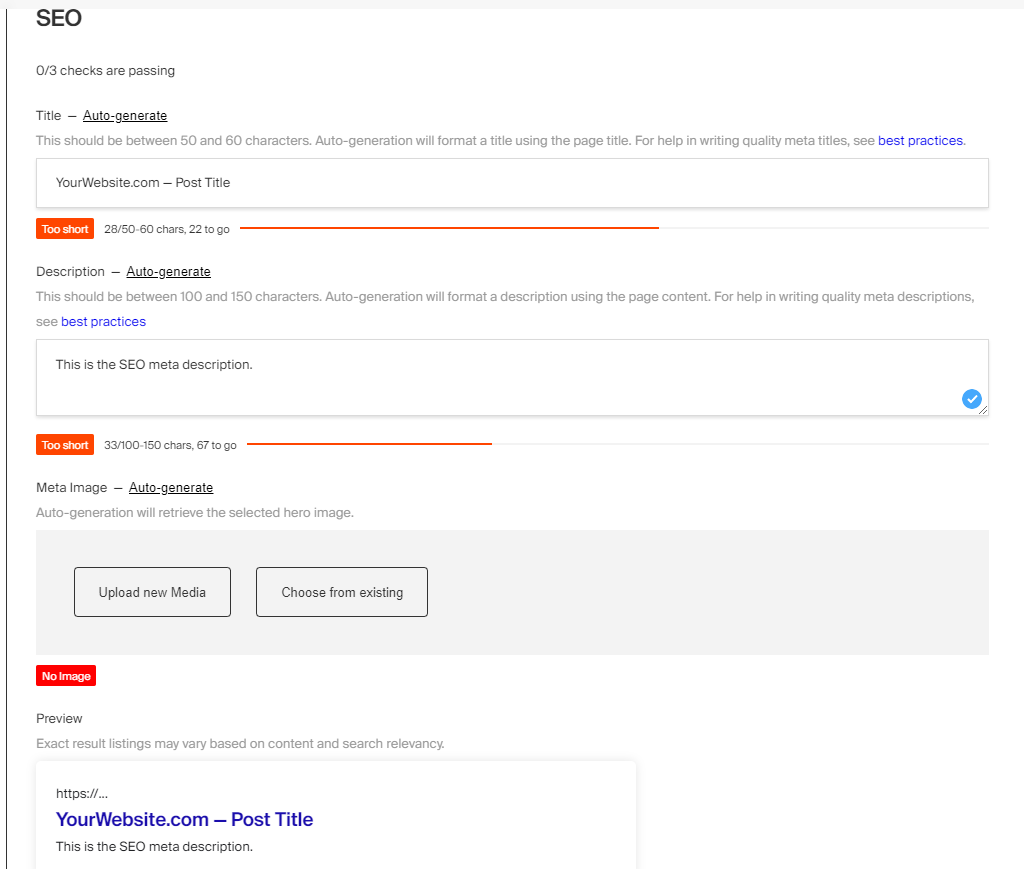
|
||||

|
||||
|
||||
@@ -1,13 +1,17 @@
|
||||
---
|
||||
description: The Payload editor, based on Lexical, allows for great customization with unparalleled ease.
|
||||
keywords: lexical, rich text, editor, headless cms
|
||||
title: Rich Text Editor
|
||||
label: Overview
|
||||
order: 10
|
||||
title: Rich Text Editor
|
||||
desc: The Payload editor, based on Lexical, allows for great customization with unparalleled ease.
|
||||
keywords: lexical, rich text, editor, headless cms
|
||||
---
|
||||
|
||||
<Banner type="success">
|
||||
The Payload editor is based on Lexical, Meta's rich text editor. The previous default editor was based on Slate and is still supported. You can read [its documentation](../rich-text/slate), or the optional [migration guide](../rich-text/migration) to migrate from Slate to Lexical (recommended).
|
||||
<Banner type="warning">
|
||||
|
||||
The Payload editor is based on Lexical, Meta's rich text editor. The previous default editor was
|
||||
based on Slate and is still supported. You can read [its documentation](/docs/rich-text/slate),
|
||||
or the optional [migration guide](/docs/rich-text/migration) to migrate from Slate to Lexical (recommended).
|
||||
|
||||
</Banner>
|
||||
|
||||
One of Payload's goals is to build the best rich text editor experience that we possibly can. We want to combine the beauty and polish of the Medium editing experience with the strength and features of the Notion editor - all in one place.
|
||||
@@ -17,14 +21,14 @@ Classically, we've used SlateJS to work toward this goal, but building custom el
|
||||
Lexical is extremely impressive and trivializes a lot of the hard parts of building new elements into a rich text editor. It has a few distinct advantages over Slate, including the following:
|
||||
|
||||
1. A "/" menu, which allows editors to easily add new elements while never leaving their keyboard
|
||||
2. A "hover" toolbar that pops up if you select text
|
||||
3. It supports Payload blocks natively, directly within your rich text editor
|
||||
4. Custom elements, called "features", are much easier to build in Lexical vs. Slate
|
||||
1. A "hover" toolbar that pops up if you select text
|
||||
1. It supports Payload blocks natively, directly within your rich text editor
|
||||
1. Custom elements, called "features", are much easier to build in Lexical vs. Slate
|
||||
|
||||
To use the Lexical editor, first you need to install it:
|
||||
|
||||
```bash
|
||||
pnpm install @payloadcms/richtext-lexical
|
||||
```
|
||||
npm install @payloadcms/richtext-lexical
|
||||
```
|
||||
|
||||
Once you have it installed, you can pass it to your top-level Payload Config as follows:
|
||||
@@ -134,53 +138,55 @@ import { CallToAction } from '../blocks/CallToAction'
|
||||
|
||||
`features` can be both an array of features, or a function returning an array of features. The function provides the following props:
|
||||
|
||||
| Prop | Description |
|
||||
| --- | --- |
|
||||
| **`defaultFeatures`** | This opinionated array contains all "recommended" default features. You can see which features are included in the default features in the table below. |
|
||||
| **`rootFeatures`** | This array contains all features that are enabled in the root richText editor (the one defined in the payload.config.ts). If this field is the root richText editor, or if the root richText editor is not a lexical editor, this array will be empty. |
|
||||
|
||||
| Prop | Description |
|
||||
|-----------------------|--------------------------------------------------------------------------------------------------------------------------------------------------------------------------------------------------------------------------------------------------------|
|
||||
| **`defaultFeatures`** | This opinionated array contains all "recommended" default features. You can see which features are included in the default features in the table below. |
|
||||
| **`rootFeatures`** | This array contains all features that are enabled in the root richText editor (the one defined in the payload.config.ts). If this field is the root richText editor, or if the root richText editor is not a lexical editor, this array will be empty. |
|
||||
|
||||
|
||||
## Features overview
|
||||
|
||||
Here's an overview of all the included features:
|
||||
|
||||
| Feature Name | Included by default | Description |
|
||||
| --- | --- | --- |
|
||||
| **`BoldTextFeature`** | Yes | Handles the bold text format |
|
||||
| **`ItalicTextFeature`** | Yes | Handles the italic text format |
|
||||
| **`UnderlineTextFeature`** | Yes | Handles the underline text format |
|
||||
| **`StrikethroughTextFeature`** | Yes | Handles the strikethrough text format |
|
||||
| **`SubscriptTextFeature`** | Yes | Handles the subscript text format |
|
||||
| **`SuperscriptTextFeature`** | Yes | Handles the superscript text format |
|
||||
| **`InlineCodeTextFeature`** | Yes | Handles the inline-code text format |
|
||||
| **`ParagraphFeature`** | Yes | Handles paragraphs. Since they are already a key feature of lexical itself, this Feature mainly handles the Slash and Add-Block menu entries for paragraphs |
|
||||
| **`HeadingFeature`** | Yes | Adds Heading Nodes (by default, H1 - H6, but that can be customized) |
|
||||
| **`AlignFeature`** | Yes | Allows you to align text left, centered and right |
|
||||
| **`IndentFeature`** | Yes | Allows you to indent text with the tab key |
|
||||
| **`UnorderedListFeature`** | Yes | Adds unordered lists (ul) |
|
||||
| **`OrderedListFeature`** | Yes | Adds ordered lists (ol) |
|
||||
| **`CheckListFeature`** | Yes | Adds checklists |
|
||||
| **`LinkFeature`** | Yes | Allows you to create internal and external links |
|
||||
| **`RelationshipFeature`** | Yes | Allows you to create block-level (not inline) relationships to other documents |
|
||||
| **`BlockQuoteFeature`** | Yes | Allows you to create block-level quotes |
|
||||
| **`UploadFeature`** | Yes | Allows you to create block-level upload nodes - this supports all kinds of uploads, not just images |
|
||||
| **`HorizontalRuleFeature`** | Yes | Horizontal rules / separators. Basically displays an `<hr>` element |
|
||||
| **`InlineToolbarFeature`** | Yes | The inline toolbar is the floating toolbar which appears when you select text. This toolbar only contains actions relevant for selected text |
|
||||
| **`FixedToolbarFeature`** | No | This classic toolbar is pinned to the top and always visible. Both inline and fixed toolbars can be enabled at the same time. |
|
||||
| **`BlocksFeature`** | No | Allows you to use Payload's [Blocks Field](../fields/blocks) directly inside your editor. In the feature props, you can specify the allowed blocks - just like in the Blocks field. |
|
||||
| **`TreeViewFeature`** | No | Adds a debug box under the editor, which allows you to see the current editor state live, the dom, as well as time travel. Very useful for debugging |
|
||||
| **`EXPERIMENTAL_TableFeature`** | No | Adds support for tables. This feature may be removed or receive breaking changes in the future - even within a stable lexical release, without needing a major release. |
|
||||
| Feature Name | Included by default | Description |
|
||||
|---------------------------------|---------------------|----------------------------------------------------------------------------------------------------------------------------------------------------------------------------------------|
|
||||
| **`BoldTextFeature`** | Yes | Handles the bold text format |
|
||||
| **`ItalicTextFeature`** | Yes | Handles the italic text format |
|
||||
| **`UnderlineTextFeature`** | Yes | Handles the underline text format |
|
||||
| **`StrikethroughTextFeature`** | Yes | Handles the strikethrough text format |
|
||||
| **`SubscriptTextFeature`** | Yes | Handles the subscript text format |
|
||||
| **`SuperscriptTextFeature`** | Yes | Handles the superscript text format |
|
||||
| **`InlineCodeTextFeature`** | Yes | Handles the inline-code text format |
|
||||
| **`ParagraphFeature`** | Yes | Handles paragraphs. Since they are already a key feature of lexical itself, this Feature mainly handles the Slash and Add-Block menu entries for paragraphs |
|
||||
| **`HeadingFeature`** | Yes | Adds Heading Nodes (by default, H1 - H6, but that can be customized) |
|
||||
| **`AlignFeature`** | Yes | Allows you to align text left, centered and right |
|
||||
| **`IndentFeature`** | Yes | Allows you to indent text with the tab key |
|
||||
| **`UnorderedListFeature`** | Yes | Adds unordered lists (ul) |
|
||||
| **`OrderedListFeature`** | Yes | Adds ordered lists (ol) |
|
||||
| **`CheckListFeature`** | Yes | Adds checklists |
|
||||
| **`LinkFeature`** | Yes | Allows you to create internal and external links |
|
||||
| **`RelationshipFeature`** | Yes | Allows you to create block-level (not inline) relationships to other documents |
|
||||
| **`BlockQuoteFeature`** | Yes | Allows you to create block-level quotes |
|
||||
| **`UploadFeature`** | Yes | Allows you to create block-level upload nodes - this supports all kinds of uploads, not just images |
|
||||
| **`HorizontalRuleFeature`** | Yes | Horizontal rules / separators. Basically displays an `<hr>` element |
|
||||
| **`InlineToolbarFeature`** | Yes | The inline toolbar is the floating toolbar which appears when you select text. This toolbar only contains actions relevant for selected text |
|
||||
| **`FixedToolbarFeature`** | No | This classic toolbar is pinned to the top and always visible. Both inline and fixed toolbars can be enabled at the same time. |
|
||||
| **`BlocksFeature`** | No | Allows you to use Payload's [Blocks Field](/docs/fields/blocks) directly inside your editor. In the feature props, you can specify the allowed blocks - just like in the Blocks field. |
|
||||
| **`TreeViewFeature`** | No | Adds a debug box under the editor, which allows you to see the current editor state live, the dom, as well as time travel. Very useful for debugging |
|
||||
| **`EXPERIMENTAL_TableFeature`** | No | Adds support for tables. This feature may be removed or receive breaking changes in the future - even within a stable lexical release, without needing a major release. |
|
||||
|
||||
Notice how even the toolbars are features? That's how extensible our lexical editor is - you could theoretically create your own toolbar if you wanted to!
|
||||
|
||||
## Creating your own, custom Feature
|
||||
|
||||
You can find more information about creating your own feature in our [building custom feature docs](../rich-text/building-custom-features).
|
||||
You can find more information about creating your own feature in our [building custom feature docs](/docs/rich-text/building-custom-features).
|
||||
|
||||
## TypeScript
|
||||
|
||||
Every single piece of saved data is 100% fully typed within lexical. It provides a type for every single node, which can be imported from `@payloadcms/richtext-lexical` - each type is prefixed with `Serialized`, e.g., `SerializedUploadNode`.
|
||||
Every single piece of saved data is 100% fully-typed within lexical. It provides a type for every single node, which can be imported from `@payloadcms/richtext-lexical` - each type is prefixed with `Serialized`, e.g. `SerializedUploadNode`.
|
||||
|
||||
To fully type the entire editor JSON, you can use our `TypedEditorState` helper type, which accepts a union of all possible node types as a generic. We don't provide a type that already contains all possible node types because they depend on which features you have enabled in your editor. Here is an example:
|
||||
In order to fully type the entire editor JSON, you can use our `TypedEditorState` helper type, which accepts a union of all possible node types as a generic. The reason we do not provide a type which already contains all possible node types is because the possible node types depend on which features you have enabled in your editor. Here is an example:
|
||||
|
||||
```ts
|
||||
import type {
|
||||
@@ -283,30 +289,24 @@ const editorState: DefaultTypedEditorState = {
|
||||
}
|
||||
```
|
||||
|
||||
Just like `TypedEditorState`, the `DefaultTypedEditorState` also accepts an optional node type union as a generic. Here, this would **add** the specified node types to the default ones. Example:
|
||||
Just like `TypedEditorState`, the `DefaultTypedEditorState` also accepts an optional node type union as a generic. Here, this would **add** the specified node types to the default ones. Example: `DefaultTypedEditorState<SerializedBlockNode | YourCustomSerializedNode>`.
|
||||
|
||||
```ts
|
||||
DefaultTypedEditorState<SerializedBlockNode | YourCustomSerializedNode>
|
||||
```
|
||||
This is a type-safe representation of the editor state. Looking at the auto-suggestions of `type` it will show you all the possible node types you can use.
|
||||
|
||||
This is a type-safe representation of the editor state. If you look at the auto suggestions of a node's `type` property, you will see all the possible node types you can use.
|
||||
|
||||
Make sure to only use types exported from `@payloadcms/richtext-lexical`, not from the lexical core packages. We only have control over the types we export and can make sure they're correct, even though the lexical core may export types with identical names.
|
||||
Make sure to only use types exported from `@payloadcms/richtext-lexical`, not from the lexical core packages. We only have control over types we export and can guarantee that those are correct, even though lexical core may export types with identical names.
|
||||
|
||||
### Automatic type generation
|
||||
|
||||
Lexical does not generate accurate type definitions for your richText fields for you yet - this will be improved in the future. Currently, it only outputs the rough shape of the editor JSON, which you can enhance using type assertions.
|
||||
Lexical does not generate the accurate type definitions for your richText fields for you yet - this will be improved in the future. Currently, it only outputs the rough shape of the editor JSON which you can enhance using type assertions.
|
||||
|
||||
## Admin customization
|
||||
|
||||
The Rich Text Field editor configuration has an `admin` property with the following options:
|
||||
|
||||
| Property | Description |
|
||||
| --- | --- |
|
||||
| **`placeholder`** | Set this property to define a placeholder string for the field. |
|
||||
| **`hideGutter`** | Set this property to `true` to hide this field's gutter within the Admin Panel. |
|
||||
| **`hideInsertParagraphAtEnd`** | Set this property to `true` to hide the "+" button that appears at the end of the editor |
|
||||
|
||||
| Property | Description |
|
||||
| ------------------------------ | -------------------------------------------------------------------------------------------------------------------------------------- |
|
||||
| **`placeholder`** | Set this property to define a placeholder string for the field. |
|
||||
| **`hideGutter`** | Set this property to `true` to hide this field's gutter within the Admin Panel. |
|
||||
|
||||
### Disable the gutter
|
||||
|
||||
@@ -338,4 +338,3 @@ You can customize the placeholder (the text that appears in the editor when it's
|
||||
},
|
||||
}),
|
||||
}
|
||||
```
|
||||
|
||||
@@ -127,7 +127,7 @@ Similar to the `relationship` element, the `upload` element is a user-friendly w
|
||||
|
||||
Collections are automatically allowed to be selected within the Rich Text relationship and upload
|
||||
elements by default. If you want to disable a collection from being able to be referenced in Rich
|
||||
Text fields, set the collection admin options of **enableRichTextLink** and
|
||||
Text fields, set the collection admin options of **enableRichTextLink** and{' '}
|
||||
**enableRichTextRelationship** to false.
|
||||
</Banner>
|
||||
|
||||
|
||||
@@ -88,27 +88,25 @@ export const Media: CollectionConfig = {
|
||||
|
||||
_An asterisk denotes that an option is required._
|
||||
|
||||
| Option | Description |
|
||||
| ------------------------------ | -------------------------------------------------------------------------------------------------------------------------------------------------------------------------------------------------------------------------------------------------- |
|
||||
| **`adminThumbnail`** | Set the way that the [Admin Panel](../admin/overview) will display thumbnails for this Collection. [More](#admin-thumbnails) |
|
||||
| **`bulkUpload`** | Allow users to upload in bulk from the list view, default is true |
|
||||
| **`cacheTags`** | Set to `false` to disable the cache tag set in the UI for the admin thumbnail component. Useful for when CDNs don't allow certain cache queries. |
|
||||
| **`crop`** | Set to `false` to disable the cropping tool in the [Admin Panel](../admin/overview). Crop is enabled by default. [More](#crop-and-focal-point-selector) |
|
||||
| **`disableLocalStorage`** | Completely disable uploading files to disk locally. [More](#disabling-local-upload-storage) |
|
||||
| **`displayPreview`** | Enable displaying preview of the uploaded file in Upload fields related to this Collection. Can be locally overridden by `displayPreview` option in Upload field. [More](/docs/fields/upload#config-options). |
|
||||
| **`externalFileHeaderFilter`** | Accepts existing headers and returns the headers after filtering or modifying. |
|
||||
| **`filesRequiredOnCreate`** | Mandate file data on creation, default is true. |
|
||||
| **`filenameCompoundIndex`** | Field slugs to use for a compound index instead of the default filename index. |
|
||||
| **`focalPoint`** | Set to `false` to disable the focal point selection tool in the [Admin Panel](../admin/overview). The focal point selector is only available when `imageSizes` or `resizeOptions` are defined. [More](#crop-and-focal-point-selector) |
|
||||
| **`formatOptions`** | An object with `format` and `options` that are used with the Sharp image library to format the upload file. [More](https://sharp.pixelplumbing.com/api-output#toformat) |
|
||||
| **`handlers`** | Array of Request handlers to execute when fetching a file, if a handler returns a Response it will be sent to the client. Otherwise Payload will retrieve and send back the file. |
|
||||
| **`imageSizes`** | If specified, image uploads will be automatically resized in accordance to these image sizes. [More](#image-sizes) |
|
||||
| **`mimeTypes`** | Restrict mimeTypes in the file picker. Array of valid mimetypes or mimetype wildcards [More](#mimetypes) |
|
||||
| **`pasteURL`** | Controls whether files can be uploaded from remote URLs by pasting them into the Upload field. **Enabled by default.** Accepts `false` to disable or an object with an `allowList` of valid remote URLs. [More](#uploading-files-from-remote-urls) |
|
||||
| **`resizeOptions`** | An object passed to the the Sharp image library to resize the uploaded file. [More](https://sharp.pixelplumbing.com/api-resize) |
|
||||
| **`staticDir`** | The folder directory to use to store media in. Can be either an absolute path or relative to the directory that contains your config. Defaults to your collection slug |
|
||||
| **`trimOptions`** | An object passed to the the Sharp image library to trim the uploaded file. [More](https://sharp.pixelplumbing.com/api-resize#trim) |
|
||||
| **`withMetadata`** | If specified, appends metadata to the output image file. Accepts a boolean or a function that receives `metadata` and `req`, returning a boolean. |
|
||||
| Option | Description |
|
||||
| ------------------------------ | ------------------------------------------------------------------------------------------------------------------------------------------------------------------------------------------------------------------------------------- |
|
||||
| **`adminThumbnail`** | Set the way that the [Admin Panel](../admin/overview) will display thumbnails for this Collection. [More](#admin-thumbnails) |
|
||||
| **`bulkUpload`** | Allow users to upload in bulk from the list view, default is true |
|
||||
| **`crop`** | Set to `false` to disable the cropping tool in the [Admin Panel](../admin/overview). Crop is enabled by default. [More](#crop-and-focal-point-selector) |
|
||||
| **`disableLocalStorage`** | Completely disable uploading files to disk locally. [More](#disabling-local-upload-storage) |
|
||||
| **`displayPreview`** | Enable displaying preview of the uploaded file in Upload fields related to this Collection. Can be locally overridden by `displayPreview` option in Upload field. [More](/docs/fields/upload#config-options). |
|
||||
| **`externalFileHeaderFilter`** | Accepts existing headers and returns the headers after filtering or modifying. |
|
||||
| **`filesRequiredOnCreate`** | Mandate file data on creation, default is true. |
|
||||
| **`filenameCompoundIndex`** | Field slugs to use for a compound index instead of the default filename index. |
|
||||
| **`focalPoint`** | Set to `false` to disable the focal point selection tool in the [Admin Panel](../admin/overview). The focal point selector is only available when `imageSizes` or `resizeOptions` are defined. [More](#crop-and-focal-point-selector) |
|
||||
| **`formatOptions`** | An object with `format` and `options` that are used with the Sharp image library to format the upload file. [More](https://sharp.pixelplumbing.com/api-output#toformat) |
|
||||
| **`handlers`** | Array of Request handlers to execute when fetching a file, if a handler returns a Response it will be sent to the client. Otherwise Payload will retrieve and send back the file. |
|
||||
| **`imageSizes`** | If specified, image uploads will be automatically resized in accordance to these image sizes. [More](#image-sizes) |
|
||||
| **`mimeTypes`** | Restrict mimeTypes in the file picker. Array of valid mimetypes or mimetype wildcards [More](#mimetypes) |
|
||||
| **`resizeOptions`** | An object passed to the the Sharp image library to resize the uploaded file. [More](https://sharp.pixelplumbing.com/api-resize) |
|
||||
| **`staticDir`** | The folder directory to use to store media in. Can be either an absolute path or relative to the directory that contains your config. Defaults to your collection slug |
|
||||
| **`trimOptions`** | An object passed to the the Sharp image library to trim the uploaded file. [More](https://sharp.pixelplumbing.com/api-resize#trim) |
|
||||
| **`withMetadata`** | If specified, appends metadata to the output image file. Accepts a boolean or a function that receives `metadata` and `req`, returning a boolean. |
|
||||
|
||||
|
||||
### Payload-wide Upload Options
|
||||
@@ -328,64 +326,6 @@ fetch('api/:upload-slug', {
|
||||
})
|
||||
```
|
||||
|
||||
## Uploading Files from Remote URLs
|
||||
|
||||
The `pasteURL` option allows users to fetch files from remote URLs by pasting them into an Upload field. This option is **enabled by default** and can be configured to either **allow unrestricted client-side fetching** or **restrict server-side fetching** to specific trusted domains.
|
||||
|
||||
By default, Payload uses **client-side fetching**, where the browser downloads the file directly from the provided URL. However, **client-side fetching will fail if the URL’s server has CORS restrictions**, making it suitable only for internal URLs or public URLs without CORS blocks.
|
||||
|
||||
To fetch files from **restricted URLs** that would otherwise be blocked by CORS, use **server-side fetching** by configuring the `pasteURL` option with an `allowList` of trusted domains. This method ensures that Payload downloads the file on the server and streams it to the browser. However, for security reasons, only URLs that match the specified `allowList` will be allowed.
|
||||
|
||||
#### Configuration Example
|
||||
|
||||
Here’s how to configure the pasteURL option to control remote URL fetching:
|
||||
|
||||
```
|
||||
import type { CollectionConfig } from 'payload'
|
||||
|
||||
export const Media: CollectionConfig = {
|
||||
slug: 'media',
|
||||
upload: {
|
||||
pasteURL: {
|
||||
allowList: [
|
||||
{
|
||||
hostname: 'payloadcms.com', // required
|
||||
pathname: '',
|
||||
port: '',
|
||||
protocol: 'https',
|
||||
search: ''
|
||||
},
|
||||
{
|
||||
hostname: 'example.com',
|
||||
pathname: '/images/*',
|
||||
},
|
||||
],
|
||||
},
|
||||
},
|
||||
}
|
||||
```
|
||||
|
||||
##### Accepted Values for `pasteURL`
|
||||
|
||||
| Option | Description |
|
||||
| --------------- | -------------------------------------------------------------------------------------------------------------------------------------------------------------- |
|
||||
| **`undefined`** | Default behavior. Enables client-side fetching for internal or public URLs. |
|
||||
| **`false`** | Disables the ability to paste URLs into Upload fields. |
|
||||
| **`allowList`** | Enables server-side fetching for specific trusted URLs. Requires an array of objects defining trusted domains. See the table below for details on `AllowItem`. |
|
||||
|
||||
##### `AllowItem` Properties
|
||||
|
||||
_An asterisk denotes that an option is required._
|
||||
|
||||
| Option | Description | Example |
|
||||
| ---------------- | ---------------------------------------------------------------------------------------------------- | ------------- |
|
||||
| **`hostname`** * | The hostname of the allowed URL. This is required to ensure the URL is coming from a trusted source. | `example.com` |
|
||||
| **`pathname`** | The path portion of the URL. Supports wildcards to match multiple paths. | `/images/*` |
|
||||
| **`port`** | The port number of the URL. If not specified, the default port for the protocol will be used. | `3000` |
|
||||
| **`protocol`** | The protocol to match. Must be either `http` or `https`. Defaults to `https`. | `https` |
|
||||
| **`search`** | The query string of the URL. If specified, the URL must match this exact query string. | `?version=1` |
|
||||
|
||||
|
||||
## Access Control
|
||||
|
||||
All files that are uploaded to each Collection automatically support the `read` [Access Control](/docs/access-control/overview) function from the Collection itself. You can use this to control who should be allowed to see your uploads, and who should not.
|
||||
|
||||
@@ -309,18 +309,18 @@ This plugin is configurable to work across many different Payload collections. A
|
||||
|
||||
| Option | Type | Description |
|
||||
| ---------------- | ----------------------------------- | --------------------------------------------------------------------------------------------------------------------------------- |
|
||||
| `collections` * | `Record<string, CollectionOptions>` | Object with keys set to the slug of collections you want to enable the plugin for, and values set to collection-specific options. |
|
||||
| `collections` * | `Record<string, CollectionOptions>` | Object with keys set to the slug of collections you want to enable the plugin for, and values set to collection-specific options. |
|
||||
| `enabled` | `boolean` | To conditionally enable/disable plugin. Default: `true`. |
|
||||
|
||||
## Collection-specific options
|
||||
|
||||
| Option | Type | Description |
|
||||
| ----------------------------- | ----------------------------------------------------------------------------------------------------------------- | ------------------------------------------------------------------------------------------------------------------------------------------------------------------------------------------------------------- |
|
||||
| `adapter` * | [Adapter](https://github.com/payloadcms/payload/blob/main/packages/plugin-cloud-storage/src/types.ts#L49) | Pass in the adapter that you'd like to use for this collection. You can also set this field to `null` for local development if you'd like to bypass cloud storage in certain scenarios and use local storage. |
|
||||
| `disableLocalStorage` | `boolean` | Choose to disable local storage on this collection. Defaults to `true`. |
|
||||
| `disablePayloadAccessControl` | `true` | Set to `true` to disable Payload's Access Control. [More](#payload-access-control) |
|
||||
| `prefix` | `string` | Set to `media/images` to upload files inside `media/images` folder in the bucket. |
|
||||
| `generateFileURL` | [GenerateFileURL](https://github.com/payloadcms/payload/blob/main/packages/plugin-cloud-storage/src/types.ts#L67) | Override the generated file URL with one that you create. |
|
||||
| Option | Type | Description |
|
||||
| ----------------------------- | -------------------------------------------------------------------------------------------------- | ------------------------------------------------------------------------------------------------------------------------------------------------------------------------------------------------------------- |
|
||||
| `adapter` * | [Adapter](https://github.com/payloadcms/plugin-cloud-storage/blob/master/src/types.ts#L51) | Pass in the adapter that you'd like to use for this collection. You can also set this field to `null` for local development if you'd like to bypass cloud storage in certain scenarios and use local storage. |
|
||||
| `disableLocalStorage` | `boolean` | Choose to disable local storage on this collection. Defaults to `true`. |
|
||||
| `disablePayloadAccessControl` | `true` | Set to `true` to disable Payload's Access Control. [More](#payload-access-control) |
|
||||
| `prefix` | `string` | Set to `media/images` to upload files inside `media/images` folder in the bucket. |
|
||||
| `generateFileURL` | [GenerateFileURL](https://github.com/payloadcms/plugin-cloud-storage/blob/master/src/types.ts#L53) | Override the generated file URL with one that you create. |
|
||||
|
||||
## Payload Access Control
|
||||
|
||||
|
||||
@@ -69,7 +69,7 @@ When `autosave` is enabled, all `update` operations within Payload expose a new
|
||||
If we created a new version for each autosave, you'd quickly find a ton of autosaves that clutter up your `_versions` collection within the database. That would be messy quick because `autosave` is typically set to save a document at ~800ms intervals.
|
||||
|
||||
<Banner type="success">
|
||||
Instead of creating a new version each time a document is autosaved, Payload smartly only creates
|
||||
Instead of creating a new version each time a document is autosaved, Payload smartly only creates{' '}
|
||||
**one** autosave version, and then updates that specific version with each autosave
|
||||
performed. This makes sure that your versions remain nice and tidy.
|
||||
</Banner>
|
||||
|
||||
@@ -123,12 +123,12 @@ export const Pages: CollectionConfig = {
|
||||
**Note regarding adding versions to an existing collection**
|
||||
|
||||
If you already have a collection with documents, and you *opt in* to draft functionality
|
||||
after you have already created existing documents, all of your old documents
|
||||
*will not have a `_status` field* until you resave them. For this reason, if you are
|
||||
after you have already created existing documents, all of your old documents{' '}
|
||||
*will not have a _status field* until you resave them. For this reason, if you are{' '}
|
||||
*adding* versions into an existing collection, you might want to write your Access Control
|
||||
function to allow for users to read both documents where
|
||||
**`_status` is equal to `"published"`** as well as where
|
||||
**`_status` does not exist**.
|
||||
function to allow for users to read both documents where{' '}
|
||||
**status is equal to "published"** as well as where{' '}
|
||||
**status does not exis**.
|
||||
</Banner>
|
||||
|
||||
Here is an example for how to write an [Access Control](../access-control/overview) function that grants access to both documents where `_status` is equal to "published" and where `_status` does not exist:
|
||||
|
||||
@@ -68,14 +68,6 @@ export const rootEslintConfig = [
|
||||
'perfectionist/sort-objects': 'off',
|
||||
},
|
||||
},
|
||||
{
|
||||
files: ['tools/**/*.ts'],
|
||||
rules: {
|
||||
'no-console': 'off',
|
||||
'perfectionist/sort-object-types': 'off',
|
||||
'perfectionist/sort-objects': 'off',
|
||||
},
|
||||
},
|
||||
]
|
||||
|
||||
export default [
|
||||
|
||||
2
examples/astro/.gitignore
vendored
2
examples/astro/.gitignore
vendored
@@ -1,2 +0,0 @@
|
||||
.pnpm-debug.log*
|
||||
node_modules/
|
||||
4
examples/astro/.vscode/extensions.json
vendored
4
examples/astro/.vscode/extensions.json
vendored
@@ -1,4 +0,0 @@
|
||||
{
|
||||
"recommendations": ["astro-build.astro-vscode"],
|
||||
"unwantedRecommendations": []
|
||||
}
|
||||
@@ -1,14 +0,0 @@
|
||||
{
|
||||
"name": "remix-payload-monorepo",
|
||||
"version": "1.0.0",
|
||||
"description": "",
|
||||
"keywords": [],
|
||||
"license": "ISC",
|
||||
"author": "",
|
||||
"main": "index.js",
|
||||
"scripts": {
|
||||
"dev:payload": "cd payload && pnpm dev",
|
||||
"dev:website": "cd website && pnpm dev",
|
||||
"test": "echo \"Error: no test specified\" && exit 1"
|
||||
}
|
||||
}
|
||||
@@ -1,2 +0,0 @@
|
||||
DATABASE_URI=mongodb://127.0.0.1/payload-template-blank-3-0
|
||||
PAYLOAD_SECRET=YOUR_SECRET_HERE
|
||||
@@ -1,6 +0,0 @@
|
||||
{
|
||||
"singleQuote": true,
|
||||
"trailingComma": "all",
|
||||
"printWidth": 100,
|
||||
"semi": false
|
||||
}
|
||||
@@ -1,70 +0,0 @@
|
||||
# From https://github.com/vercel/next.js/blob/canary/examples/with-docker/Dockerfile
|
||||
|
||||
FROM node:18-alpine AS base
|
||||
|
||||
# Install dependencies only when needed
|
||||
FROM base AS deps
|
||||
# Check https://github.com/nodejs/docker-node/tree/b4117f9333da4138b03a546ec926ef50a31506c3#nodealpine to understand why libc6-compat might be needed.
|
||||
RUN apk add --no-cache libc6-compat
|
||||
WORKDIR /app
|
||||
|
||||
# Install dependencies based on the preferred package manager
|
||||
COPY package.json yarn.lock* package-lock.json* pnpm-lock.yaml* ./
|
||||
RUN \
|
||||
if [ -f yarn.lock ]; then yarn --frozen-lockfile; \
|
||||
elif [ -f package-lock.json ]; then npm ci; \
|
||||
elif [ -f pnpm-lock.yaml ]; then corepack enable pnpm && pnpm i --frozen-lockfile; \
|
||||
else echo "Lockfile not found." && exit 1; \
|
||||
fi
|
||||
|
||||
|
||||
# Rebuild the source code only when needed
|
||||
FROM base AS builder
|
||||
WORKDIR /app
|
||||
COPY --from=deps /app/node_modules ./node_modules
|
||||
COPY . .
|
||||
|
||||
# Next.js collects completely anonymous telemetry data about general usage.
|
||||
# Learn more here: https://nextjs.org/telemetry
|
||||
# Uncomment the following line in case you want to disable telemetry during the build.
|
||||
# ENV NEXT_TELEMETRY_DISABLED 1
|
||||
|
||||
RUN \
|
||||
if [ -f yarn.lock ]; then yarn run build; \
|
||||
elif [ -f package-lock.json ]; then npm run build; \
|
||||
elif [ -f pnpm-lock.yaml ]; then corepack enable pnpm && pnpm run build; \
|
||||
else echo "Lockfile not found." && exit 1; \
|
||||
fi
|
||||
|
||||
# Production image, copy all the files and run next
|
||||
FROM base AS runner
|
||||
WORKDIR /app
|
||||
|
||||
ENV NODE_ENV production
|
||||
# Uncomment the following line in case you want to disable telemetry during runtime.
|
||||
# ENV NEXT_TELEMETRY_DISABLED 1
|
||||
|
||||
RUN addgroup --system --gid 1001 nodejs
|
||||
RUN adduser --system --uid 1001 nextjs
|
||||
|
||||
# Remove this line if you do not have this folder
|
||||
COPY --from=builder /app/public ./public
|
||||
|
||||
# Set the correct permission for prerender cache
|
||||
RUN mkdir .next
|
||||
RUN chown nextjs:nodejs .next
|
||||
|
||||
# Automatically leverage output traces to reduce image size
|
||||
# https://nextjs.org/docs/advanced-features/output-file-tracing
|
||||
COPY --from=builder --chown=nextjs:nodejs /app/.next/standalone ./
|
||||
COPY --from=builder --chown=nextjs:nodejs /app/.next/static ./.next/static
|
||||
|
||||
USER nextjs
|
||||
|
||||
EXPOSE 3000
|
||||
|
||||
ENV PORT 3000
|
||||
|
||||
# server.js is created by next build from the standalone output
|
||||
# https://nextjs.org/docs/pages/api-reference/next-config-js/output
|
||||
CMD HOSTNAME="0.0.0.0" node server.js
|
||||
@@ -1,8 +0,0 @@
|
||||
# blank
|
||||
|
||||
blank
|
||||
|
||||
## Attributes
|
||||
|
||||
- **Database**: mongodb
|
||||
- **Storage Adapter**: localDisk
|
||||
@@ -1,43 +0,0 @@
|
||||
version: '3'
|
||||
|
||||
services:
|
||||
payload:
|
||||
image: node:18-alpine
|
||||
ports:
|
||||
- '3000:3000'
|
||||
volumes:
|
||||
- .:/home/node/app
|
||||
- node_modules:/home/node/app/node_modules
|
||||
working_dir: /home/node/app/
|
||||
command: sh -c "corepack enable && corepack prepare pnpm@latest --activate && pnpm install && pnpm dev"
|
||||
depends_on:
|
||||
- mongo
|
||||
# - postgres
|
||||
env_file:
|
||||
- .env
|
||||
|
||||
# Ensure your DATABASE_URI uses 'mongo' as the hostname ie. mongodb://mongo/my-db-name
|
||||
mongo:
|
||||
image: mongo:latest
|
||||
ports:
|
||||
- '27017:27017'
|
||||
command:
|
||||
- --storageEngine=wiredTiger
|
||||
volumes:
|
||||
- data:/data/db
|
||||
logging:
|
||||
driver: none
|
||||
|
||||
# Uncomment the following to use postgres
|
||||
# postgres:
|
||||
# restart: always
|
||||
# image: postgres:latest
|
||||
# volumes:
|
||||
# - pgdata:/var/lib/postgresql/data
|
||||
# ports:
|
||||
# - "5432:5432"
|
||||
|
||||
volumes:
|
||||
data:
|
||||
# pgdata:
|
||||
node_modules:
|
||||
@@ -1,35 +0,0 @@
|
||||
import { dirname } from 'path'
|
||||
import { fileURLToPath } from 'url'
|
||||
import { FlatCompat } from '@eslint/eslintrc'
|
||||
|
||||
const __filename = fileURLToPath(import.meta.url)
|
||||
const __dirname = dirname(__filename)
|
||||
|
||||
const compat = new FlatCompat({
|
||||
baseDirectory: __dirname,
|
||||
})
|
||||
|
||||
const eslintConfig = [
|
||||
...compat.extends('next/core-web-vitals', 'next/typescript'),
|
||||
{
|
||||
rules: {
|
||||
'@typescript-eslint/ban-ts-comment': 'warn',
|
||||
'@typescript-eslint/no-empty-object-type': 'warn',
|
||||
'@typescript-eslint/no-explicit-any': 'warn',
|
||||
'@typescript-eslint/no-unused-vars': [
|
||||
'warn',
|
||||
{
|
||||
vars: 'all',
|
||||
args: 'after-used',
|
||||
ignoreRestSiblings: false,
|
||||
argsIgnorePattern: '^_',
|
||||
varsIgnorePattern: '^_',
|
||||
destructuredArrayIgnorePattern: '^_',
|
||||
caughtErrorsIgnorePattern: '^(_|ignore)',
|
||||
},
|
||||
],
|
||||
},
|
||||
},
|
||||
]
|
||||
|
||||
export default eslintConfig
|
||||
5
examples/astro/payload/next-env.d.ts
vendored
5
examples/astro/payload/next-env.d.ts
vendored
@@ -1,5 +0,0 @@
|
||||
/// <reference types="next" />
|
||||
/// <reference types="next/image-types/global" />
|
||||
|
||||
// NOTE: This file should not be edited
|
||||
// see https://nextjs.org/docs/app/api-reference/config/typescript for more information.
|
||||
@@ -1,8 +0,0 @@
|
||||
import { withPayload } from '@payloadcms/next/withPayload'
|
||||
|
||||
/** @type {import('next').NextConfig} */
|
||||
const nextConfig = {
|
||||
// Your Next.js config here
|
||||
}
|
||||
|
||||
export default withPayload(nextConfig)
|
||||
@@ -1,49 +0,0 @@
|
||||
{
|
||||
"name": "payload-app",
|
||||
"version": "1.0.0",
|
||||
"description": "A blank template to get started with Payload 3.0",
|
||||
"license": "MIT",
|
||||
"type": "module",
|
||||
"exports": {
|
||||
".": {
|
||||
"import": "./src/index.ts",
|
||||
"types": "./src/index.ts",
|
||||
"default": "./src/index.ts"
|
||||
}
|
||||
},
|
||||
"scripts": {
|
||||
"build": "next build",
|
||||
"dev": "next dev --turbo",
|
||||
"devsafe": "rm -rf .next && next dev",
|
||||
"generate:importmap": "payload generate:importmap",
|
||||
"generate:types": "payload generate:types",
|
||||
"lint": "next lint",
|
||||
"payload": "payload",
|
||||
"start": "next start"
|
||||
},
|
||||
"dependencies": {
|
||||
"@payloadcms/db-mongodb": "3.11.0",
|
||||
"@payloadcms/next": "3.11.0",
|
||||
"@payloadcms/richtext-lexical": "3.11.0",
|
||||
"cross-env": "^7.0.3",
|
||||
"graphql": "^16.8.1",
|
||||
"next": "15.1.0",
|
||||
"payload": "3.11.0",
|
||||
"react": "19.0.0",
|
||||
"react-dom": "19.0.0",
|
||||
"sharp": "0.32.6"
|
||||
},
|
||||
"devDependencies": {
|
||||
"@eslint/eslintrc": "^3.2.0",
|
||||
"@types/node": "^22.5.4",
|
||||
"@types/react": "19.0.1",
|
||||
"@types/react-dom": "19.0.1",
|
||||
"eslint": "^9.16.0",
|
||||
"eslint-config-next": "15.1.0",
|
||||
"prettier": "^3.4.2",
|
||||
"typescript": "5.7.2"
|
||||
},
|
||||
"engines": {
|
||||
"node": "^18.20.2 || >=20.9.0"
|
||||
}
|
||||
}
|
||||
@@ -1,24 +0,0 @@
|
||||
/* THIS FILE WAS GENERATED AUTOMATICALLY BY PAYLOAD. */
|
||||
/* DO NOT MODIFY IT BECAUSE IT COULD BE REWRITTEN AT ANY TIME. */
|
||||
import type { Metadata } from 'next'
|
||||
|
||||
import config from '@payload-config'
|
||||
import { NotFoundPage, generatePageMetadata } from '@payloadcms/next/views'
|
||||
import { importMap } from '../importMap'
|
||||
|
||||
type Args = {
|
||||
params: Promise<{
|
||||
segments: string[]
|
||||
}>
|
||||
searchParams: Promise<{
|
||||
[key: string]: string | string[]
|
||||
}>
|
||||
}
|
||||
|
||||
export const generateMetadata = ({ params, searchParams }: Args): Promise<Metadata> =>
|
||||
generatePageMetadata({ config, params, searchParams })
|
||||
|
||||
const NotFound = ({ params, searchParams }: Args) =>
|
||||
NotFoundPage({ config, params, searchParams, importMap })
|
||||
|
||||
export default NotFound
|
||||
@@ -1,24 +0,0 @@
|
||||
/* THIS FILE WAS GENERATED AUTOMATICALLY BY PAYLOAD. */
|
||||
/* DO NOT MODIFY IT BECAUSE IT COULD BE REWRITTEN AT ANY TIME. */
|
||||
import type { Metadata } from 'next'
|
||||
|
||||
import config from '@payload-config'
|
||||
import { RootPage, generatePageMetadata } from '@payloadcms/next/views'
|
||||
import { importMap } from '../importMap'
|
||||
|
||||
type Args = {
|
||||
params: Promise<{
|
||||
segments: string[]
|
||||
}>
|
||||
searchParams: Promise<{
|
||||
[key: string]: string | string[]
|
||||
}>
|
||||
}
|
||||
|
||||
export const generateMetadata = ({ params, searchParams }: Args): Promise<Metadata> =>
|
||||
generatePageMetadata({ config, params, searchParams })
|
||||
|
||||
const Page = ({ params, searchParams }: Args) =>
|
||||
RootPage({ config, params, searchParams, importMap })
|
||||
|
||||
export default Page
|
||||
@@ -1 +0,0 @@
|
||||
export const importMap = {}
|
||||
@@ -1,19 +0,0 @@
|
||||
/* THIS FILE WAS GENERATED AUTOMATICALLY BY PAYLOAD. */
|
||||
/* DO NOT MODIFY IT BECAUSE IT COULD BE REWRITTEN AT ANY TIME. */
|
||||
import config from '@payload-config'
|
||||
import '@payloadcms/next/css'
|
||||
import {
|
||||
REST_DELETE,
|
||||
REST_GET,
|
||||
REST_OPTIONS,
|
||||
REST_PATCH,
|
||||
REST_POST,
|
||||
REST_PUT,
|
||||
} from '@payloadcms/next/routes'
|
||||
|
||||
export const GET = REST_GET(config)
|
||||
export const POST = REST_POST(config)
|
||||
export const DELETE = REST_DELETE(config)
|
||||
export const PATCH = REST_PATCH(config)
|
||||
export const PUT = REST_PUT(config)
|
||||
export const OPTIONS = REST_OPTIONS(config)
|
||||
@@ -1,7 +0,0 @@
|
||||
/* THIS FILE WAS GENERATED AUTOMATICALLY BY PAYLOAD. */
|
||||
/* DO NOT MODIFY IT BECAUSE IT COULD BE REWRITTEN AT ANY TIME. */
|
||||
import config from '@payload-config'
|
||||
import '@payloadcms/next/css'
|
||||
import { GRAPHQL_PLAYGROUND_GET } from '@payloadcms/next/routes'
|
||||
|
||||
export const GET = GRAPHQL_PLAYGROUND_GET(config)
|
||||
@@ -1,8 +0,0 @@
|
||||
/* THIS FILE WAS GENERATED AUTOMATICALLY BY PAYLOAD. */
|
||||
/* DO NOT MODIFY IT BECAUSE IT COULD BE REWRITTEN AT ANY TIME. */
|
||||
import config from '@payload-config'
|
||||
import { GRAPHQL_POST, REST_OPTIONS } from '@payloadcms/next/routes'
|
||||
|
||||
export const POST = GRAPHQL_POST(config)
|
||||
|
||||
export const OPTIONS = REST_OPTIONS(config)
|
||||
@@ -1,31 +0,0 @@
|
||||
/* THIS FILE WAS GENERATED AUTOMATICALLY BY PAYLOAD. */
|
||||
/* DO NOT MODIFY IT BECAUSE IT COULD BE REWRITTEN AT ANY TIME. */
|
||||
import config from '@payload-config'
|
||||
import '@payloadcms/next/css'
|
||||
import type { ServerFunctionClient } from 'payload'
|
||||
import { handleServerFunctions, RootLayout } from '@payloadcms/next/layouts'
|
||||
import React from 'react'
|
||||
|
||||
import { importMap } from './admin/importMap.js'
|
||||
import './custom.scss'
|
||||
|
||||
type Args = {
|
||||
children: React.ReactNode
|
||||
}
|
||||
|
||||
const serverFunction: ServerFunctionClient = async function (args) {
|
||||
'use server'
|
||||
return handleServerFunctions({
|
||||
...args,
|
||||
config,
|
||||
importMap,
|
||||
})
|
||||
}
|
||||
|
||||
const Layout = ({ children }: Args) => (
|
||||
<RootLayout config={config} importMap={importMap} serverFunction={serverFunction}>
|
||||
{children}
|
||||
</RootLayout>
|
||||
)
|
||||
|
||||
export default Layout
|
||||
@@ -1,14 +0,0 @@
|
||||
import configPromise from '@payload-config'
|
||||
import { getPayload } from 'payload'
|
||||
|
||||
export const GET = async () => {
|
||||
const payload = await getPayload({
|
||||
config: configPromise,
|
||||
})
|
||||
|
||||
const data = await payload.find({
|
||||
collection: 'users',
|
||||
})
|
||||
|
||||
return Response.json(data)
|
||||
}
|
||||
@@ -1,16 +0,0 @@
|
||||
import type { CollectionConfig } from 'payload'
|
||||
|
||||
export const Media: CollectionConfig = {
|
||||
slug: 'media',
|
||||
access: {
|
||||
read: () => true,
|
||||
},
|
||||
fields: [
|
||||
{
|
||||
name: 'alt',
|
||||
type: 'text',
|
||||
required: true,
|
||||
},
|
||||
],
|
||||
upload: true,
|
||||
}
|
||||
@@ -1,13 +0,0 @@
|
||||
import type { CollectionConfig } from 'payload'
|
||||
|
||||
export const Users: CollectionConfig = {
|
||||
slug: 'users',
|
||||
admin: {
|
||||
useAsTitle: 'email',
|
||||
},
|
||||
auth: true,
|
||||
fields: [
|
||||
// Email added by default
|
||||
// Add more fields as needed
|
||||
],
|
||||
}
|
||||
@@ -1,2 +0,0 @@
|
||||
export { default as config } from './payload.config'
|
||||
export * from './payload-types'
|
||||
@@ -1,254 +0,0 @@
|
||||
/* tslint:disable */
|
||||
/* eslint-disable */
|
||||
/**
|
||||
* This file was automatically generated by Payload.
|
||||
* DO NOT MODIFY IT BY HAND. Instead, modify your source Payload config,
|
||||
* and re-run `payload generate:types` to regenerate this file.
|
||||
*/
|
||||
|
||||
export interface Config {
|
||||
auth: {
|
||||
users: UserAuthOperations;
|
||||
};
|
||||
collections: {
|
||||
users: User;
|
||||
media: Media;
|
||||
posts: Post;
|
||||
'payload-locked-documents': PayloadLockedDocument;
|
||||
'payload-preferences': PayloadPreference;
|
||||
'payload-migrations': PayloadMigration;
|
||||
};
|
||||
collectionsJoins: {};
|
||||
collectionsSelect: {
|
||||
users: UsersSelect<false> | UsersSelect<true>;
|
||||
media: MediaSelect<false> | MediaSelect<true>;
|
||||
posts: PostsSelect<false> | PostsSelect<true>;
|
||||
'payload-locked-documents': PayloadLockedDocumentsSelect<false> | PayloadLockedDocumentsSelect<true>;
|
||||
'payload-preferences': PayloadPreferencesSelect<false> | PayloadPreferencesSelect<true>;
|
||||
'payload-migrations': PayloadMigrationsSelect<false> | PayloadMigrationsSelect<true>;
|
||||
};
|
||||
db: {
|
||||
defaultIDType: string;
|
||||
};
|
||||
globals: {};
|
||||
globalsSelect: {};
|
||||
locale: null;
|
||||
user: User & {
|
||||
collection: 'users';
|
||||
};
|
||||
jobs: {
|
||||
tasks: unknown;
|
||||
workflows: unknown;
|
||||
};
|
||||
}
|
||||
export interface UserAuthOperations {
|
||||
forgotPassword: {
|
||||
email: string;
|
||||
password: string;
|
||||
};
|
||||
login: {
|
||||
email: string;
|
||||
password: string;
|
||||
};
|
||||
registerFirstUser: {
|
||||
email: string;
|
||||
password: string;
|
||||
};
|
||||
unlock: {
|
||||
email: string;
|
||||
password: string;
|
||||
};
|
||||
}
|
||||
/**
|
||||
* This interface was referenced by `Config`'s JSON-Schema
|
||||
* via the `definition` "users".
|
||||
*/
|
||||
export interface User {
|
||||
id: string;
|
||||
updatedAt: string;
|
||||
createdAt: string;
|
||||
email: string;
|
||||
resetPasswordToken?: string | null;
|
||||
resetPasswordExpiration?: string | null;
|
||||
salt?: string | null;
|
||||
hash?: string | null;
|
||||
loginAttempts?: number | null;
|
||||
lockUntil?: string | null;
|
||||
password?: string | null;
|
||||
}
|
||||
/**
|
||||
* This interface was referenced by `Config`'s JSON-Schema
|
||||
* via the `definition` "media".
|
||||
*/
|
||||
export interface Media {
|
||||
id: string;
|
||||
alt: string;
|
||||
updatedAt: string;
|
||||
createdAt: string;
|
||||
url?: string | null;
|
||||
thumbnailURL?: string | null;
|
||||
filename?: string | null;
|
||||
mimeType?: string | null;
|
||||
filesize?: number | null;
|
||||
width?: number | null;
|
||||
height?: number | null;
|
||||
focalX?: number | null;
|
||||
focalY?: number | null;
|
||||
}
|
||||
/**
|
||||
* This interface was referenced by `Config`'s JSON-Schema
|
||||
* via the `definition` "posts".
|
||||
*/
|
||||
export interface Post {
|
||||
id: string;
|
||||
title: string;
|
||||
updatedAt: string;
|
||||
createdAt: string;
|
||||
}
|
||||
/**
|
||||
* This interface was referenced by `Config`'s JSON-Schema
|
||||
* via the `definition` "payload-locked-documents".
|
||||
*/
|
||||
export interface PayloadLockedDocument {
|
||||
id: string;
|
||||
document?:
|
||||
| ({
|
||||
relationTo: 'users';
|
||||
value: string | User;
|
||||
} | null)
|
||||
| ({
|
||||
relationTo: 'media';
|
||||
value: string | Media;
|
||||
} | null)
|
||||
| ({
|
||||
relationTo: 'posts';
|
||||
value: string | Post;
|
||||
} | null);
|
||||
globalSlug?: string | null;
|
||||
user: {
|
||||
relationTo: 'users';
|
||||
value: string | User;
|
||||
};
|
||||
updatedAt: string;
|
||||
createdAt: string;
|
||||
}
|
||||
/**
|
||||
* This interface was referenced by `Config`'s JSON-Schema
|
||||
* via the `definition` "payload-preferences".
|
||||
*/
|
||||
export interface PayloadPreference {
|
||||
id: string;
|
||||
user: {
|
||||
relationTo: 'users';
|
||||
value: string | User;
|
||||
};
|
||||
key?: string | null;
|
||||
value?:
|
||||
| {
|
||||
[k: string]: unknown;
|
||||
}
|
||||
| unknown[]
|
||||
| string
|
||||
| number
|
||||
| boolean
|
||||
| null;
|
||||
updatedAt: string;
|
||||
createdAt: string;
|
||||
}
|
||||
/**
|
||||
* This interface was referenced by `Config`'s JSON-Schema
|
||||
* via the `definition` "payload-migrations".
|
||||
*/
|
||||
export interface PayloadMigration {
|
||||
id: string;
|
||||
name?: string | null;
|
||||
batch?: number | null;
|
||||
updatedAt: string;
|
||||
createdAt: string;
|
||||
}
|
||||
/**
|
||||
* This interface was referenced by `Config`'s JSON-Schema
|
||||
* via the `definition` "users_select".
|
||||
*/
|
||||
export interface UsersSelect<T extends boolean = true> {
|
||||
updatedAt?: T;
|
||||
createdAt?: T;
|
||||
email?: T;
|
||||
resetPasswordToken?: T;
|
||||
resetPasswordExpiration?: T;
|
||||
salt?: T;
|
||||
hash?: T;
|
||||
loginAttempts?: T;
|
||||
lockUntil?: T;
|
||||
}
|
||||
/**
|
||||
* This interface was referenced by `Config`'s JSON-Schema
|
||||
* via the `definition` "media_select".
|
||||
*/
|
||||
export interface MediaSelect<T extends boolean = true> {
|
||||
alt?: T;
|
||||
updatedAt?: T;
|
||||
createdAt?: T;
|
||||
url?: T;
|
||||
thumbnailURL?: T;
|
||||
filename?: T;
|
||||
mimeType?: T;
|
||||
filesize?: T;
|
||||
width?: T;
|
||||
height?: T;
|
||||
focalX?: T;
|
||||
focalY?: T;
|
||||
}
|
||||
/**
|
||||
* This interface was referenced by `Config`'s JSON-Schema
|
||||
* via the `definition` "posts_select".
|
||||
*/
|
||||
export interface PostsSelect<T extends boolean = true> {
|
||||
title?: T;
|
||||
updatedAt?: T;
|
||||
createdAt?: T;
|
||||
}
|
||||
/**
|
||||
* This interface was referenced by `Config`'s JSON-Schema
|
||||
* via the `definition` "payload-locked-documents_select".
|
||||
*/
|
||||
export interface PayloadLockedDocumentsSelect<T extends boolean = true> {
|
||||
document?: T;
|
||||
globalSlug?: T;
|
||||
user?: T;
|
||||
updatedAt?: T;
|
||||
createdAt?: T;
|
||||
}
|
||||
/**
|
||||
* This interface was referenced by `Config`'s JSON-Schema
|
||||
* via the `definition` "payload-preferences_select".
|
||||
*/
|
||||
export interface PayloadPreferencesSelect<T extends boolean = true> {
|
||||
user?: T;
|
||||
key?: T;
|
||||
value?: T;
|
||||
updatedAt?: T;
|
||||
createdAt?: T;
|
||||
}
|
||||
/**
|
||||
* This interface was referenced by `Config`'s JSON-Schema
|
||||
* via the `definition` "payload-migrations_select".
|
||||
*/
|
||||
export interface PayloadMigrationsSelect<T extends boolean = true> {
|
||||
name?: T;
|
||||
batch?: T;
|
||||
updatedAt?: T;
|
||||
createdAt?: T;
|
||||
}
|
||||
/**
|
||||
* This interface was referenced by `Config`'s JSON-Schema
|
||||
* via the `definition` "auth".
|
||||
*/
|
||||
export interface Auth {
|
||||
[k: string]: unknown;
|
||||
}
|
||||
|
||||
|
||||
declare module 'payload' {
|
||||
export interface GeneratedTypes extends Config {}
|
||||
}
|
||||
@@ -1,53 +0,0 @@
|
||||
import { mongooseAdapter } from '@payloadcms/db-mongodb'
|
||||
import { lexicalEditor } from '@payloadcms/richtext-lexical'
|
||||
import path from 'path'
|
||||
import { buildConfig } from 'payload'
|
||||
import { fileURLToPath } from 'url'
|
||||
import sharp from 'sharp'
|
||||
|
||||
import { Users } from './collections/Users'
|
||||
import { Media } from './collections/Media'
|
||||
|
||||
const filename = fileURLToPath(import.meta.url)
|
||||
const dirname = path.dirname(filename)
|
||||
|
||||
export default buildConfig({
|
||||
admin: {
|
||||
user: Users.slug,
|
||||
importMap: {
|
||||
baseDir: path.resolve(dirname),
|
||||
},
|
||||
},
|
||||
collections: [
|
||||
Users,
|
||||
Media,
|
||||
{
|
||||
slug: 'posts',
|
||||
fields: [
|
||||
{
|
||||
name: 'title',
|
||||
label: 'Title',
|
||||
type: 'text',
|
||||
required: true,
|
||||
},
|
||||
],
|
||||
},
|
||||
],
|
||||
editor: lexicalEditor(),
|
||||
secret: process.env.PAYLOAD_SECRET || '',
|
||||
typescript: {
|
||||
outputFile: path.resolve(dirname, 'payload-types.ts'),
|
||||
},
|
||||
async onInit(payload) {
|
||||
const { totalDocs: postsCount } = await payload.count({ collection: 'posts' })
|
||||
|
||||
if (!postsCount) {
|
||||
await payload.create({ collection: 'posts', data: { title: 'Post 1' } })
|
||||
}
|
||||
},
|
||||
db: mongooseAdapter({
|
||||
url: process.env.DATABASE_URI || '',
|
||||
}),
|
||||
sharp,
|
||||
plugins: [],
|
||||
})
|
||||
@@ -1,45 +0,0 @@
|
||||
{
|
||||
"compilerOptions": {
|
||||
"baseUrl": ".",
|
||||
"lib": [
|
||||
"DOM",
|
||||
"DOM.Iterable",
|
||||
"ES2022"
|
||||
],
|
||||
"allowJs": true,
|
||||
"skipLibCheck": true,
|
||||
"strict": true,
|
||||
"noEmit": true,
|
||||
"esModuleInterop": true,
|
||||
"module": "esnext",
|
||||
"moduleResolution": "bundler",
|
||||
"resolveJsonModule": true,
|
||||
"isolatedModules": true,
|
||||
"jsx": "preserve",
|
||||
"incremental": true,
|
||||
"plugins": [
|
||||
{
|
||||
"name": "next"
|
||||
}
|
||||
],
|
||||
"paths": {
|
||||
"@/*": [
|
||||
"./src/*"
|
||||
],
|
||||
"@payload-config": [
|
||||
"./src/payload.config.ts"
|
||||
],
|
||||
"sharp": ["./node_modules/sharp"]
|
||||
},
|
||||
"target": "ES2022",
|
||||
},
|
||||
"include": [
|
||||
"next-env.d.ts",
|
||||
"**/*.ts",
|
||||
"**/*.tsx",
|
||||
".next/types/**/*.ts"
|
||||
],
|
||||
"exclude": [
|
||||
"node_modules"
|
||||
]
|
||||
}
|
||||
9096
examples/astro/pnpm-lock.yaml
generated
9096
examples/astro/pnpm-lock.yaml
generated
File diff suppressed because it is too large
Load Diff
@@ -1,3 +0,0 @@
|
||||
packages:
|
||||
- 'payload'
|
||||
- 'website'
|
||||
@@ -1,2 +0,0 @@
|
||||
DATABASE_URI=mongodb://127.0.0.1/payload-template-blank-3-0
|
||||
PAYLOAD_SECRET=YOUR_SECRET_HERE
|
||||
24
examples/astro/website/.gitignore
vendored
24
examples/astro/website/.gitignore
vendored
@@ -1,24 +0,0 @@
|
||||
# build output
|
||||
dist/
|
||||
|
||||
# generated types
|
||||
.astro/
|
||||
|
||||
# dependencies
|
||||
node_modules/
|
||||
|
||||
# logs
|
||||
npm-debug.log*
|
||||
yarn-debug.log*
|
||||
yarn-error.log*
|
||||
pnpm-debug.log*
|
||||
|
||||
# environment variables
|
||||
.env
|
||||
.env.production
|
||||
|
||||
# macOS-specific files
|
||||
.DS_Store
|
||||
|
||||
# jetbrains setting folder
|
||||
.idea/
|
||||
@@ -1,48 +0,0 @@
|
||||
# Astro Starter Kit: Basics
|
||||
|
||||
```sh
|
||||
npm create astro@latest -- --template basics
|
||||
```
|
||||
|
||||
[](https://stackblitz.com/github/withastro/astro/tree/latest/examples/basics)
|
||||
[](https://codesandbox.io/p/sandbox/github/withastro/astro/tree/latest/examples/basics)
|
||||
[](https://codespaces.new/withastro/astro?devcontainer_path=.devcontainer/basics/devcontainer.json)
|
||||
|
||||
> 🧑🚀 **Seasoned astronaut?** Delete this file. Have fun!
|
||||
|
||||

|
||||
|
||||
## 🚀 Project Structure
|
||||
|
||||
Inside of your Astro project, you'll see the following folders and files:
|
||||
|
||||
```text
|
||||
/
|
||||
├── public/
|
||||
│ └── favicon.svg
|
||||
├── src/
|
||||
│ ├── layouts/
|
||||
│ │ └── Layout.astro
|
||||
│ └── pages/
|
||||
│ └── index.astro
|
||||
└── package.json
|
||||
```
|
||||
|
||||
To learn more about the folder structure of an Astro project, refer to [our guide on project structure](https://docs.astro.build/en/basics/project-structure/).
|
||||
|
||||
## 🧞 Commands
|
||||
|
||||
All commands are run from the root of the project, from a terminal:
|
||||
|
||||
| Command | Action |
|
||||
| :------------------------ | :----------------------------------------------- |
|
||||
| `npm install` | Installs dependencies |
|
||||
| `npm run dev` | Starts local dev server at `localhost:4321` |
|
||||
| `npm run build` | Build your production site to `./dist/` |
|
||||
| `npm run preview` | Preview your build locally, before deploying |
|
||||
| `npm run astro ...` | Run CLI commands like `astro add`, `astro check` |
|
||||
| `npm run astro -- --help` | Get help using the Astro CLI |
|
||||
|
||||
## 👀 Want to learn more?
|
||||
|
||||
Feel free to check [our documentation](https://docs.astro.build) or jump into our [Discord server](https://astro.build/chat).
|
||||
@@ -1,13 +0,0 @@
|
||||
// @ts-check
|
||||
import { defineConfig } from 'astro/config'
|
||||
import node from '@astrojs/node'
|
||||
import { loadEnv } from 'payload/node'
|
||||
|
||||
loadEnv()
|
||||
|
||||
export default defineConfig({
|
||||
output: 'server',
|
||||
adapter: node({
|
||||
mode: 'standalone',
|
||||
}),
|
||||
})
|
||||
@@ -1,17 +0,0 @@
|
||||
{
|
||||
"name": "website",
|
||||
"version": "0.0.1",
|
||||
"type": "module",
|
||||
"scripts": {
|
||||
"astro": "astro",
|
||||
"build": "astro build",
|
||||
"dev": "astro dev",
|
||||
"preview": "astro preview"
|
||||
},
|
||||
"dependencies": {
|
||||
"@astrojs/node": "^9.0.0",
|
||||
"astro": "^5.1.1",
|
||||
"payload": "3.11.0",
|
||||
"payload-app": "workspace:*"
|
||||
}
|
||||
}
|
||||

@@ -1,9 +0,0 @@
|
||||
<svg xmlns="http://www.w3.org/2000/svg" fill="none" viewBox="0 0 128 128">
|
||||
<path d="M50.4 78.5a75.1 75.1 0 0 0-28.5 6.9l24.2-65.7c.7-2 1.9-3.2 3.4-3.2h29c1.5 0 2.7 1.2 3.4 3.2l24.2 65.7s-11.6-7-28.5-7L67 45.5c-.4-1.7-1.6-2.8-2.9-2.8-1.3 0-2.5 1.1-2.9 2.7L50.4 78.5Zm-1.1 28.2Zm-4.2-20.2c-2 6.6-.6 15.8 4.2 20.2a17.5 17.5 0 0 1 .2-.7 5.5 5.5 0 0 1 5.7-4.5c2.8.1 4.3 1.5 4.7 4.7.2 1.1.2 2.3.2 3.5v.4c0 2.7.7 5.2 2.2 7.4a13 13 0 0 0 5.7 4.9v-.3l-.2-.3c-1.8-5.6-.5-9.5 4.4-12.8l1.5-1a73 73 0 0 0 3.2-2.2 16 16 0 0 0 6.8-11.4c.3-2 .1-4-.6-6l-.8.6-1.6 1a37 37 0 0 1-22.4 2.7c-5-.7-9.7-2-13.2-6.2Z" />
|
||||
<style>
|
||||
path { fill: #000; }
|
||||
@media (prefers-color-scheme: dark) {
|
||||
path { fill: #FFF; }
|
||||
}
|
||||
</style>
|
||||
</svg>
|
||||
|
Before Width: | Height: | Size: 749 B |
@@ -1,27 +0,0 @@
|
||||
import { defineAction } from 'astro:actions'
|
||||
import { z } from 'astro:schema'
|
||||
import { getPayload } from 'payload'
|
||||
import { config } from 'payload-app'
|
||||
|
||||
export const server = {
|
||||
addPost: defineAction({
|
||||
input: z.object({
|
||||
title: z.string(),
|
||||
}),
|
||||
accept: 'json',
|
||||
handler: async (input) => {
|
||||
const payload = await getPayload({ config })
|
||||
return payload.create({ collection: 'posts', data: input })
|
||||
},
|
||||
}),
|
||||
deletePost: defineAction({
|
||||
input: z.object({
|
||||
id: z.string(),
|
||||
}),
|
||||
accept: 'json',
|
||||
handler: async (input) => {
|
||||
const payload = await getPayload({ config })
|
||||
return payload.delete({ collection: 'posts', id: input.id })
|
||||
},
|
||||
}),
|
||||
}
|
||||

@@ -1 +0,0 @@
|
||||
<svg xmlns="http://www.w3.org/2000/svg" fill="none" width="115" height="48"><path fill="#17191E" d="M7.77 36.35C6.4 35.11 6 32.51 6.57 30.62c.99 1.2 2.35 1.57 3.75 1.78 2.18.33 4.31.2 6.33-.78.23-.12.44-.27.7-.42.18.55.23 1.1.17 1.67a4.56 4.56 0 0 1-1.94 3.23c-.43.32-.9.61-1.34.91-1.38.94-1.76 2.03-1.24 3.62l.05.17a3.63 3.63 0 0 1-1.6-1.38 3.87 3.87 0 0 1-.63-2.1c0-.37 0-.74-.05-1.1-.13-.9-.55-1.3-1.33-1.32a1.56 1.56 0 0 0-1.63 1.26c0 .06-.03.12-.05.2Z"/><path fill="url(#a)" d="M7.77 36.35C6.4 35.11 6 32.51 6.57 30.62c.99 1.2 2.35 1.57 3.75 1.78 2.18.33 4.31.2 6.33-.78.23-.12.44-.27.7-.42.18.55.23 1.1.17 1.67a4.56 4.56 0 0 1-1.94 3.23c-.43.32-.9.61-1.34.91-1.38.94-1.76 2.03-1.24 3.62l.05.17a3.63 3.63 0 0 1-1.6-1.38 3.87 3.87 0 0 1-.63-2.1c0-.37 0-.74-.05-1.1-.13-.9-.55-1.3-1.33-1.32a1.56 1.56 0 0 0-1.63 1.26c0 .06-.03.12-.05.2Z"/><path fill="#17191E" d="M.02 30.31s4.02-1.95 8.05-1.95l3.04-9.4c.11-.45.44-.76.82-.76.37 0 .7.31.82.76l3.04 9.4c4.77 0 8.05 1.95 8.05 1.95L17 11.71c-.2-.56-.53-.91-.98-.91H7.83c-.44 0-.76.35-.97.9L.02 30.31Zm42.37-5.97c0 1.64-2.05 2.62-4.88 2.62-1.85 0-2.5-.45-2.5-1.41 0-1 .8-1.49 2.65-1.49 1.67 0 3.09.03 4.73.23v.05Zm.03-2.04a21.37 21.37 0 0 0-4.37-.36c-5.32 0-7.82 1.25-7.82 4.18 0 3.04 1.71 4.2 5.68 4.2 3.35 0 5.63-.84 6.46-2.92h.14c-.03.5-.05 1-.05 1.4 0 1.07.18 1.16 1.06 1.16h4.15a16.9 16.9 0 0 1-.36-4c0-1.67.06-2.93.06-4.62 0-3.45-2.07-5.64-8.56-5.64-2.8 0-5.9.48-8.26 1.19.22.93.54 2.83.7 4.06 2.04-.96 4.95-1.37 7.2-1.37 3.11 0 3.97.71 3.97 2.15v.57Zm11.37 3c-.56.07-1.33.07-2.12.07-.83 0-1.6-.03-2.12-.1l-.02.58c0 2.85 1.87 4.52 8.45 4.52 6.2 0 8.2-1.64 8.2-4.55 0-2.74-1.33-4.09-7.2-4.39-4.58-.2-4.99-.7-4.99-1.28 0-.66.59-1 3.65-1 3.18 0 4.03.43 4.03 1.35v.2a46.13 46.13 0 0 1 4.24.03l.02-.55c0-3.36-2.8-4.46-8.2-4.46-6.08 0-8.13 1.49-8.13 4.39 0 2.6 1.64 4.23 7.48 4.48 4.3.14 4.77.62 4.77 1.28 0 .7-.7 1.03-3.71 1.03-3.47 0-4.35-.48-4.35-1.47v-.13Zm19.82-12.05a17.5 17.5 0 0 1-6.24 3.48c.03.84.03 2.4.03 3.24l1.5.02c-.02 1.63-.04 3.6-.04 4.9 0 3.04 1.6 5.32 6.58 5.32 2.1 0 3.5-.23 5.23-.6a43.77 43.77 0 0 1-.46-4.13c-1.03.34-2.34.53-3.78.53-2 0-2.82-.55-2.82-2.13 0-1.37 0-2.65.03-3.84 2.57.02 5.13.07 6.64.11-.02-1.18.03-2.9.1-4.04-2.2.04-4.65.07-6.68.07l.07-2.93h-.16Zm13.46 6.04a767.33 767.33 0 0 1 .07-3.18H82.6c.07 1.96.07 3.98.07 6.92 0 2.95-.03 4.99-.07 6.93h5.18c-.09-1.37-.11-3.68-.11-5.65 0-3.1 1.26-4 4.12-4 1.33 0 2.28.16 3.1.46.03-1.16.26-3.43.4-4.43-.86-.25-1.81-.41-2.96-.41-2.46-.03-4.26.98-5.1 3.38l-.17-.02Zm22.55 3.65c0 2.5-1.8 3.66-4.64 3.66-2.81 0-4.61-1.1-4.61-3.66s1.82-3.52 4.61-3.52c2.82 0 4.64 1.03 4.64 3.52Zm4.71-.11c0-4.96-3.87-7.18-9.35-7.18-5.5 0-9.23 2.22-9.23 7.18 0 4.94 3.49 7.59 9.21 7.59 5.77 0 9.37-2.65 9.37-7.6Z"/><defs><linearGradient id="a" x1="6.33" x2="19.43" y1="40.8" y2="34.6" gradientUnits="userSpaceOnUse"><stop stop-color="#D83333"/><stop offset="1" stop-color="#F041FF"/></linearGradient></defs></svg>
|
||||
|
Before Width: | Height: | Size: 2.8 KiB |

@@ -1 +0,0 @@
|
||||
<svg xmlns="http://www.w3.org/2000/svg" width="1440" height="1024" fill="none"><path fill="url(#a)" fill-rule="evenodd" d="M-217.58 475.75c91.82-72.02 225.52-29.38 341.2-44.74C240 415.56 372.33 315.14 466.77 384.9c102.9 76.02 44.74 246.76 90.31 366.31 29.83 78.24 90.48 136.14 129.48 210.23 57.92 109.99 169.67 208.23 155.9 331.77-13.52 121.26-103.42 264.33-224.23 281.37-141.96 20.03-232.72-220.96-374.06-196.99-151.7 25.73-172.68 330.24-325.85 315.72-128.6-12.2-110.9-230.73-128.15-358.76-12.16-90.14 65.87-176.25 44.1-264.57-26.42-107.2-167.12-163.46-176.72-273.45-10.15-116.29 33.01-248.75 124.87-320.79Z" clip-rule="evenodd" style="opacity:.154"/><path fill="url(#b)" fill-rule="evenodd" d="M1103.43 115.43c146.42-19.45 275.33-155.84 413.5-103.59 188.09 71.13 409 212.64 407.06 413.88-1.94 201.25-259.28 278.6-414.96 405.96-130 106.35-240.24 294.39-405.6 265.3-163.7-28.8-161.93-274.12-284.34-386.66-134.95-124.06-436-101.46-445.82-284.6-9.68-180.38 247.41-246.3 413.54-316.9 101.01-42.93 207.83 21.06 316.62 6.61Z" clip-rule="evenodd" style="opacity:.154"/><defs><linearGradient id="b" x1="373" x2="1995.44" y1="1100" y2="118.03" gradientUnits="userSpaceOnUse"><stop stop-color="#D83333"/><stop offset="1" stop-color="#F041FF"/></linearGradient><linearGradient id="a" x1="107.37" x2="1130.66" y1="1993.35" y2="1026.31" gradientUnits="userSpaceOnUse"><stop stop-color="#3245FF"/><stop offset="1" stop-color="#BC52EE"/></linearGradient></defs></svg>
|
||||
|
Before Width: | Height: | Size: 1.4 KiB |
@@ -1,381 +0,0 @@
|
||||
---
|
||||
import astroLogo from '../assets/astro.svg'
|
||||
import background from '../assets/background.svg'
|
||||
import type { Post } from 'payload-app'
|
||||
import type { PaginatedDocs } from 'payload'
|
||||
|
||||
interface Props {
|
||||
posts: PaginatedDocs<Post>
|
||||
}
|
||||
|
||||
const { posts } = Astro.props
|
||||
---
|
||||
|
||||
<div id="container">
|
||||
<img id="background" src={background.src} alt="" fetchpriority="high" />
|
||||
<main>
|
||||
<section id="hero">
|
||||
<a href="https://astro.build"
|
||||
><img src={astroLogo.src} width="115" height="48" alt="Astro Homepage" /></a
|
||||
>
|
||||
<h1>
|
||||
To get started, open the <code><pre>src/pages</pre></code> directory in your project.
|
||||
</h1>
|
||||
<section id="links">
|
||||
<a class="button" href="https://docs.astro.build">Read our docs</a>
|
||||
<a href="https://astro.build/chat"
|
||||
>Join our Discord <svg xmlns="http://www.w3.org/2000/svg" viewBox="0 0 127.14 96.36"
|
||||
><path
|
||||
fill="currentColor"
|
||||
d="M107.7 8.07A105.15 105.15 0 0 0 81.47 0a72.06 72.06 0 0 0-3.36 6.83 97.68 97.68 0 0 0-29.11 0A72.37 72.37 0 0 0 45.64 0a105.89 105.89 0 0 0-26.25 8.09C2.79 32.65-1.71 56.6.54 80.21a105.73 105.73 0 0 0 32.17 16.15 77.7 77.7 0 0 0 6.89-11.11 68.42 68.42 0 0 1-10.85-5.18c.91-.66 1.8-1.34 2.66-2a75.57 75.57 0 0 0 64.32 0c.87.71 1.76 1.39 2.66 2a68.68 68.68 0 0 1-10.87 5.19 77 77 0 0 0 6.89 11.1 105.25 105.25 0 0 0 32.19-16.14c2.64-27.38-4.51-51.11-18.9-72.15ZM42.45 65.69C36.18 65.69 31 60 31 53s5-12.74 11.43-12.74S54 46 53.89 53s-5.05 12.69-11.44 12.69Zm42.24 0C78.41 65.69 73.25 60 73.25 53s5-12.74 11.44-12.74S96.23 46 96.12 53s-5.04 12.69-11.43 12.69Z"
|
||||
></path></svg
|
||||
>
|
||||
</a>
|
||||
</section>
|
||||
<section id="posts">
|
||||
<h2>Posts Data from Payload Local API</h2>
|
||||
<ul id="posts-list">
|
||||
{
|
||||
posts.docs.map((post) => (
|
||||
<li class="post-card">
|
||||
<h3>{post.title}</h3>
|
||||
<button class="delete-post-button" data-post-id={post.id} type="submit">
|
||||
X
|
||||
</button>
|
||||
</li>
|
||||
))
|
||||
}
|
||||
</ul>
|
||||
<h3>Create new post</h3>
|
||||
<input placeholder="title" name="Title" id="create-new-post-title" />
|
||||
<button id="create-new-post-btn" type="submit">Submit</button>
|
||||
</section>
|
||||
</section>
|
||||
</main>
|
||||
|
||||
<a href="https://astro.build/blog/astro-5/" id="news" class="box">
|
||||
<svg width="32" height="32" fill="none" xmlns="http://www.w3.org/2000/svg"
|
||||
><path
|
||||
d="M24.667 12c1.333 1.414 2 3.192 2 5.334 0 4.62-4.934 5.7-7.334 12C18.444 28.567 18 27.456 18 26c0-4.642 6.667-7.053 6.667-14Zm-5.334-5.333c1.6 1.65 2.4 3.43 2.4 5.333 0 6.602-8.06 7.59-6.4 17.334C13.111 27.787 12 25.564 12 22.666c0-4.434 7.333-8 7.333-16Zm-6-5.333C15.111 3.555 16 5.556 16 7.333c0 8.333-11.333 10.962-5.333 22-3.488-.774-6-4-6-8 0-8.667 8.666-10 8.666-20Z"
|
||||
fill="#111827"></path></svg
|
||||
>
|
||||
<h2>What's New in Astro 5.0?</h2>
|
||||
<p>
|
||||
From content layers to server islands, click to learn more about the new features and
|
||||
improvements in Astro 5.0
|
||||
</p>
|
||||
</a>
|
||||
</div>
|
||||
|
||||
<script>
|
||||
import { actions } from 'astro:actions'
|
||||
|
||||
const addPostCardListener = (card: Element) => {
|
||||
const deleteButton = card.querySelector('.delete-post-button')!
|
||||
const id = deleteButton.getAttribute('data-post-id')!
|
||||
|
||||
deleteButton.addEventListener('click', async () => {
|
||||
await actions.deletePost({ id })
|
||||
card.remove()
|
||||
})
|
||||
}
|
||||
|
||||
document.querySelectorAll('.post-card').forEach((card) => {
|
||||
addPostCardListener(card)
|
||||
})
|
||||
|
||||
document.getElementById('create-new-post-btn')!.addEventListener('click', async () => {
|
||||
const titleEl = document.getElementById('create-new-post-title') as HTMLInputElement
|
||||
|
||||
if (!titleEl.value) {
|
||||
return
|
||||
}
|
||||
|
||||
const { value: title } = titleEl
|
||||
|
||||
const post = await actions.addPost({ title })
|
||||
|
||||
titleEl.value = ''
|
||||
|
||||
const postsList = document.getElementById('posts-list')!
|
||||
const newPost = document.createElement('li')
|
||||
newPost.classList.add('post-card')
|
||||
newPost.innerHTML = `
|
||||
<h3>${title}</h3>
|
||||
<button class="delete-post-button" data-post-id="${post.data?.id}" type="submit">X</button>
|
||||
`
|
||||
postsList.appendChild(newPost)
|
||||
addPostCardListener(newPost)
|
||||
})
|
||||
</script>
|
||||
|
||||
<style>
|
||||
#background {
|
||||
position: fixed;
|
||||
top: 0;
|
||||
left: 0;
|
||||
width: 100%;
|
||||
height: 100%;
|
||||
z-index: -1;
|
||||
filter: blur(100px);
|
||||
}
|
||||
|
||||
#container {
|
||||
font-family: Inter, Roboto, 'Helvetica Neue', 'Arial Nova', 'Nimbus Sans', Arial, sans-serif;
|
||||
height: 100%;
|
||||
}
|
||||
|
||||
main {
|
||||
height: 100%;
|
||||
display: flex;
|
||||
justify-content: center;
|
||||
}
|
||||
|
||||
#hero {
|
||||
display: flex;
|
||||
align-items: start;
|
||||
flex-direction: column;
|
||||
justify-content: center;
|
||||
padding: 16px;
|
||||
}
|
||||
|
||||
h1 {
|
||||
font-size: 22px;
|
||||
margin-top: 0.25em;
|
||||
}
|
||||
|
||||
#links {
|
||||
display: flex;
|
||||
gap: 16px;
|
||||
}
|
||||
|
||||
#links a {
|
||||
display: flex;
|
||||
align-items: center;
|
||||
padding: 10px 12px;
|
||||
color: #111827;
|
||||
text-decoration: none;
|
||||
transition: color 0.2s;
|
||||
}
|
||||
|
||||
#links a:hover {
|
||||
color: rgb(78, 80, 86);
|
||||
}
|
||||
|
||||
#links a svg {
|
||||
height: 1em;
|
||||
margin-left: 8px;
|
||||
}
|
||||
|
||||
#links a.button {
|
||||
color: white;
|
||||
background: linear-gradient(83.21deg, #3245ff 0%, #bc52ee 100%);
|
||||
box-shadow:
|
||||
inset 0 0 0 1px rgba(255, 255, 255, 0.12),
|
||||
inset 0 -2px 0 rgba(0, 0, 0, 0.24);
|
||||
border-radius: 10px;
|
||||
}
|
||||
|
||||
#links a.button:hover {
|
||||
color: rgb(230, 230, 230);
|
||||
box-shadow: none;
|
||||
}
|
||||
|
||||
pre {
|
||||
font-family: ui-monospace, 'Cascadia Code', 'Source Code Pro', Menlo, Consolas,
|
||||
'DejaVu Sans Mono', monospace;
|
||||
font-weight: normal;
|
||||
background: linear-gradient(14deg, #d83333 0%, #f041ff 100%);
|
||||
-webkit-background-clip: text;
|
||||
-webkit-text-fill-color: transparent;
|
||||
background-clip: text;
|
||||
margin: 0;
|
||||
}
|
||||
|
||||
h2 {
|
||||
margin: 0 0 1em;
|
||||
font-weight: normal;
|
||||
color: #111827;
|
||||
font-size: 20px;
|
||||
}
|
||||
|
||||
p {
|
||||
color: #4b5563;
|
||||
font-size: 16px;
|
||||
line-height: 24px;
|
||||
letter-spacing: -0.006em;
|
||||
margin: 0;
|
||||
}
|
||||
|
||||
code {
|
||||
display: inline-block;
|
||||
background:
|
||||
linear-gradient(66.77deg, #f3cddd 0%, #f5cee7 100%) padding-box,
|
||||
linear-gradient(155deg, #d83333 0%, #f041ff 18%, #f5cee7 45%) border-box;
|
||||
border-radius: 8px;
|
||||
border: 1px solid transparent;
|
||||
padding: 6px 8px;
|
||||
}
|
||||
|
||||
.box {
|
||||
padding: 16px;
|
||||
background: rgba(255, 255, 255, 1);
|
||||
border-radius: 16px;
|
||||
border: 1px solid white;
|
||||
}
|
||||
|
||||
#news {
|
||||
position: absolute;
|
||||
bottom: 16px;
|
||||
right: 16px;
|
||||
max-width: 300px;
|
||||
text-decoration: none;
|
||||
transition: background 0.2s;
|
||||
backdrop-filter: blur(50px);
|
||||
}
|
||||
|
||||
#news:hover {
|
||||
background: rgba(255, 255, 255, 0.55);
|
||||
}
|
||||
|
||||
@media screen and (max-height: 368px) {
|
||||
#news {
|
||||
display: none;
|
||||
}
|
||||
}
|
||||
|
||||
@media screen and (max-width: 768px) {
|
||||
#container {
|
||||
display: flex;
|
||||
flex-direction: column;
|
||||
}
|
||||
|
||||
#hero {
|
||||
display: block;
|
||||
padding-top: 10%;
|
||||
}
|
||||
|
||||
#links {
|
||||
flex-wrap: wrap;
|
||||
}
|
||||
|
||||
#links a.button {
|
||||
padding: 14px 18px;
|
||||
}
|
||||
|
||||
#news {
|
||||
right: 16px;
|
||||
left: 16px;
|
||||
bottom: 2.5rem;
|
||||
max-width: 100%;
|
||||
}
|
||||
|
||||
h1 {
|
||||
line-height: 1.5;
|
||||
}
|
||||
}
|
||||
|
||||
#posts {
|
||||
margin-top: 2rem;
|
||||
}
|
||||
|
||||
#posts h2 {
|
||||
font-size: 1.5rem;
|
||||
margin-bottom: 1rem;
|
||||
}
|
||||
|
||||
#posts ul {
|
||||
list-style: none;
|
||||
padding: 0;
|
||||
}
|
||||
|
||||
#posts li {
|
||||
margin-bottom: 0.5rem;
|
||||
}
|
||||
|
||||
#posts a {
|
||||
text-decoration: none;
|
||||
color: #3245ff;
|
||||
transition: color 0.2s;
|
||||
}
|
||||
|
||||
#posts a:hover {
|
||||
color: #bc52ee;
|
||||
}
|
||||
</style>
|
||||
|
||||
<style is:global>
|
||||
#posts {
|
||||
margin-top: 2rem;
|
||||
padding: 1rem;
|
||||
background: rgba(255, 255, 255, 0.8);
|
||||
border-radius: 12px;
|
||||
box-shadow: 0 4px 6px rgba(0, 0, 0, 0.1);
|
||||
}
|
||||
|
||||
#posts h2 {
|
||||
font-size: 1.5rem;
|
||||
margin-bottom: 1rem;
|
||||
color: #3245ff;
|
||||
}
|
||||
|
||||
#posts ul {
|
||||
list-style: none;
|
||||
padding: 0;
|
||||
}
|
||||
|
||||
#posts li {
|
||||
margin-bottom: 0.5rem;
|
||||
padding: 0.5rem;
|
||||
background: #f9f9f9;
|
||||
border-radius: 8px;
|
||||
display: flex;
|
||||
justify-content: space-between;
|
||||
align-items: center;
|
||||
box-shadow: 0 2px 4px rgba(0, 0, 0, 0.1);
|
||||
}
|
||||
|
||||
#posts h3 {
|
||||
margin: 0;
|
||||
font-size: 1.2rem;
|
||||
color: #111827;
|
||||
}
|
||||
|
||||
#posts button {
|
||||
background: #ff4d4d;
|
||||
color: white;
|
||||
border: none;
|
||||
border-radius: 4px;
|
||||
padding: 0.5rem;
|
||||
cursor: pointer;
|
||||
transition: background 0.2s;
|
||||
}
|
||||
|
||||
#posts button:hover {
|
||||
background: #ff1a1a;
|
||||
}
|
||||
|
||||
#posts input {
|
||||
padding: 0.5rem;
|
||||
border: 1px solid #ccc;
|
||||
border-radius: 4px;
|
||||
margin-right: 0.5rem;
|
||||
}
|
||||
|
||||
#posts input:focus {
|
||||
outline: none;
|
||||
border-color: #3245ff;
|
||||
}
|
||||
|
||||
#posts button#create-new-post-btn {
|
||||
background: #3245ff;
|
||||
color: white;
|
||||
padding: 0.5rem 1rem;
|
||||
border-radius: 4px;
|
||||
transition: background 0.2s;
|
||||
}
|
||||
|
||||
#posts button#create-new-post-btn:hover {
|
||||
background: #1a2dff;
|
||||
}
|
||||
</style>
|
||||
@@ -1,22 +0,0 @@
|
||||
<!doctype html>
|
||||
<html lang="en">
|
||||
<head>
|
||||
<meta charset="UTF-8" />
|
||||
<meta name="viewport" content="width=device-width" />
|
||||
<link rel="icon" type="image/svg+xml" href="/favicon.svg" />
|
||||
<meta name="generator" content={Astro.generator} />
|
||||
<title>Astro Basics</title>
|
||||
</head>
|
||||
<body>
|
||||
<slot />
|
||||
</body>
|
||||
</html>
|
||||
|
||||
<style>
|
||||
html,
|
||||
body {
|
||||
margin: 0;
|
||||
width: 100%;
|
||||
height: 100%;
|
||||
}
|
||||
</style>
|
||||
@@ -1,16 +0,0 @@
|
||||
---
|
||||
import { getPayload } from 'payload'
|
||||
import { config } from 'payload-app'
|
||||
import Welcome from '../components/Welcome.astro'
|
||||
import Layout from '../layouts/Layout.astro'
|
||||
|
||||
const payload = await getPayload({ config })
|
||||
|
||||
const posts = await payload.find({ collection: 'posts', sort: 'createdAt' })
|
||||
// Welcome to Astro! Wondering what to do next? Check out the Astro documentation at https://docs.astro.build
|
||||
// Don't want to use any of this? Delete everything in this file, the `assets`, `components`, and `layouts` directories, and start fresh.
|
||||
---
|
||||
|
||||
<Layout>
|
||||
<Welcome posts={posts} />
|
||||
</Layout>
|
||||
Some files were not shown because too many files have changed in this diff Show More
Reference in New Issue
Block a user