
105 lines
5.1 KiB
Plaintext
105 lines
5.1 KiB
Plaintext
---
|
|
title: Authentication Overview
|
|
label: Overview
|
|
order: 10
|
|
desc: Payload provides highly secure user Authentication out of the box, and you can fully customize, override, or remove the default Authentication support.
|
|
keywords: authentication, config, configuration, overview, documentation, Content Management System, cms, headless, javascript, node, react, nextjs
|
|
---
|
|
|
|
<YouTube
|
|
id="CT4KafeJjTI"
|
|
title="Simplified Authentication for Headless CMS: Unlocking Reusability in One Line"
|
|
/>
|
|
|
|
<Banner>
|
|
Payload provides for highly secure and customizable user Authentication out of the box, which
|
|
allows for users to identify themselves to Payload.
|
|
</Banner>
|
|
|
|
Authentication is used within the [Admin Panel](../admin/overview) itself as well as throughout your app(s) themselves however you determine necessary.
|
|
|
|
|
|
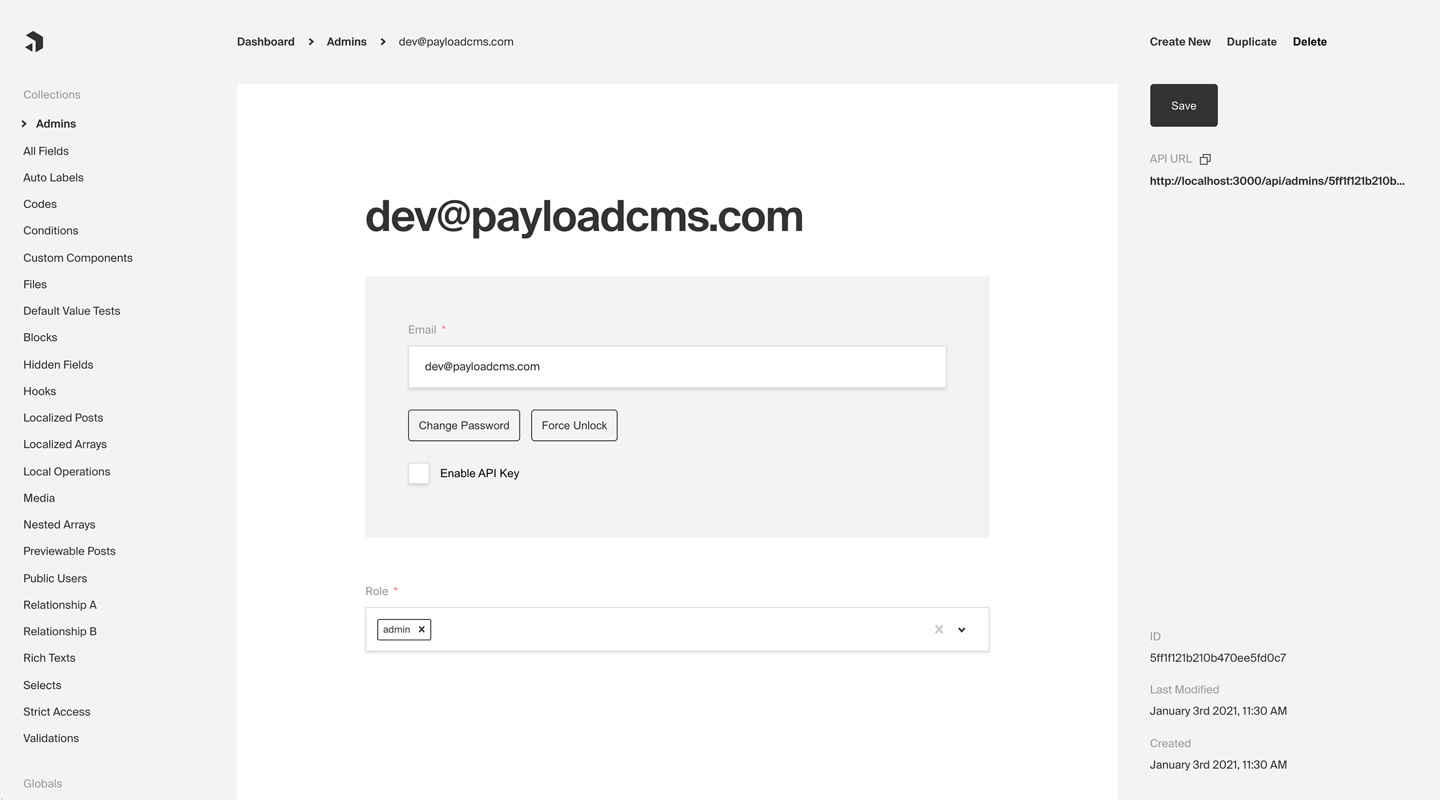
_Admin Panel screenshot depicting an Admins Collection with Auth enabled_
|
|
|
|
**Here are some common use cases of Authentication outside of Payload's dashboard itself:**
|
|
|
|
- Customer accounts for an ecommerce app
|
|
- Customer accounts for a SaaS product
|
|
- P2P app or social site where users need to log in and manage their profiles
|
|
- Online game where players need to track their progress over time
|
|
|
|
By default, Payload provides you with a `User` collection that supports Authentication, which is used to access the [Admin Panel](../admin/overview). But, you can add support to one or many Collections of your own. For more information on how to customize, override, or remove the default `User` collection, [click here](/docs/admin/overview#the-admin-user-collection).
|
|
|
|
## Enabling Auth on a collection
|
|
|
|
Every Payload Collection can opt-in to supporting Authentication by specifying the `auth` property on the Collection's config to either `true` or to an object containing `auth` options.
|
|
|
|
**For a full list of all `auth` options, [click here](/docs/authentication/config).**
|
|
|
|
Simple example collection:
|
|
|
|
```ts
|
|
import { CollectionConfig } from 'payload'
|
|
|
|
export const Admins: CollectionConfig = {
|
|
slug: 'admins',
|
|
// highlight-start
|
|
auth: {
|
|
tokenExpiration: 7200, // How many seconds to keep the user logged in
|
|
verify: true, // Require email verification before being allowed to authenticate
|
|
maxLoginAttempts: 5, // Automatically lock a user out after X amount of failed logins
|
|
lockTime: 600 * 1000, // Time period to allow the max login attempts
|
|
// More options are available
|
|
},
|
|
// highlight-end
|
|
fields: [
|
|
{
|
|
name: 'role',
|
|
type: 'select',
|
|
required: true,
|
|
options: ['user', 'admin', 'editor', 'developer'],
|
|
},
|
|
],
|
|
}
|
|
```
|
|
|
|
**By enabling Authentication on a config, the following modifications will automatically be made to your Collection:**
|
|
|
|
1. `email` as well as password `salt` & `hash` fields will be added to your Collection's schema
|
|
1. The [Admin Panel](../admin/overview) will feature a new set of corresponding UI to allow for changing password and editing email
|
|
1. [A new set of `operations`](/docs/authentication/operations) will be exposed via Payload's REST, Local, and GraphQL APIs
|
|
|
|
Once enabled, each document that is created within the Collection can be thought of as a `user` - who can make use of commonly required authentication functions such as logging in / out, resetting their password, and more.
|
|
|
|
## Authentication Strategies
|
|
|
|
Out of the box Payload ships with a few powerful authentication strategies. HTTP-Only Cookies, JWT's and API-Keys, they can work together or individually. You can also have multiple collections that have auth enabled, but only 1 of them can be used to log into the Admin Panel.
|
|
|
|
### HTTP-Only Cookies
|
|
|
|
HTTP-only cookies are a highly secure method of storing identifiable data on a user's device so that Payload can automatically recognize a returning user until their cookie expires. They are totally protected from common XSS attacks and <strong>cannot be read by JavaScript in the browser</strong>, unlike JWT's.
|
|
|
|
You can learn more about this strategy from the [HTTP-Only Cookies](/docs/authentication/http-only-cookies) docs.
|
|
|
|
### JSON Web Tokens
|
|
|
|
JWT (JSON Web Tokens) can also be utilized to perform authentication. Tokens are generated on `login`, `refresh` and `me` operations and can be attached to future requests to authenticate users.
|
|
|
|
You can learn more about this strategy from the [JWT](/docs/authentication/jwt) docs.
|
|
|
|
### API Keys
|
|
|
|
API Keys can be enabled on auth collections. These are particularly useful when you want to authenticate against Payload from a third party service.
|
|
|
|
You can learn more about this strategy from the [API Keys](/docs/authentication/api-keys) docs.
|
|
|
|
### Custom Strategies
|
|
|
|
There are cases where these may not be enough for your application. Payload is extendable by design so you can wire up your own strategy when you need to.
|
|
|
|
You can learn more about custom strategies from the [Custom Strategies](/docs/authentication/custom-strategies) docs.
|
|
|
|
## Logging in / out, resetting password, etc.
|
|
|
|
[Click here](/docs/authentication/operations) for a list of all automatically-enabled Auth operations, including `login`, `logout`, `refresh`, and others.
|