---
title: Authentication Overview
label: Overview
order: 10
desc: Payload provides highly secure user Authentication out of the box, and you can fully customize, override, or remove the default Authentication support.
keywords: authentication, config, configuration, overview, documentation, Content Management System, cms, headless, javascript, node, react, nextjs
---
Payload provides for highly secure and customizable user Authentication out of the box, which
allows for users to identify themselves to Payload.
Authentication is used within the Payload Admin panel itself as well as throughout your app(s) themselves however you determine necessary.
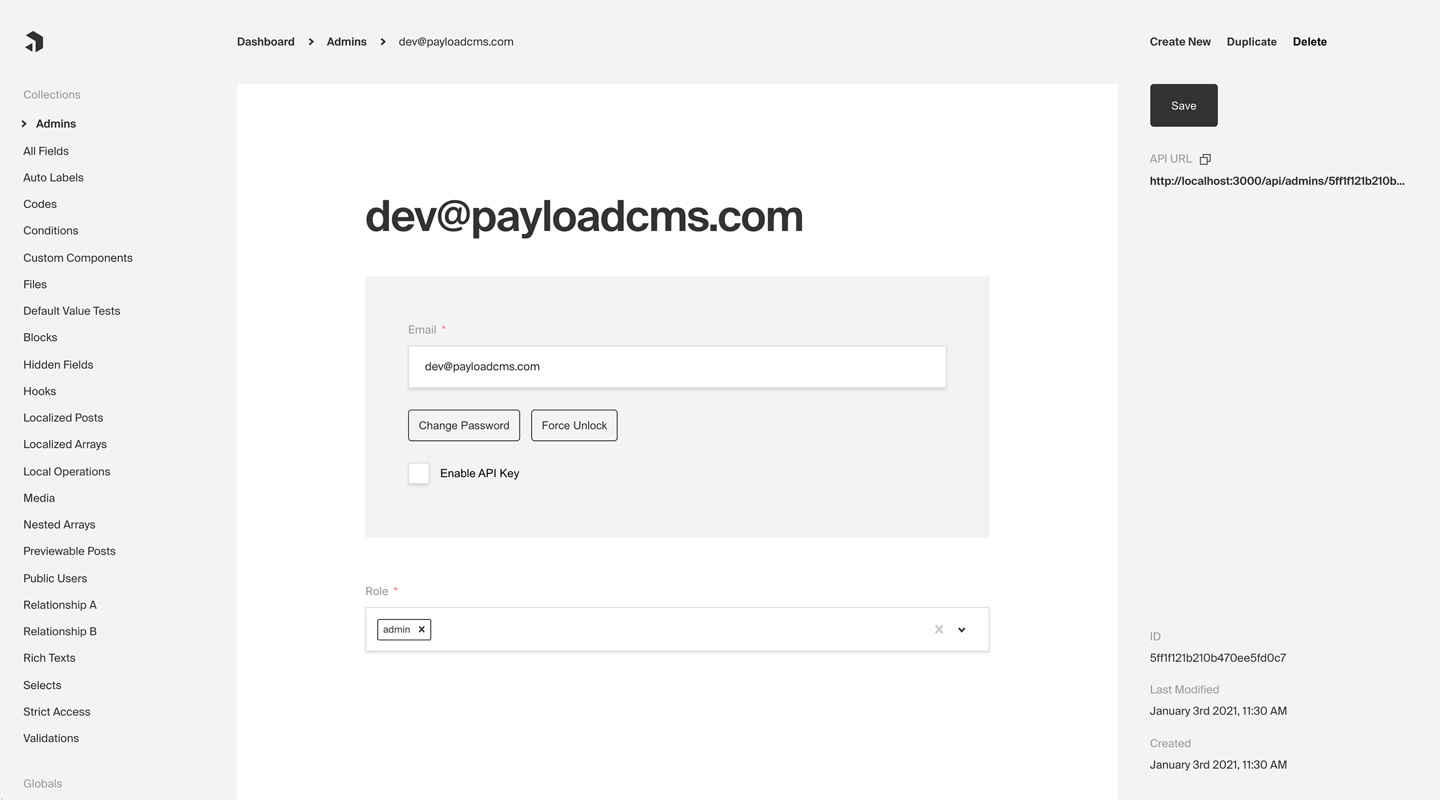
_Admin panel screenshot depicting an Admins Collection with Auth enabled_
**Here are some common use cases of Authentication outside of Payload's dashboard itself:**
- Customer accounts for an ecommerce app
- Customer accounts for a SaaS product
- P2P app or social site where users need to log in and manage their profiles
- Online game where players need to track their progress over time
By default, Payload provides you with a `User` collection that supports Authentication, which is used to access the Admin panel. But, you can add support to one or many Collections of your own. For more information on how to customize, override, or remove the default `User` collection, [click here](/docs/admin/overview#the-admin-user-collection).
## Enabling Auth on a collection
Every Payload Collection can opt-in to supporting Authentication by specifying the `auth` property on the Collection's config to either `true` or to an object containing `auth` options.
**For a full list of all `auth` options, [click here](/docs/authentication/config).**
Simple example collection:
```ts
import { CollectionConfig } from 'payload/types'
export const Admins: CollectionConfig = {
slug: 'admins',
// highlight-start
auth: {
tokenExpiration: 7200, // How many seconds to keep the user logged in
verify: true, // Require email verification before being allowed to authenticate
maxLoginAttempts: 5, // Automatically lock a user out after X amount of failed logins
lockTime: 600 * 1000, // Time period to allow the max login attempts
// More options are available
},
// highlight-end
fields: [
{
name: 'role',
type: 'select',
required: true,
options: ['user', 'admin', 'editor', 'developer'],
},
],
}
```
**By enabling Authentication on a config, the following modifications will automatically be made to your Collection:**
1. `email` as well as password `salt` & `hash` fields will be added to your Collection's schema
1. The Admin panel will feature a new set of corresponding UI to allow for changing password and editing email
1. [A new set of `operations`](/docs/authentication/operations) will be exposed via Payload's REST, Local, and GraphQL APIs
Once enabled, each document that is created within the Collection can be thought of as a `user` - who can make use of commonly required authentication functions such as logging in / out, resetting their password, and more.
## Authentication Strategies
Out of the box Payload ships with a few powerful authentication strategies. HTTP-Only Cookies, JWT's and API-Keys, they can work together or individually. You can also have multiple collections that have auth enabled, but only 1 of them can be used to log into the admin panel.
### HTTP-Only Cookies
HTTP-only cookies are a highly secure method of storing identifiable data on a user's device so that Payload can automatically recognize a returning user until their cookie expires. They are totally protected from common XSS attacks and cannot be read by JavaScript in the browser, unlike JWT's.
You can learn more about this strategy from the [HTTP-Only Cookies](/docs/authentication/http-only-cookies) docs.
### JSON Web Tokens
JWT (JSON Web Tokens) can also be utilized to perform authentication. Tokens are generated on `login`, `refresh` and `me` operations and can be attached to future requests to authenticate users.
You can learn more about this strategy from the [JWT](/docs/authentication/jwt) docs.
### API Keys
API Keys can be enabled on auth collections. These are particularly useful when you want to authenticate against Payload from a third party service.
You can learn more about this strategy from the [API Keys](/docs/authentication/api-keys) docs.
### Custom Strategies
There are cases where these may not be enough for your application. Payload is extendable by design so you can wire up your own strategy when you need to.
You can learn more about custom strategies from the [Custom Strategies](/docs/authentication/custom-strategies) docs.
## Logging in / out, resetting password, etc.
[Click here](/docs/authentication/operations) for a list of all automatically-enabled Auth operations, including `login`, `logout`, `refresh`, and others.