 023719d775
* added custom config extension points

* Added custom field to documentation

* fix deeprequired issue
99 lines
7.4 KiB
Plaintext
99 lines
7.4 KiB
Plaintext
---
|
|
title: Array Field
|
|
label: Array
|
|
order: 20
|
|
desc: Array fields are intended for sets of repeating fields, that you define. Learn how to use array fields, see examples and options.
|
|
keywords: array, fields, config, configuration, documentation, Content Management System, cms, headless, javascript, node, react, express
|
|
---
|
|
|
|
<Banner >
|
|
The Array field type is used when you need to have a set of "repeating" fields. It stores an array of objects containing the fields that you define. Its uses can be simple or highly complex.
|
|
</Banner>
|
|
|
|
**Example uses:**
|
|
|
|
- A "slider" with an image ([upload field](/docs/fields/upload)) and a caption ([text field](/docs/fields/text))
|
|
- Navigational structures where editors can specify nav items containing pages ([relationship field](/docs/fields/relationship)), an "open in new tab" [checkbox field](/docs/fields/checkbox)
|
|
- Event agenda "timeslots" where you need to specify start & end time ([date field](/docs/fields/date)), label ([text field](/docs/fields/text)), and Learn More page [relationship](/docs/fields/relationship)
|
|
|
|
|
|
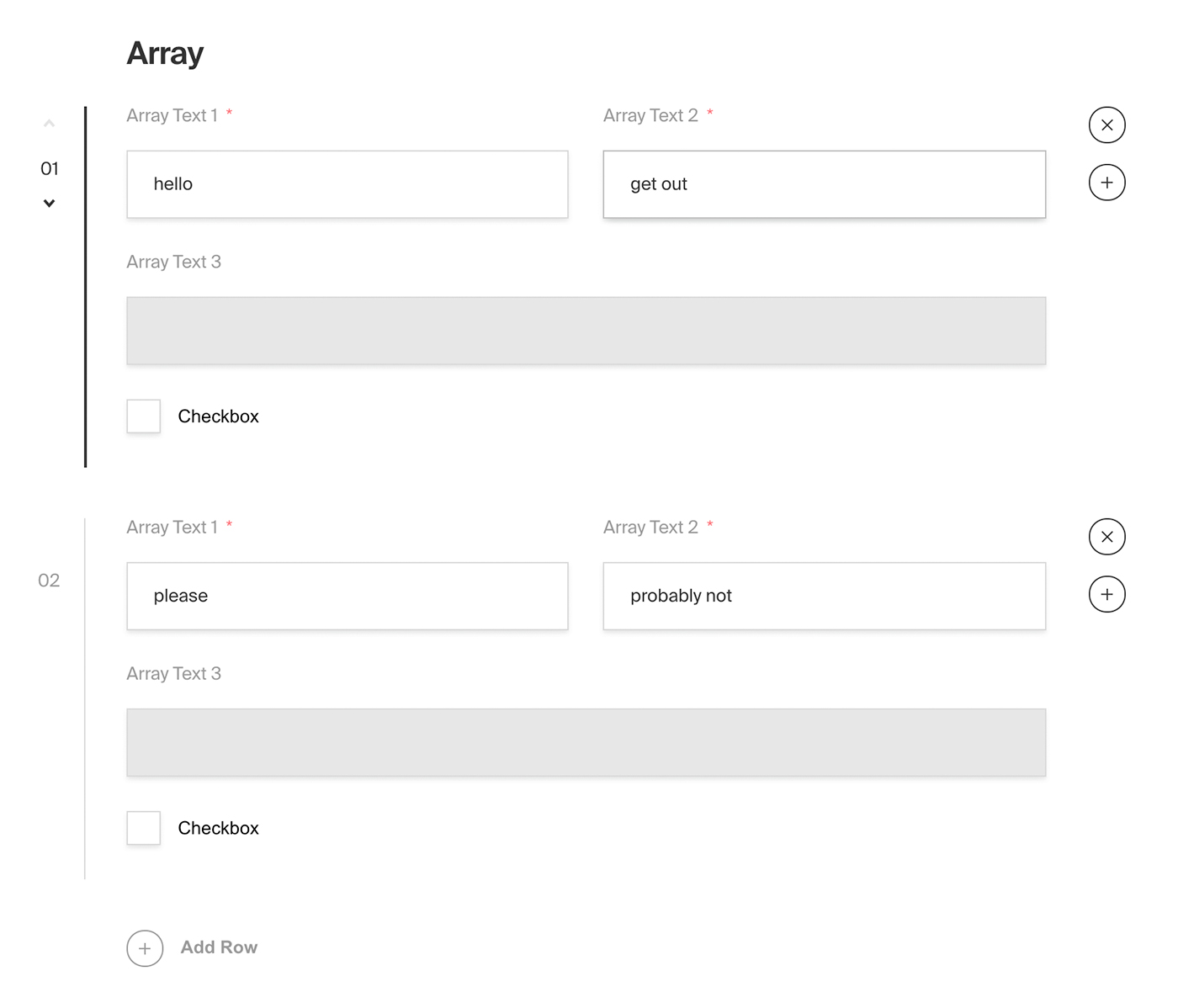
*Admin panel screenshot of an Array field with a Row containing two text fields, a read-only text field and a checkbox*
|
|
|
|
### Config
|
|
|
|
| Option | Description |
|
|
| ---------------- |-----------------------------------------------------------------------------------------------------------------------------------------------------------------------------------------------------------------------------------------------------------------------------------|
|
|
| **`name`** * | To be used as the property name when stored and retrieved from the database. [More](/docs/fields/overview#field-names) |
|
|
| **`label`** | Text used as the heading in the Admin panel or an object with keys for each language. Auto-generated from name if not defined. |
|
|
| **`fields`** * | Array of field types to correspond to each row of the Array. |
|
|
| **`validate`** | Provide a custom validation function that will be executed on both the Admin panel and the backend. [More](/docs/fields/overview#validation) |
|
|
| **`saveToJWT`** | If this field is top-level and nested in a config supporting [Authentication](/docs/authentication/config), include its data in the user JWT. |
|
|
| **`hooks`** | Provide field-based hooks to control logic for this field. [More](/docs/fields/overview#field-level-hooks) |
|
|
| **`access`** | Provide field-based access control to denote what users can see and do with this field's data. [More](/docs/fields/overview#field-level-access-control) |
|
|
| **`hidden`** | Restrict this field's visibility from all APIs entirely. Will still be saved to the database, but will not appear in any API or the Admin panel. |
|
|
| **`defaultValue`** | Provide an array of row data to be used for this field's default value. [More](/docs/fields/overview#default-values) |
|
|
| **`localized`** | Enable localization for this field. Requires [localization to be enabled](/docs/configuration/localization) in the Base config. If enabled, a separate, localized set of all data within this Array will be kept, so there is no need to specify each nested field as `localized`. |
|
|
| **`required`** | Require this field to have a value. |
|
|
| **`labels`** | Customize the row labels appearing in the Admin dashboard. |
|
|
| **`admin`** | Admin-specific configuration. See below for [more detail](#admin-config). |
|
|
| **`custom`** | Extension point for adding custom data (e.g. for plugins) |
|
|
|
|
*\* An asterisk denotes that a property is required.*
|
|
|
|
### Admin Config
|
|
|
|
In addition to the default [field admin config](/docs/fields/overview#admin-config), you can adjust the following properties:
|
|
|
|
| Option | Description |
|
|
| ---------------------- | ------------------------------- |
|
|
| **`initCollapsed`** | Set the initial collapsed state |
|
|
| **`components.RowLabel`** | Function or React component to be rendered as the label on the array row. Receives `({ data, index, path })` as args |
|
|
|
|
|
|
### Example
|
|
|
|
`collections/ExampleCollection.ts`
|
|
```ts
|
|
import { CollectionConfig } from 'payload/types';
|
|
|
|
const ExampleCollection: CollectionConfig = {
|
|
slug: 'example-collection',
|
|
fields: [
|
|
{
|
|
name: 'slider', // required
|
|
type: 'array', // required
|
|
label: 'Image Slider',
|
|
minRows: 2,
|
|
maxRows: 10,
|
|
labels: {
|
|
singular: 'Slide',
|
|
plural: 'Slides',
|
|
},
|
|
fields: [ // required
|
|
{
|
|
name: 'title',
|
|
type: 'text',
|
|
},
|
|
{
|
|
name: 'image',
|
|
type: 'upload',
|
|
relationTo: 'media',
|
|
required: true,
|
|
},
|
|
{
|
|
name: 'caption',
|
|
type: 'text',
|
|
}
|
|
],
|
|
admin: {
|
|
components: {
|
|
RowLabel: ({ data, index }) => {
|
|
return data?.title || `Slide ${String(index).padStart(2, '0')}`;
|
|
},
|
|
},
|
|
},
|
|
}
|
|
]
|
|
};
|
|
```
|